


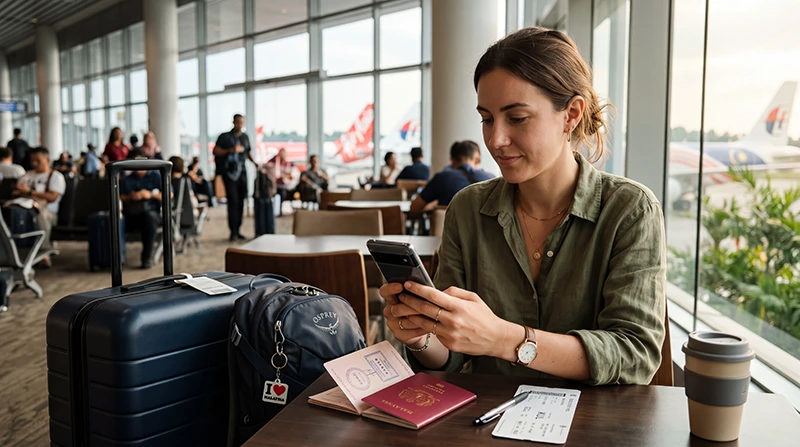

A phone can use a Malaysia travel eSIM only when the device supports eSIM technology and is not locked to another mobile provider. The destination does not change the phone’s hardware capability, but the plan must include Malaysia and the device must support the network bands used by the plan’s local partner.
The safest time to check compatibility is before buying or installing a plan. A model name alone may not be enough because eSIM support can vary by regional version, carrier edition and software configuration.
NoveSIM travel eSIMs are data-only. They do not provide a Malaysian phone number or conventional calls and SMS, but data-based services such as WhatsApp, FaceTime and other messaging apps can continue to work.
Quick answer: Open your phone’s mobile or cellular settings and look for an option to add an eSIM, then confirm that the device is carrier-unlocked. If both checks pass, the phone is usually ready for a compatible Malaysia eSIM plan.
Top Malaysia eSIMs

Malaysia eSIM
Fixed
1 GB, 7 days€ 3.992 GB, 15 days€ 7.103 GB, 30 days€ 9.32Unlimited
Unlimited, 1 day€ 5.32Unlimited, 3 days€ 12.87Unlimited, 5 days€ 20.85
Malaysia eSIM compatibility: does my phone support it?
Malaysia does not require a special type of eSIM-capable phone. The decisive checks are the device’s own eSIM support, its regional model and whether it is unlocked for another provider.
What must be true before a phone can use a Malaysia eSIM?
Three separate conditions matter. The phone must contain eSIM hardware, the specific regional model must allow eSIM installation, and the device must be free to connect to another provider.
- The settings menu includes an eSIM installation option.
- The phone is carrier-unlocked.
- The operating system is current enough to manage an eSIM profile.
- The selected plan explicitly includes Malaysia.
A phone that accepts a physical SIM is not automatically eSIM-compatible. Likewise, seeing an EID confirms that the device contains an embedded SIM identifier, but you should still check the regional model and lock status.
How to check an iPhone
- Open Settings.
- Select General, then About.
- Look for an EID entry.
- Check Carrier Lock. It should say that there are no SIM restrictions.
- Return to Settings and open Cellular or Mobile Service.
- Confirm that Add eSIM is available.
If the option is present, use the dedicated Malaysia eSIM guide for iPhone for installation and line-selection steps. Do not rely only on the commercial model name; an iPhone sold for a particular market may have different SIM capabilities.
How to check an Android phone
Android menu names vary by manufacturer. Search the settings for eSIM, SIM Manager, Add mobile plan or Download a SIM.
- Open Settings.
- Open the connection, network or SIM section.
- Look for an option to add or download an eSIM.
- Open the device information screen and look for an EID.
- Confirm the device is unlocked with the original carrier or retailer.
Samsung, Google Pixel and other Android families do not support eSIM on every model or regional edition. The Malaysia eSIM guide for Android explains the setup path after compatibility has been confirmed.
How do you confirm that the phone is unlocked?
A carrier lock can prevent a compatible phone from registering with the networks used by a travel eSIM. On an iPhone, check the Carrier Lock field in the About screen. On Android, the most reliable confirmation normally comes from the carrier that supplied the phone.
If the device was bought with a contract, instalment plan or carrier promotion, ask the provider whether it is unlocked for other SIMs and eSIMs. Do this before travelling because an unlock request may require account verification or processing time.
Can you keep your regular SIM active?
Many compatible phones support dual-SIM operation. You can often keep the primary line available for incoming calls or verification messages while selecting the Malaysia eSIM for mobile data.
Turn off data roaming on the primary line if you want to avoid home-carrier roaming charges. Then select the travel eSIM as the mobile-data line and follow the settings in the Malaysia eSIM installation guide.
When should you install the eSIM?
Install it while you have stable Wi-Fi before departure, unless the plan instructions specify a different activation rule. Keep the profile switched off until it is needed if activation begins only when the profile connects in Malaysia.
Do not delete an installed eSIM if it does not connect immediately. First check the selected data line, data roaming, APN and network registration. The Malaysia troubleshooting guide provides the correct diagnostic order.
Related Articles
- Best eSIM for Malaysia Travel
- How to Install a Malaysia eSIM
- How to Use an eSIM in Malaysia
- Malaysia eSIM Troubleshooting
FAQ
Does every unlocked phone support eSIM in Malaysia?
No. An unlocked phone must also contain eSIM hardware and support eSIM installation on that specific regional model.
Does an EID mean my phone can use an eSIM?
An EID is a strong sign that the device contains eSIM capability, but you should still confirm the model’s regional support and carrier-lock status.
Can I use WhatsApp with a Malaysia data eSIM?
Yes. WhatsApp can continue using its existing account and number while the travel eSIM supplies mobile data.
Should I delete the eSIM if it does not connect?
No. Keep the installed profile and check the data line, roaming, APN and network registration first. Delete it only if NoveSIM support specifically instructs you to do so.
Final Recommendation
To confirm Malaysia eSIM compatibility, check that your phone has an eSIM installation option, an EID and an unlocked status before purchase. Verify the exact regional model rather than relying only on the phone family’s name.
Install the plan on reliable Wi-Fi, keep the QR code or installation details available offline and select the eSIM as the mobile-data line when you arrive.
With those checks completed before departure, you can avoid discovering a device or carrier-lock restriction after landing in Malaysia.