


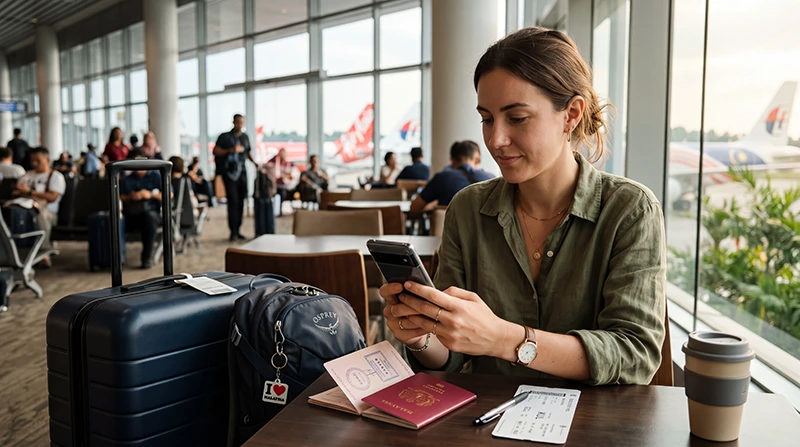

Before purchasing a Malaysia eSIM, one of the most important questions is whether your phone actually supports eSIM technology.
Fortunately, most modern smartphones now include eSIM functionality, making it easy to activate mobile internet without inserting a physical SIM card.
Quick answer: Most recent iPhone, Samsung Galaxy, Google Pixel and other flagship smartphones support eSIM. You can usually verify compatibility directly in your phone settings within a few seconds.
Top Malaysia eSIMs


What Is eSIM?
eSIM stands for Embedded SIM.
Unlike traditional SIM cards, an eSIM is built directly into your device.
This allows you to download mobile plans digitally without physically changing SIM cards.
For travelers visiting Malaysia, eSIM technology offers a convenient way to access mobile internet immediately after arrival.
Why eSIM Compatibility Matters
Not all phones support eSIM.
Before purchasing a travel eSIM, you should verify:
- Your device supports eSIM
- Your device is carrier unlocked
- Your device software is up to date
- Your phone supports dual-SIM functionality if needed
Compatibility is essential because an eSIM cannot be installed on unsupported devices.
How to Check eSIM Support on iPhone
The easiest method is through your iPhone settings.
- Open Settings
- Select Cellular or Mobile Data
- Look for Add eSIM
If you see the Add eSIM option, your iPhone likely supports eSIM technology.
iPhone Models That Commonly Support eSIM
- iPhone 16 Series
- iPhone 15 Series
- iPhone 14 Series
- iPhone 13 Series
- iPhone 12 Series
- iPhone 11 Series
- iPhone XS
- iPhone XS Max
- iPhone XR
Availability may vary by country and device version.
How to Check eSIM Support on Samsung Phones
Samsung devices often include eSIM support in newer models.
To check:
- Open Settings
- Select Connections
- Open SIM Manager
- Look for Add eSIM
If the option appears, your Samsung device likely supports eSIM.
Samsung Phones That Often Support eSIM
- Samsung Galaxy S25 Series
- Samsung Galaxy S24 Series
- Samsung Galaxy S23 Series
- Samsung Galaxy S22 Series
- Samsung Galaxy S21 Series
- Samsung Galaxy Z Fold Series
- Samsung Galaxy Z Flip Series
Carrier restrictions may affect availability in some regions.
How to Check eSIM Support on Google Pixel
Google Pixel devices have been among the strongest supporters of eSIM technology.
To verify support:
- Open Settings
- Select Network & Internet
- Tap SIMs
- Look for Add eSIM
Most recent Pixel devices support eSIM functionality.
Google Pixel Models with eSIM Support
- Google Pixel 9 Series
- Google Pixel 8 Series
- Google Pixel 7 Series
- Google Pixel 6 Series
- Google Pixel 5 Series
- Google Pixel 4 Series
Other Android Phones That May Support eSIM
Several manufacturers now offer eSIM support.
Examples include:
- Motorola Razr models
- Selected Xiaomi phones
- Selected Oppo phones
- Selected Huawei devices
- Selected Sony Xperia models
The exact availability varies by region and device version.
What If I Cannot Find the Add eSIM Option?
If you cannot find the Add eSIM option, several possibilities exist:
- Your device does not support eSIM
- Your carrier has disabled eSIM functionality
- Your phone software requires updating
- The feature is located in a different menu
Checking your manufacturer’s specifications can help confirm compatibility.
Does My Phone Need to Be Unlocked?
Yes.
Most travel eSIMs require an unlocked phone.
A carrier-locked device may prevent installation or activation of a travel eSIM.
If you are unsure, contact your mobile operator before traveling.
Can I Use Both a Physical SIM and eSIM?
In most cases, yes.
Many modern smartphones support dual-SIM functionality.
This allows you to:
- Keep your regular SIM active
- Use an eSIM for mobile data
- Receive SMS verification codes
- Receive banking notifications
- Keep your regular phone number
Why Travelers Prefer eSIMs in Malaysia
Many travelers choose eSIMs because they offer:
- No physical SIM card changes
- Easy installation
- Internet immediately after arrival
- Convenient setup before departure
- Dual-SIM support
- Useful coverage throughout Malaysia
This makes eSIMs particularly attractive for international travel.
Does WhatsApp Work with an eSIM?
Yes.
WhatsApp usually remains linked to your existing phone number.
The eSIM simply provides mobile internet access.
You generally do not need to create a new WhatsApp account.
Do You Need Data Roaming Enabled?
Yes.
Most Malaysia travel eSIMs require Data Roaming to be enabled on the eSIM profile.
Recommended settings:
- eSIM Data Roaming → ON
- Primary SIM Data Roaming → OFF
APN Settings for Malaysia eSIM
Most devices configure APN settings automatically.
If manual configuration is necessary, use:
| Setting | Value |
|---|---|
| APN | data.esim |
| Username | Leave blank |
| Password | Leave blank |
Related Malaysia eSIM Guides
- Malaysia eSIM for iPhone
- Malaysia eSIM for Android
- Install Malaysia eSIM
- How to Activate Malaysia eSIM
- Does My eSIM Work in Malaysia
- eSIM Not Working Malaysia
- Best eSIM for Malaysia
FAQ: Does My Phone Support eSIM Malaysia?
How do I know if my phone supports eSIM?
Look for an “Add eSIM” option in your device’s mobile network or SIM settings.
Do all iPhones support eSIM?
No. Most iPhones from the iPhone XR, XS and newer generations support eSIM, but availability may vary by region.
Do Samsung phones support eSIM?
Many newer Samsung Galaxy S and Galaxy Z models support eSIM functionality.
Can I use a Malaysia eSIM on Android?
Yes. Many modern Android smartphones support eSIM technology.
Does my phone need to be unlocked?
Yes. Most travel eSIMs require an unlocked device.
Can I keep my regular SIM active?
Yes. Most eSIM-compatible devices support dual-SIM functionality.
Do I need Data Roaming enabled?
Yes. Most travel eSIMs require Data Roaming to be enabled on the eSIM profile.
What APN should I use?
If manual setup is required, use data.esim and leave username and password blank.
Final Recommendation
Before purchasing a Malaysia eSIM, take a few moments to verify that your device supports eSIM technology and is carrier unlocked.
Most modern iPhones, Samsung Galaxy devices and Google Pixel phones are compatible, making installation quick and convenient.
Once compatibility is confirmed, an eSIM can provide one of the easiest ways to access mobile internet throughout Malaysia without changing physical SIM cards.