


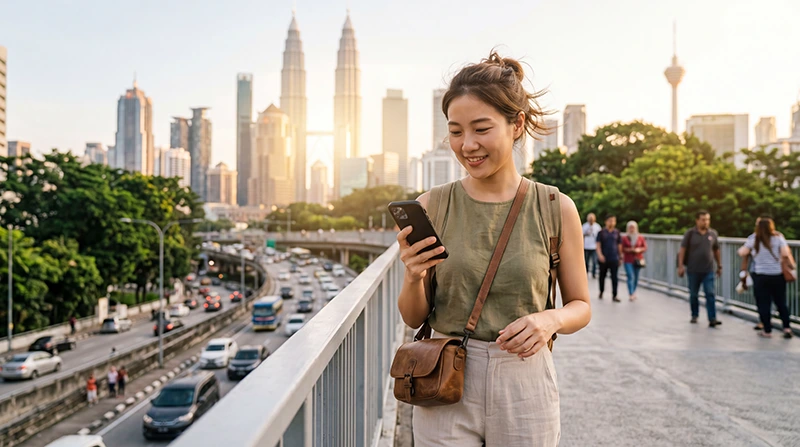

If you are traveling to Malaysia, an eSIM can be one of the easiest ways to access mobile internet without buying a physical SIM card.
Whether you are visiting Kuala Lumpur, Penang, Langkawi, Malacca, Johor Bahru, Kota Kinabalu or Borneo, an eSIM allows you to stay connected from the moment you arrive.
Quick answer: Install your eSIM before departure, activate it after arriving in Malaysia, enable Data Roaming, select it as your mobile data line and start using mobile internet throughout your trip.
Top Malaysia eSIMs


What Is an eSIM?
An eSIM is a digital SIM card built directly into your smartphone.
Instead of inserting a physical SIM card, you download a mobile profile electronically.
This allows travelers to connect to mobile networks without visiting a SIM card store after arrival.
Why Use an eSIM in Malaysia?
Many travelers choose eSIMs because they are convenient and easy to set up.
Benefits include:
- Install before traveling
- No physical SIM card required
- Internet immediately after arrival
- Keep your regular SIM card active
- Useful for multi-country trips
- No airport SIM card queues
- Fast activation process
Step 1: Install the eSIM Before Traveling
The best time to install your Malaysia eSIM is before departure while connected to stable WiFi.
Most providers supply a QR code for installation.
Once installed, the eSIM profile remains stored on your device until you are ready to use it.
Step 2: Arrive in Malaysia
Most travel eSIMs activate when they connect to a supported mobile network in Malaysia.
After landing, your phone can begin searching for available networks.
Step 3: Enable the eSIM
Open your phone settings and make sure the Malaysia eSIM is enabled.
If multiple SIM profiles are available, select the Malaysia eSIM.
Step 4: Select the eSIM for Mobile Data
This step is important.
Your phone should use the Malaysia eSIM as the preferred mobile data source.
This prevents the device from using your home SIM for internet access.
Step 5: Enable Data Roaming
Most travel eSIMs require Data Roaming to be enabled.
Recommended settings:
- Malaysia eSIM Data Roaming → ON
- Primary SIM Data Roaming → OFF
This is one of the most common settings travelers forget.
How to Use a Malaysia eSIM on iPhone
After arriving in Malaysia:
- Open Settings
- Select Cellular
- Choose your Malaysia eSIM
- Enable Turn On This Line
- Enable Data Roaming
- Select the eSIM as your Cellular Data line
Your iPhone should then connect to a supported network.
How to Use a Malaysia eSIM on Android
On most Android devices:
- Open Settings
- Select Connections or Network & Internet
- Open SIM Manager
- Enable the Malaysia eSIM
- Select it for mobile data
- Enable Data Roaming
Menu names may vary depending on the manufacturer.
What Can You Use Mobile Internet For?
Travelers use eSIM mobile data for many daily activities.
- Google Maps navigation
- Grab ride bookings
- WhatsApp messages
- Video calls
- Restaurant searches
- Hotel communication
- Travel bookings
- Translation apps
- Social media
Reliable internet is useful throughout the entire trip.
Can You Keep Your Home SIM Active?
Yes.
Most eSIM-compatible smartphones support dual-SIM functionality.
This allows you to:
- Use the Malaysia eSIM for mobile data
- Keep your regular SIM active
- Receive SMS verification codes
- Receive banking notifications
- Keep your regular phone number
Does WhatsApp Work with an eSIM?
Yes.
WhatsApp remains linked to your existing phone number.
The eSIM simply provides internet access.
You normally do not need to change your WhatsApp account.
Using eSIM at KLIA Airport
Many travelers activate their eSIM shortly after arriving at Kuala Lumpur International Airport (KLIA).
This allows immediate access to:
- Grab
- Google Maps
- Hotel bookings
- Travel confirmations
- Messaging apps
- Airport information
Having internet immediately after arrival can make the journey much smoother.
Can You Use an eSIM Throughout Malaysia?
Yes.
eSIM mobile internet can typically be used across major destinations including:
- Kuala Lumpur
- Penang
- Langkawi
- Malacca
- Johor Bahru
- Kota Kinabalu
- Kuching
- Cameron Highlands
- Borneo
- Malaysia Islands
Coverage may vary in remote rainforest and mountain areas.
APN Settings for Malaysia eSIM
Most phones configure APN settings automatically.
If manual setup is necessary, use:
| Setting | Value |
|---|---|
| APN | data.esim |
| Username | Leave blank |
| Password | Leave blank |
What If Mobile Data Does Not Work?
If the eSIM does not connect properly:
- Verify the eSIM is enabled
- Select it as the mobile data SIM
- Enable Data Roaming
- Check APN settings
- Use data.esim
- Turn Airplane Mode on for 30 seconds
- Restart the phone
- Wait a few minutes for network registration
Most issues can be resolved through settings adjustments.
Common Mistakes When Using an eSIM
- Not enabling Data Roaming
- Selecting the wrong SIM for data
- Leaving automatic data switching enabled
- Incorrect APN settings
- Deleting the eSIM unnecessarily
- Not installing before departure
Avoiding these mistakes helps ensure a smooth experience.
Related Malaysia eSIM Guides
- Install Malaysia eSIM
- How to Activate Malaysia eSIM
- Malaysia eSIM iPhone
- Malaysia eSIM Android
- Does My Phone Support eSIM Malaysia
- eSIM Not Working Malaysia
- APN Settings Malaysia eSIM
FAQ: How to Use eSIM in Malaysia
When should I install my Malaysia eSIM?
Most travelers install their eSIM before departure while connected to stable WiFi.
When does the eSIM activate?
Most travel eSIMs activate when they connect to a supported mobile network in Malaysia.
Do I need Data Roaming enabled?
Yes. Most travel eSIMs require Data Roaming to be enabled on the eSIM profile.
Can I keep my regular SIM active?
Yes. Most dual-SIM smartphones allow you to keep your home SIM active while using the eSIM for mobile data.
Will WhatsApp still work?
Yes. WhatsApp remains linked to your existing phone number.
What APN should I use?
If manual setup is required, use data.esim and leave username and password blank.
Can I use an eSIM throughout Malaysia?
Yes. eSIM mobile internet can generally be used across major cities, tourist destinations and business hubs in Malaysia.
What should I do if the eSIM does not work?
Check Data Roaming, APN settings, mobile data selection and restart your phone before attempting additional troubleshooting.
Final Recommendation
Using an eSIM in Malaysia is one of the easiest ways to stay connected during your trip.
Install the eSIM before departure, activate it after arrival, enable Data Roaming and select it as your preferred mobile data line.
With the correct settings, a Malaysia eSIM can provide reliable internet access for navigation, communication, transportation and travel planning throughout the country.