


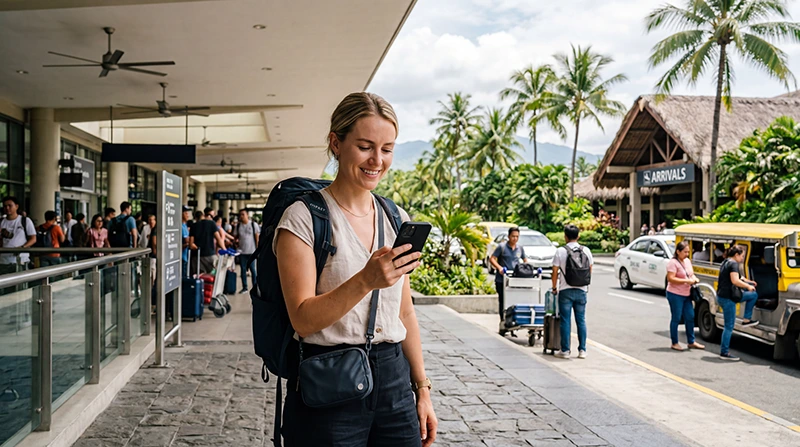

An eSIM can work in the Philippines when four separate conditions are met: the exact phone supports eSIM, the device is carrier-unlocked, the purchased plan includes the Philippines and its partner network has service where you are travelling.
Successfully installing a profile proves only that the phone accepted it. It does not prove that the plan is active, that the correct line is selected for data or that coverage is available on every island.
NoveSIM travel eSIMs are data-only. We do not provide a Philippine number, conventional calls or carrier SMS. Messaging and internet calls use the data connection.
Quick answer: your eSIM should work in the Philippines if the exact handset variant supports eSIM, the phone is unlocked, the plan explicitly covers the country and the local partner network serves your location. Verify all four before departure, then select the eSIM for data and enable roaming on that line when required.
Top Philippines eSIMs

Philippines eSIM
Fixed
1 GB, 7 days5.50$2 GB, 15 days8.50$3 GB, 30 days11.00$Unlimited
Unlimited, 1 day6.00$Unlimited, 3 days9.50$Unlimited, 5 days13.50$
Check 1: confirm support on the exact phone
Model names can hide regional differences. Confirm the model number and the presence of an “Add eSIM” or equivalent option in cellular settings. A device family may support eSIM in one market but not another.
Use the Philippines phone-compatibility checklist before buying or scanning a QR code.
Check 2: verify that the phone is unlocked
A carrier lock can prevent another provider’s eSIM from being used even when the device hardware supports it. Ask the original carrier to confirm the status if the settings do not make it clear.
Unlocking is controlled by the carrier that sold or financed the phone. An eSIM provider cannot remove that restriction.
Check 3: read the exact plan coverage
The product must list the Philippines. A plan for a neighbouring country does not automatically work there, and a regional plan may use a different partner or policy from a country-specific plan.
- Check the included country or region.
- Confirm the local partner network.
- Read validity and activation rules.
- Review high-speed data and hotspot terms.
- Check whether a top-up is available.
Check 4: evaluate the actual route
Manila, Cebu and major tourist centres do not represent every provincial road, ferry route or remote beach. Coverage can also vary indoors. Compare the partner network with each overnight stop and transfer.
The Philippines network guide explains how to assess a route without assuming one permanent winner.
Set the eSIM as the data line after landing
- Turn on the installed Philippines eSIM.
- Select it for mobile data.
- Enable Data Roaming on the travel line when required.
- Disable automatic switching to the primary SIM.
- Keep network selection on Automatic.
- Turn off Wi-Fi and test a simple webpage.
Follow the Philippines eSIM settings guide for normal dual-SIM use.
Separate a setup problem from a coverage gap
If the phone connected earlier but loses service on a ferry or remote route, the likely cause may be local coverage rather than installation. Wait until you return to a populated area before changing settings.
If service should be present, check activation, remaining data, line selection, roaming and APN. Use the Philippines troubleshooting sequence and do not delete the profile.
Prepare an offline fallback
Download ferry tickets, maps, accommodation pins and transfer contacts. A compatible, correctly configured eSIM cannot create terrestrial coverage offshore or in every remote area.
Related Articles
- Install a Philippines eSIM
- Activate a Philippines eSIM
- Philippines eSIM APN Settings
- Mobile Internet in the Philippines
FAQ
How do I know whether my eSIM will work in the Philippines?
Confirm device support, carrier-unlocked status, Philippines plan coverage and partner-network availability for your route.
Does installation mean the eSIM is active?
Not necessarily. Installation adds the profile, while activation and validity follow the exact purchased plan’s rules.
Why does the eSIM work in Manila but not on another island?
Local coverage varies by network, terrain, buildings and distance from populated areas. An offshore gap is not automatically an eSIM fault.
Should I delete an eSIM that has no service?
No. Check the plan, settings, coverage and APN first. Delete it only when NoveSIM support specifically instructs you to do so.
Final Recommendation
Your eSIM will work in the Philippines only when the phone, unlock status, plan and local network all meet the requirement.
Verify those four checks before departure, configure the travel line deliberately after landing and test with Wi-Fi off.
Keep the profile installed during troubleshooting and store essential island-transfer information offline.