


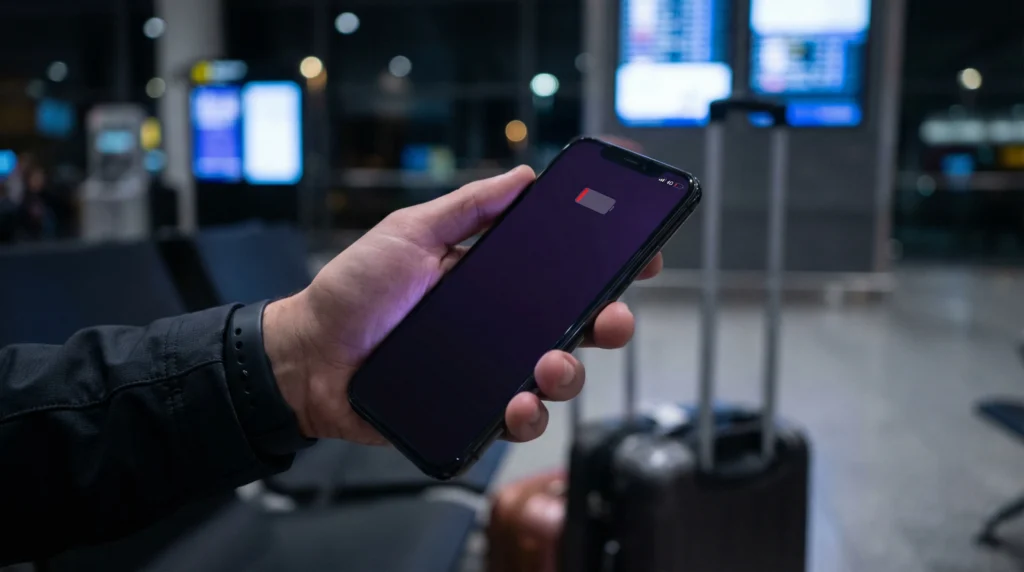

An eSIM does not usually drain significantly more battery than a physical SIM card.
Battery drain while traveling is usually caused by poor signal, roaming, constant network searching, GPS, maps, background apps, screen brightness, and heavy mobile data use — not the eSIM itself.
If you use a travel eSIM correctly, it can be a convenient way to stay connected abroad without carrying or swapping physical SIM cards.
Quick Answer
- Does eSIM drain battery? Not significantly by itself
- Main battery drain causes: weak signal, GPS, maps, roaming, background apps, and screen use
- Dual SIM mode: may use slightly more battery because two lines are active
- Best setup: use your eSIM for mobile data and turn off unused network features
- Travel tip: download offline maps and reduce background data use
Does eSIM Drain Battery Faster?
In most cases, eSIM does not drain battery much faster than a physical SIM.
An eSIM is simply a digital SIM profile stored inside your phone. Once active, it connects to mobile networks in a similar way to a physical SIM card.
If your battery drains faster while using eSIM, the cause is usually how your phone is using mobile networks and apps while traveling.
Why Your Phone Battery Drains Faster While Traveling
Traveling can make your phone work harder than usual.
- your phone searches for new networks
- signal may be weak in airports, trains, mountains, hotels, or rural areas
- GPS and maps are used more often
- transport, booking, and messaging apps run in the background
- photos, videos, cloud backups, and social media use more data
- screen brightness is often higher outdoors
- two SIM lines may be active at the same time
These factors can increase battery usage whether you use eSIM, physical SIM, roaming, or WiFi.
eSIM vs Physical SIM Battery Usage
| Feature | Physical SIM | eSIM |
|---|---|---|
| Connects to mobile network | Yes | Yes |
| Uses battery for signal | Yes | Yes |
| Needs physical card | Yes | No |
| Can be used for travel data | Yes | Yes |
| Main battery impact | Signal and data use | Signal and data use |
The battery difference between eSIM and physical SIM is usually small. Network strength and app usage matter much more.
Does Dual SIM Mode Drain More Battery?
Dual SIM mode can use slightly more battery because your phone keeps two lines active.
For example, you may keep your primary SIM active for calls and SMS while using your travel eSIM for mobile data.
This setup is very useful while traveling, but it can increase battery use slightly because the phone manages two mobile connections.
Best Travel Setup to Reduce Battery Drain
For most travelers, the best setup is:
- keep your primary SIM active only if you need calls or SMS
- use the travel eSIM for mobile data
- turn off data roaming on your primary SIM if roaming is expensive
- turn on data roaming only for the eSIM if required
- disable the SIM line you do not need
- use WiFi for large downloads and video calls
Travel eSIM for Reliable Mobile Data
Stay connected abroad without swapping physical SIM cards.
With NoveSIM, you get:
- eSIM plans for 190+ destinations
- Instant delivery by email
- Easy setup with QR code or activation details
- No physical SIM card needed
- Mobile data for maps, messages, transport apps, and browsing
- Works on eSIM-compatible unlocked phones
How to Save Battery While Using eSIM
- Download offline maps before travel
- Turn off background app refresh for non-essential apps
- Use Low Power Mode or Battery Saver
- Reduce screen brightness
- Turn off Bluetooth when not needed
- Turn off WiFi scanning when not needed
- Use WiFi for large downloads, backups, and video calls
- Close apps that constantly use location
- Disable the SIM line you are not using
- Keep your phone software updated
Does eSIM Drain Battery on iPhone?
On iPhone, eSIM battery usage is usually similar to a physical SIM.
Battery drain may increase if:
- both your primary SIM and eSIM are active
- your iPhone is searching for signal
- you use maps and GPS heavily
- background apps use mobile data
- you are in an area with weak network coverage
To reduce battery drain, use Low Power Mode, turn off unnecessary background activity, and disable any SIM line you do not need.
Does eSIM Drain Battery on Android?
On Android, eSIM battery usage also depends mainly on signal strength, mobile data usage, GPS, and background apps.
Battery drain may increase if:
- dual SIM mode is active
- the phone keeps searching for networks
- mobile data is constantly used by apps
- location services are active for many apps
- network coverage is weak
Use Battery Saver, restrict background data, and turn off unused SIM lines to improve battery life.
Why Weak Signal Drains Battery
Weak signal is one of the biggest causes of battery drain while traveling.
When signal is weak, your phone works harder to stay connected. This can happen in:
- airports and underground areas
- trains, buses, and cars
- mountains and rural regions
- hotels with thick walls
- crowded tourist areas
- basements and metro systems
If signal is very weak, switching networks manually or using WiFi temporarily may help.
Does Data Roaming Drain Battery?
Data roaming itself does not automatically drain battery heavily, but roaming can increase battery usage if your phone keeps searching for partner networks or switches networks often.
For many travel eSIMs, data roaming must be enabled on the eSIM line. To avoid unnecessary battery and cost issues:
- enable data roaming only for the travel eSIM if required
- disable data roaming on your primary SIM if your provider charges extra
- turn off unused SIM lines when not needed
Does 5G Drain More Battery Than 4G?
5G can use more battery than 4G in some situations, especially if signal is weak or your phone switches between networks often.
If you want to save battery, you can use 4G/LTE mode for normal travel tasks such as maps, messaging, browsing, and booking apps.
Best Data Plan to Avoid Battery Stress
Running out of data can cause stress and force you to search for public WiFi, which may not be convenient or secure.
Choose a plan based on your trip:
- 1–3 GB: short trips, maps, messaging, light browsing
- 5–10 GB: one-week trips, maps, social media, travel apps
- 10–20 GB: longer trips, frequent navigation, video calls, content uploads
- 20 GB+: remote work, heavy social media, hotspot use
Read also: How much data do you need for 7 days of travel?
Should You Turn Off Your Primary SIM?
If you do not need calls, SMS, or verification codes from your primary number, turning off your primary SIM can help reduce battery use.
If you need your normal number active, keep the primary SIM on but turn off mobile data roaming for that line if roaming is expensive.
A good setup is:
- primary SIM: calls and SMS only
- travel eSIM: mobile data
- primary SIM roaming: off if expensive
- eSIM roaming: on if required
What If Battery Drains Fast After Installing eSIM?
If your battery drains quickly after installing an eSIM, check these settings:
- is your phone using two SIM lines at once?
- is signal weak in your current area?
- are maps or location apps running constantly?
- are background apps using mobile data?
- is 5G enabled in weak coverage areas?
- is your screen brightness high?
- are cloud backups running on mobile data?
The issue is usually caused by travel conditions and phone settings, not the eSIM alone.
Useful Guides
- Browse eSIM destinations
- When to install your eSIM before travel
- Does eSIM work without WiFi?
- Best eSIM for Google Maps
- Does iMessage work with eSIM?
- Can eSIM be tracked?
- How much data do you need for Europe travel?
- How much data do you need for 7 days?
- eSIM vs roaming
- Local SIM vs eSIM
- How to check if your phone supports eSIM
- eSIM no internet after activation
- eSIM installed but not working after arrival
FAQ
Does eSIM drain battery?
An eSIM does not usually drain significantly more battery than a physical SIM. Battery drain is more often caused by weak signal, GPS, maps, background apps, and mobile data use.
Does eSIM use more battery than a physical SIM?
Usually no. eSIM and physical SIM battery usage are generally similar because both connect to mobile networks.
Does dual SIM drain battery faster?
Yes, dual SIM mode can use slightly more battery because your phone manages two active lines at the same time.
Why does my battery drain faster when traveling?
Your phone may search for networks more often, use GPS and maps more frequently, run travel apps in the background, and operate in weaker signal areas.
Does data roaming drain battery?
Data roaming can increase battery use if your phone keeps searching for or switching between networks, especially in weak signal areas.
Does 5G drain more battery with eSIM?
5G can use more battery than 4G in some cases, especially when coverage is weak. Switching to 4G/LTE can help save battery.
How can I save battery while using eSIM?
Use Low Power Mode, reduce screen brightness, download offline maps, disable background app refresh, turn off unused SIM lines, and use WiFi for large downloads.
Should I turn off my primary SIM while using eSIM?
If you do not need calls or SMS from your main number, turning off your primary SIM may save battery. If you need your number, keep it active and use the eSIM for mobile data.
Conclusion
An eSIM does not usually drain much more battery than a physical SIM card.
If your phone battery drains faster while traveling, the main causes are usually weak signal, GPS, maps, background apps, dual SIM mode, or heavy mobile data use.