


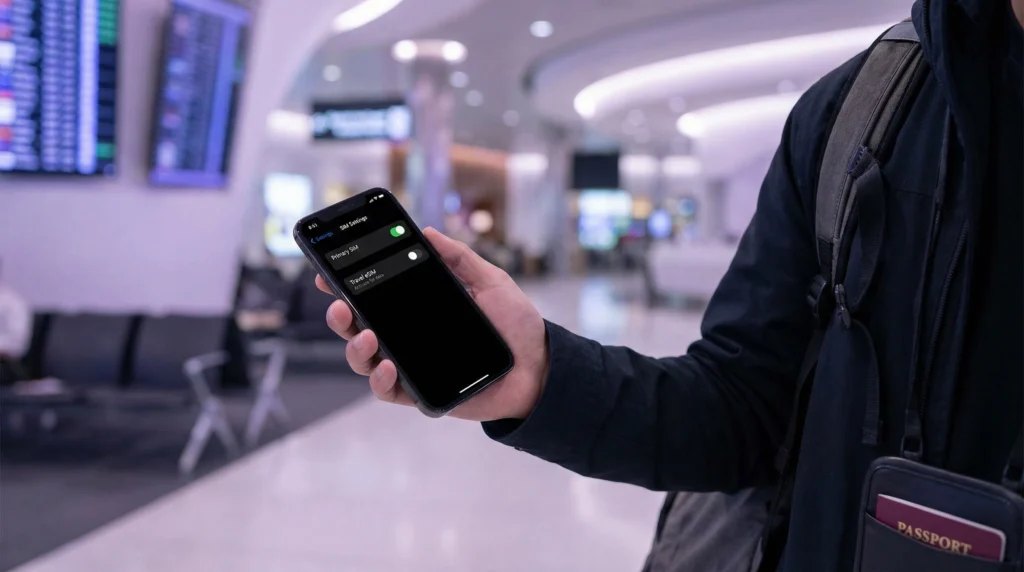

You usually do not need to turn off your primary SIM when using a travel eSIM. Keeping it enabled lets you receive calls, SMS and verification codes on your usual number while the eSIM provides mobile data.
The important distinction is between leaving a line switched on and allowing that line to use roaming data. A primary SIM can remain active without carrying mobile data if the phone is configured correctly.
NoveSIM travel eSIM plans are data-only. We do not provide a replacement phone number, traditional calls or SMS, so many travellers keep their home line available for those services.
Quick answer: Keep the primary SIM on if you need its number, but turn off Data Roaming for that line, select the travel eSIM for Mobile Data and disable cellular-data switching. Turn the primary line off completely only when you do not need its calls or texts, or when your carrier’s roaming policy makes leaving it active unnecessarily risky.
Top eSIMs

Should I Turn Off My Primary SIM When Using an eSIM?
For most dual-SIM travellers, no. The primary line can stay enabled for incoming SMS, account verification and familiar caller identity, while the eSIM handles internet traffic. Keeping both lines active is different from using both lines for data.
The safer configuration is to assign each line one clear job:
- Primary SIM: your existing number, calls and SMS when needed.
- Travel eSIM: mobile data at the destination.
- Wi-Fi: an optional connection, not a requirement once the eSIM has activated.
If you do not need the home number at all, switching the primary line off is the simplest way to eliminate accidental use. The trade-off is that ordinary calls and SMS to that line will not reach the phone until it is re-enabled.
Which Settings Actually Prevent Roaming Data Charges?
Three settings matter more than the line’s master on/off switch. Their names vary slightly by manufacturer, but the purpose is consistent.
- Select the travel eSIM as the phone’s Mobile Data or Cellular Data line.
- Turn Data Roaming off for the primary SIM.
- Turn off Cellular Data Switching, Allow Mobile Data Switching or the equivalent fallback option.
- Enable Data Roaming for the travel eSIM when the plan instructions require it.
- Check the status bar and data-usage screen after arrival to confirm which line is carrying data.
The travel eSIM may need data roaming because it connects through a partner network. That does not mean data roaming must also be enabled on the home line. Our guide to data roaming with an eSIM explains why the two lines need different settings.
Can the Primary SIM Still Create Charges?
Yes. Preventing mobile-data use does not automatically make every home-line service free. Depending on the carrier and destination, answering or making a conventional call, listening to voicemail, sending an SMS or using certain network features can create roaming charges.
Receiving an SMS is often treated differently from sending one, but policies vary. Check the home carrier’s current roaming terms before departure. NoveSIM cannot control charges applied by another mobile provider.
What Happens to Calls and Texts?
When the primary line remains enabled and registers on a roaming network, calls and SMS can continue to reach its number. Whether they cost money depends on the home plan. A data-only travel eSIM does not receive those carrier calls or texts.
Internet-based apps can use the travel data line. WhatsApp, FaceTime, Messenger and similar services do not need the primary SIM to carry mobile data. For the account behaviour, see using WhatsApp with an eSIM and using iMessage with an eSIM.
What about Verification Codes?
Keeping the primary SIM enabled can be useful when a bank, airline or account provider sends a code by SMS. The message still goes to the number registered with that service; a data-only eSIM does not replace it.
Do not depend on SMS as the only recovery method. The home line may fail to register abroad, the carrier may restrict roaming, or the service may block an overseas attempt. Save recovery codes and configure an authenticator app before travelling when the account supports one.
Recommended iPhone Setup
- Open Settings and select Cellular or Mobile Service.
- Open the primary line and turn Data Roaming off.
- Open Cellular Data and select the travel eSIM.
- Turn Allow Cellular Data Switching off.
- Open the travel eSIM and enable Data Roaming if required by the plan.
If the home line is not needed, switch Turn On This Line off temporarily. Do not remove the plan from the phone.
Recommended Android Setup
- Open Settings and find SIM Manager, SIMs or Mobile Network.
- Select the travel eSIM as the preferred SIM for mobile data.
- Disable automatic data switching or backup calling if it could use home-line data.
- Turn data roaming off for the primary SIM.
- Turn data roaming on for the travel eSIM when required.
Android menus differ across Samsung, Google Pixel and other manufacturers. Confirm the line name and telephone number before changing a setting; colours and SIM positions are not reliable identifiers.
When Should I Turn the Primary SIM Off Completely?
Switch it off when you will not use its calls or SMS, when the carrier advises that network registration itself could trigger an unwanted service, or when you want the simplest possible protection from accidental roaming activity.
You may also disable it temporarily while diagnosing an internet problem. If data works with only the travel eSIM active, re-enable the primary line and review switching settings. Do not delete either eSIM during this test unless Support specifically instructs you to do so.
How to Confirm the Travel eSIM Is Using Data
Turn off Wi-Fi, open a webpage and then check data usage by SIM. The travel line should show new usage while the primary line remains unchanged. If the phone has no internet, confirm that the travel profile is enabled and follow the checks in what to do when there is no internet abroad.
A working signal icon does not always mean data is configured correctly. Verify the selected data line, roaming setting and APN instructions before assuming the plan has failed.
Related Articles
- Do you need data roaming for an eSIM?
- Use WhatsApp with an eSIM
- Use iMessage with an eSIM
- Fix no internet while travelling
FAQ
Should I turn off my primary SIM when using an eSIM?
Usually not. Keep it enabled if you need its number, but prevent it from using roaming data and select the travel eSIM as the dedicated data line.
Can I receive texts on my primary SIM while using eSIM data?
Yes, if the primary line remains enabled and can register on a network. Check your carrier’s roaming terms because sending messages or using other services may cost extra.
Will turning off data roaming stop every roaming charge?
No. It prevents that line from using roaming data, but conventional calls, voicemail and outgoing SMS may still be chargeable.
Should cellular-data switching be on?
Turn it off when cost control matters. Otherwise the phone may use the primary line when the travel eSIM connection weakens.
Final Recommendation
You normally do not need to turn off the primary SIM while using an eSIM. Keep it active only for the number-based services you genuinely need.
Assign mobile data to the travel eSIM, disable data roaming and automatic data switching on the primary line, and verify usage after landing.
Check the home carrier’s rules for calls, SMS and voicemail, because correct data settings cannot prevent charges for every conventional service.