


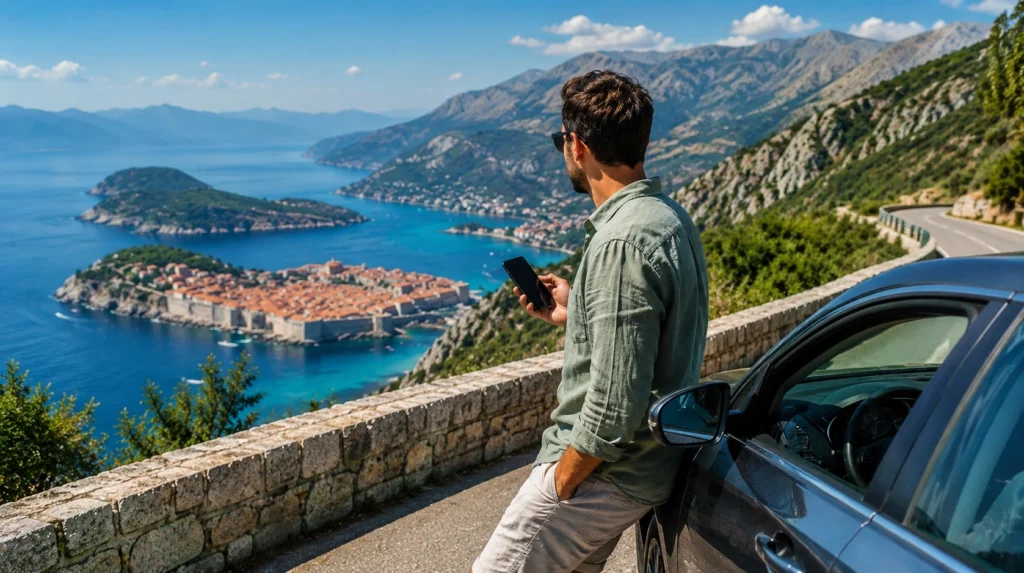

A Croatia to Montenegro road trip eSIM should support the precise countries and driving days on the itinerary. The most useful setup keeps navigation and messages available in Croatia, then allows the phone to register with a supported Montenegrin network after the border.
This journey is not only a two-country product comparison. Drivers and passengers need to prepare for long transfer days, variable border queues, parking instructions, accommodation check-in and stretches where live navigation may be interrupted while the device changes networks.
NoveSIM travel eSIMs provide data only. We do not provide a Croatian or Montenegrin number, conventional calls or SMS. Internet-based navigation, messaging and calling can use the data connection, while ordinary carrier services remain with the primary line.
Quick answer: Before driving from Croatia to Montenegro, confirm that the active eSIM plan names both countries, install it on reliable Wi-Fi and download the route from the Croatian starting point through the border to the first Montenegrin stop. Keep the travel eSIM selected for Mobile Data, automatic data switching off and Network Selection on Automatic. Check live road and border information before departure, then troubleshoot only after stopping safely beyond the checkpoint.
Top Croatia eSIMs

Croatia eSIM
Fixed
1 GB, 7 days2.50$2 GB, 15 days4.00$3 GB, 30 days5.00$Unlimited
Unlimited, 1 day2.50$Unlimited, 3 days6.00$Unlimited, 5 days9.00$
Montenegro eSIM
Fixed
1 GB, 7 days4.00$2 GB, 15 days6.00$3 GB, 30 days8.00$Unlimited
Unlimited, 1 day4.50$Unlimited, 3 days9.50$Unlimited, 5 days14.50$
Balkans eSIM
Fixed
1 GB, 7 days5.00$2 GB, 15 days8.00$3 GB, 30 days10.50$Unlimited
Unlimited, 1 day5.50$Unlimited, 3 days12.50$Unlimited, 5 days19.50$Europe Extra eSIM
Fixed
1 GB, 7 days2.50$2 GB, 15 days4.00$3 GB, 30 days5.00$Unlimited
Unlimited, 1 day3.00$Unlimited, 3 days6.00$Unlimited, 5 days10.00$Europe+ eSIM
Fixed
1 GB, 7 days3.00$2 GB, 15 days4.50$3 GB, 30 days6.00$Unlimited
Unlimited, 1 day3.00$Unlimited, 3 days7.00$Unlimited, 5 days11.50$Europe Lite eSIM
Fixed
1 GB, 7 days2.50$2 GB, 15 days4.00$3 GB, 30 days5.00$Unlimited
Unlimited, 1 day3.00$Unlimited, 3 days6.00$Unlimited, 5 days10.00$Plan the Croatia to Montenegro road trip eSIM around each driving leg
| Driving leg | Connectivity task before leaving | Likely point of failure |
|---|---|---|
| Split to Dubrovnik area | Save the chosen road, fuel stops and overnight address | A route change adds time or crosses an unplanned country |
| Dubrovnik to the Montenegro border | Check current traffic and download the complete frontier area | Live data pauses near the crossing or during a queue |
| Border to Herceg Novi | Keep the Montenegrin address and first turns offline | The phone has not yet registered with a new partner network |
| Herceg Novi to Kotor | Save parking and check-in information before entering busy areas | Congestion or terrain affects signal and rerouting |
| Kotor to Budva or Podgorica | Confirm the onward route and remaining data | Navigation, photo backup and passenger use share one allowance |
The correct data plan is only one part of the preparation. Offline continuity matters because a valid eSIM cannot guarantee uninterrupted reception on every road, inside every tunnel or during every network handover.
Choose the plan without duplicating the two-country comparison
For this route, the minimum requirement is explicit coverage in Croatia and Montenegro. One regional profile can reduce switching; two country profiles can give each part of the journey its own allowance. The better choice depends on the number of days, expected use and whether the route continues elsewhere.
The detailed decision between one shared plan and two separate allowances is covered in the Montenegro and Croatia eSIM comparison. Once that decision is made, this road-trip guide focuses on operating the connection safely from departure to arrival.
Do not assume that a plan labelled for Europe includes Montenegro. Open the current destination list and find both country names. If the journey continues through Bosnia and Herzegovina, Albania or another country, verify that destination separately rather than relying on a regional label.
Prepare the route before leaving Split
A traveller beginning in Split has a substantial Croatian driving leg before reaching the Montenegro border. Choose the actual route in the navigation app while connected, then download enough map area to cover Dubrovnik and the onward coastal corridor.
Review the itinerary itself, not only its final destination. Navigation can propose alternatives because of traffic or road conditions, and some alternatives may introduce another national border. A plan covering Croatia and Montenegro alone should not be assumed to provide data in an additional country.
Save the night’s accommodation, reception hours and parking instructions as text or screenshots. If the drive is broken in Dubrovnik, confirm whether the property has restricted vehicle access and record the walking route from the chosen parking point.
Prepare the Dubrovnik to Herceg Novi border leg
The principal road crossing on the Dubrovnik–Herceg Novi corridor is Karasovići on the Croatian side and Debeli Brijeg on the Montenegrin side. Opening conditions, queues and traffic controls can change, so check official road and border sources on the day rather than relying on a time estimate saved weeks earlier.
Before leaving dependable data in the Dubrovnik area, store the complete route through the crossing and into Herceg Novi. Keep passports, vehicle documents and any cross-border rental authorisation physically available; cloud storage should be a backup, not the only copy.
Finish calls, ticket searches and large downloads before approaching the checkpoint. Border control is not an appropriate place to handle the phone, reconfigure an eSIM or discover that the next address exists only in an online message.
Expect a network handover after the border
The phone must release the Croatian network and register with a network that the plan supports in Montenegro. Signal from Croatia may remain visible for a while near the border, and the strongest network shown in a manual list is not necessarily a valid partner.
With one regional profile, keep it enabled and selected for Mobile Data. With two country profiles, select the Montenegro eSIM after crossing and ensure that the Croatian or home line is not allowed to take over data automatically.
Allow time for registration. If maps remain usable offline, there is no need to make hurried changes while the vehicle is moving. The first safe stop is the right place to test whether the new connection has returned.
Use a safe recovery sequence when data does not return
- Park safely beyond the checkpoint before touching network settings.
- Check that the selected plan includes Montenegro and still has validity and data.
- Select the intended travel eSIM for Mobile Data.
- Enable Data Roaming on that eSIM when required by the plan instructions.
- Turn off automatic mobile-data switching.
- Keep Network Selection on Automatic and wait for registration.
- Toggle Airplane Mode on briefly, turn it off and test an ordinary website.
If a manual NoveSIM APN is required, use data.esim and leave username and password blank. Do not delete the installed eSIM unless NoveSIM Support specifically instructs you to do so. The Montenegro eSIM troubleshooting guide covers the wider diagnostic sequence.
Navigate from Herceg Novi to Kotor without depending on live data
After Herceg Novi, the road continues around the Bay of Kotor. The route may be slow even when the map shows a modest distance, and temporary congestion can cause the navigation app to offer alternatives. Keep the main road and the final approach to the accommodation available offline.
Save the exact entrance and parking location rather than only the property name. In compact historic areas, the address used for reception may not be the point where a vehicle can stop.
A passenger can monitor live routing once mobile data returns. A solo driver should set the destination before moving and make changes only after parking.
Continue from Kotor to Budva or Podgorica
For Kotor to Budva, download the coastal route and the first practical parking option. For Podgorica, save the inland route chosen by the navigation app and allow for terrain-related variations in reception.
Do not interpret a short signal loss as proof that the eSIM has failed. Coverage depends on the partner network, the device, terrain, buildings and local congestion. The Montenegro network guide explains how to assess the local connection without promising uniform service on every section.
If the route continues through Montenegro, the Montenegro road-trip internet guide covers inland roads and longer domestic journeys beyond this Croatia-to-Montenegro crossing.
Set up the phone before the keys are in the ignition
- Install the eSIM on reliable private Wi-Fi.
- Label each travel profile by country or plan.
- Select the travel eSIM for Mobile Data.
- Disable automatic data switching.
- Keep Data Roaming off on the home SIM unless its charges are accepted.
- Use Automatic network selection unless Support provides another instruction.
- Pause automatic app updates and cloud photo backup.
- Test navigation and, when permitted, hotspot use before departure.
Installation, activation and first network registration are different stages. Follow the timing in the exact product instructions rather than activating early by assumption. The Montenegro eSIM setup guide provides the device preparation in more detail.
Estimate data for the car, not only for one phone
Turn-by-turn navigation is only one part of road-trip use. Passengers may stream audio, search for stops, upload photographs or share the connection with another device. A laptop or several phones can consume much more than navigation alone.
Build the estimate from the number of driving days and users. Add a margin for rerouting and arrival tasks, but move large downloads and backups to trusted Wi-Fi. The Montenegro data-use guide helps translate planned activities into a practical allowance.
With one regional plan, Croatian use reduces what remains for Montenegro. Check the balance before leaving Dubrovnik so a passenger does not discover near Kotor that streaming earlier in the trip consumed the second-country reserve.
Use hotspot carefully during the drive
Confirm that the exact plan permits hotspot use and check whether tethering has a separate limit. Sharing data can be useful for passengers, but it should not leave the driver’s navigation device without an allowance.
Keep the phone powered and cool. Continuous navigation, poor signal and hotspot use can drain the battery and increase heat. A working charging cable and car adapter are part of the connectivity setup.
Remote workers should avoid scheduling a critical video call during the border leg. Queue duration, network handover and the availability of a safe stopping place are independent variables that no data plan can remove.
Keep the primary SIM under control
Croatia and Montenegro do not necessarily fall under the same home-carrier roaming terms. Select the travel eSIM for data and prevent the primary line from switching into mobile data when the travel signal pauses.
The primary SIM may remain enabled for its number on a compatible dual-SIM phone. Calls, SMS and voicemail still follow that carrier’s tariff. NoveSIM’s data-only profile cannot receive conventional verification SMS or provide a local voice number.
Messaging and internet-calling apps can continue over the eSIM data connection. WhatsApp normally remains attached to the existing account number when the source of internet changes.
Croatia–Montenegro road-trip eSIM checklist
- Map from the Croatian start to the first Montenegrin overnight stop.
- Alternative route areas suggested during planning.
- Accommodation addresses, entrances and parking instructions.
- Booking references and arrival contact details.
- Required travel and vehicle documents.
- Plan destination list, eSIM label and support information.
- Fuel or charging stops appropriate to the vehicle.
- Current official road and border information checked before departure.
Related Articles
- Montenegro and Croatia eSIM Comparison
- Montenegro Road-Trip Internet Guide
- Montenegro eSIM Plans
- Croatia eSIM Plans
- Montenegro eSIM Troubleshooting
- Mobile Networks in Montenegro
FAQ
Will one eSIM work for a Croatia to Montenegro road trip?
Yes, when the active plan explicitly includes both countries and remains valid with enough data. The phone will still need to leave the Croatian network and register with a supported Montenegrin partner after the border.
What should I download before driving from Dubrovnik to Kotor?
Download the route through the border to the first Montenegrin destination, plus accommodation, parking and arrival details. Keep travel and vehicle documents accessible without depending on cloud storage.
Why can internet stop after entering Montenegro?
The device may need time to register with a new partner network, or the wrong data profile may be selected. Stop safely, confirm Montenegro coverage, check the data line and roaming setting, keep network selection automatic and refresh registration.
Should I rely on live maps for the whole road trip?
No. Live traffic is useful when data is available, but offline maps protect the route during border handover, weak coverage or an exhausted allowance. Save the complete transfer before departure.
Final Recommendation
Prepare a Croatia to Montenegro road trip eSIM as part of the driving plan. Confirm both countries, sufficient validity and enough shared or separate data for every passenger and driving day.
Install and label the profile before departure, select it for mobile data and disable automatic switching. At the border, allow the phone time to register in Montenegro and make any checks only from a safe stopping place.
Download the route from the Croatian start through Herceg Novi to Kotor, Budva or the chosen onward destination. A reliable journey combines the correct plan with offline maps, saved arrival details and a controlled home SIM rather than treating continuous signal as guaranteed.