


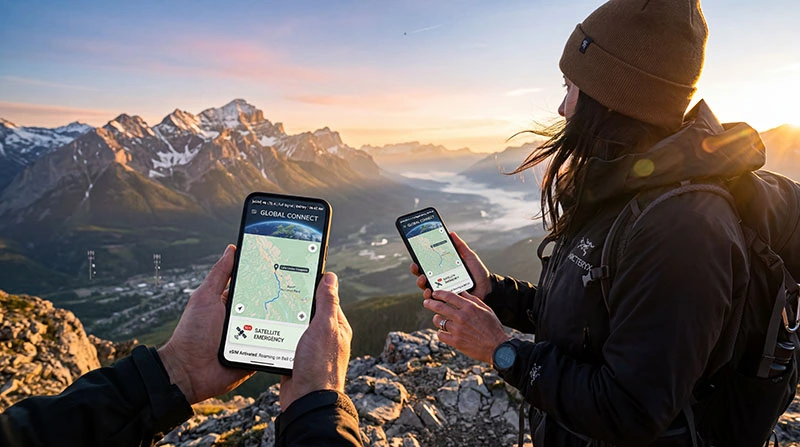

Yes — in most cases, you can use an eSIM for mobile data and still use satellite messaging or emergency satellite features on supported devices.
This is becoming more important for travelers, hikers, remote workers, and adventure users who visit areas with weak or no cellular coverage.
An eSIM gives you access to local mobile networks, while satellite messaging acts as a backup when no normal signal is available.
Quick answer: eSIM handles normal mobile connectivity. Satellite messaging works separately on supported phones when no cellular network is available.
How eSIM and Satellite Messaging Work Together
These two technologies serve different purposes:
- eSIM: Connects to regular mobile carriers for calls, texts, and data
- Satellite messaging: Connects to satellites when no carrier signal exists
- Together: Seamless travel connectivity with emergency backup
Think of eSIM as your everyday travel connection, while satellite features are your last-resort safety layer.
Helpful guide: What Is an eSIM and How Does It Work?
Which Phones Support This?
Support depends on device model and manufacturer. Common examples include:
- Newer iPhone models with Emergency SOS via satellite
- Selected premium Android phones with satellite messaging features
- Future rugged travel devices with hybrid connectivity
Helpful guides:
Can I Use Travel eSIM Abroad and Satellite SOS Too?
Yes. This is one of the smartest setups for international travel.
Example:
- Use your travel eSIM for maps, Uber, browsing, and hotel Wi-Fi backup
- If you lose network coverage in mountains, desert, sea, or remote roads, satellite emergency messaging may still work
This is ideal for:
- Road trips
- Hiking holidays
- Island travel
- Ski resorts
- Remote business travel
Helpful guide: Travel eSIM Plans
Does Satellite Messaging Use My eSIM Data?
No. Satellite emergency systems usually work independently from your eSIM data package.
That means:
- It does not normally use your travel data allowance
- It activates only when needed
- It is separate from local carrier billing in most cases
Best Settings Before Travel
- Install your eSIM before departure
- Update your phone software
- Enable location services
- Learn how satellite messaging works on your phone
- Keep battery charged
- Download offline maps
Helpful guides:
- Should I Install eSIM Before Travel?
- How to Install an eSIM on Samsung Phones
- How to Switch Between eSIM and Physical SIM While Traveling
Common Problems
- Satellite feature not supported in your country
- Old software version
- Blocked sky view
- Low battery
- User expects satellite to replace normal mobile data
Important: Satellite messaging is usually limited and slower than normal cellular service.
Should Travelers Care About This?
Absolutely. In 2026, combining travel eSIM + satellite safety features is one of the best mobile setups for modern travelers.
You get:
- Affordable data abroad
- Keep your home SIM active
- Fast local mobile internet
- Emergency backup in remote zones
Helpful guide: How to Avoid Roaming Charges Using eSIM
Need travel data now? Browse NoveSIM travel eSIM plans.
Final Thoughts
Yes, you can usually use eSIM and satellite messaging at the same time on supported devices. They serve different roles and complement each other perfectly.
For travelers, this means lower roaming costs plus better safety in places where normal mobile coverage disappears.
FAQ
Can I use eSIM and satellite messaging together?
Yes, on supported phones they usually work together because they use different systems.
Does satellite messaging use eSIM data?
No, it usually works separately from your mobile data plan.
Is this good for travel?
Yes, it combines affordable mobile data with emergency backup coverage.
Can satellite messaging replace eSIM?
No. Satellite tools are limited and do not replace normal mobile networks for daily use.
Should I install eSIM before my trip?
Yes, installing before departure is usually the best option.