


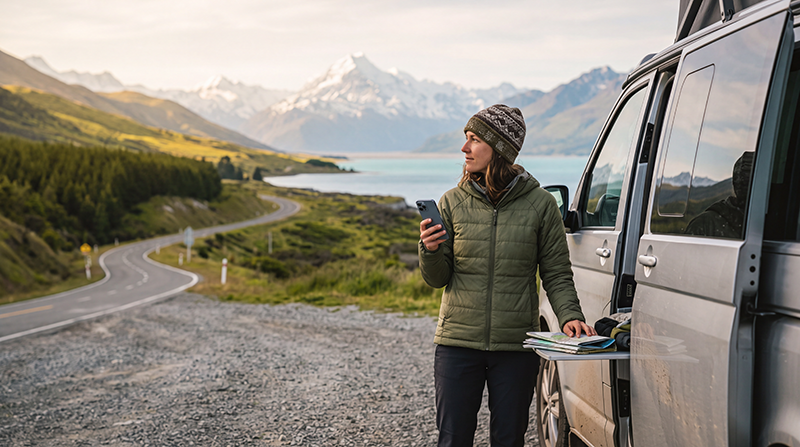

Buying an eSIM for New Zealand before departure is one of the simplest ways to arrange mobile internet for your trip. You can install the digital SIM while connected to reliable WiFi and keep your regular physical SIM in the phone.
A New Zealand travel eSIM can provide data for navigation, accommodation bookings, transport information, weather forecasts, messaging and activity reservations. It is especially useful for road trips, campervan travel and arrivals outside normal mobile-shop opening hours.
Quick answer: choose a plan that covers New Zealand, matches the length of your trip and includes enough data for your expected use. Confirm that your phone supports eSIM and is carrier-unlocked, then purchase and install the plan before departure.
Top New Zealand eSIMs

New Zealand eSIM
Fixed
1 GB, 7 days2.50$2 GB, 15 days4.50$3 GB, 30 days6.00$Unlimited
Unlimited, 1 day3.00$Unlimited, 3 days7.50$Unlimited, 5 days12.00$
Asia eSIM
Fixed
1 GB, 7 days5.00$2 GB, 15 days9.00$3 GB, 30 days12.00$Unlimited
Unlimited, 1 day6.50$Unlimited, 3 days17.50$Unlimited, 5 days28.50$Can You Buy a New Zealand eSIM Online?
Yes. A travel eSIM can be purchased online without visiting a mobile shop in New Zealand. After checkout, you normally receive installation details by email or through your customer account.
The process generally includes:
- Selecting a New Zealand data plan.
- Confirming the plan’s coverage and validity.
- Completing the online payment.
- Opening the installation instructions.
- Installing the eSIM over WiFi.
- Activating mobile data after arrival.
Buying before departure means you can prepare the phone at home instead of relying on airport or hotel WiFi for the initial installation.
Why Buy an eSIM Before Travelling?
- No need to search for a local SIM shop after landing.
- No physical SIM card to insert or lose.
- Your primary SIM can remain installed.
- Mobile data can be available shortly after arrival.
- You can review the plan conditions before travelling.
- You can save the setup instructions offline.
- You can prepare navigation before collecting a rental vehicle.
This is particularly useful when arriving late, travelling directly from the airport or beginning a road trip immediately.
What to Check Before Buying
| Plan Detail | What to Confirm |
|---|---|
| Coverage | New Zealand is clearly included |
| Validity | The plan lasts for the complete trip |
| Data allowance | Enough data is included for your travel habits |
| Activation | You understand when the validity period begins |
| Hotspot | Sharing is available when required |
| Network access | 4G or 5G availability is described clearly |
| Device support | Your exact phone model supports eSIM |
| Phone lock | The device is carrier-unlocked |
How to Choose the Right New Zealand eSIM
The right plan depends on your trip length, itinerary and mobile data habits. Do not select a plan based only on the lowest price or largest headline allowance.
Consider:
- How many days you will stay.
- Whether you will visit one city or travel across both islands.
- How often you will use offline maps.
- Whether accommodation WiFi will be available.
- Whether you will share a hotspot.
- How often you upload photographs or videos.
- Whether you need data for remote work.
- Whether Australia or another country is also included in the itinerary.
Recommended Data by Trip Length
| Trip Length | Light Use | Typical Use | Heavy Use |
|---|---|---|---|
| 1 to 3 days | 1 GB | 2 GB to 3 GB | 5 GB or more |
| 4 to 7 days | 3 GB | 5 GB to 10 GB | 15 GB or more |
| 8 to 14 days | 5 GB | 10 GB to 20 GB | Large allowance or unlimited |
| 15 to 30 days | 10 GB | 20 GB to 30 GB | Large allowance or unlimited |
Maps, messaging, email and transport searches use relatively little data. Video streaming, cloud backups, video calls and hotspot sharing consume much more.
Best Plan for a Short New Zealand Trip
A small fixed-data plan can be enough for a weekend or short city break when you mainly use:
- Google Maps.
- Messaging apps.
- Airport transport information.
- Restaurant searches.
- Digital tickets.
- Accommodation communication.
Using hotel WiFi for streaming and large uploads helps a smaller allowance last longer.
Best Plan for One Week
For a typical one-week holiday, 5 GB to 10 GB provides a practical balance for navigation, messaging, browsing, transport information and moderate social media use.
Choose more data when you expect to:
- Upload many photographs and videos.
- Make frequent video calls.
- Stream entertainment.
- Use a laptop hotspot.
- Travel without regular accommodation WiFi.
Best Plan for a Two-Week Road Trip
A two-week New Zealand road trip usually requires a larger allowance because mobile data supports navigation, campsite searches, weather updates and booking changes.
A 10 GB to 20 GB plan may suit moderate use. Heavy hotspot users, remote workers and frequent streamers should consider a larger allowance.
Buying an eSIM for a Campervan Trip
Campervan travellers often depend on mobile data more heavily than visitors staying in city hotels.
Your plan may be used for:
- Finding campsites and holiday parks.
- Checking road conditions.
- Viewing weather forecasts.
- Locating fuel stations.
- Finding electric vehicle charging points.
- Booking activities.
- Contacting accommodation or rental companies.
- Sharing a hotspot with another device.
Download offline maps before entering remote regions because no mobile service can guarantee continuous coverage in every mountain pass, valley or national park.
New Zealand-Only or Regional eSIM?
| Itinerary | Recommended Plan |
|---|---|
| New Zealand only | Country-specific New Zealand eSIM |
| Australia and New Zealand | Regional plan covering both countries |
| New Zealand plus several destinations | Regional or global plan covering the full itinerary |
| Short stop in New Zealand | Small fixed-data country or regional plan |
A country-specific plan can be suitable when your entire journey takes place in New Zealand. A regional plan is usually more convenient when you will also visit Australia or another supported destination.
How to Check Whether Your Phone Supports eSIM
Check the manufacturer’s specifications for your exact phone model and regional version.
You can also dial *#06#. An eSIM-compatible phone may display an EID together with one or more IMEI numbers.
You may also see an option such as:
- Add eSIM.
- Add Mobile Plan.
- Add Cellular Plan.
- Download SIM.
The exact wording depends on the phone and operating system.
Make Sure the Phone Is Carrier-Unlocked
An eSIM-compatible phone can still reject another provider’s service when it is locked to a home mobile operator.
Before purchasing:
- Check the carrier-lock status in the phone settings.
- Contact the operator that supplied the device when necessary.
- Complete any required unlocking process before departure.
- Do not assume that dual-SIM support means the phone is unlocked.
How to Buy a New Zealand eSIM
- Open the New Zealand eSIM product page.
- Compare the available data allowances.
- Choose a validity period covering the complete trip.
- Review the coverage and plan conditions.
- Confirm that your phone supports eSIM.
- Complete the online payment.
- Open the email containing the installation information.
- Save the instructions somewhere accessible offline.
Browse New Zealand eSIM plans.
When Will You Receive the eSIM?
After a successful purchase, the installation information is normally made available digitally. Check:
- Your email inbox.
- Your spam or junk folder.
- The order details in your customer account.
- The eSIM details shown under the completed order.
Make sure the email address entered during checkout is correct.
Should You Install the eSIM Immediately?
Install the eSIM before departure while you have reliable WiFi, unless the plan instructions state otherwise.
Installation and activation are not always the same event. Installing the profile adds it to the phone, while activation may begin when it first connects to a supported network.
Always follow the instructions supplied with the specific plan.
How to Install a New Zealand eSIM on iPhone
- Connect the iPhone to WiFi.
- Open Settings.
- Select Cellular or Mobile Service.
- Choose Add eSIM.
- Select Use QR Code.
- Scan the installation QR code.
- Follow the prompts to add the mobile plan.
- Label the new line New Zealand eSIM or NoveSIM.
- Keep the profile installed until the trip ends.
How to Install a New Zealand eSIM on Android
- Connect the phone to WiFi.
- Open Settings.
- Select Connections, Network and Internet or SIM Manager.
- Choose Add eSIM or Download SIM.
- Scan the supplied QR code.
- Follow the installation prompts.
- Label the new profile New Zealand eSIM or NoveSIM.
- Keep it installed until the trip is complete.
Menu names differ between Samsung, Google Pixel, Xiaomi and other Android manufacturers.
Can You Install the eSIM Without Scanning the QR Code?
Some phones allow manual installation using the SM-DP+ address and activation code supplied with the order.
Manual installation can be useful when:
- The QR code is displayed on the same phone.
- The camera cannot scan the code.
- You are setting up the eSIM from written instructions.
Enter the installation details exactly as provided.
Recommended New Zealand eSIM Settings
| Setting | Recommended Value |
|---|---|
| Travel eSIM | Enabled after arrival |
| Mobile Data | Travel eSIM |
| Data Roaming on travel eSIM | On |
| Data Roaming on primary SIM | Off |
| Automatic Data Switching | Off |
| Network Selection | Automatic |
| APN | data.esim when required |
How to Connect After Arriving in New Zealand
- Turn off Airplane Mode when permitted.
- Open the mobile network settings.
- Enable the New Zealand eSIM.
- Select it for Mobile Data.
- Enable Data Roaming on the travel eSIM.
- Disable Automatic Data Switching.
- Keep Network Selection on Automatic.
- Wait several minutes for network registration.
The phone may require a short period to identify and connect to a supported local network.
Can You Keep Your Regular SIM Active?
Yes. A compatible dual-SIM phone can use the New Zealand eSIM for mobile data while keeping your primary SIM active for calls, SMS and verification codes.
To reduce the risk of unexpected roaming charges:
- Select the travel eSIM for Mobile Data.
- Disable Data Roaming on the primary SIM.
- Disable Automatic Data Switching.
- Check the selected line before making a traditional call.
Your home operator may still charge for calls or messages while abroad.
Will WhatsApp Keep Your Existing Number?
Yes. WhatsApp normally continues using the number already registered to your account while the New Zealand eSIM supplies mobile data.
Do not choose Change Number unless you intentionally want to transfer the WhatsApp account to another telephone number.
Does the eSIM Include Calls or SMS?
NoveSIM travel plans are data-only. They do not include a new telephone number, traditional voice calls or SMS.
You can use mobile data for:
- WhatsApp calls.
- Viber calls.
- FaceTime.
- Teams and Zoom.
- Email.
- Other internet-based communication services.
Can You Use a Hotspot?
Hotspot sharing may be available depending on the selected plan and phone. It can connect a laptop, tablet or another traveller’s device.
Hotspot use can consume data quickly because connected devices may download:
- Operating-system updates.
- Cloud files.
- Large email attachments.
- Streaming video.
- Automatic photo backups.
Set laptops to a metered connection and pause unnecessary updates before sharing the connection.
Can the eSIM Use 5G?
A New Zealand eSIM may connect to 5G when the selected plan, phone, partner network and local coverage support it.
A stable 4G connection remains sufficient for:
- Navigation.
- Messaging.
- Accommodation bookings.
- Weather information.
- Transport searches.
- Internet calls.
Seeing 4G instead of 5G does not necessarily indicate a problem.
What If the eSIM Does Not Connect?
- Confirm that the plan covers New Zealand.
- Check that the travel eSIM is enabled.
- Select it for Mobile Data.
- Enable Data Roaming on the travel eSIM.
- Disable Data Roaming on the primary SIM.
- Disable Automatic Data Switching.
- Keep Network Selection on Automatic.
- Check that the APN is data.esim.
- Turn Airplane Mode on for 30 seconds and turn it off.
- Restart the phone when necessary.
Move outdoors or away from underground parking, airport service areas and heavily enclosed buildings before changing advanced settings.
Do not delete the eSIM during troubleshooting. Its installation QR code may be valid for one installation only.
Common Buying Mistakes to Avoid
- Buying before checking phone compatibility.
- Assuming the phone is carrier-unlocked.
- Selecting a validity period shorter than the trip.
- Choosing too little data for a road trip.
- Assuming every plan includes hotspot sharing.
- Forgetting to include Australia in a regional itinerary.
- Waiting until arrival to install the eSIM.
- Deleting the profile when the connection is temporarily unavailable.
Buy eSIM New Zealand Checklist
- Confirm that New Zealand is included.
- Check the plan validity period.
- Choose enough data for the complete trip.
- Review hotspot availability.
- Confirm that your phone supports eSIM.
- Dial *#06# and check for an EID.
- Make sure the device is carrier-unlocked.
- Enter the correct email address at checkout.
- Install the eSIM before departure.
- Download offline maps for remote routes.
- Enable Data Roaming on the travel eSIM after arrival.
- Do not delete the eSIM while troubleshooting.
Related New Zealand Travel Internet Guides
- New Zealand eSIM Plans
- Best eSIM for New Zealand
- Best SIM Card for New Zealand
- New Zealand Roaming Charges
- Mobile Internet in New Zealand
- Internet in New Zealand for Tourists
- Local SIM vs eSIM in New Zealand
- How to Get Mobile Internet in New Zealand
- Best Way to Get Internet in New Zealand
FAQ
Where can I buy an eSIM for New Zealand?
You can purchase a New Zealand travel eSIM online and receive the installation information digitally without visiting a mobile shop.
Should I buy the eSIM before travelling?
Yes. Buying and installing it before departure allows you to complete the setup using reliable WiFi and connect after arrival.
How much data should I buy for one week?
Most tourists will be comfortable with approximately 5 GB to 10 GB when accommodation WiFi is available for streaming, updates and large uploads.
Can I buy one eSIM for Australia and New Zealand?
Yes. Choose a regional plan that explicitly lists both countries in its coverage.
Does the New Zealand eSIM include a phone number?
NoveSIM travel plans are data-only and do not include a new telephone number, traditional calls or SMS.
Can I keep my home SIM installed?
Yes. On a compatible dual-SIM phone, use the eSIM for mobile data and keep the primary SIM available for calls, SMS and verification codes.
When should I activate the eSIM?
Install it before departure and follow the plan instructions regarding activation. Enable it for mobile data after arriving in New Zealand.
What APN should I use for NoveSIM?
Use data.esim when manual APN configuration is required.
Final Recommendation
Buy your New Zealand eSIM before departure so you can confirm compatibility, complete the installation over reliable WiFi and prepare the correct mobile settings in advance.
Choose approximately 5 GB to 10 GB for a typical one-week holiday, or a larger allowance for a road trip, campervan journey, hotspot use or remote work. Select a regional plan when your itinerary also includes Australia.
After arrival, enable the travel eSIM, select it for Mobile Data and turn on Data Roaming. Keep Network Selection on Automatic and download offline maps before entering remote or mountainous areas.