


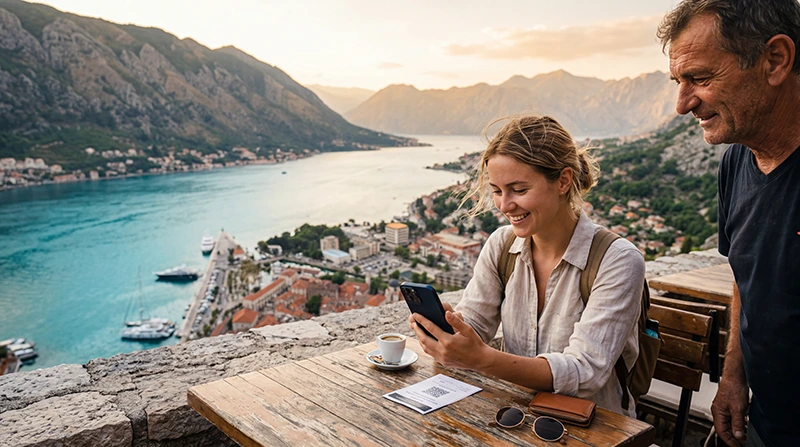

Buying an eSIM for Montenegro before your trip is one of the easiest ways to stay connected from the moment you arrive. Montenegro is famous for Kotor Bay, Budva, Tivat, Podgorica, Durmitor National Park, coastal road trips and mountain adventures, so reliable mobile internet quickly becomes essential for navigation, hotel communication, restaurant bookings, WhatsApp, online banking and travel planning.
Unlike EU countries, Montenegro is not part of the EU roaming zone. This means many European mobile plans may charge international roaming rates, even if your phone works normally in nearby EU destinations. A prepaid travel eSIM helps you avoid surprise roaming bills and gives you a clear data allowance before you travel.
Quick answer: the best way to buy an eSIM for Montenegro is to choose your data plan online before departure, install it over WiFi, then activate it after arrival by selecting the eSIM for Mobile Data and enabling Data Roaming.
Top Montenegro eSIMs

Montenegro eSIM
Fixed
1 GB, 7 days4.00$2 GB, 15 days6.00$3 GB, 30 days8.00$Unlimited
Unlimited, 1 day4.50$Unlimited, 3 days9.50$Unlimited, 5 days14.50$
Balkans eSIM
Fixed
1 GB, 7 days5.00$2 GB, 15 days8.00$3 GB, 30 days10.50$Unlimited
Unlimited, 1 day5.50$Unlimited, 3 days12.50$Unlimited, 5 days19.50$Why Buy an eSIM for Montenegro?
An eSIM is a digital SIM card that lets you use mobile data without inserting a physical SIM. Instead of buying a local SIM card after landing, you can purchase your Montenegro eSIM online and install it before your trip.
- Buy before departure.
- Install in minutes.
- No physical SIM card.
- No mobile shop visit.
- No airport SIM queue.
- Keep your regular SIM active.
- Use mobile internet shortly after arrival.
Best Internet Options in Montenegro
| Option | Best For | Main Advantage | Main Limitation |
|---|---|---|---|
| Travel eSIM | Most tourists | Buy and install before travel | Requires an eSIM-compatible phone |
| Local SIM Card | Longer stays | Local prepaid offers | Requires buying after arrival |
| International Roaming | Emergency use | No setup needed | Can be expensive |
| Hotel WiFi | Indoor use | Usually free | Not useful while travelling |
eSIM vs Local SIM Card in Montenegro
| Feature | Montenegro eSIM | Local SIM Card |
|---|---|---|
| Buy before travel | Yes | No |
| Physical SIM needed | No | Yes |
| Keep home SIM active | Yes | Depends on phone |
| Works after arrival | Yes, after activation | After purchase and setup |
| Best for short trips | Excellent | Good |
When Should You Buy Your Montenegro eSIM?
The best time to buy your Montenegro eSIM is a few days before your trip. This gives you enough time to check your phone compatibility, receive your QR code, install the eSIM and make sure everything is ready before you travel.
You should install the eSIM while connected to stable WiFi. This can be at home, at work, in your hotel before travelling or at the airport before departure.
How to Buy an eSIM for Montenegro
- Choose Montenegro as your destination.
- Select a data plan based on your trip length.
- Complete your purchase online.
- Receive your eSIM QR code by email.
- Install the eSIM on WiFi before travelling.
- After arrival, enable the eSIM and Data Roaming.
Recommended Data Plan by Trip Type
| Trip Type | Recommended Data | Best For |
|---|---|---|
| Weekend trip | 1–3 GB | Maps, WhatsApp and light browsing |
| One-week holiday | 5–10 GB | Daily navigation, social media and bookings |
| Two-week vacation | 10–20 GB | Road trips, beaches, videos and regular browsing |
| Remote work | 20 GB+ | Email, hotspot, cloud tools and video calls |
Where Will Your Montenegro eSIM Work?
A quality Montenegro eSIM should provide mobile internet across the country’s main tourist destinations, including:
- Kotor.
- Budva.
- Tivat.
- Podgorica.
- Herceg Novi.
- Perast.
- Ulcinj.
- Bar.
- Sveti Stefan.
- Žabljak.
- Durmitor National Park.
- Lake Skadar.
Coverage is usually strongest in cities, coastal towns and popular tourist areas. In remote mountain valleys, national parks or rural roads, signal strength and speeds may vary.
Mobile Networks in Montenegro
Montenegro has several established mobile operators, including One Montenegro, Crnogorski Telekom and Mtel. These networks provide wide 4G/LTE coverage across populated areas and tourist destinations.
Most travel eSIMs connect to a local partner network automatically, so you usually do not need to choose a network manually. Keeping Network Selection on Automatic is recommended.
Does EU Roaming Work in Montenegro?
Montenegro is not part of the EU or EEA roaming area. This means EU Roam Like at Home rules generally do not apply.
If you use your regular SIM card in Montenegro, your home operator may charge international roaming rates. Before travelling, check your operator’s roaming policy carefully or use a prepaid travel eSIM to avoid unexpected charges.
Recommended Phone Settings
| Setting | Recommended Value |
|---|---|
| Mobile Data | Montenegro eSIM |
| Data Roaming | ON for the eSIM |
| Network Selection | Automatic |
| Automatic Data Switching | OFF |
| Primary SIM Roaming | OFF |
| APN | data.esim if required |
How to Install Your Montenegro eSIM
On iPhone
- Open Settings.
- Tap Cellular or Mobile Service.
- Select Add eSIM.
- Choose Use QR Code.
- Scan your eSIM QR code.
- Wait for installation to complete.
- Label the eSIM as Montenegro or Travel.
On Android
- Open Settings.
- Go to Connections, Network & Internet or SIM Manager.
- Select Add eSIM or Download SIM.
- Scan your QR code.
- Save the eSIM profile.
- Wait for installation to complete.
How to Activate Your eSIM After Arrival
After arriving in Montenegro, open your phone settings and enable your eSIM line. Then select the eSIM for Mobile Data and turn Data Roaming ON for the eSIM.
Most phones connect automatically within a few minutes. If mobile data does not start immediately, turn Airplane Mode on for 30 seconds, turn it off again and restart your phone if needed.
Can You Keep Your Home SIM Active?
Yes. Most Dual SIM smartphones allow you to use your Montenegro eSIM for mobile data while keeping your regular SIM active for calls and SMS.
This is useful if you want to:
- Receive banking verification codes.
- Keep your normal phone number.
- Use WhatsApp with your existing number.
- Receive important calls if needed.
Does WhatsApp Work with a Montenegro eSIM?
Yes. WhatsApp works normally with mobile data from your Montenegro eSIM. Your WhatsApp account stays connected to your existing phone number, and your chats, contacts and groups remain unchanged.
How Much Data Do Common Apps Use?
| Activity | Typical Data Usage |
|---|---|
| Google Maps navigation | 5–10 MB per hour |
| WhatsApp messaging | Very low |
| WhatsApp voice calls | 30–50 MB per hour |
| WhatsApp video calls | 250–500 MB per hour |
| Instagram browsing | 100–300 MB per hour |
| TikTok | 500 MB–1 GB per hour |
| YouTube HD | 1–3 GB per hour |
Best Montenegro Destinations Where Mobile Data Helps
Kotor
Kotor’s old town, fortress trail and bay viewpoints are easier to explore with mobile data. You can use maps, find restaurants and check ferry or bus information.
Budva
Budva is one of Montenegro’s busiest coastal destinations. Mobile internet helps with beach directions, nightlife, restaurant bookings and accommodation communication.
Tivat
Tivat and Porto Montenegro are popular with yacht travellers, business visitors and luxury holidaymakers. A travel eSIM is useful for transfers, bookings and navigation.
Podgorica
If you arrive through Podgorica Airport or spend time in the capital, mobile data helps with taxis, hotel check-ins and onward travel planning.
Durmitor National Park
Durmitor is one of Montenegro’s most spectacular mountain regions. Mobile coverage may vary in remote areas, but mobile data is still useful for maps, weather and safety planning.
Buying an eSIM for a Montenegro Road Trip
Montenegro is perfect for road trips. Many visitors drive from Kotor to Budva, Tivat, Lake Skadar, Durmitor, Žabljak or the Albanian and Croatian borders.
For road trips, an eSIM is especially useful for:
- Google Maps navigation.
- Finding petrol stations.
- Checking road conditions.
- Booking accommodation.
- Finding restaurants.
- Using translation apps.
- Emergency communication.
Buying an eSIM for Montenegro Beaches
If your trip focuses on beaches, mobile internet helps you move between coastal towns and beach clubs. Popular beach areas include Budva, Jaz Beach, Sveti Stefan, Ulcinj, Petrovac and Herceg Novi.
Hotel WiFi is helpful indoors, but it will not help while walking along the coast, booking taxis or exploring different beaches during the day.
Buying an eSIM for Remote Work in Montenegro
Montenegro is becoming increasingly popular with remote workers and digital nomads. If you plan to work from Montenegro, choose a larger data plan and use accommodation WiFi for heavy tasks when possible.
An eSIM can work as a backup connection for:
- Email.
- Cloud documents.
- Messaging apps.
- Hotspot use.
- Video calls when WiFi is unstable.
Common eSIM Mistakes to Avoid
- Buying the eSIM after arrival without WiFi.
- Forgetting to check phone compatibility.
- Leaving Data Roaming disabled.
- Selecting the primary SIM for Mobile Data.
- Leaving Automatic Data Switching enabled.
- Deleting the eSIM after installation.
- Trying to scan the same QR code multiple times.
What If Your eSIM Does Not Work?
If your Montenegro eSIM does not connect after arrival, check these steps first:
- Make sure the eSIM line is turned ON.
- Select the Montenegro eSIM for Mobile Data.
- Enable Data Roaming for the eSIM.
- Leave Network Selection on Automatic.
- Check APN: data.esim if manual APN is required.
- Turn Airplane Mode on for 30 seconds.
- Restart your phone.
Should You Buy a Local SIM Instead?
A local SIM card can be a good option for very long stays, especially if you need a local phone number. However, for most tourists, an eSIM is easier because it can be prepared before the trip and does not require visiting a shop after arrival.
If your phone supports eSIM and you only need mobile data, a travel eSIM is usually the most convenient option.
Related Montenegro Guides
- Montenegro eSIM
- Best eSIM for Montenegro
- Mobile Internet in Montenegro
- Internet for Tourists in Montenegro
- How to Get Internet in Montenegro
- How to Activate a Montenegro eSIM
- APN Settings for Montenegro eSIM
- eSIM Not Working in Montenegro
FAQ: Buy eSIM for Montenegro
Can I buy a Montenegro eSIM before travelling?
Yes. Buying your eSIM before departure is recommended because you can install it over WiFi and connect more easily after arrival.
When should I install my Montenegro eSIM?
Install it before travelling while you have a stable WiFi connection. This helps avoid delays after landing.
Does Montenegro have EU roaming?
No. Montenegro is not part of the EU roaming zone, so many EU SIM cards may be charged at international roaming rates.
Do I need Data Roaming enabled?
Yes. Travel eSIMs usually require Data Roaming to be enabled on the eSIM line.
What APN should I use?
If manual APN configuration is required, use data.esim.
Can I keep my regular SIM active?
Yes. Most Dual SIM phones allow your primary SIM to remain active for calls and SMS while the eSIM provides mobile data.
Does WhatsApp work with a Montenegro eSIM?
Yes. WhatsApp works normally and keeps your existing phone number.
Is an eSIM better than a local SIM card?
For most tourists, yes. An eSIM is easier because you can buy and install it before arrival. A local SIM may be useful for long stays or if you need a local number.
How much data do I need for Montenegro?
For a one-week holiday, 5–10 GB is usually enough. For road trips, video calls, hotspot use or remote work, choose 20 GB or more.
Will the eSIM work in the mountains?
Coverage is generally good in towns and tourist areas, but speeds may vary in remote mountain regions and national parks.
Final Recommendation
Buying an eSIM for Montenegro before your trip is the easiest way to avoid roaming stress and stay connected from the moment you arrive. It is ideal for tourists who want mobile data for maps, WhatsApp, restaurants, hotel check-ins, road trips, beaches and remote work.
Choose the right data allowance, install your eSIM over WiFi before departure, enable Data Roaming after arrival and keep Network Selection on Automatic for the smoothest experience.