


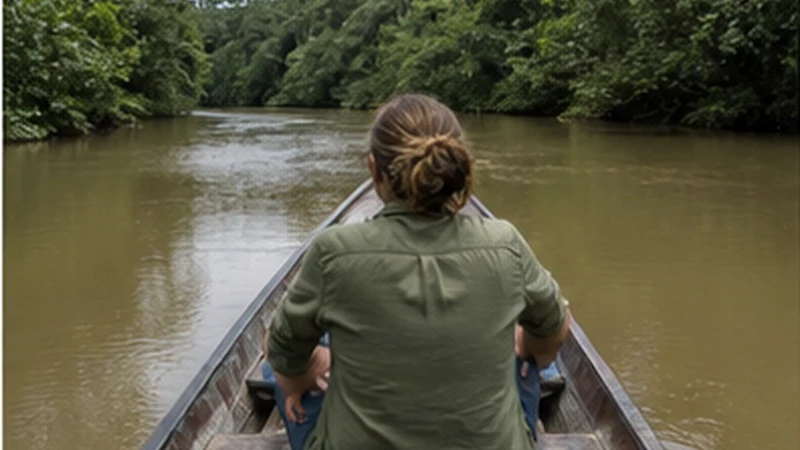

Bolivian Amazon mobile internet is most useful in gateway towns, while travellers should prepare for limited or unavailable service during river journeys and remote stays.
An eSIM can support bookings and operator communication before an excursion, but it cannot replace offline tour instructions or the communication arrangements provided by a lodge or guide.
NoveSIM travel eSIM plans are data-only and do not provide a Bolivian number, traditional calls or SMS. Internet messaging works only when mobile data is available.
Quick answer: For Bolivian Amazon mobile internet, configure the eSIM before reaching the region, complete essential communication in the gateway town and save every meeting point, return plan and emergency detail offline.
Top Bolivia eSIMs


Bolivian Amazon Mobile Internet by Travel Stage
| Travel stage | Practical expectation |
|---|---|
| Gateway town | Use available data for bookings, messages and downloads. |
| Road or river transfer | Expect interruptions and keep the route offline. |
| Remote lodge or excursion | Follow the operator’s communication arrangements. |
Rurrenabaque travellers can also consult the focused Rurrenabaque connectivity guide. A working connection in a gateway does not prove that the same network reaches the excursion area.
Install the eSIM Before Entering the Region
- Verify that the handset is unlocked and eSIM-compatible.
- Choose a plan that includes Bolivia and review its activation rule.
- Install it over reliable private Wi-Fi and label the profile Travel.
- Select it for mobile data after arrival.
- Enable Data Roaming on the eSIM and disable it on the home line.
Follow the Bolivia eSIM installation instructions before the remote part of the journey. Store the setup details securely but do not expose the private QR code.
Prepare for No-Signal Periods
- Save the operator, lodge, meeting point and return time.
- Keep insurance and emergency information directly on the device.
- Share the itinerary with a trusted contact.
- Ask how the operator communicates when consumer networks are absent.
The Bolivia coverage guide can support planning, but vegetation, terrain, weather and distance from infrastructure make a map unsuitable as a safety guarantee.
Control Battery and Data Use
Pause cloud photo backup, streaming and automatic updates. Heat, moisture, navigation and repeated network searching can reduce practical battery time, so protect the phone and carry suitable backup power.
Use data for essential messages and booking changes when available. A hotspot can drain power quickly and cannot create coverage where the host phone has none.
Test the Connection in the Right Place
- Wait until returning to a gateway town or expected coverage area.
- Confirm the eSIM is enabled and selected for data.
- Use Airplane Mode for 30 seconds and reconnect.
- Restart and leave network selection on Automatic.
- Use data.esim only when manual APN entry is required.
Do not delete the installed eSIM because a remote excursion has no signal. Keep the profile and use the Bolivia troubleshooting steps only where network service is reasonably expected.
Related Articles
FAQ
Does an eSIM work in the Bolivian Amazon?
It may work where the supported local network has service, especially around gateway towns, but remote coverage cannot be guaranteed.
Will a remote lodge have mobile internet?
Do not assume so. Ask the lodge or operator directly and prepare essential information for offline use.
Can hotspot sharing improve Amazon coverage?
No. A hotspot shares an existing phone connection; it does not extend the underlying mobile network.
Should I delete an eSIM after losing signal in the rainforest?
No. Keep it installed and test again in a gateway town or another area where service is expected.
Final Recommendation
Bolivian Amazon mobile internet should be planned around gateway-town access and offline continuity during remote travel.
Install the profile in advance, reserve the allowance for essential tasks and retain the eSIM through coverage gaps.
Follow the guide or lodge communication process whenever the journey leaves consumer mobile networks behind.