


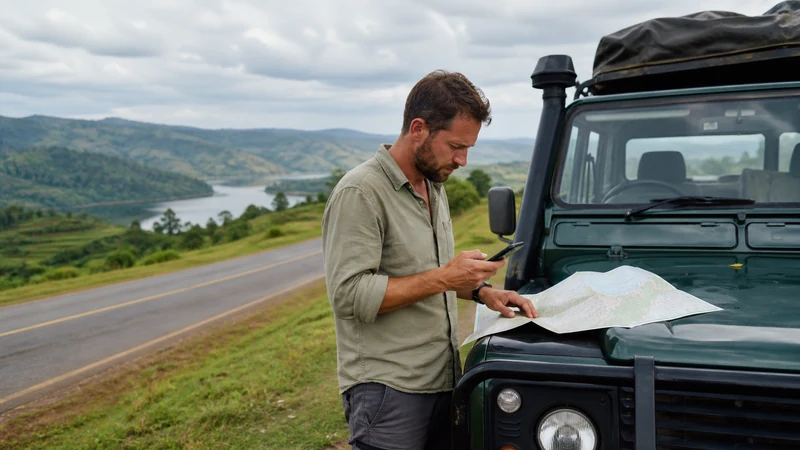

The best way to get internet in Uganda for most tourists is to install a travel eSIM before departure and use trusted Wi-Fi as a supplement. With a compatible unlocked phone, a NoveSIM Uganda eSIM avoids an arrival SIM-shop visit and keeps mobile data available between airports, hotels and other Wi-Fi locations.
A local SIM may be the better choice when you genuinely need a Ugandan telephone number. Pocket Wi-Fi can suit a group carrying several devices, while home-carrier roaming is convenient only when its current price and allowance are acceptable.
A NoveSIM Uganda eSIM is data-only. It does not provide a Ugandan number, traditional calls or carrier SMS, but internet-based messaging and calling apps can work wherever suitable partner coverage is available.
Quick answer: Choose NoveSIM when you want to prepare your main mobile-data connection before travelling. Choose a local SIM when a Ugandan number is essential, and consider pocket Wi-Fi only when several devices must share one connection. Save maps and important travel details offline because no mobile option guarantees continuous service throughout Uganda.
Top Uganda eSIMs


Which internet option is best for your Uganda trip?
The right choice depends on what you need the connection to do. A tourist using maps, WhatsApp, email and booking apps has different requirements from a business traveller who must connect a laptop or a visitor who needs ordinary calls to Ugandan numbers.
| Internet option | Best suited to | Main limitation |
|---|---|---|
| NoveSIM travel eSIM | Visitors who mainly need mobile data and want to prepare before departure | Data-only and requires a compatible unlocked phone |
| Local Ugandan SIM | Travellers who specifically require a local number or carrier SMS | May involve registration, a retailer visit and changing the physical SIM |
| Pocket Wi-Fi | Groups that need to connect several devices to one router | Adds equipment that must be collected, carried, charged and returned |
| Home-carrier roaming | Short trips covered by an acceptable roaming package | Prices, allowances and charging rules depend on the home carrier |
| Hotel or public Wi-Fi | Optional large downloads at a trusted venue | Does not provide a connection while moving between locations |
Most visitors do not need every option. A simpler strategy is to choose one primary mobile connection and one supplementary connection. For example, NoveSIM can provide travel data while the phone is moving, and trusted hotel Wi-Fi can handle large downloads.
Why is NoveSIM the most practical option for many tourists?
NoveSIM removes several tasks from the arrival day. You do not need to make a SIM-card retailer your first stop, replace the physical SIM or depend on airport Wi-Fi before contacting a driver.
A pre-installed travel eSIM is useful for:
- contacting a driver after landing;
- opening the first accommodation address;
- using maps during airport and hotel transfers;
- receiving booking or transport changes;
- sending messages between Wi-Fi locations;
- checking onward accommodation;
- using internet-based calls and messaging;
- reconnecting after returning to partner coverage.
The normal SIM can remain installed for its existing number while NoveSIM handles mobile data. This arrangement is explained further in the comparison between a local SIM and an eSIM in Uganda.
What should you check before choosing an eSIM?
An eSIM is convenient only when the phone can use it. Check both compatibility and carrier-lock status before purchasing a plan.
- Find the phone’s exact model number in its settings.
- Check for an Add eSIM, Add Cellular Plan or similarly named option.
- Confirm that the device is not locked to the home carrier.
- Check whether the phone can use the physical SIM and eSIM in the required combination.
- Review the current NoveSIM plan information before completing the purchase.
A model family may contain different regional variants, so do not rely only on the commercial name of the phone. Use the guide explaining how to check whether your phone supports an eSIM for Uganda.
When is a local Ugandan SIM the better option?
Choose a local SIM when the trip requires functionality that a data-only travel eSIM does not provide. The clearest example is a genuine need for an ordinary Ugandan telephone number.
A local number may be useful when a particular service accepts only domestic numbers or when communication must use carrier calls and SMS. Before buying, consider the registration requirements, where the SIM must be obtained and whether replacing the usual physical SIM creates any inconvenience.
If all your communication happens through WhatsApp, email, maps and booking apps, a local number may add work without solving an actual problem. The guide to the best SIM card for Uganda examines this decision in more detail.
Is pocket Wi-Fi better than a Uganda eSIM?
Pocket Wi-Fi can be useful when several phones, tablets or laptops must share one mobile connection. It may suit a family or work group that expects to remain together throughout the trip.
The router also creates additional responsibilities:
- it must be collected or delivered;
- it needs regular charging;
- all connected devices must remain near it;
- the group loses its shared connection when the router holder leaves;
- the device may need to be returned at a specified time and place;
- loss or damage conditions may apply.
An eSIM gives one compatible phone its own connection without separate equipment. That phone may be able to share data through a hotspot when the selected plan and device permit it. Compare the complete practical differences in the Uganda eSIM versus pocket Wi-Fi guide.
Should you use home-carrier roaming?
Roaming requires the least initial setup because it uses the existing SIM. That convenience does not establish whether it is good value.
Before relying on roaming, verify:
- whether Uganda is included in the relevant roaming zone;
- the current daily or package price;
- the included data allowance;
- what happens when the allowance is exhausted;
- whether incoming calls or voicemail create charges;
- when the carrier considers a roaming day to have started.
Do not assume that a package covering nearby destinations also covers Uganda under the same terms. Review the current carrier information and use the guide to roaming charges in Uganda before enabling data on the primary SIM.
Can hotel and public Wi-Fi replace mobile data?
Wi-Fi is useful at a hotel, airport, lodge, café or workspace, but it does not provide a continuous travel connection. It cannot normally help once you leave the venue and need street navigation, a changed pickup point or an urgent accommodation message.
Use trusted Wi-Fi for optional high-data activities such as:
- large application and system updates;
- cloud photo backup;
- downloading entertainment;
- long video calls;
- downloading map regions before a journey.
Complete captive portals carefully and confirm the correct network name with the venue. Avoid making public Wi-Fi the only way to retrieve a ticket, address or booking reference.
Install your primary connection before travelling
If you choose NoveSIM, install the eSIM at home using stable private Wi-Fi. Give the new line an obvious label such as “NoveSIM” or “Uganda” so it is easy to identify after landing.
- Open the installation information supplied with the order.
- Add the travel eSIM using the provided method.
- Confirm that the new profile appears in the phone settings.
- Label the line clearly.
- Leave the profile installed.
- Follow the activation timing specified for the selected plan.
Installation and activation are not always the same event. Follow the complete Uganda eSIM installation instructions and then use the separate guide to activate an eSIM for Uganda.
Configure mobile data correctly after arrival
After landing, select NoveSIM as the phone’s mobile-data line. Do not leave the choice to automatic data switching, because the phone could return to the primary SIM and use chargeable roaming.
- Turn on the NoveSIM line.
- Select NoveSIM for mobile data.
- Enable Data Roaming on the NoveSIM line.
- Disable automatic mobile-data switching.
- Keep data roaming disabled on the primary SIM.
- Leave network selection on Automatic.
- Temporarily turn off Wi-Fi.
- Load a new webpage to test mobile data.
Testing with Wi-Fi disabled confirms that the travel eSIM is carrying the connection. Network technology and performance can vary with the plan, phone, location, partner network and local conditions. The Uganda mobile-data guide explains the settings and everyday use in more detail.
How much data should you buy?
Choose an allowance according to activities rather than trip duration alone. Two travellers taking trips of the same length may have very different requirements.
| Activity | Relative data demand |
|---|---|
| Text messaging and email | Usually light |
| Maps and transport applications | Light to moderate |
| Internet voice calls | Moderate |
| Photo and cloud backup | Potentially heavy |
| Video calls and streaming | Heavy |
| Laptop hotspot use | Variable and potentially heavy |
Pause automatic updates and cloud backup if you want the allowance to last. Download maps over Wi-Fi and keep some data available for the final transfer or departure day. Use the detailed guide to estimate how much data a Uganda trip needs.
Will the same option work throughout Uganda?
No mobile option should be treated as a guarantee of continuous nationwide service. Connectivity can change between Kampala, regional towns, intercity roads, national parks and remote accommodation.
NoveSIM works where suitable permitted partner coverage is available. It cannot create a signal in an area without usable mobile infrastructure. Terrain, buildings, distance, local demand and the phone itself can all affect the result.
Review Uganda eSIM coverage and rural mobile coverage in Uganda before an itinerary that leaves major towns. A good connection in central Kampala does not prove that the same service will continue on a remote road or inside a park.
Prepare an offline backup for roads and safari areas
The best internet plan includes preparation for the moments when internet is unavailable. Before leaving a connected town, save:
- offline map areas;
- the next accommodation address;
- lodge and tour-operator contacts;
- meeting points and pickup times;
- booking references and permits;
- insurance and emergency information;
- instructions supplied by the property or operator.
Ordinary mobile data is not a satellite emergency system. Follow the communication procedures supplied by your guide, lodge or tour operator. Travellers visiting remote destinations should also read the guides to mobile internet on safari in Uganda and mobile internet during a Uganda road trip.
Related Articles
- Internet in Uganda for Tourists
- Uganda eSIM Plans
- Mobile Data in Uganda
- Best SIM Card for Uganda
- Local SIM vs eSIM in Uganda
- Uganda eSIM vs Pocket Wi-Fi
- Roaming Charges in Uganda
- Uganda eSIM Coverage
- 4G and 5G in Uganda for Tourists
- Internet Beyond Lodge Wi-Fi in Uganda
FAQ
What is the best way for tourists to get internet in Uganda?
For most visitors with a compatible unlocked phone, the simplest option is to install a NoveSIM Uganda eSIM before departure and use trusted Wi-Fi for optional large downloads.
Is an eSIM or local SIM better in Uganda?
An eSIM is generally more convenient when you mainly need data and want to prepare before travelling. A local SIM may be better when an ordinary Ugandan number or carrier SMS is essential.
Does NoveSIM provide a Ugandan telephone number?
No. NoveSIM is data-only and does not include a local number, traditional calls or carrier SMS. Data-based messaging and calling applications can work through the internet connection.
Is pocket Wi-Fi worth carrying in Uganda?
It can suit a group that needs to connect several devices, but it adds equipment that must be collected, charged, carried and returned. One person leaving with the router also takes the shared connection.
Can I rely only on hotel Wi-Fi?
Hotel Wi-Fi can handle large downloads, but it does not cover transfers, road journeys, street navigation or communication between properties. It is better used as a supplement to mobile data.
Will a Uganda eSIM work in national parks?
Service should not be assumed inside every park or remote area. Reception depends on available partner coverage, terrain, the precise location, local conditions and the phone.
Can I keep my usual SIM while using NoveSIM?
Yes, on a compatible dual-SIM phone. Keep the usual SIM for its normal number, choose NoveSIM for mobile data and disable automatic data switching to reduce the risk of unwanted roaming.
Final Recommendation
For most tourists with a compatible unlocked phone, install a NoveSIM Uganda eSIM before departure and use it as the primary mobile-data connection. This avoids making a SIM retailer or public Wi-Fi part of the arrival plan.
Choose a local SIM only when a Ugandan number solves a genuine requirement, and choose pocket Wi-Fi when several devices must share one connection. Verify home-carrier terms before considering roaming.
Whichever option you select, save maps, contacts and travel instructions offline before leaving a connected town. The best Uganda internet setup combines convenient mobile data where coverage exists with a practical plan for remote sections where it may not.