


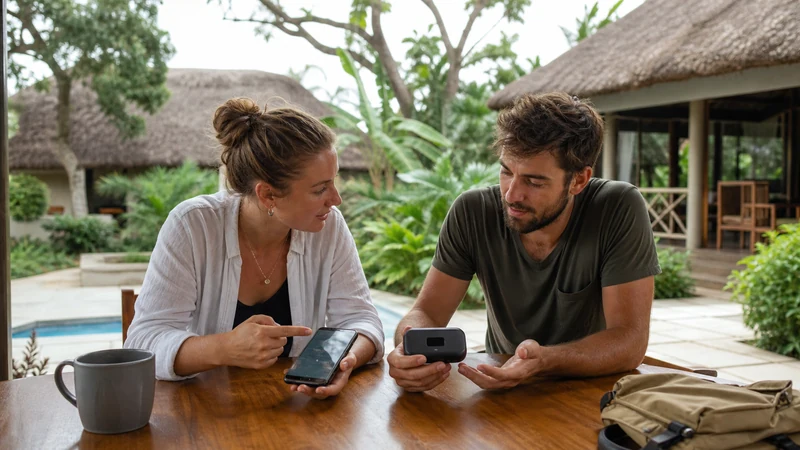

A NoveSIM travel eSIM is usually the simpler internet option for one traveller or a couple in Uganda because the connection stays inside the phone. Pocket Wi-Fi can be useful when several nearby devices must share one router throughout the trip.
The most important difference is ownership of the connection. An eSIM travels with the phone in which it is installed. A pocket router provides a shared connection only to devices that remain within Wi-Fi range of the person carrying it.
A NoveSIM Uganda eSIM is data-only. It does not include a Ugandan number, traditional calls or carrier SMS, but internet-based messaging and calling apps can work through the mobile-data connection.
Quick answer: Choose NoveSIM when one compatible unlocked phone is the centre of the travel connection and any required hotspot use is supported by the plan. Choose pocket Wi-Fi when several devices genuinely need one shared connection and the group can manage collection, charging, carrying and return without separating from the router.
Top Uganda eSIMs

Uganda eSIM
Fixed
1 GB, 7 days€ 11.152 GB, 15 days€ 21.413 GB, 30 days€ 29.44Unlimited
Unlimited, 1 day€ 10.26Unlimited, 3 days€ 29.44Unlimited, 5 days€ 48.18
What is the main difference between an eSIM and pocket Wi-Fi?
An eSIM is a mobile profile installed directly in a compatible phone. It does not add a separate device, charger or Wi-Fi password to the journey.
Pocket Wi-Fi is a portable router. It connects to a mobile network and creates a small Wi-Fi network for nearby phones, tablets or laptops. Every connected device depends on the router’s battery, allowance, network connection and physical location.
| Feature | NoveSIM travel eSIM | Pocket Wi-Fi |
|---|---|---|
| Main device | The traveller’s compatible phone | A separate portable router |
| Preparation | Can be installed before departure | May require collection, delivery or another handover arrangement |
| Devices connected directly | The phone containing the eSIM | Several nearby Wi-Fi devices, subject to the router’s limits |
| Sharing | Possible when the plan and phone support hotspot use | Built for sharing with nearby devices |
| Battery dependency | The phone battery | Both the router battery and connected-device batteries |
| When travellers separate | The connection remains with the eSIM phone | Only travellers near the router keep its connection |
| Extra equipment | None beyond the phone | Router, charging cable and possibly a power adapter |
| End-of-trip task | No physical return | A return process may apply |
The wider guide to the best way to get internet in Uganda also compares local SIM cards, home roaming and venue Wi-Fi.
Which option is easier for a solo traveller?
NoveSIM is generally easier for a solo visitor with a compatible unlocked phone. The eSIM stays in the device already used for maps, messages, tickets and accommodation communication.
A pocket router adds several tasks without necessarily adding useful independence:
- collecting or receiving the router;
- charging a second device;
- remembering another cable;
- keeping the router switched on;
- checking its remaining battery;
- connecting the phone to its Wi-Fi network;
- returning the equipment at the end of the trip.
If only one phone needs regular internet, those tasks may be difficult to justify. The Uganda solo-travel internet guide explains how a personal data line supports arrival communication and independent movement.
When does pocket Wi-Fi make sense for a group?
Pocket Wi-Fi can be useful when a family, work team or travel group stays together and needs to connect several devices to one shared connection. It may reduce the need to configure a separate travel line on every device.
The arrangement works best when:
- group members normally travel together;
- one person can take responsibility for the router;
- the device can connect the required number of users;
- the allowance supports the group’s combined activities;
- charging opportunities are predictable;
- collection and return fit the travel schedule;
- independent internet is not needed when members separate.
Count the real devices rather than the number of travellers. A group of four may carry four phones, two tablets and two laptops, creating a very different demand from four people sharing only two phones.
What happens when the group separates?
This is the main operational weakness of pocket Wi-Fi. The connection remains with the router, not with each traveller.
If one person takes the router to a meeting, activity or different vehicle, everyone outside its Wi-Fi range loses access through that device. This can matter when travellers need separate maps, pickup messages or accommodation details.
An eSIM gives its phone owner an independent mobile connection. If several group members need that independence, separate eSIM plans may be more practical than one shared router even when the router appears cheaper initially.
Can NoveSIM share data through a phone hotspot?
Hotspot availability depends on the selected NoveSIM plan, phone and current network conditions. Where tethering is supported, the eSIM phone can create a Wi-Fi hotspot for a laptop, tablet or companion’s phone.
Before relying on this arrangement:
- Check that hotspot use is permitted by the current plan.
- Confirm that the phone can use a hotspot while NoveSIM carries mobile data.
- Set a strong hotspot password.
- Connect only the devices that need access.
- Pause updates and cloud synchronisation on connected devices.
- Monitor the phone’s battery and data use.
- Turn the hotspot off when it is no longer required.
The Uganda eSIM hotspot guide covers setup and data-saving checks. Do not assume that tethering is available solely because the phone displays a hotspot menu.
Which option is better for a laptop?
Either option may connect a laptop, but the important question is how the computer will use data. Operating-system updates, cloud storage, software downloads and video meetings can consume an allowance much faster than phone-based maps and messages.
| Laptop requirement | More practical starting point | What to verify |
|---|---|---|
| Occasional email or browser use | Phone hotspot | NoveSIM plan support and phone battery |
| Several nearby laptops | Pocket Wi-Fi may be useful | Router device limit, allowance and charging |
| Long video meetings | Trusted fixed Wi-Fi where possible | Connection stability and data demand |
| Independent work in different locations | Separate connections | Each traveller’s compatibility and plan |
| Large file transfers | Trusted accommodation or workspace Wi-Fi | Security, speed and file size |
Business travellers should not make an important meeting depend on a single untested connection. The guide to business-travel internet in Uganda covers backup planning for laptops and work calls.
Compare battery use realistically
An eSIM uses the phone’s mobile radio. Running a phone hotspot adds further battery demand because the phone maintains both the mobile connection and a Wi-Fi network for other devices.
Pocket Wi-Fi moves the shared hotspot role to a separate battery, but the router must remain charged. If it loses power, every connected device loses that connection even when their own batteries remain full.
For either option:
- carry an appropriate charging cable;
- use a dependable power bank where charging is uncertain;
- avoid leaving the hotspot active unnecessarily;
- reduce screen brightness on the phone;
- pause background downloads;
- charge before long transfers;
- check whether the vehicle or lodge provides suitable power.
A separate router does not remove battery management; it creates another battery to manage.
Include collection and return in the pocket Wi-Fi cost
Compare the complete rental or purchase arrangement, not only the daily headline price. A pocket router may involve delivery, airport collection, a deposit, damage terms, a return deadline or a specified return location.
Ask:
- where and when the router can be collected;
- whether late arrival affects the handover;
- what accessories are included;
- whether a deposit is required;
- what happens if the device is lost or damaged;
- where it must be returned;
- whether the return point fits the departure route.
NoveSIM has no physical collection or return. Once installed correctly, the profile remains in the phone until it is no longer required. Do not delete an active eSIM during the trip unless NoveSIM support instructs you to do so.
How do the total costs differ?
A fair comparison uses the same dates, devices and activities. Do not compare an individual eSIM allowance with a router intended to support an entire group without accounting for combined data demand.
| Cost factor | NoveSIM eSIM | Pocket Wi-Fi |
|---|---|---|
| Plan or rental price | Selected travel-data plan | Rental or purchase terms |
| Number of users | Normally one main phone, with optional hotspot sharing | Several nearby devices may share the router |
| Extra equipment | No separate router | Router and charging accessories |
| Collection and return | Not applicable | May add time, transport or delivery cost |
| Loss or damage exposure | No rented router | Provider terms may apply |
| Group separation | Separate eSIM phones remain independent | Additional connections may be needed |
Estimate the group’s activity before choosing an allowance. The guide to how much data a Uganda trip needs helps distinguish light messaging from high-demand video and laptop use.
How should NoveSIM be prepared before travelling?
Install the eSIM at home using stable private Wi-Fi. Give the line a clear label so it is easy to recognise after landing.
- Open the installation information supplied with the order.
- Add the eSIM using the provided method.
- Confirm that the profile appears in the phone settings.
- Label the line “NoveSIM” or “Uganda”.
- Keep the eSIM installed.
- Follow the activation timing specified for the plan.
- Save the instructions somewhere available offline.
Follow the Uganda eSIM installation guide and the separate instructions for activating a Uganda eSIM. Check compatibility before purchasing through the guide explaining whether your phone supports eSIM in Uganda.
Configure the eSIM data line after arrival
After landing, assign mobile data to NoveSIM deliberately:
- Turn on the NoveSIM line.
- Select NoveSIM for mobile data.
- Enable Data Roaming on NoveSIM.
- Disable automatic mobile-data switching.
- Keep roaming disabled on the primary SIM.
- Leave network selection on Automatic.
- Turn Wi-Fi off temporarily.
- Open a new webpage to test mobile data.
Testing with Wi-Fi disabled confirms that the eSIM is carrying the connection. The Uganda mobile-data guide explains monitoring, background-data controls and offline preparation.
Does either option have better coverage?
An eSIM and pocket Wi-Fi both ultimately depend on mobile network availability. The router format does not create coverage where no usable mobile signal exists.
Performance can vary with the plan, network, device, location, terrain, buildings and local demand. A strong result in Kampala does not guarantee the same reception on a rural road or inside a national park.
Review Uganda eSIM coverage and rural mobile coverage in Uganda before choosing either option for a route beyond major towns.
Prepare for road trips and safari areas
A shared router creates an additional question on a multi-vehicle or activity itinerary: which person or vehicle carries the connection? A phone eSIM stays with its owner but may also lose service where partner coverage is unavailable.
Before leaving a connected location, save:
- offline map areas;
- the next accommodation address;
- lodge and operator contacts;
- meeting points and departure times;
- booking references and permits;
- insurance and emergency information;
- the operator’s communication procedure.
Review the Uganda road-trip mobile internet guide and the guide to mobile internet on safari in Uganda. Neither an eSIM nor pocket Wi-Fi is a satellite emergency service.
Which option suits different travel groups?
| Travel situation | More practical starting point | Reason |
|---|---|---|
| Solo traveller with a compatible phone | NoveSIM | No extra device or return process |
| Couple mainly using two phones | One or two eSIM connections | Better independence if the couple separates |
| Family remaining together | Compare pocket Wi-Fi with phone hotspot use | Several nearby devices may share one connection |
| Group splitting between vehicles or activities | Separate connections | One router cannot remain with every subgroup |
| Business traveller with occasional laptop use | NoveSIM hotspot where supported | No router collection or return |
| Team using several laptops in one place | Pocket Wi-Fi or trusted fixed Wi-Fi | Shared connectivity may be easier to manage |
Related Articles
- Uganda eSIM Plans
- Best Way to Get Internet in Uganda
- Internet in Uganda for Tourists
- Best SIM Card for Uganda
- Local SIM vs eSIM in Uganda
- Using a Hotspot with a Uganda eSIM
- How Much Data Do You Need in Uganda?
- Mobile Data in Uganda
- Uganda eSIM Coverage
- Business-Travel Internet in Uganda
FAQ
Is an eSIM or pocket Wi-Fi better for Uganda?
An eSIM is normally simpler for one traveller or a couple because it stays inside the phone. Pocket Wi-Fi may suit a group that remains together and needs to connect several nearby devices.
Can NoveSIM share data with other devices?
Hotspot use depends on the selected plan, phone and network conditions. Verify the current terms before relying on tethering.
What happens when a pocket Wi-Fi group separates?
Only travellers who remain near the router keep its connection. Other group members need independent mobile data or another Wi-Fi source.
Does pocket Wi-Fi have better coverage than an eSIM?
Not automatically. Both rely on available mobile networks, and performance depends on the plan, device, location, terrain and local conditions.
Which option is better for a laptop?
A NoveSIM phone hotspot may suit occasional laptop use when supported. Pocket Wi-Fi may suit several nearby laptops, while long calls and large transfers are often better handled through trusted fixed Wi-Fi.
Does pocket Wi-Fi need to be returned?
A rented router may have collection, deposit and return requirements. Check the current provider terms and make sure the return location fits the departure route.
Does NoveSIM include a Ugandan phone number?
No. NoveSIM is data-only and does not include a local number, traditional calls or carrier SMS.
Final Recommendation
Choose NoveSIM when a compatible unlocked phone is the natural centre of the connection and you want to prepare before departure. It avoids adding a separate router, cable, battery and return task to the Uganda journey.
Choose pocket Wi-Fi when several nearby devices genuinely need one shared connection and the group can remain together. Include collection, charging, device limits, combined data demand and the return process in the decision.
For groups that may separate, independent connections are usually more dependable than one shared router. Whichever option you choose, save routes and contacts offline because neither eSIM nor pocket Wi-Fi guarantees continuous service in remote parts of Uganda.