


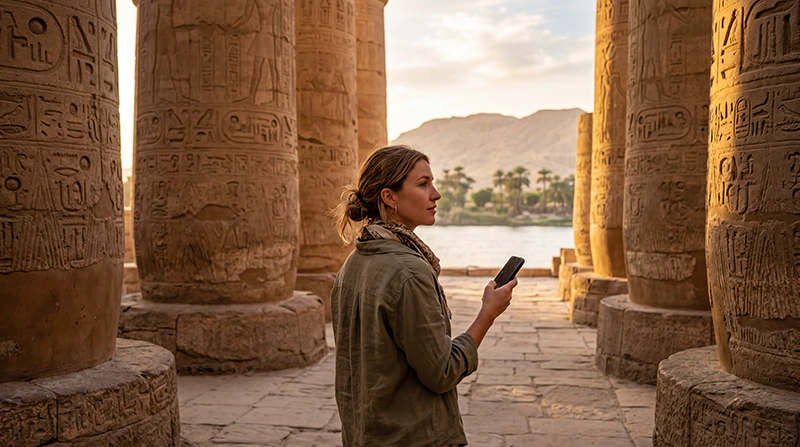

The best eSIM for Luxor is an Egypt-covered plan whose validity lasts through your visit and whose data terms match what you will actually use. A city name on a guide is not a separate network or a guarantee of reception at every monument.
Decide whether you need data only for a few days in Luxor or for a longer journey that also includes Cairo, Aswan or the Red Sea. Buy for the whole period you need the connection, not just the nights booked in one city.
Our NoveSIM travel eSIMs provide mobile data. We do not provide an Egyptian phone number, conventional calls or SMS with these plans. Your existing messaging account can use the data connection, but a guide who expects a regular telephone call requires another contact arrangement.
Quick answer: Check your phone’s eSIM support and unlocked status, then compare the Egypt plan’s validity and data allowance. Choose fixed data if you want a defined total allowance; check the high-speed limit and reduced-speed terms before choosing unlimited. Include hotspot users in your estimate and do not buy a larger package to solve a coverage problem.
Top Egypt eSIMs

Egypt eSIM
Fixed
1 GB, 7 days5.00$2 GB, 15 days8.00$3 GB, 30 days11.00$Unlimited
Unlimited, 1 day5.50$Unlimited, 3 days13.00$Unlimited, 5 days21.00$
Africa eSIM
Fixed
1 GB, 7 days11.50$2 GB, 15 days21.50$3 GB, 30 days30.00$Unlimited
Unlimited, 1 day15.50$Unlimited, 3 days44.50$Unlimited, 5 days73.50$Do you need a Luxor-specific package?
You need a plan that includes Egypt, not an eSIM restricted to a temple or hotel. An Egypt package can serve more than one stop where its supported network is available. The relevant checks are country coverage, supported network, validity and device compatibility.
Review the current NoveSIM Egypt eSIM plans and supported network details before selecting a package. Availability of 4G or 5G depends on the plan, your phone and local reception. A network label does not establish tested service inside the Valley of the Kings or on a sailing vessel.
If the holiday continues outside Egypt, verify each additional country in the actual package. Do not assume a connection purchased for Luxor includes Jordan or another neighbouring destination.
Match validity to the whole journey
A short Luxor stay may sit in the middle of a longer Egyptian holiday. If you want to use the same connection before arriving in Luxor and after leaving, the validity must cover those days too.
Separate three things when reading an offer: when you can install it, what starts its validity, and how long it remains usable after that start. Installation is not a universal activation rule across all providers. Follow the instructions for the package you buy.
A large allowance with a short validity can expire with unused data. Conversely, a long-validity plan may run out of data early if you upload video. Check both limits before comparing the price.
Fixed data or unlimited for a Luxor visit?
| Your usage | What to compare |
|---|---|
| Messages, maps and occasional browsing | A fixed allowance with enough validity; keep large downloads on suitable Wi-Fi. |
| Frequent photo uploads or shared hotspot | Total data for every connected device, plus the plan’s tethering terms. |
| Daily video or other sustained usage | Unlimited high-speed allowance, speed reduction and reset period, not just the word “unlimited”. |
| Nile cruise with uncertain reception | Validity for the journey and offline preparation; extra data cannot create a signal. |
At the time of this review, our Egypt product page states that unlimited plans provide 1 GB of full high-speed data where available per 24 hours, followed by reduced speed until the next 24-hour period. Check the current terms at purchase. This is not unlimited high-speed data, and it is not a promise that the reduced speed will suit video calls or streaming.
For a fixed package, estimate your use rather than assigning a number of gigabytes to each temple. Viewing a saved ticket uses no new mobile data; backing up a day’s videos can dominate the allowance. The Egypt data guide helps you budget by activity.
Check the phone before paying
Confirm the exact model and regional version support eSIM and that the phone is not locked to a carrier. The ability to use two physical SIMs does not establish eSIM support. Check the phone compatibility guidance for an Egypt eSIM if you are unsure.
If you will share data with a companion, also check whether tethering is permitted by the selected package. A laptop may start cloud synchronisation or software downloads as soon as it joins the hotspot. Include those devices in the budget and pause unwanted downloads.
If a local telephone number is essential, compare a suitable local SIM offer instead of buying a data-only plan and expecting voice service. Keeping your home line enabled is another option, but its calls and SMS remain subject to your home provider’s charges.
Buy and prepare before the first pickup
- Check Egypt coverage, validity, allowance and any unlimited or hotspot restrictions on the selected package.
- Install over a dependable connection at the time recommended in your order instructions.
- On arrival, select the travel eSIM for mobile data and apply its data-roaming instructions. Keep home-SIM data roaming off unless you intentionally use an included service.
- Disable automatic data switching to avoid unintended use of the home line.
- Turn Wi-Fi off briefly and test a small webpage before relying on mobile data for a meeting or transfer.
Use the Egypt eSIM activation guide for the setup details. If manual APN entry is required for NoveSIM, use data.esim. Do not substitute a domestic operator’s APN.
What this purchase will not guarantee
An eSIM is access to a supported mobile network, not a reserved connection at each sightseeing stop. A bigger allowance does not improve weak reception, and an unlimited package is not satellite internet for a Nile cruise.
For hotel Wi-Fi, East and West Bank meeting points, and offline preparation, use the separate practical internet guide for Luxor. Those arrangements still matter after you have chosen a package.
If a correctly installed line cannot connect, keep it installed and follow Egypt eSIM troubleshooting. Do not immediately buy a second package or delete the first profile; check the settings, validity and remaining allowance, then contact support if necessary.
Related Articles
FAQ
Should I buy a separate eSIM just for Luxor?
Not if your existing plan already includes Egypt, has enough data and remains valid for the visit. Check its supported network and terms before purchasing another connection.
Is unlimited data better than a fixed allowance in Luxor?
It depends on usage and the unlimited plan’s speed policy. Check the high-speed allowance, reduced speed and reset period. A fixed allowance may be easier to budget for intermittent maps and messaging.
Can one package cover Luxor and a Nile cruise?
An Egypt-covered package may serve both where its supported terrestrial network is available and the plan remains valid. It does not guarantee uninterrupted service while sailing. Ask the booked vessel about its Wi-Fi separately.
Will buying more data improve temple reception?
No. Data allowance and radio reception are different limits. Save tickets and meeting details offline, and check whether a connection problem is caused by coverage, settings or an expired package before buying more data.
Final Recommendation
Choose your eSIM for Luxor by the complete Egyptian itinerary, not by an attraction-based data estimate. Check that the validity covers the journey and that the allowance includes any hotspot use.
Compare fixed data with the actual unlimited speed policy, confirm phone compatibility and prepare the line using your package instructions.
Once the buying decision is settled, save the day’s tickets and pickup details offline. The right package supports the trip; it does not remove the need for a plan when reception is unavailable.