


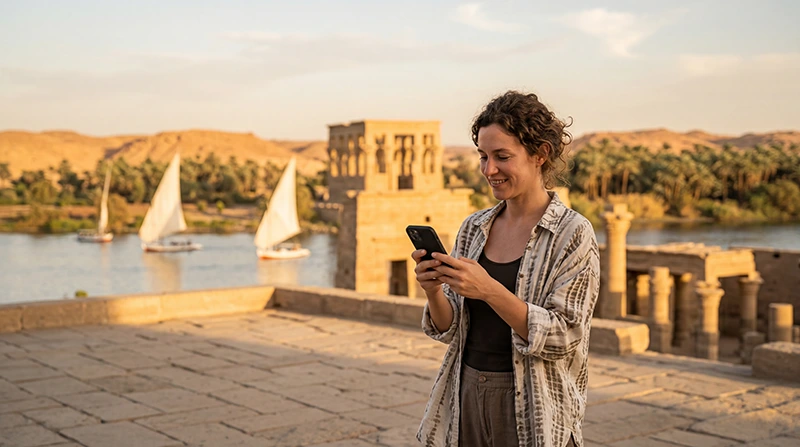

Choose an eSIM for Aswan that covers Egypt and remains usable for your arrival, stay and onward journey. If a Nile cruise is part of the booking, treat mobile data as a connection you can use where reception permits, not as a replacement for the vessel’s internet service.
The important purchase question is what happens between your connected stops. You may need to receive hotel instructions before boarding and contact the next driver after disembarking, even if you expect to spend much of the intervening time offline.
Our NoveSIM travel eSIMs provide data only. We do not provide an Egyptian number, conventional calls or SMS with these packages. Confirm that the people arranging your transfers accept internet messages, or keep a separate voice service for regular telephone calls.
Quick answer: Pick an Egypt-covered package with validity through the final transfer, then choose data for your actual uploads, browsing and any permitted hotspot use. Ask the cruise operator about ship Wi-Fi separately. Neither a larger allowance nor an unlimited label guarantees a signal on the river, at an island accommodation or on an excursion.
Top Egypt eSIMs

Egypt eSIM
Fixed
1 GB, 7 days€ 4.442 GB, 15 days€ 7.103 GB, 30 days€ 9.76Unlimited
Unlimited, 1 day€ 4.88Unlimited, 3 days€ 11.54Unlimited, 5 days€ 18.64
Africa eSIM
Fixed
1 GB, 7 days€ 10.202 GB, 15 days€ 19.083 GB, 30 days€ 26.62Unlimited
Unlimited, 1 day€ 13.75Unlimited, 3 days€ 39.49Unlimited, 5 days€ 65.22Will the package still work when you leave the boat?
Write down the first and last dates you need mobile data, not only the cruise dates. Include a night before embarkation, a stay after disembarkation and the onward travel day when those form part of your itinerary.
Check what starts the package’s validity and whether there is an installation deadline. Do not assume that installing a profile and starting its usable period are always the same event. Follow the selected offer’s instructions.
If you already use an Egypt-covered eSIM, inspect its remaining data and expiry before ordering another. Moving from Aswan to Luxor does not itself require a new profile. A plan that remains valid may cover both stops where its supported network is available.
Ask about the booked vessel before paying for more data
Ask the operator whether Wi-Fi is offered, where on board it can be used, whether it costs extra and whether there are usage restrictions. “Wi-Fi available” does not establish that a video call or a large photo backup will work in your cabin.
A travel eSIM connects through terrestrial mobile networks. It does not supply satellite access simply because you are aboard a boat. If there is no supported signal, extra gigabytes remain unusable at that moment.
The Nile cruise internet guide separates onboard Wi-Fi from your own mobile connection. Use it to plan expectations for the booked vessel rather than purchasing an unlimited package as insurance against every interruption.
Budget for connected periods, including uploads
Receiving a short transfer message is a different workload from uploading several days of video when reception returns. If you intend to postpone uploads until the next hotel, your mobile allowance can be reserved for browsing, messages and travel arrangements.
For shared data, count each connected device. A companion’s photo backup or a laptop’s synchronisation can use the hotspot allowance without an obvious download on your own screen. Confirm that the selected plan permits tethering and pause unwanted background activity.
Use the Egypt data-budget guide for activity-based estimates. There is no verified rule that an Aswan sightseeing day needs 1 GB or that every Nile itinerary needs 20 GB.
Compare current offers on our Egypt eSIM product page. At this review, its unlimited policy states 1 GB of full high-speed data where available per 24 hours, followed by reduced speed until the next 24-hour period. Read the current terms before buying. Do not assume postponed uploads will all fit inside the high-speed limit when you reconnect.
What to check beyond the allowance
- Phone eligibility: the exact model and regional version must support eSIM, and the handset must be unlocked for another provider.
- Country list: Egypt must appear in the selected package, including any regional offer.
- Network information: check the package’s supported networks, not a generic attraction-by-attraction coverage table.
- Voice requirements: a data-only line cannot replace a conventional call to a host who does not use your messaging app.
- Sharing and speed rules: confirm hotspot permission and any reduced-speed conditions before relying on a laptop connection.
The Egypt eSIM compatibility checks help with the first of these. If the phone does not support eSIM, consider a suitable physical SIM rather than purchasing a profile it cannot install.
Available 4G or 5G depends on the package, handset and reception at your location. This guide does not contain measured coverage results for Philae, Elephantine Island or the road to Abu Simbel. It cannot rank a network as best at those places.
Set up before embarkation, not during a failed connection
- Read the order instructions and install at the recommended time using dependable internet.
- Select the travel eSIM for mobile data after arrival and apply its roaming instructions.
- Keep home-SIM data roaming off unless deliberately using an included service, and prevent automatic data switching.
- Turn Wi-Fi off briefly and test a small webpage and the messaging app agreed with your host.
- Check expiry and remaining allowance, then save the next transfer details offline before boarding.
Follow the Egypt activation guide for detailed setup. If NoveSIM requires manual APN entry, use data.esim. A domestic operator’s APN is not automatically appropriate for the travel profile.
If data does not work during this test, keep the eSIM installed. Use Egypt eSIM troubleshooting and contact support if necessary. Do not delete the profile or buy another package before establishing whether the problem is settings, validity, allowance or reception.
Related Articles
FAQ
Can I use one eSIM for Aswan and a cruise ending in Luxor?
Yes, if the package covers Egypt, remains valid and has data available. Service still depends on its supported terrestrial network at your location; continuous reception while sailing is not guaranteed.
Should I choose unlimited data because the boat’s Wi-Fi is uncertain?
Not for that reason alone. Unlimited data does not create mobile reception. Choose it only if its high-speed and reduced-speed terms suit your usage, and check the ship’s internet separately.
Do I need a separate package for an Abu Simbel excursion?
Not simply because you take the excursion. Check the current Egypt package’s allowance and validity. This guide has no verified route-wide reception result, so save the day’s arrangements offline whichever package you use.
What if my eSIM expires before the final transfer?
Check the provider’s available renewal or replacement options before the expiry. Do not assume a top-up is offered or extends the same profile. Arrange another connection and save the transfer information while you still have internet.
Final Recommendation
For Aswan, buy a package that lasts beyond embarkation and through the next arrival. Include the mobile data you expect to use when connected, especially shared-device traffic and delayed uploads.
Test the line before boarding and keep the next meeting details accessible offline. Check the booked ship’s Wi-Fi independently of the eSIM purchase.
A suitable Egypt plan can support both ends of the journey without promising continuous service between them. Choose on those terms, not on an unverified coverage rating for every river stop.