


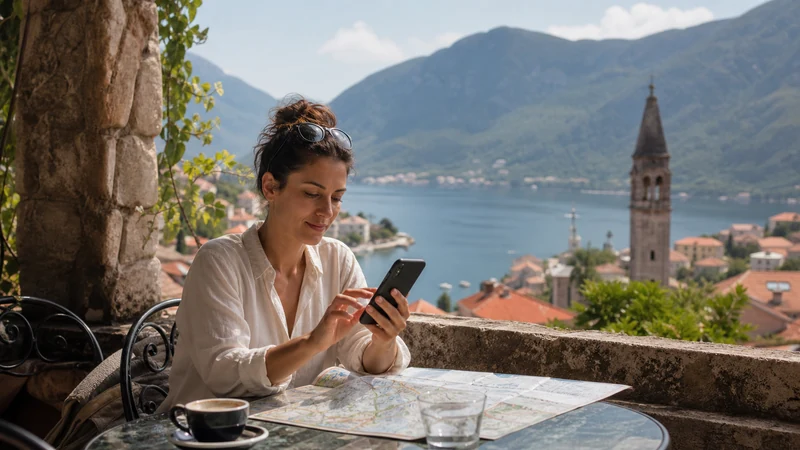

The best apps for Montenegro travel solve a small number of real problems: navigation, language, current road or weather information, bookings and communication. Google Maps, Google Translate and Montenegro’s official 112 MNE emergency app form a practical starting set; the right transport tools depend on the operators used in your itinerary.
A coast-only holiday around Kotor, Budva and Tivat needs different preparation from driving towards Žabljak and Durmitor or crossing into Albania, Bosnia and Herzegovina or Croatia. Install fewer, relevant apps and make their essential information available offline before leaving dependable Wi-Fi.
NoveSIM travel eSIMs can provide mobile data for travel apps, but they are data-only. We do not provide a Montenegrin number, conventional calls or SMS. Internet-based messaging can use the eSIM, while ordinary calls and verification messages remain services of the primary line.
Quick answer: Install Google Maps for everyday navigation, download the required map areas, add an offline language pack in Google Translate and check whether 112 MNE is suitable for official emergency, road and weather information. Keep tickets, addresses and operator contacts outside the apps, because live transport changes and account logins still require a working connection.
Top Montenegro eSIMs

Montenegro eSIM
Fixed
1 GB, 7 days€ 3.572 GB, 15 days€ 5.363 GB, 30 days€ 7.14Unlimited
Unlimited, 1 day€ 4.02Unlimited, 3 days€ 8.48Unlimited, 5 days€ 12.94
Balkans eSIM
Fixed
1 GB, 7 days€ 4.462 GB, 15 days€ 7.143 GB, 30 days€ 9.37Unlimited
Unlimited, 1 day€ 4.91Unlimited, 3 days€ 11.16Unlimited, 5 days€ 17.40Best apps for Montenegro travel by task
| Travel task | Useful tool | Offline preparation |
|---|---|---|
| Driving and finding places | Google Maps | Download every required area and save exact destinations |
| Language support | Google Translate | Download the languages offered for offline use |
| Emergency, road and weather information | 112 MNE | Install and review permissions before the trip |
| Bus, ferry or tour booking | The confirmed operator’s site or app | Save the ticket, departure point and contact details |
| Accommodation communication | The booking platform and agreed messaging app | Save the address, entry instructions and host number |
No single app should be treated as the authority for every task. A mapping app may find the terminal but not show a last-minute operator notice. A booking app may hold the reservation but fail to display it after sign-out. Build a small toolkit with a separate offline copy of anything that would be difficult to replace.
Use Google Maps online and offline
Google Maps works for ordinary place searches and navigation in Montenegro. Before departure, download Podgorica, the Bay of Kotor, the relevant coastal road and any mountain approach included in the itinerary. Make each map area wide enough to contain the entire drive, not only the destination town.
Offline maps are a fallback rather than a full copy of the online service. Google states that public-transport, walking and cycling directions are unavailable offline; offline driving also lacks live traffic and alternative routes. The Google Maps in Montenegro guide explains how to prepare downloads for the coast, Durmitor and border journeys.
Save the accommodation entrance, parking point and meeting location separately. Old-town pedestrian areas and hillside properties can make the final approach harder than the intercity route, and a street address may not identify the correct door.
Download translation support before arrival
Google Translate allows supported languages to be downloaded for offline use. Connect to Wi-Fi, choose the required language and use the download control shown in the app; if no download option appears, that language is not available offline on the selected device or version.
Prepare the languages actually needed for the route, not a long regional collection. Test a simple phrase offline and save important accommodation or medical details as plain text. Camera translation can help with printed information where supported, but it should not be the only copy of an essential instruction.
Consider Montenegro’s official 112 MNE app
Montenegro’s Ministry of the Interior describes 112 MNE as an emergency-support application developed with the Directorate for Emergency Management. Its official information describes location sharing for emergency contact and access to weather, road-condition and related service information.
Install it from the official store listing linked by the government, read the current privacy information and review the permissions before travel. An app does not guarantee that an emergency message or call will work without a suitable connection. Keep the European emergency number 112 written down and know how to describe the location without relying on one screen.
Use official transport information for the exact journey
Montenegro does not have one app that should be assumed to cover every intercity bus, ferry, airport transfer and local taxi. Start with the company named on the booking or timetable. If it offers an official app, confirm the developer and current regional availability in the device’s app store before installing it.
For each time-sensitive journey, save the operator name, departure point, booking reference and contact channel. Screenshot the ticket only when the operator accepts that format; some services may require an in-app code, printed document or another form of validation. Check the conditions stated on the actual booking.
For a taxi or transfer, agree on the booking channel with the accommodation or transport company. Do not assume that a familiar ride-hailing brand operates in every Montenegrin city. Airport arrivals, coastal towns and late-night travel can have different local arrangements.
Keep accommodation and messaging apps ready
Open the booking platform before departure and confirm that the reservation appears on the device. Save the full address, host name, check-in window, entrance instructions and telephone number outside the platform. This prevents a login prompt or delayed sync from blocking access at arrival.
WhatsApp, Viber and other internet-messaging services can use travel-eSIM data while retaining an existing registered account, subject to the app’s own rules. Agree on the contact method with the host instead of assuming that every business monitors the same app. Keep the original booking channel available for formal changes or disputes.
Prepare different app sets for coast and mountain travel
For Kotor, Budva, Tivat, Herceg Novi, Bar or Ulcinj, prioritise the complete coastal map, parking or meeting instructions and live access to the accommodation. Seasonal traffic and road restrictions make current information useful, while an offline map preserves the basic route during a signal gap.
For Žabljak, Durmitor, Biogradska Gora or another remote area, download the approach and return route, keep official weather and road sources bookmarked and carry a charged power bank. A consumer app route is not confirmation that a mountain road or trail is safe in present conditions.
For border travel, download both countries and the road on each side of the crossing. Network registration can pause after the frontier. The Albania–Montenegro mobile internet guide covers the Shkodër–Ulcinj and Shkodër–Podgorica corridors.
Decide which features need mobile data
Offline maps and downloaded language packs reduce data use, but current traffic, a changed departure time, a new place search and accommodation messaging still need connectivity. Maps and text communication are generally lighter than video, cloud photo backup or large app updates.
Review the live Montenegro eSIM plans and choose validity that includes the complete trip. Pause automatic media backup and app updates over mobile data. If the route continues to another country, confirm that the plan lists it explicitly.
The Montenegro mobile internet guide compares travel eSIM, local SIM, roaming and Wi-Fi. A local SIM may be preferable when an ordinary Montenegrin number is essential; a travel eSIM is useful when app data must be ready before reaching a shop.
If every online app stops working, confirm that the travel eSIM is enabled, selected for Mobile Data and allowed to use Data Roaming. When manual NoveSIM APN entry is required, use data.esim and leave username and password blank. Do not delete the installed eSIM unless NoveSIM Support specifically instructs you to do so.
Set permissions without giving every app permanent access
Navigation needs suitable location access while it is in use, and emergency features may require location, calling or messaging permissions to perform their stated tasks. Review each request in the app and operating-system settings. Do not grant contacts, photos, microphone or background location merely because an unrelated app asks for them.
Download apps from the official Apple App Store or Google Play listing, verify the developer and install operating-system updates before the trip. Avoid links sent by unknown accounts or QR codes placed over public signage. Use a strong screen lock and keep booking and eSIM credentials private.
Build an offline folder before departure
- Accommodation addresses and entry instructions.
- Airport, bus, ferry and tour booking references.
- Downloaded map areas covering each complete route.
- Offline language packs that have been tested.
- Travel insurance and emergency contact details.
- Operator names and customer-service channels.
- Copies of essential information that do not require an app login.
Place the documents in a location available without cloud access and check them in Airplane Mode. Do not store payment-card images, passwords or eSIM QR codes in an unsecured travel folder.
Related Articles
- Google Maps in Montenegro
- Montenegro eSIM Plans
- Mobile Internet in Montenegro
- Montenegro Road-Trip Internet
- Albania–Montenegro Mobile Internet
FAQ
What are the best apps for Montenegro travel?
Start with Google Maps, an offline translation tool and the official 112 MNE app if it suits your device and privacy preferences. Add only the official booking or transport tools required by the specific itinerary.
Which Montenegro travel apps should work offline?
Download the required Google Maps areas and available translation languages before departure. Keep tickets, addresses and emergency details in a separate offline folder because transport and booking apps may still require a connection.
Is there one app for all public transport in Montenegro?
Do not assume that one app covers every bus, ferry, transfer and local service. Use the operator named on the current timetable or booking and save its departure information separately.
Do travel apps work with a data-only eSIM?
Yes. Apps that use internet data can work through a travel eSIM when coverage and data are available. Conventional calls and SMS remain services of the primary or another voice-enabled line.
Final Recommendation
The best apps for Montenegro travel are the ones that match the actual route. Prepare Google Maps, offline translation and official emergency information first, then add the confirmed tools required by each accommodation and transport booking.
Download maps and language packs on Wi-Fi, test essential files in Airplane Mode and save tickets, addresses and contacts outside any single app. Use official sources for current road, weather, border and operator information.
Keep mobile data available for changes that offline tools cannot supply, protect the primary SIM from accidental roaming and carry enough battery for navigation. A small, tested app set is more reliable than a crowded phone full of unverified travel tools.