


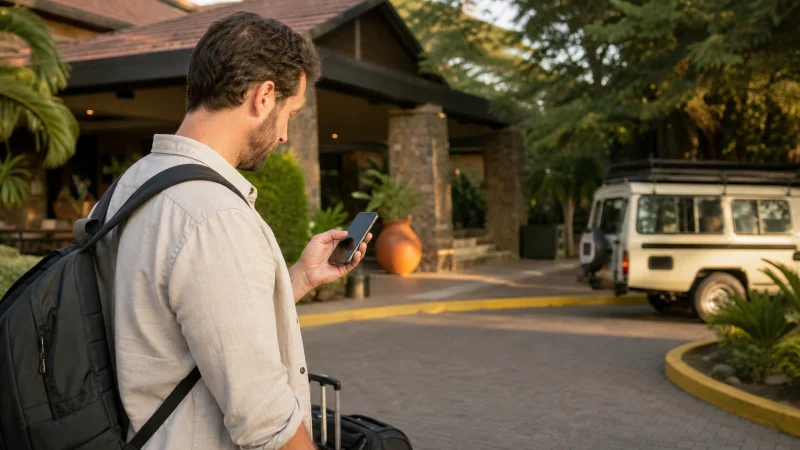

The Kenya travel apps worth installing are the ones that solve a task on your itinerary: finding an address, arranging an urban ride or contacting the person meeting you. Start with a small set you can use confidently, not a long list of unfamiliar downloads.
Our practical shortlist is Google Maps for orientation, Uber where its ride service is available and WhatsApp if your host uses it. Park tickets need a separate check: an official booking website may be the right tool, rather than another app.
A compatible phone can use our NoveSIM Kenya eSIM for data. We do not provide a Kenyan number, ordinary calls or carrier SMS with these travel plans. A working internet connection does not remove an app’s account or payment requirements.
Quick answer: Prepare Maps, your chosen communication app and a ride app only for locations where the service operates. Complete account checks before departure. For KWS park bookings, use the official payment portal and save the ticket. Treat M-PESA as a registered financial service, not an app every visitor can use immediately.
Top Kenya eSIMs


Choose Kenya travel apps by task
| Task | Useful starting point | Check before relying on it |
|---|---|---|
| Find your accommodation | Google Maps | Confirm the entrance with your host and prepare an offline fallback. |
| Arrange an urban ride | Uber, where available | Check service at the actual pickup location and your payment method. |
| Contact a driver or lodge | WhatsApp, if they use it | Save the correct contact and complete any account verification beforehand. |
| Book a KWS park visit | Official KWS payment website | Check the park, visitor category and whether your tour already includes entry. |
| Use local mobile money | M-PESA, only if eligible and registered | Confirm account requirements with Safaricom; a data eSIM does not create a wallet. |
This is a task-based selection, not a ranking based on our own app testing. Your airline or accommodation app may also be useful if it already holds the booking. Avoid installing a duplicate simply because it appears on a travel checklist.
Maps for addresses, not automatic permission to use a route
Use Maps to orient yourself, then ask your accommodation which entrance and approach it recommends. For a safari, obtain the operator’s gate and meeting instructions separately. A short-looking route is not necessarily the right arrival route.
Google supports downloaded map areas, subject to its restrictions. For preparation and the limits of offline navigation, use our Google Maps in Kenya guide. Save the address and pickup instructions as well; those should remain available if the app or account is unavailable.
Uber for a supported urban pickup
Uber’s official Kenya city directory includes Nairobi and Mombasa. Check the app for your actual pickup and destination: a city listing does not guarantee a driver, a particular service or coverage at every hotel.
Sign in before the travel day and check the payment options shown for your account. Do not assume a foreign card will be accepted just because it works elsewhere. If account verification requires a message to your usual number, resolve access before you need a ride.
At pickup, compare the vehicle and driver details with the booking in the app. Keep a separate transfer arrangement for a time-sensitive arrival or a route outside confirmed service. The Kenya ride-hailing guide covers the transport-specific checks; this shortlist does not promise nationwide ride availability.
WhatsApp for the contacts who already use it
Ask your accommodation or tour operator which channel they monitor, rather than assuming WhatsApp is their booking desk. Save the contact before travel and send a short confirmation while you have a dependable connection.
Your messaging account and the SIM carrying data have different roles. Keep access to the number used for account verification if you reinstall or need recovery; avoid unnecessary account changes during the trip. Our WhatsApp in Kenya guide explains using travel data without confusing it with a new local phone number.
Save important instructions outside the conversation too. A downloaded screenshot of the meeting point is more useful at a disconnected pickup than a message you cannot retrieve.
For park tickets, use the official booking channel
The official KWS payment portal supports park applications, payment and tickets. It also displays an application route without an eCitizen account. Follow the instructions for your booking rather than downloading an unofficial app that claims to replace the process.
Confirm whether your tour operator is arranging entry before paying yourself. Check the selected park, visit date and visitor category, then save the ticket and payment confirmation. A screenshot alone does not override the admission conditions or any document check.
Do not assume every conservancy or park follows the same booking system. Use the authority or operator responsible for the place on your itinerary, and verify the instructions before a remote travel day.
M-PESA is not unlocked by a travel-data plan
M-PESA requires its own account arrangements. Safaricom’s published service training information describes subscriber and identification requirements. Ask Safaricom about eligibility and registration for your situation before making it your only payment method.
Installing an app, buying a local SIM and registering a wallet are separate actions. Our data-only eSIM does not supply a Safaricom phone number or register you for M-PESA. Keep another payment method agreed with your accommodation or operator if you are not registered.
Never share a wallet PIN, account password or verification code with a driver or someone offering to complete the setup for you.
A short preparation session before departure
- Install the apps you actually need from their official app-store listings.
- Sign in and complete account recovery or verification checks.
- Confirm the booked service’s payment method and any ticket requirements.
- Save addresses, tickets and contact details outside the apps.
- Disable large automatic downloads and photo backups that could consume travel data.
Try one ordinary task in each app before leaving: open the booking, find the address or message the host. For the data connection itself, consult the Kenya eSIM installation guide rather than changing network settings inside an app-selection checklist.
Related Articles
FAQ
Which apps should I download before travelling to Kenya?
Start with Maps, the communication app your host uses and a ride app if it serves your arrival location. Add your existing airline or booking app only when it helps manage a real reservation. Save essential information offline.
Can I use Uber everywhere in Kenya?
Do not assume nationwide availability. Uber’s directory includes Nairobi and Mombasa, but you must check the actual pickup and service in the app. Arrange a separate transfer where availability is uncertain.
Do I need an app to book KWS park entry?
The official KWS payment website provides a booking and ticket route. Check whether your tour includes entry first, follow the park’s current instructions and keep the confirmation accessible during the journey.
Will a NoveSIM eSIM let me register for M-PESA?
It supplies travel data, not a Kenyan mobile number or registered wallet. M-PESA eligibility and setup must be confirmed with Safaricom separately. Keep an agreed alternative payment method if you do not have an account.
Final Recommendation
Keep your Kenya travel apps focused: navigation, a confirmed communication channel and transport where it is genuinely available. A tested login is more useful than several extra downloads.
Use official channels for park entry and financial services, and confirm what your tour operator already arranges. Do not mistake mobile data for eligibility to open an account.
Before departure, save the booking and pickup details outside the apps. With those backups and a suitable data connection, you can use the phone to support the trip without making every step depend on a live service.