


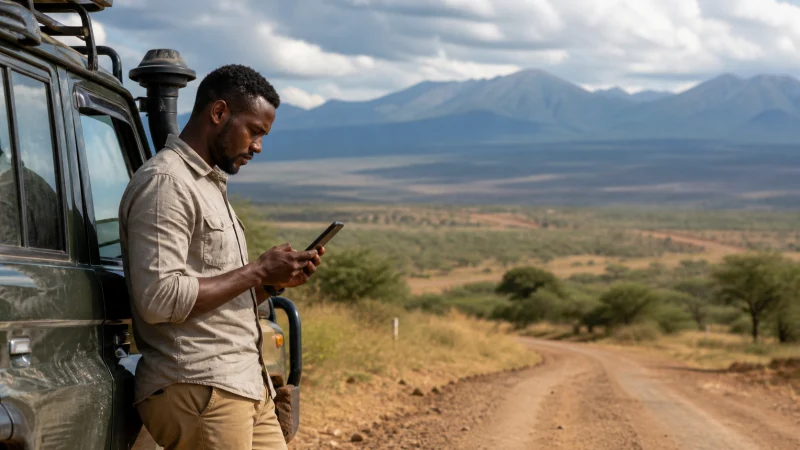

Use Google Maps in Kenya for orientation, but prepare the route before you lose internet. Download the relevant area where the app permits it, check the destination with your host and keep the final approach instructions separately.
A Nairobi hotel, a Mombasa pickup point and a safari lodge are different navigation tasks. A place pin may identify the property without identifying the entrance your driver should use. Resolve that distinction before setting off.
We offer data-only Kenya eSIM plans for compatible, unlocked phones. They can provide internet for map updates and messages where the plan has coverage; we do not provide a Kenyan number, conventional calls or SMS.
Quick answer: Before using Google Maps in Kenya, download areas covering the whole intended drive, check that the saved map opens offline and obtain your accommodation’s recommended entrance and approach. Offline driving navigation has limitations: it does not replace live traffic, current road information or a guide’s directions inside a park.
Top Kenya eSIMs


Prepare Google Maps in Kenya for the journey you will actually make
Start with confirmed destinations, not a single large rectangle labelled Kenya. For an arrival in Nairobi, include the airport and accommodation. For a coastal stay, ask which entrance or pickup point your host uses. For a safari, confirm the park gate and lodge approach with the operator.
Write down the property name, telephone contact and arrival instructions outside Maps. Two similarly named places, a misplaced pin or a different entrance can otherwise send you to the wrong side of a property.
Do not treat the app’s estimated arrival time as a promise to your host. Build the pickup plan around the agreed instructions, and tell the driver about a flight delay while you still have a connection.
Download an area and check it before departure
Google’s offline-map instructions explain the download process and regional restrictions. On Android:
- Open Google Maps on a dependable internet connection.
- Open your profile menu, then Offline maps.
- Choose Select your own map.
- Adjust the area to include the intended route, not only the destination.
- Download it and check its update status before travelling.
Menu wording can differ on other platforms. If the app does not offer a download for an area, do not assume that saving a place will create an offline map.
After downloading, temporarily switch off Wi-Fi and mobile data and try opening the saved area and intended drive. Restore your normal settings afterwards. This is a preparation check, not evidence that every road shown is suitable for your vehicle.
What works differently without internet?
Google says offline driving guidance requires the entire route to be inside the downloaded area. Offline walking, cycling and public-transport directions are unavailable; driving loses live traffic and alternative-route information.
For a walk from an accommodation to a meeting point, save the host’s instructions rather than assuming offline turn-by-turn walking guidance will be available. For a transfer booked with a driver, the agreed pickup location is more important than an unverified shortcut.
A phone may still show your location without mobile internet. That does not mean it can retrieve a new map area or send your position to someone. If the location appears wrong, stop somewhere safe to check it instead of making a rushed road decision.
Use the lodge or guide’s approach instructions
Ask your safari operator which gate to use, who will meet you and whether the final approach is appropriate for your vehicle. Save those answers before leaving a dependable connection. A visible track on a map does not establish that visitors may use it.
If Maps suggests a route different from the operator’s instructions, resolve the difference before departure. Do not improvise a park entrance, detour or night approach simply because it produces a shorter estimate.
Our Kenya safari connectivity guide covers communication preparation, while the Masai Mara internet guide addresses keeping camp contact details accessible. Neither should be read as a guarantee of reception along a particular road.
Keep mobile data for the functions that need it
Download maps on Wi-Fi before travelling. Avoid loading photo-heavy place listings or large updates when you are preserving data for a pickup message. Keep charging arrangements within reach on a long navigation day.
Check your phone’s own usage counter after a typical day rather than relying on an invented fixed MB-per-hour figure. Navigation, searches, images and other apps running at the same time make individual usage vary. The Kenya data-budget guide helps you build an allowance around your habits.
If Maps loads but messaging does not, test another new web page before assuming the entire data connection is down. If nothing online works, use the Kenya eSIM troubleshooting guide. Retain the installed eSIM; deleting it is not a map repair.
Related Articles
FAQ
Can I use Google Maps in Kenya without mobile data?
Downloaded areas can support offline driving when the whole route is included. They do not provide live traffic or offline walking, cycling and public-transport directions. Check your saved area before departure.
Is saving a hotel pin enough for an offline journey?
No. Save the relevant map area as well as the hotel’s address, contact and entrance instructions. A pin alone is not a complete arrival plan, particularly if there are multiple entrances or similarly named properties.
Should I follow Maps inside a safari park?
Follow the park’s rules and your authorised guide or operator’s instructions. A mapped track is not confirmation that it is open, permitted or suitable for your vehicle. Resolve conflicting directions with the operator before travelling.
How much data should I allow for navigation?
Use your own measured usage and include other travel tasks such as messaging and transport bookings. Download map areas beforehand and leave a buffer; there is no universal navigation allowance that fits every itinerary.
Final Recommendation
Prepare Google Maps in Kenya around confirmed destinations and the full journey between them. Test the downloaded area before you need it, and keep the first arrival instructions outside the app.
For a safari or unfamiliar approach road, obtain the recommended gate and route from the host or operator. A navigation suggestion is not permission to use a track or assurance that it is suitable.
Use mobile data for current information and communication when available, with offline directions and contacts as the fallback. That gives you a plan for both a connected city transfer and a journey where the signal drops.