


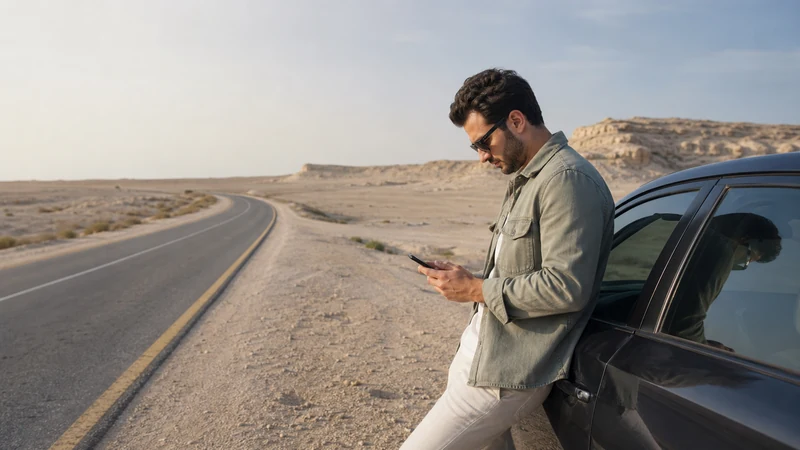

Mobile internet for a Bahrain road trip helps with navigation, entrance pins, opening-time checks and transport changes across a compact country. The essential preparation is an offline route, not an assumption that signal will remain identical at every stop.
Urban Manama, southern attractions, Bahrain International Circuit and the King Fahd Causeway create different conditions. A route into Saudi Arabia also changes the country coverage requirement.
NoveSIM Bahrain plans are data-only, with no local number, traditional calls or SMS. Internet communication works where the selected plan has service.
Quick answer: Install and test a Bahrain eSIM before collecting the vehicle, download an offline map with every parking or entrance pin, disable home-line roaming and carry a car charger. If the route crosses the King Fahd Causeway, arrange Saudi coverage separately.
Top Bahrain eSIMs


Build the route for offline use
- Save the accommodation, car-rental return point and fuel stops.
- Add the exact visitor entrance or car park for each attraction.
- Download the relevant Bahrain map area.
- Screenshot reservations and any time-specific entry details.
- Share the planned route with a travel companion.
Do this even when the Bahrain coverage guide suggests normal urban service. A wrong gate or inaccessible road is easier to solve with saved information.
Mobile internet for a Bahrain road trip by route
Mobile internet for a Bahrain road trip changes with the route, even though the overall driving distances are short.
| Route | Preparation |
|---|---|
| Manama and Muharraq | Save building entrances and parking pins |
| Riffa and southern attractions | Download maps before leaving the urban area |
| Bahrain International Circuit | Keep event ticket and return pickup details offline |
| King Fahd Causeway | Verify Bahrain and Saudi coverage as separate countries |
The dedicated King Fahd Causeway guide explains network switching at the border. Race visitors should use the Bahrain Grand Prix internet guide for crowd-specific preparation.
Set up the phone before driving
- Confirm that the phone is unlocked and eSIM-compatible.
- Install a Bahrain plan on reliable Wi-Fi and label the line clearly.
- Select it for Mobile Data and enable Data Roaming on that line.
- Turn off home-line roaming and Mobile Data Switching.
- Mount the phone legally and connect a car charger before setting off.
Never change network settings while driving. Let a passenger operate the phone or stop safely and legally. The Bahrain mobile internet hub compares an eSIM with local SIM and roaming options.
Manage data and battery
Offline maps reduce repeated downloads, while video uploads and cloud photo backup consume the allowance quickly. Pause updates, keep a reserve for the return journey and estimate the plan with the Bahrain data guide. Hotspot use for passengers depends on the selected plan and drains battery faster.
When reception changes
Buildings, congestion, the device and local radio conditions can change performance over a short distance. Leave network selection Automatic. If service disappears, wait until safely stopped, confirm the travel line and roaming settings, toggle flight mode and retry. Use data.esim if manual NoveSIM APN entry is required.
Do not delete the eSIM during roadside troubleshooting unless NoveSIM Support explicitly instructs you to do so.
Related Articles
- Bahrain eSIM plans
- Choose a Bahrain eSIM
- Mobile internet in Manama
- Hawar Islands mobile internet
- Bahrain eSIM troubleshooting
FAQ
Do I need offline maps for Bahrain?
Yes. Bahrain is compact, but offline maps protect the route when reception changes or a destination entrance is difficult to find.
Will one Bahrain eSIM cover the whole road trip?
It can serve the Bahrain portion where the partner network has coverage. Saudi Arabia requires explicit separate or regional coverage.
Can passengers use my phone’s hotspot?
Only if the selected plan permits tethering. Monitor the allowance and keep the phone powered.
What should I do if data stops while driving?
Continue using the offline route and troubleshoot only after stopping safely and legally.
Final Recommendation
Prepare mobile internet for a Bahrain road trip by installing the eSIM and completing the offline route before starting the car.
Save exact entrances, carry charging equipment and reserve data for the return journey.
Treat the Saudi causeway as a separate country-coverage decision and never adjust the phone while driving.