


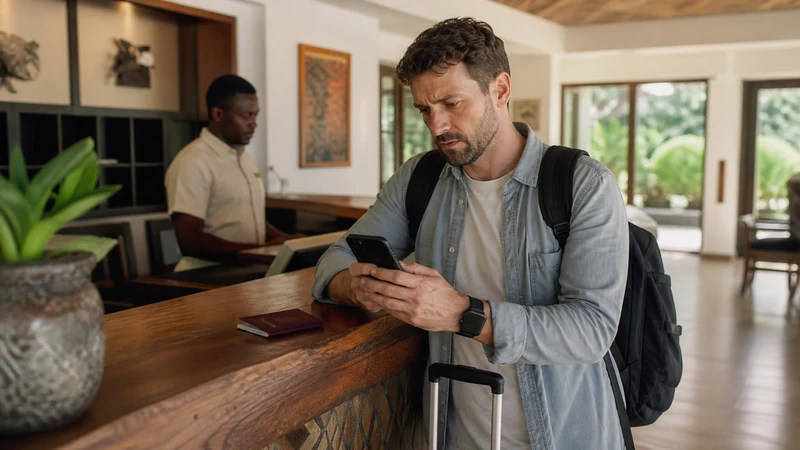

Roaming charges in Uganda depend entirely on the home carrier, account and current tariff. Costs may be based on a daily pass, a travel add-on, a limited allowance or pay-per-use rates for data, calls and messages.
Do not assume that Uganda is included because the carrier advertises international roaming or covers nearby destinations. Check the exact terms for Uganda and for the specific mobile account before allowing the primary SIM to connect abroad.
A NoveSIM Uganda eSIM provides a separate travel-data allowance. It is data-only and does not include a Ugandan number, traditional calls or carrier SMS, but internet-based communication apps can work through the data connection.
Quick answer: To reduce the risk of unexpected roaming charges, install NoveSIM before departure, select it as the mobile-data line in Uganda and keep Data Roaming disabled on the primary SIM. Disable automatic data switching and check the home carrier’s current charges before leaving its line active for calls, SMS or voicemail.
Top Uganda eSIMs

Uganda eSIM
Fixed
1 GB, 7 days€ 11.112 GB, 15 days€ 21.333 GB, 30 days€ 29.33Unlimited
Unlimited, 1 day€ 10.22Unlimited, 3 days€ 29.33Unlimited, 5 days€ 47.99
Why can roaming in Uganda become expensive?
A phone using its normal SIM abroad connects through a visited network while the home carrier controls the customer’s billing. The traveller may see a local network name, but the final price still follows the home account’s roaming terms.
Potential charging models include:
- a daily roaming pass;
- a fixed travel add-on;
- a regional allowance that may or may not include Uganda;
- pay-per-megabyte mobile data;
- per-minute outgoing call charges;
- incoming call charges;
- per-message SMS charges;
- separate voicemail or call-forwarding consequences;
- reduced speeds after a stated allowance;
- automatic renewal while roaming continues.
These terms can change and may differ between customers of the same carrier. Obtain the information for the exact number and tariff rather than relying on a general advertising page.
What should you ask your home carrier?
Ask for written or account-specific information before travelling. A vague answer such as “international roaming is available” does not explain what using the phone in Uganda will cost.
| Question | Why it matters |
|---|---|
| Is Uganda included in my current roaming package? | Regional labels do not always include every country |
| What activates a daily pass? | A small amount of data, one call or another event may start a charged period |
| How is a roaming day calculated? | The billing period may not match the local calendar day |
| How much mobile data is included? | The allowance may be smaller than the domestic plan |
| What happens after the allowance is used? | Data may stop, slow down or continue at another rate |
| What do outgoing and incoming calls cost? | Incoming calls are not necessarily free while roaming |
| How are SMS messages charged? | Sending and receiving messages may follow different rules |
| Can voicemail create charges? | Call forwarding and voicemail retrieval can have separate consequences |
| Is there a roaming spending limit? | A limit or alert may provide useful protection |
Save the carrier’s answer before departure. If the terms are unclear, treat home-line roaming as an unknown cost rather than assuming that it will be acceptable.
Mobile data can start without opening an app
A smartphone can transfer data in the background even when the traveller is not actively browsing. The following activities may use the primary SIM if it remains selected for mobile data:
- email synchronisation;
- cloud photo backup;
- application updates;
- operating-system services;
- weather and news refreshes;
- messaging application downloads;
- location and map updates;
- browser tabs refreshing;
- personal hotspot traffic;
- automatic switching from another data line.
Turning the screen off does not necessarily stop these transfers. Control which SIM carries data before landing rather than waiting for a roaming notification.
How does NoveSIM separate travel data from roaming?
On a compatible dual-SIM phone, NoveSIM can handle mobile data while the primary SIM remains installed for its normal number. This makes the travel-data path explicit instead of allowing the phone to use the home line automatically.
NoveSIM Data Roaming normally needs to be enabled because the travel eSIM connects through permitted partner networks. That setting applies to the NoveSIM profile and is different from enabling roaming on the primary SIM.
| Setting | NoveSIM line | Primary home SIM |
|---|---|---|
| Line enabled | On when ready to use the plan | Optional, depending on calls and SMS requirements |
| Selected for mobile data | Yes | No |
| Data Roaming | On | Off |
| Automatic data switching | Off | |
| Calls and SMS | Not included | Follow the home carrier’s roaming terms |
The guide to mobile data in Uganda explains how to monitor usage after the travel line is active.
Configure the phone before using data in Uganda
After arrival, check the line assignments before opening maps, messaging apps or a browser.
- Turn on the NoveSIM line.
- Select NoveSIM as the mobile-data line.
- Enable Data Roaming for NoveSIM.
- Disable automatic mobile-data switching.
- Keep Data Roaming disabled on the primary SIM.
- Leave network selection on Automatic.
- Turn Wi-Fi off temporarily.
- Load a new webpage to test the NoveSIM connection.
Testing with Wi-Fi disabled confirms that the travel eSIM is carrying mobile data. Menu names vary between devices, so use the relevant Uganda eSIM instructions for iPhone or Uganda eSIM instructions for Android.
Should the primary SIM remain enabled?
You can keep the primary line enabled when you need access to its established number, subject to the home carrier’s current roaming terms. This may be useful for authentication messages or urgent contact from home.
Keeping the line active requires a deliberate decision about:
- incoming and outgoing call charges;
- SMS charges;
- voicemail and call-forwarding behaviour;
- whether the phone can accidentally select it for data;
- whether receiving a particular service triggers a daily pass;
- whether the carrier applies a spending limit or alert.
If none of those services is required, turning the primary line off can simplify the setup. Do not remove the SIM merely to prevent data roaming; assigning data to NoveSIM and disabling primary-line roaming is usually enough on a correctly configured dual-SIM device.
Can receiving calls create roaming charges?
It may. Incoming-call pricing varies by carrier, tariff and destination. Do not assume that receiving a call in Uganda is free because receiving calls is free at home.
Before answering an ordinary carrier call, check:
- the per-minute incoming rate;
- whether answering starts a daily roaming pass;
- how calls forwarded to voicemail are treated;
- whether Wi-Fi Calling changes the applicable terms;
- whether the caller can use an internet-based app instead.
NoveSIM does not supply carrier voice service, but applications such as WhatsApp can make internet calls using mobile data. The existing application account can normally continue using its registered number without the primary SIM carrying mobile data.
What about SMS and authentication codes?
Sending and receiving SMS may have different roaming rules. Some carriers charge for outgoing messages but not incoming messages, while others apply different account-specific conditions. Verify the exact policy.
If you keep the primary line available for authentication codes:
- make sure it is not selected for mobile data;
- keep its Data Roaming setting off;
- disable automatic data switching;
- avoid replying by SMS until you know the price;
- use app-based authentication where a secure alternative already exists.
Do not change important account-security settings immediately before travel without testing them. The goal is to preserve access while keeping mobile data on the known travel line.
Can voicemail cause unexpected costs?
Voicemail is easy to overlook because the phone may handle missed calls automatically. Depending on the carrier and call-forwarding arrangement, a call sent to voicemail or voicemail retrieved from Uganda may affect roaming charges.
Ask the home carrier:
- Whether unanswered calls forwarded to voicemail can be charged.
- What retrieving voicemail from Uganda costs.
- Whether visual voicemail uses mobile data.
- Whether voicemail can be managed over Wi-Fi or through an application.
- Whether temporary voicemail changes are recommended before travel.
Do not assume that declining a call and allowing it to reach voicemail produces the same result as leaving the primary line disabled.
Airplane Mode is useful but not always practical
Airplane Mode stops cellular connections until the required radios are turned back on. It can prevent roaming during a flight or when you intentionally want Wi-Fi-only use.
It is less useful when the goal is to keep NoveSIM connected while the primary line remains available for messages. In that situation, dual-SIM settings provide more precise control:
- NoveSIM on and selected for data;
- Data Roaming on for NoveSIM;
- primary SIM roaming off;
- automatic data switching off.
Do not repeatedly use Airplane Mode as a substitute for checking the actual data-line assignment.
Compare roaming with a travel eSIM over the whole trip
Home roaming may be convenient for a short visit when the carrier provides a clear and acceptable package. NoveSIM may be easier to budget when you want a separate travel-data allowance.
| Comparison point | Home-carrier roaming | NoveSIM travel eSIM |
|---|---|---|
| Data price | Depends on the current home account and Uganda terms | Shown in the selected NoveSIM plan |
| Local number | Keeps the normal home number | No Ugandan number |
| Calls and SMS | Available according to roaming rates | Data-only |
| Data-line control | The primary SIM carries roaming data | A separate line carries travel data |
| Setup | May require enabling a pass or roaming | Install before departure and assign after arrival |
| Main uncertainty | Triggers, rates and allowance rules | Compatibility, plan terms and partner coverage |
The guide to the best way to get internet in Uganda compares both options with local SIM cards, Wi-Fi and portable routers.
Install NoveSIM before departure
Install the travel eSIM at home using stable private Wi-Fi. Give it a clear label so it cannot be confused with the primary SIM.
- Open the installation information supplied with the order.
- Add the eSIM using the provided method.
- Confirm that the profile appears in the mobile settings.
- Label it “NoveSIM” or “Uganda”.
- Keep the eSIM installed.
- Follow the activation timing specified for the plan.
- Save the instructions somewhere accessible offline.
Use the Uganda eSIM installation guide and the separate instructions for activating a Uganda eSIM. Check that your phone supports eSIM in Uganda before purchasing.
Control data use after avoiding roaming
Moving data away from the primary SIM prevents one source of uncertainty, but the NoveSIM allowance still needs to be managed. Pause background activities that are not important to the trip:
- cloud photo and video backup;
- automatic application updates;
- operating-system downloads;
- high-resolution video streaming;
- automatic media downloads;
- laptop cloud synchronisation;
- unused applications refreshing in the background.
Keep a reserve for the final airport transfer and possible travel changes. The guide to how much data a Uganda trip needs helps estimate an appropriate allowance.
Does NoveSIM eliminate every possible phone charge?
No. NoveSIM separates travel data from the primary carrier, but it does not control charges generated by another active SIM. Calls, SMS, voicemail or other home-line services remain subject to the home carrier’s rules.
NoveSIM also cannot prevent:
- paid calls made through the primary SIM;
- SMS sent through the primary SIM;
- carrier voicemail charges;
- roaming triggered after manually selecting the primary SIM for data;
- charges from another connected device or account;
- fees unrelated to the NoveSIM plan.
Think of the travel eSIM as a separate data path, not as a switch that changes the home carrier’s contract.
Prepare for areas without mobile coverage
Avoiding roaming charges does not guarantee that mobile data will be available everywhere. Coverage can vary between Kampala, regional towns, intercity roads, national parks and remote accommodation.
Before leaving a connected town, save maps, accommodation contacts, meeting points and booking references offline. Review Uganda eSIM coverage and rural mobile coverage in Uganda before a route that moves beyond major towns.
Related Articles
- Uganda eSIM Plans
- Internet in Uganda for Tourists
- Best Way to Get Internet in Uganda
- Mobile Data in Uganda
- Best SIM Card for Uganda
- Local SIM vs eSIM in Uganda
- Install an eSIM for Uganda
- Activate an eSIM for Uganda
- How Much Data Do You Need in Uganda?
- Uganda eSIM Coverage
FAQ
How can I avoid roaming charges in Uganda?
Use NoveSIM as the mobile-data line, enable Data Roaming only on that eSIM, keep roaming disabled on the primary SIM and turn off automatic data switching.
How much does roaming cost in Uganda?
The cost depends on the home carrier, account and current tariff. Ask for the exact Uganda daily-pass, data, call, SMS and voicemail terms before travelling.
Can I keep my normal SIM active without using its roaming data?
Yes, on a compatible dual-SIM phone. Keep it out of the mobile-data path, disable its Data Roaming setting and turn off automatic data switching.
Why is Data Roaming enabled on NoveSIM?
NoveSIM normally needs Data Roaming because the travel eSIM connects through permitted partner networks. This is separate from enabling roaming on the primary SIM.
Can receiving calls or voicemail create roaming charges?
They may, depending on the home carrier’s terms. Check incoming-call, call-forwarding and voicemail charges before leaving the primary line enabled.
Does receiving an SMS cost money while roaming?
Policies vary by carrier and account. Sending and receiving SMS can follow different rules, so verify the exact Uganda terms rather than assuming either action is free.
Does NoveSIM include calls and SMS?
No. NoveSIM is data-only and does not provide traditional calls, carrier SMS or a Ugandan telephone number.
Final Recommendation
Check the home carrier’s current Uganda rates before departure, including daily-pass triggers, data allowances, incoming calls, SMS and voicemail. Do not rely on a general international-roaming headline.
For more predictable travel data, install NoveSIM before travelling and select it as the data line after arrival. Enable Data Roaming on NoveSIM, keep it disabled on the primary SIM and turn off automatic data switching.
Keep the home line active only when its number or carrier services are genuinely needed and their costs are understood. This separates essential Uganda mobile data from the less predictable charges that an unmanaged primary SIM can create.