


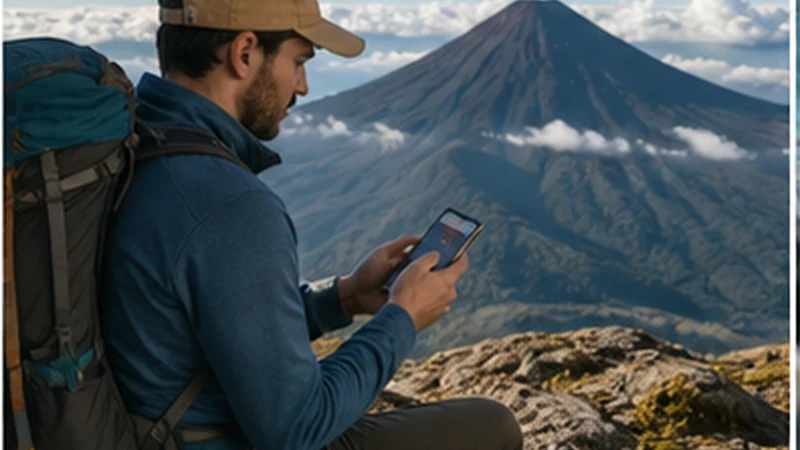

A Guatemala eSIM for volcano hiking can help organise an excursion before departure and send an update after returning to coverage. It cannot make a restricted ascent permissible, replace an authorised guide or guarantee communication on exposed mountain terrain.
Status checked 3 September 2026: CONRED reported on 4 August 2026 that access restrictions to Acatenango and Fuego remained in place during intense activity at Volcán de Fuego. Do not plan or begin an ascent from an old itinerary. Check the latest CONRED, INSIVUMEH and local-authority instructions, and comply with any closure or restriction in force on the day.
NoveSIM Guatemala plans are data-only. They do not include a Guatemalan number, standard voice calls or SMS. Messaging applications require usable mobile data, so the eSIM must not be treated as the only emergency channel.
Quick answer: Verify that the chosen volcano and route are officially open, use an appropriately authorised guide, test the eSIM in the departure town and put the itinerary, group details, weather information, check-in rules and emergency procedure offline. Assume signal may be absent for the entire mountain section and never change route to seek reception.
Top Guatemala eSIMs

Guatemala eSIM
Fixed
1 GB, 7 days€ 5.722 GB, 15 days€ 9.253 GB, 30 days€ 11.89Unlimited
Unlimited, 1 day€ 5.28Unlimited, 3 days€ 17.61Unlimited, 5 days€ 24.66
Central America eSIM
Fixed
1 GB, 7 days€ 7.052 GB, 15 days€ 11.453 GB, 30 days€ 15.41Unlimited
Unlimited, 1 day€ 6.61Unlimited, 3 days€ 16.29Unlimited, 5 days€ 25.98Before Using a Guatemala eSIM for Volcano Hiking, Check Access
The first connectivity task is to retrieve current official safety information—not a signal map. Volcanic activity, weather, fire, landslide risk or a decision by local authorities can restrict access with little relevance to what a booking confirmation says.
CONRED monitors risk and publishes warnings, while INSIVUMEH issues meteorological and volcanological information. CONRED’s general November 2025 hiking guidance tells visitors to consult the INSIVUMEH forecast, use an authorised tourism guide familiar with the area, notify local authorities about the activity, remain with the group and follow official directions.
Take a dated screenshot or save the relevant bulletin, but refresh it close to departure. An offline copy proves what was known when saved; it does not overrule a later closure, guide instruction or authority at the trailhead.
Acatenango, Fuego and Pacaya Are Not One Connectivity Problem
Searches for “Acatenango signal” often collapse different places into one answer. An Acatenango route, viewpoints towards active Fuego and the National Park at Pacaya have different access controls, hazards, terrain and guide procedures. A report of reception at one camp should never be transferred to another volcano or even another side of the same mountain.
Fuego is an active volcanic system with hazards that can change rapidly. CONRED’s August 2026 reporting described pyroclastic density currents and continuing restrictions affecting access to Acatenango and Fuego. CONRED also advises against approaching active craters generally. Connectivity does not mitigate ash, ballistic fragments, pyroclastic flows, lahars, lightning, exposure or hypothermia.
For Pacaya or any other permitted excursion, obtain that route’s current official and guide instructions. Do not infer safety from the presence of other tourists, a visible path or mobile signal.
What the eSIM Can and Cannot Do
| Appropriate eSIM task | Unsafe dependency |
|---|---|
| Check a current bulletin before pickup | Assume a closure alert will reach the phone on the trail |
| Confirm the guide, meeting point and transport | Use live chat as the only way to reunite with the group |
| Download forecast, map and itinerary | Navigate an unfamiliar route solely with online maps |
| Report return after reaching coverage | Promise continuous tracking to a family member |
| Contact accommodation after a schedule change | Treat an app as guaranteed mountain rescue access |
The plan’s gigabytes matter much less here than the presence of a usable terrestrial network at the exact location. A larger allowance cannot extend tower coverage or give a data-only profile priority during an emergency.
Build a Communication Plan with the Guide
Before the excursion, agree on actions rather than vague intentions. Record the guide or operator’s legal name, responsible guide, contact methods, departure point, route, camp if applicable, expected return window and transport arrangement.
Ask how the operator communicates when public mobile networks are unavailable. The answer may involve its own procedure or equipment; do not assume. A consumer eSIM should not be presented as a substitute for communication equipment selected for the route’s risk assessment.
Within the group, choose physical regrouping rules. If somebody stops, becomes unwell or loses sight of another participant, everyone should follow the guide’s procedure rather than scattering to search for signal. CONRED explicitly advises hikers not to separate from the group.
Define the Check-In and Overdue Actions
“I will message when I am back” is incomplete because mountain return times vary and mobile data can remain unavailable after descent. Give a trusted contact:
- the exact volcano, approved route and operator;
- guide name and operator contact;
- names and relevant details of participants;
- departure time and realistic return window;
- the time after which the group is considered overdue;
- who the contact should call first and what information to provide.
Agree that one missed message is not automatically an emergency if the group is still within the expected window and lacks signal. Conversely, do not let a “last seen” location or one delivered message postpone the agreed overdue action. CONRED publishes 119 for emergency reporting in Guatemala, but a data-only NoveSIM line does not itself provide ordinary voice service; verify how the contact will place any required call.
Download a Complete Offline Hike Packet
Before leaving the connected base, store the latest official advisories, forecast, operator booking, pickup location, guide details, route information supplied by the guide, accommodation address and return transport. Add essential medical information, emergency contacts and insurance instructions where relevant.
Download the map region, but treat it as secondary to the guide and authorised route. Test every file in Airplane Mode. A cloud link, email preview or map pin that disappears without data is not an offline record.
For departures from Antigua, finish these tasks while the accommodation connection and mobile service are still available. The Antigua mobile internet guide covers that preparation environment; it does not predict service on the volcano.
Weather Information Has an Expiry Time
A forecast downloaded the previous evening is useful preparation, not a morning guarantee. Refresh it as close to departure as the guide requires and ask how changing conditions affect the decision to proceed. Mountain weather can change after the phone loses service.
Cold, rain, wind, lightning, ash and poor visibility are not connectivity inconveniences. They affect exposure, route finding and equipment. Follow the operator’s kit list and official advice on clothing, water, food, first aid and physical readiness. No phone setting compensates for unsuitable equipment.
Configure the Guatemala eSIM Before Pickup
- Select the Guatemala profile as the mobile-data SIM.
- Enable Data Roaming on the travel profile.
- Keep roaming disabled on the home line unless its charges are deliberately accepted.
- Disable automatic data switching to the home SIM.
- Leave network selection on Automatic.
- Switch Wi-Fi off and load a fresh page in the departure town.
- Check the package allowance and save support details offline.
This test proves that the profile works in the connected base. It does not test the mountain. Use data.esim only if manual APN entry is required; changing an APN cannot create signal on a ridge or forested slope.
Preserve Battery for Safety-Critical Functions
Cold can reduce apparent battery capacity, while continuous searching for weak service consumes power. Start fully charged, carry an appropriate charged power bank and protect electronics from moisture, ash and impact. Follow the guide’s equipment requirements.
Use Airplane Mode during long sections where communication is neither possible nor expected, while keeping downloaded maps and documents available. Reduce unnecessary screen brightness and stop cloud photo backup, application updates and automatic media downloads.
The camera, torch, GPS display and messaging all draw from the same battery. Reserve power for the descent, return transport and communication after coverage resumes rather than spending it repeatedly refreshing a signal indicator.
Do Not Promise Live Tracking
Location sharing depends on GPS position, application operation, battery and a data path for updates. A family member may see an old point long after the phone moved. Make sure the recipient understands the timestamp and does not interpret a frozen marker as either safety or emergency.
Live tracking can supplement the written itinerary when it works. It must not replace the return deadline, route, operator details and agreed overdue procedure. If the route’s risk justifies independent satellite communication, select and learn appropriate equipment before the excursion rather than assuming the phone or eSIM has that capability.
If Signal Appears Briefly
Remain with the group and on the route approved by the guide and authorities. Do not approach an edge, climb for elevation, enter a restricted area or delay the party merely to improve reception.
Prioritise one concise operational message: a material change to the expected return or confirmation that the group has completed the activity. Draft it offline. Check whether the application confirms delivery; a pending icon is not evidence that the recipient received it.
A brief connection is not permission to ignore deteriorating conditions while checking bulletins. The guide and authorities present on the route control the immediate decision.
After Returning to Expected Coverage
If the phone does not reconnect in the departure town, leave network selection on Automatic and toggle Airplane Mode for about 30 seconds. Confirm the travel line is still selected for data and that roaming remains enabled. Restart once if necessary.
Do not delete the installed eSIM because it had no mountain signal. Some activation codes cannot be reused, and a reinstall cannot repair a geographic gap. If the plan also fails where service is reasonably expected, contact NoveSIM Support with the order reference, exact phone model, current location and displayed status.
Related Articles
- Emergency Connectivity in Guatemala
- Mobile Internet in the Guatemala Highlands
- Preparing Offline Maps in Guatemala
FAQ
Is Acatenango open for hiking now?
Access can change rapidly. As checked on 3 September 2026, CONRED had reported continuing restrictions on Acatenango and Fuego on 4 August 2026. Verify the latest CONRED, INSIVUMEH and local-authority instructions before making any plan.
Is there reliable phone signal on Acatenango or Pacaya?
Do not plan around reliable continuous service on any volcano. Reception varies by route, network, device, terrain and conditions. A report from one camp or viewpoint is not a guarantee.
Can a Guatemala eSIM call CONRED on 119?
A NoveSIM plan is data-only and does not provide standard voice calling. Store official information and ensure the group’s communication plan includes a method appropriate to the route and current local procedure.
Should I reinstall the eSIM after a mountain signal gap?
No. Keep the profile and test it after returning to expected coverage. Loss of terrestrial signal on a volcano is not evidence that the eSIM installation is damaged.
Final Recommendation
Use a Guatemala eSIM for volcano hiking only as a supporting connection, starting with the current access status. If authorities have restricted the volcano or route, connectivity preparation does not make the ascent acceptable. Follow CONRED, INSIVUMEH, local authorities and the authorised guide.
When an excursion is permitted, use the eSIM to prepare and coordinate in the connected base. Put the route, group, check-in, overdue action, weather and return transport offline, then protect battery and remain with the group.
Treat any mountain signal as optional. Do not chase it, do not promise continuous tracking and do not delete the eSIM during a coverage gap. The real safety system is the authorised plan, appropriate equipment and compliance with current instructions.