


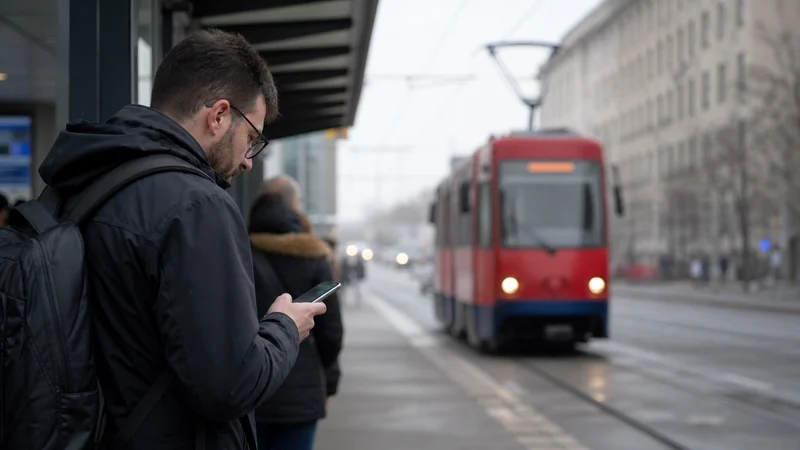

Public transport apps in Serbia are useful for route planning, vehicle information and digital tickets, but there is no single app that covers every city, bus operator and railway journey. Travellers should identify the official service for each leg instead of assuming one account works nationwide.
Mobile data helps when a platform changes, a city vehicle is delayed or a connection must be replanned. The ticket, accommodation address and basic route should still be saved offline before leaving dependable WiFi.
NoveSIM travel eSIMs provide data only. We do not provide a Serbian phone number, conventional calls or SMS, although internet-based maps and messaging apps can use the data connection.
Quick answer: In Belgrade, check the current Beograd Plus service for city transport information and ticket functions. For rail journeys, use the official Srbijavoz channel for the current timetable and ticket conditions. Download each ticket and route before travel because city systems, intercity buses and trains do not share one universal Serbian transport app.
Top Serbia eSIMs

Serbia eSIM
Fixed
1 GB, 7 days€ 3.082 GB, 15 days€ 4.843 GB, 30 days€ 6.16Unlimited
Unlimited, 1 day€ 3.08Unlimited, 3 days€ 7.49Unlimited, 5 days€ 12.33
Balkans eSIM
Fixed
1 GB, 7 days€ 4.402 GB, 15 days€ 7.053 GB, 30 days€ 9.25Unlimited
Unlimited, 1 day€ 4.84Unlimited, 3 days€ 11.01Unlimited, 5 days€ 17.17Europe Extra eSIM
Fixed
1 GB, 7 days€ 2.202 GB, 15 days€ 3.523 GB, 30 days€ 4.40Unlimited
Unlimited, 1 day€ 2.64Unlimited, 3 days€ 5.28Unlimited, 5 days€ 8.81Europe+ eSIM
Fixed
1 GB, 7 days€ 2.642 GB, 15 days€ 3.963 GB, 30 days€ 5.28Unlimited
Unlimited, 1 day€ 2.64Unlimited, 3 days€ 6.16Unlimited, 5 days€ 10.13Which App Should You Use in Serbia?
Choose the service by journey rather than by country. Belgrade has its own urban network, other Serbian cities set their own local rules, the railway has a separate booking system, and private intercity bus operators may issue tickets through different platforms.
| Journey | Best starting point | Offline item to keep |
|---|---|---|
| Belgrade city transport | Current official Beograd Plus information | Route number, stop and destination address |
| Travel in another city | Municipal or local operator source | Route screenshot and ticket instructions |
| Intercity train | Official Srbijavoz timetable and sales channel | Ticket, train number and departure station |
| Intercity bus | Operator or bus-station information | Ticket, terminal and boarding details |
Using Beograd Plus in Belgrade
Belgrade’s official information describes Beograd Plus as a service for public-transport payment and vehicle tracking. Check the current app listing and city instructions before relying on a particular payment method, because features and ticket rules can change.
Use live arrival information as guidance, not as a reason to reach the stop at the last minute. Traffic can alter predicted arrival times. Save the stop name and route number, and compare the displayed destination on the vehicle before boarding.
Do Transport Apps Work outside Belgrade?
Belgrade’s system does not automatically cover Novi Sad, Niš or smaller destinations. When moving between cities, find the local operator or municipal source and confirm how tickets are bought and validated there.
General mapping apps can help compare walking and transit routes, but they are not the final authority on local fares, temporary diversions or ticket validation. A downloaded map supports navigation when reception is weak; the Serbia mobile-data guide explains how to prepare the travel line for day-to-day use.
Train Timetables and Tickets
For rail travel, check the official Srbijavoz timetable and sales channel. Confirm the departure station carefully: a city can have more than one railway stop, and a familiar place name does not guarantee the correct platform or terminal.
After buying a ticket, open it once while connected and retain the booking reference, train number, date and departure time. Do not depend on an email link that may require a fresh login. If the operator’s current conditions require the original ticket format rather than a screenshot, keep the accepted file or app view available.
This railway guidance absorbs the useful intent previously assigned to the weaker train-connectivity page. The essential question is not whether a carriage always has WiFi; it is whether the traveller can show the ticket and follow the journey when the connection changes.
Prepare before Leaving Accommodation
- Check the official operator or city source for the journey.
- Confirm the station, stop, direction and boarding time.
- Open the ticket and save the permitted offline version.
- Download the surrounding map and mark the arrival address.
- Charge the phone and carry a power bank for a long travel day.
- Keep a payment alternative in case an app or foreign card is not accepted.
Mobile Data Settings for Transport Days
Select the Serbia eSIM as the mobile-data line and enable Data Roaming for that profile. Turn off cellular-data switching so the phone does not silently use the home SIM. The setup sequence is covered in the Serbia activation guide.
Keep network selection automatic unless registration fails. If a route passes through a tunnel or a rural gap, wait until the train or bus reaches a clearer area before changing settings. Serbia eSIM coverage varies with the available partner network, device and exact location.
Reduce Data and Battery Use
Download maps, podcasts and large documents on trusted WiFi. Disable automatic app updates and cloud-photo uploads on mobile data. Live vehicle tracking and occasional route searches usually need much less data than streaming video during a journey.
Keep the screen brightness reasonable and avoid leaving navigation open when the route is already clear. The phone must remain charged long enough to display a digital ticket at inspection or on arrival.
If a Transport App Stops Loading
First test a normal website with WiFi turned off. If other services load, the transport app or its account may be the problem. If nothing loads, confirm the selected data line and roaming, toggle Airplane Mode briefly and test again.
Do not delete the installed eSIM profile. Network registration issues can be checked through manual network selection in Serbia, while persistent speed problems are covered by the slow-data guide.
Related Articles
- Mobile Data in Serbia
- Internet on Intercity Buses in Serbia
- Serbia eSIM Coverage
- Activate an eSIM in Serbia
- Slow Mobile Data in Serbia
FAQ
Is there one public transport app for all of Serbia?
No. Belgrade, other cities, railway services and intercity bus operators can use separate information and ticket systems.
Which app should I use for Belgrade transport?
Check the current official Beograd Plus service and City of Belgrade instructions for available tracking and ticket functions.
Can I show a Serbia train ticket offline?
Open and retain the ticket in the format accepted by the operator. Keep the booking reference and journey details separately rather than relying on a fresh login.
Will public transport apps use much mobile data?
Route searches and text updates are usually modest, but live tracking, repeated map loading and background app activity increase use. Download the base map first.
Final Recommendation
Use public transport apps in Serbia as separate tools for the city, railway or bus journey you are actually taking.
Confirm the official source, save the accepted ticket format and keep the station, stop and arrival route offline before departure.
Use the Serbia eSIM for live changes and navigation, while treating downloaded tickets and routes as the dependable core of the travel plan.