


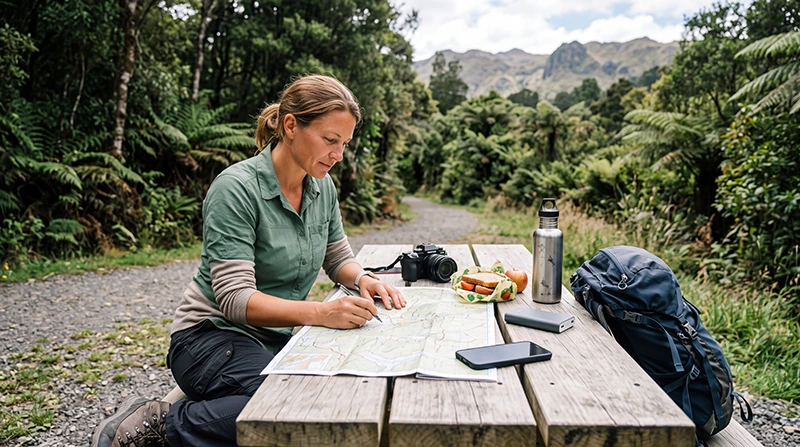

How much mobile data you need for New Zealand depends on the length of your trip, how often you use navigation, whether you upload photographs and videos, and how much WiFi will be available at your accommodation.
A visitor spending a weekend in Auckland may use only a few gigabytes, while a traveller driving across both islands, sharing a hotspot or working remotely may need a much larger allowance.
Quick answer: most tourists can start with 5 GB to 10 GB for one week, 10 GB to 20 GB for two weeks and 20 GB or more for a longer road trip. Choose a larger allowance when you expect regular streaming, video calls, hotspot sharing or cloud uploads.
Top New Zealand eSIMs

New Zealand eSIM
Fixed
1 GB, 7 days€ 2.232 GB, 15 days€ 4.023 GB, 30 days€ 5.36Unlimited
Unlimited, 1 day€ 2.68Unlimited, 3 days€ 6.70Unlimited, 5 days€ 10.73
Asia eSIM
Fixed
1 GB, 7 days€ 4.472 GB, 15 days€ 8.043 GB, 30 days€ 10.73Unlimited
Unlimited, 1 day€ 5.81Unlimited, 3 days€ 15.64Unlimited, 5 days€ 25.47New Zealand Data Recommendations at a Glance
| Trip Length | Light Use | Typical Use | Heavy Use |
|---|---|---|---|
| 1 to 3 days | 1 GB | 2 GB to 3 GB | 5 GB or more |
| 4 to 7 days | 3 GB | 5 GB to 10 GB | 15 GB or more |
| 8 to 14 days | 5 GB | 10 GB to 20 GB | 20 GB to 30 GB |
| 15 to 21 days | 10 GB | 20 GB to 30 GB | Large allowance or unlimited option |
| 22 to 30 days | 15 GB | 30 GB or more | Large allowance or unlimited option |
What Counts as Light, Typical and Heavy Data Use?
Light use
Light use generally includes:
- Occasional Google Maps navigation.
- WhatsApp or Viber messaging.
- Email.
- Weather checks.
- Restaurant searches.
- Digital tickets.
- Limited social media.
- Regular use of hotel WiFi.
Typical use
Typical use may include:
- Daily maps and navigation.
- Frequent messaging.
- Internet calls.
- Transport and accommodation searches.
- Moderate social media use.
- Occasional photo uploads.
- Some music streaming.
- Limited hotspot sharing.
Heavy use
Heavy use may include:
- Frequent video streaming.
- Regular video calls.
- Large photo and video uploads.
- Cloud backups.
- Daily laptop hotspot use.
- Remote work.
- Streaming on several devices.
- Limited access to accommodation WiFi.
How Much Data Do You Need for a Weekend?
For a two-day or three-day New Zealand visit, 1 GB to 3 GB may be enough when you mainly use maps, messaging, email and transport information.
Choose closer to 5 GB when you plan to:
- Upload many photographs.
- Use social media frequently.
- Make video calls.
- Stream music throughout the day.
- Use mobile data instead of hotel WiFi.
How Much Data Do You Need for One Week?
For a typical one-week holiday, 5 GB to 10 GB is a practical starting point.
This can usually support:
- Daily navigation.
- Messaging and internet calls.
- Weather forecasts.
- Transport information.
- Accommodation communication.
- Restaurant and activity research.
- Moderate social media use.
Choose 15 GB or more when you expect frequent streaming, hotspot use or video uploads.
How Much Data Do You Need for Two Weeks?
For a two-week New Zealand trip, 10 GB to 20 GB is generally suitable for typical tourist use.
A larger allowance may be helpful when:
- You are taking a long road trip.
- You are travelling by campervan.
- You do not have reliable accommodation WiFi.
- You upload photographs and videos regularly.
- You use video calls.
- You share data with a laptop or tablet.
How Much Data Do You Need for One Month?
For a one-month stay, 20 GB to 30 GB may be enough for moderate use when WiFi is available regularly.
Consider a larger allowance or an unlimited option when you plan to:
- Work remotely.
- Use a hotspot every day.
- Join regular video meetings.
- Stream entertainment through mobile data.
- Upload large files.
- Travel through areas without regular accommodation WiFi.
How Much Data Does Google Maps Use?
Navigation usually uses much less data than video streaming. Data is used to load maps, search destinations, calculate routes and update traffic information.
You can reduce usage by:
- Downloading offline maps before departure.
- Saving hotels and campsites in advance.
- Keeping the route open rather than searching repeatedly.
- Using WiFi for large map downloads.
- Saving important addresses locally.
Offline maps are also important because mobile coverage may be weaker in remote parts of New Zealand.
How Much Data Does Social Media Use?
Social media data use varies considerably. Text posts and photographs use relatively little data, while short-form video and automatic playback can consume much more.
| Activity | Relative Data Use |
|---|---|
| Text posts and messaging | Low |
| Browsing photographs | Low to moderate |
| Uploading photographs | Moderate |
| Watching short videos | High |
| Uploading high-resolution video | Very high |
| Automatic video playback | High |
Disable automatic video playback and wait for WiFi before uploading large videos.
How Much Data Does Music Streaming Use?
Music streaming can use a moderate amount of data over a long road trip, especially when listening for several hours each day.
To reduce usage:
- Download playlists through WiFi.
- Lower the streaming quality.
- Use offline playback.
- Avoid streaming the same content repeatedly.
How Much Data Does Video Streaming Use?
Video streaming is one of the fastest ways to use a mobile data allowance.
Usage increases when:
- The video quality is set to HD or higher.
- You stream for several hours.
- Several devices use the connection.
- Applications automatically select the highest quality.
- You stream through a shared hotspot.
Download films and programmes through accommodation WiFi whenever possible.
How Much Data Do Video Calls Use?
Video calls can consume a significant amount of data, particularly during long meetings or group calls.
Audio-only calls use considerably less data and may be more practical when the connection is slow or your allowance is limited.
For regular work calls:
- Use accommodation WiFi when available.
- Turn off video when it is not required.
- Avoid high-definition video.
- Use headphones to improve call quality.
- Close cloud-sync applications before the meeting.
How Much Data Does WhatsApp Use?
WhatsApp text messages use very little data. Voice calls use more, while video calls and sending large media files use substantially more.
For most tourists, messaging and occasional WhatsApp calls will not consume a large part of a moderate data plan.
How Much Data Does a Mobile Hotspot Use?
A hotspot does not have a fixed data rate. It uses whatever the connected device consumes.
A laptop may automatically use data for:
- Operating-system updates.
- Cloud synchronisation.
- Email attachments.
- Video meetings.
- Streaming.
- Software downloads.
- Automatic backups.
Set the laptop connection as metered and pause updates before enabling the hotspot.
How Much Data Do You Need for a New Zealand Road Trip?
A road trip often requires more data than a city break because navigation and travel research continue throughout the journey.
For a one-week road trip, consider 5 GB to 10 GB for moderate use. For a two-week trip, 10 GB to 20 GB is a more practical starting point.
Road-trip data may be used for:
- Navigation.
- Weather forecasts.
- Road-condition checks.
- Fuel station searches.
- Electric vehicle charging points.
- Campsite bookings.
- Accommodation changes.
- Activity reservations.
How Much Data Do Campervan Travellers Need?
Campervan travellers may need more data because they often have less access to reliable hotel WiFi.
For a two-week campervan journey, 15 GB to 30 GB may be more comfortable when you expect regular navigation, campsite research, uploads and occasional hotspot use.
Choose a larger allowance or unlimited option when you also plan to stream or work remotely.
How Much Data Do Remote Workers Need?
Remote workers should estimate usage based on video meetings, cloud applications, large file transfers and hotspot sharing.
| Work Activity | Data Impact |
|---|---|
| Email and messaging | Low |
| Cloud documents | Low to moderate |
| Audio calls | Moderate |
| Video meetings | High |
| Large uploads and downloads | Very high |
| Full-day hotspot use | Potentially very high |
Use mobile data as a backup to accommodation WiFi where possible.
Do You Need Unlimited Data?
An unlimited plan may be useful when:
- You are travelling for several weeks.
- You do not want to track a fixed allowance.
- You use social media heavily.
- You make frequent video calls.
- You expect regular hotspot use.
- You are travelling by campervan.
- You have limited access to reliable WiFi.
However, unlimited plans may include fair-use conditions, high-speed thresholds or hotspot restrictions. Review the specific plan before purchasing.
Read the unlimited data eSIM New Zealand guide.
Fixed Data or Unlimited Data?
| Fixed Data | Unlimited Data |
|---|---|
| Clear total allowance | Less need to monitor total usage |
| Good for predictable travel habits | Useful for data-heavy trips |
| Often suitable for short holidays | Often suitable for longer trips |
| May provide better value for light use | May cost more |
| Data can run out | Speed may reduce after a threshold |
| Hotspot depends on plan conditions | Hotspot may still be limited |
Does Poor Coverage Increase Data Use?
Poor signal does not automatically consume more data, but repeated loading, interrupted uploads and restarted downloads can increase usage.
Coverage may be weaker in:
- Mountain passes.
- National parks.
- Remote valleys.
- Forested regions.
- Long rural roads.
- Remote coastal areas.
- Ferry routes away from land.
Save essential maps and documents offline before entering remote areas.
How to Reduce Data Use in New Zealand
- Download offline maps before driving.
- Use accommodation WiFi for app updates.
- Pause automatic photo and video backups.
- Disable automatic video playback.
- Lower music and video streaming quality.
- Download entertainment in advance.
- Save tickets and booking confirmations locally.
- Set laptops to a metered connection.
- Turn off hotspot sharing when it is not required.
- Monitor data use in the phone settings.
How to Check Data Use on iPhone
- Open Settings.
- Select Cellular or Mobile Service.
- Scroll to the application usage list.
- Check which applications use the most data.
- Disable mobile data for unnecessary applications.
- Reset the statistics at the beginning of the trip when useful.
How to Check Data Use on Android
- Open Settings.
- Select Network and Internet, Connections or a similar menu.
- Open Mobile Network or Data Usage.
- Review usage by application.
- Set a warning or data limit when available.
- Restrict background data for unnecessary applications.
The exact menu names vary between manufacturers.
Choosing a New Zealand eSIM Data Plan
Before buying, check:
- New Zealand is included.
- The validity covers the complete trip.
- The allowance matches your expected use.
- Hotspot sharing is available when required.
- The phone supports eSIM.
- The device is carrier-unlocked.
- The activation conditions are clear.
- Any fair-use policy is understood.
Read the best eSIM for New Zealand guide.
How to Check Whether Your Phone Supports eSIM
Check the manufacturer’s specifications for your exact phone model and regional version.
You can also dial *#06#. An eSIM-compatible phone may display an EID together with one or more IMEI numbers.
The phone must also be carrier-unlocked.
Recommended Travel eSIM Settings
| Setting | Recommended Value |
|---|---|
| Travel eSIM | Enabled after arrival |
| Mobile Data | Travel eSIM |
| Data Roaming on travel eSIM | On |
| Data Roaming on primary SIM | Off |
| Automatic Data Switching | Off |
| Network Selection | Automatic |
| APN | data.esim when required |
What If Your Data Runs Out?
If a fixed allowance is exhausted, your options depend on the selected provider and plan.
You may need to:
- Purchase another data plan.
- Install an additional eSIM.
- Use accommodation WiFi temporarily.
- Reduce mobile data use.
- Switch off background applications.
- Download only essential information.
Do not delete an existing eSIM while troubleshooting or preparing another plan.
Data Planning Checklist for New Zealand
- Count the total number of travel days.
- Estimate whether your usage is light, typical or heavy.
- Consider road-trip and campervan navigation.
- Include social media uploads.
- Allow for video calls and hotspot use.
- Check how often WiFi will be available.
- Download offline maps.
- Pause automatic backups.
- Choose enough validity for the full journey.
- Review fair-use conditions on unlimited plans.
- Monitor usage during the trip.
Related New Zealand Travel Internet Guides
- New Zealand eSIM Plans
- Best eSIM for New Zealand
- Buy an eSIM for New Zealand
- Best SIM Card for New Zealand
- New Zealand Roaming Charges
- Mobile Internet in New Zealand
- Internet in New Zealand for Tourists
- Local SIM vs eSIM in New Zealand
- Best Mobile Data in New Zealand
- Unlimited Data eSIM for New Zealand
- Best Internet Option for New Zealand
FAQ
How much data do I need for one week in New Zealand?
Most tourists can start with approximately 5 GB to 10 GB when accommodation WiFi is available for streaming, updates and large uploads.
Is 5 GB enough for New Zealand?
It can be enough for a short or one-week trip focused on maps, messaging, email and occasional social media use.
Is 10 GB enough for two weeks?
It may be enough for light to moderate use, especially when WiFi is available. Road-trip, hotspot and frequent social media users may need more.
Do I need unlimited data?
Unlimited data may be useful for long trips, campervan travel, remote work, frequent video calls or regular hotspot use. Moderate users may receive better value from a fixed allowance.
How much data does Google Maps use?
Navigation generally uses much less data than streaming. Downloading offline maps can reduce usage further and provides backup in remote areas.
Does hotspot sharing use more data?
The hotspot itself does not add usage, but connected laptops and tablets may consume large amounts through updates, cloud synchronisation and streaming.
Can I buy more data if I run out?
This depends on the selected provider. You may need to purchase another plan or install an additional eSIM.
What APN should I use for NoveSIM?
Use data.esim when manual APN configuration is required.
Final Recommendation
Choose 5 GB to 10 GB for a typical one-week New Zealand holiday and 10 GB to 20 GB for a two-week trip with regular navigation, messaging and social media use.
Road-trip, campervan, remote-work and hotspot users should consider 20 GB or more, depending on trip length. An unlimited plan can be useful for heavy use, but review its fair-use and high-speed data conditions before purchasing.
Download offline maps, pause automatic backups and use accommodation WiFi for streaming and large uploads. These steps can significantly reduce the amount of mobile data required.