


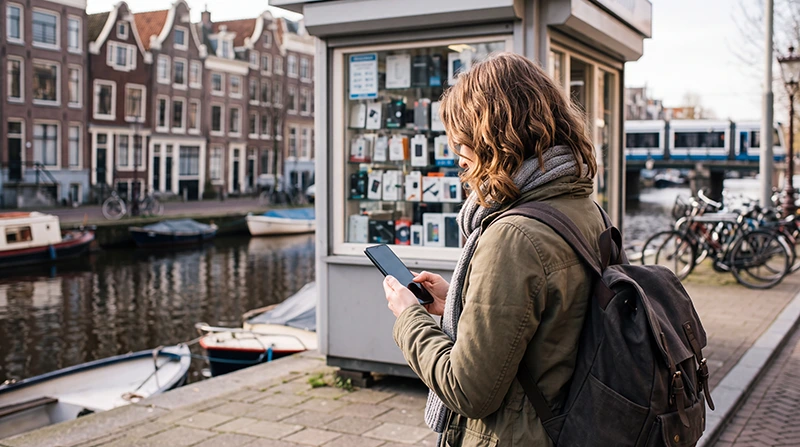

A prepaid SIM card can provide calls, messages and mobile data during a trip to the Netherlands without requiring a long-term mobile contract. Travellers can usually choose between a traditional physical SIM card and a travel eSIM installed digitally before departure.
A local prepaid SIM may be useful when you need a Dutch telephone number or expect to stay for an extended period. A travel eSIM is often more convenient for short holidays because it can be purchased and installed before arrival.
Quick answer: choose a prepaid physical SIM when a local number or traditional calls are important. Choose a Netherlands travel eSIM when you mainly need mobile data for maps, transport apps, messaging and bookings.
Top Netherlands eSIMs

Netherlands eSIM
Fixed
1 GB, 7 days€ 2.232 GB, 15 days€ 3.583 GB, 30 days€ 4.47Unlimited
Unlimited, 1 day€ 2.23Unlimited, 3 days€ 5.36Unlimited, 5 days€ 8.04
Europe Extra eSIM
Fixed
1 GB, 7 days€ 2.232 GB, 15 days€ 3.583 GB, 30 days€ 4.47Unlimited
Unlimited, 1 day€ 2.68Unlimited, 3 days€ 5.36Unlimited, 5 days€ 8.94Europe+ eSIM
Fixed
1 GB, 7 days€ 2.682 GB, 15 days€ 4.023 GB, 30 days€ 5.36Unlimited
Unlimited, 1 day€ 2.68Unlimited, 3 days€ 6.26Unlimited, 5 days€ 10.28Can Tourists Buy a Prepaid SIM Card in the Netherlands?
Yes. Visitors can purchase prepaid mobile service from participating mobile shops, electronics retailers, supermarkets, convenience stores and selected airport or railway locations.
Availability varies by retailer. Some shops sell only starter packs, while others can help with activation, data bundles and account setup.
A prepaid package may include:
- A physical SIM card.
- A Dutch mobile telephone number.
- Starter credit.
- A limited data allowance.
- Instructions for activation and top-up.
Where Can You Buy a Netherlands Prepaid SIM?
| Purchase Location | What to Expect |
|---|---|
| Mobile operator shop | Staff assistance, plan explanations and activation support |
| Independent mobile shop | Several possible brands and prepaid options |
| Electronics retailer | Starter packs with limited setup assistance |
| Supermarket or convenience shop | Quick purchase but little technical support |
| Airport or major station | Convenient location but potentially limited choice |
| Online travel eSIM provider | Digital installation before arrival without visiting a shop |
Check opening hours when you arrive late in the evening, early in the morning or on a public holiday.
Can You Buy a SIM Card at Schiphol Airport?
Mobile products may be available from selected airport retailers, but the choice of prepaid plans can be smaller than in central Amsterdam or another city.
Before relying on an airport purchase, consider:
- The opening hours of the retailer.
- Whether the package includes enough data.
- Whether activation assistance is available.
- Whether the price is higher than a city or online option.
- Whether your phone is unlocked.
A travel eSIM can be installed before departure, allowing you to connect shortly after landing without searching for a shop.
What Do You Need to Buy a Prepaid SIM?
Purchase and activation requirements depend on the provider, retailer and selected service. Carry your passport or another accepted identity document in case it is requested.
You should also have:
- An unlocked mobile phone.
- A supported SIM card size.
- A payment card or accepted cash.
- An email address when online registration is required.
- WiFi access for downloading an operator app.
- A SIM removal tool when replacing another physical SIM.
Make Sure Your Phone Is Unlocked
A carrier-locked phone may reject a Dutch prepaid SIM or travel eSIM. Check the device status before travelling.
You can:
- Contact your home mobile operator.
- Check the device settings.
- Insert another provider’s SIM when available.
- Confirm that no network restriction message appears.
Unlocking conditions are controlled by the operator that supplied the phone.
Physical SIM Card Sizes
Most recent smartphones use a nano-SIM. Some starter packages include a multi-size card that can be separated into standard, micro or nano formats.
Do not force an incorrectly sized SIM into the phone. Use the correct insert or ask the retailer for assistance.
How to Install a Physical Prepaid SIM
- Turn off the phone.
- Open the SIM tray using the correct tool.
- Remove the existing physical SIM when necessary.
- Place the prepaid SIM in the correct tray position.
- Close the tray carefully.
- Turn the phone on.
- Enter the supplied PIN when requested.
- Wait for the phone to register with a network.
- Follow the activation instructions.
- Test mobile data before leaving the shop.
Store your regular SIM safely. Losing it can make it difficult to receive verification messages or restore your home service.
How Is a Prepaid SIM Activated?
Activation differs between providers. The service may activate automatically after the SIM connects, or you may need to complete an online step, make a call, send a message or add a prepaid bundle.
Before leaving the retailer, confirm:
- The SIM is active.
- Mobile data works.
- The included allowance is visible.
- You know the telephone number.
- You understand how to add credit.
- You know when the bundle expires.
What Is Included in a Prepaid Starter Pack?
A starter pack does not always include a large data bundle. Some packages provide only a SIM and small amount of credit, requiring you to purchase a separate internet bundle.
| Possible Inclusion | What to Check |
|---|---|
| Starter credit | Whether it can be used for data bundles |
| Mobile data | Allowance, speed and expiry date |
| Local calls | Included minutes and applicable numbers |
| SMS | Number of included domestic messages |
| EU roaming | Countries and fair-use conditions |
| Telephone number | Whether a Dutch number is supplied |
How Much Does a Netherlands Prepaid SIM Cost?
The total cost depends on the starter pack, selected data bundle, validity period and whether calls or SMS are included.
Compare the complete cost rather than only the SIM price:
- Starter pack cost.
- Required initial top-up.
- Data bundle price.
- Activation or service fees.
- Charges after the allowance is used.
- Cost of additional data.
- Expiry of unused credit.
A low-cost starter SIM can become more expensive when the required data package is purchased separately.
How Much Data Do Tourists Need?
| Trip Length and Usage | Suggested Starting Point |
|---|---|
| Weekend with maps and messaging | 1 GB to 3 GB |
| One-week tourist trip | 5 GB to 10 GB |
| Heavy social media use | 10 GB to 20 GB |
| Business travel with occasional hotspot | 10 GB to 20 GB |
| Streaming or remote work | Large allowance or unlimited option |
Transport apps and maps generally use less data than video streaming, cloud backups and laptop hotspot connections.
Read the Netherlands mobile data planning guide.
How to Add Credit or Buy More Data
Prepaid service can usually be topped up through the operator’s website, app, voucher system or participating retailer.
Before choosing a plan, check whether:
- International payment cards are accepted.
- The operator app is available in English.
- A local billing address is required.
- Data bundles renew automatically.
- Unused credit expires.
- You can top up without receiving an SMS.
Turn off automatic renewal when you do not want another bundle after leaving the Netherlands.
Does a Prepaid SIM Include a Dutch Phone Number?
A local prepaid SIM will generally provide a Dutch mobile number. This can be useful for receiving ordinary calls, making restaurant bookings or communicating with a local business.
However, a Dutch number is not necessary for most tourist activities. Navigation, public transport, accommodation apps and WhatsApp can work through mobile data alone.
Can You Make International Calls?
International calling prices vary by operator and destination. A prepaid package that includes domestic minutes may still charge separately for international calls.
For lower-cost communication, travellers often use:
- WhatsApp.
- Viber.
- FaceTime.
- Teams.
- Zoom.
- Other internet-based calling services.
Will WhatsApp Keep Your Existing Number?
WhatsApp normally continues using the number already registered to your account even after you insert a Dutch physical SIM or activate a travel eSIM.
When the application detects a different SIM, it may ask whether you want to change your number. Decline this option unless you intentionally want to move the account to the Dutch number.
Can You Keep Your Home SIM Active?
This depends on your phone.
A Dual-SIM device may allow you to keep:
- Your regular physical SIM for calls and SMS.
- A second physical SIM or eSIM for Dutch mobile data.
A phone with only one physical SIM slot may require you to remove your home SIM when installing a local physical card. An eSIM can avoid this problem on compatible devices.
Physical Prepaid SIM vs Netherlands eSIM
| Physical Prepaid SIM | Travel eSIM |
|---|---|
| Requires a physical card | Installed digitally |
| Usually purchased after arrival | Can be purchased before departure |
| May include a Dutch telephone number | Usually data-only |
| May require removing the home SIM | Can remain alongside the primary SIM |
| May require local activation or top-up | Uses online setup instructions |
| Useful for longer stays and local calls | Convenient for short trips and mobile data |
When Is a Physical SIM the Better Choice?
A local prepaid SIM may be preferable when:
- You need a Dutch telephone number.
- You expect to make regular local calls.
- Your phone does not support eSIM.
- You are staying for several weeks or months.
- You want to add credit through local retailers.
- You need a prepaid package with calls, SMS and data.
When Is an eSIM the Better Choice?
A travel eSIM may be more convenient when:
- You mainly need mobile data.
- You want internet immediately after arrival.
- You do not want to visit a mobile shop.
- You want to keep your primary SIM installed.
- You are visiting several countries.
- You prefer to arrange connectivity before departure.
Browse Netherlands travel eSIM plans.
Does a Netherlands Prepaid SIM Work in Other EU Countries?
Some Dutch prepaid plans include roaming in participating European countries, subject to the provider’s conditions and fair-use limits.
Before crossing a border, check:
- Whether roaming is enabled.
- Which countries are included.
- The available roaming data allowance.
- Whether calls and messages are covered.
- The surcharge after the allowance is used.
Read the EU roaming Netherlands guide.
Using a Prepaid SIM for a Multi-Country Trip
A Dutch prepaid SIM may work in other European destinations, but a regional travel eSIM can be easier when your itinerary includes several countries.
Regional coverage may be useful for trips combining the Netherlands with:
- Belgium.
- Germany.
- France.
- Luxembourg.
- The United Kingdom when included.
Check the full coverage list and validity period before buying.
Does a Prepaid SIM Support 5G?
5G availability depends on the provider, prepaid package, phone and local coverage. Some prepaid plans may provide 5G access, while others may operate mainly through 4G.
A stable 4G connection is sufficient for:
- Google Maps.
- Public transport apps.
- Messaging.
- Digital tickets.
- Web browsing.
- Internet calls.
Read the Netherlands 5G guide for tourists.
Using the SIM for Dutch Transport Apps
Mobile data helps travellers use NS, 9292 and navigation apps while moving between airports, railway stations, hotels and attractions.
Keep tickets available offline because signal may weaken temporarily in:
- Railway tunnels.
- Underground platforms.
- Enclosed stations.
- Crowded trains.
- Rural railway sections.
Read the 9292 app Netherlands guide.
How to Reduce Mobile Data Use
- Download offline maps before travelling.
- Save train and attraction tickets locally.
- Use accommodation WiFi for app updates.
- Pause automatic photo backups.
- Disable automatic video playback.
- Download entertainment through WiFi.
- Turn off hotspot sharing when it is not needed.
- Monitor data use in the phone settings.
What If the Physical SIM Has No Internet?
- Confirm that the prepaid SIM is active.
- Check that a data bundle or sufficient credit is available.
- Select the prepaid SIM for Mobile Data.
- Enable Data Roaming only when required by the provider.
- Keep Network Selection on Automatic.
- Check the APN supplied by the operator.
- Turn Airplane Mode on for 30 seconds and turn it off.
- Restart the phone.
- Contact the prepaid provider if the issue continues.
Do not use the NoveSIM APN for an unrelated Dutch prepaid SIM. Each provider can have its own APN settings.
What If a NoveSIM eSIM Has No Internet?
- Confirm that the travel eSIM is selected for Mobile Data.
- Enable Data Roaming on the travel eSIM.
- Disable Data Roaming on the primary SIM.
- Turn off Automatic Data Switching.
- Keep Network Selection on Automatic.
- Check that the APN is data.esim.
- Turn Airplane Mode on for 30 seconds and turn it off.
- Restart the phone when necessary.
Do not delete the eSIM during troubleshooting. Its installation QR code may be valid for one installation only.
Prepaid SIM Netherlands Checklist
- Confirm that your phone is unlocked.
- Check whether the phone supports eSIM.
- Decide whether you need a Dutch number.
- Compare the total cost of the starter pack and data bundle.
- Review the validity period.
- Check top-up and renewal conditions.
- Test the connection before leaving the shop.
- Store your home SIM safely.
- Save important tickets and addresses offline.
- Monitor remaining credit and data.
Related Netherlands Connectivity Guides
- Netherlands eSIM Plans
- How Much Data Do You Need for the Netherlands?
- EU Roaming in the Netherlands
- 5G in the Netherlands for Tourists
- Google Maps in the Netherlands
- NS Trains App Guide
FAQ
Can tourists buy a prepaid SIM card in the Netherlands?
Yes. Prepaid starter packs can be available from mobile shops, electronics retailers, supermarkets and selected travel locations.
Can I buy a Netherlands SIM card at Schiphol Airport?
Selected retailers may sell mobile products, but availability and plan choice can be more limited than in city shops.
Does a Dutch prepaid SIM include a phone number?
A local prepaid SIM generally provides a Dutch mobile number, although the included calls, messages and data depend on the selected package.
Do I need identification to buy a prepaid SIM?
Requirements vary by provider and activation method. Carry a passport or another accepted identity document in case it is requested.
Is a prepaid SIM or eSIM better for tourists?
A physical SIM is useful when you need a Dutch number. An eSIM is often easier when you mainly need mobile data and want to connect without visiting a shop.
Can I keep WhatsApp on my regular number?
Yes. WhatsApp normally keeps the number already registered to your account even when another SIM provides mobile data.
Can a prepaid SIM use 5G?
It may use 5G when the plan, provider, phone and local network support it. A 4G connection remains sufficient for most tourist activities.
What APN should I use for NoveSIM?
Use data.esim when manual APN configuration is required for a NoveSIM travel eSIM.
Final Recommendation
Choose a Netherlands prepaid SIM when you need a Dutch telephone number, traditional calls or a service that can be topped up locally. Compare the complete cost of the starter card, data bundle and any required activation before purchasing.
For a short holiday focused on maps, transport apps, messaging and bookings, a travel eSIM is often the simpler option. It can be installed before departure and used without removing your regular SIM on a compatible phone.
Whichever option you choose, confirm that the device is unlocked, review the validity period and select enough data for the full trip.