


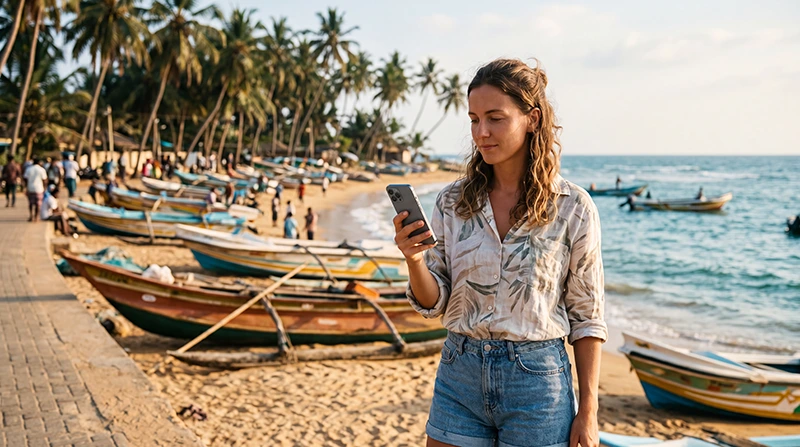

Reliable internet in Negombo helps you arrange airport transfers, contact hotels, navigate the city, find restaurants and stay connected during the first or last days of your Sri Lanka trip.
Located only a short drive from Bandaranaike International Airport, Negombo is one of the most popular places for visitors to spend their first night before continuing to Colombo, Kandy, Sigiriya or the southern beaches.
Tourists can get internet in Negombo through a Sri Lanka travel eSIM, local prepaid SIM card, hotel WiFi, café WiFi or international roaming. For most international visitors, a travel eSIM is the easiest solution because it can be installed before departure and activated shortly after landing.
Quick answer: install your Sri Lanka eSIM before travelling, enable it after landing, select it for Mobile Data and turn on Data Roaming. Use hotel WiFi for large downloads and mobile data while exploring Negombo.
Top Sri Lanka eSIMs

Sri Lanka eSIM
Fixed
1 GB, 7 days€ 4.452 GB, 15 days€ 7.133 GB, 30 days€ 9.35Unlimited
Unlimited, 1 day€ 4.90Unlimited, 3 days€ 11.14Unlimited, 5 days€ 17.37
What Is the Best Way to Get Internet in Negombo?
The best option depends on your trip length, phone compatibility, expected data usage and whether you need a local Sri Lankan phone number.
| Internet Option | Best For | Main Advantage |
|---|---|---|
| Sri Lanka eSIM | Most international tourists | Install before departure |
| Local prepaid SIM card | Long stays and local calls | Usually includes a local number |
| Hotel WiFi | Large downloads | No mobile data required |
| Café WiFi | Occasional browsing | Available in many tourist areas |
| International roaming | Emergency use | No setup required |
For holidays of a few days or longer, a travel eSIM usually provides the best combination of convenience and reliable mobile data.
Why Mobile Internet Is Useful in Negombo
Most travellers use mobile data immediately after arriving in Sri Lanka. Internet access is useful for airport transfers, hotel communication, navigation and planning the rest of the trip.
- Google Maps navigation.
- WhatsApp messages and calls.
- Airport transfer communication.
- Hotel check-in information.
- Restaurant searches.
- Beach directions.
- Booking confirmations.
- Train and bus schedules.
- Currency conversion.
- Photo sharing.
Using a Sri Lanka eSIM in Negombo
A travel eSIM allows you to connect without replacing your physical SIM card.
You can install it before leaving home while connected to WiFi. After arriving in Sri Lanka, simply enable the eSIM, select it for Mobile Data and turn on Data Roaming.
- No physical SIM replacement.
- No airport SIM queue.
- Keep your existing number.
- Use mobile data within minutes of arrival.
- Works throughout Sri Lanka.
- Perfect for Dual SIM phones.
Browse available plans on the Sri Lanka eSIM page.
How to Prepare Your eSIM Before Travelling
- Check that your phone supports eSIM.
- Make sure it is carrier unlocked.
- Purchase a Sri Lanka eSIM.
- Install it using WiFi.
- Keep it installed until arrival.
- Save your QR code and instructions.
- Download offline maps.
Your QR code and installation instructions are sent instantly by email and are also available inside your NoveSIM account.
How to Activate the eSIM in Negombo
- Turn off Airplane Mode.
- Enable the Sri Lanka eSIM.
- Select it for Mobile Data.
- Turn on Data Roaming.
- Disable Automatic Data Switching.
- Keep Network Selection on Automatic.
- Wait a few minutes for network registration.
Recommended Mobile Data Settings
| Setting | Recommended Value |
|---|---|
| Mobile Data | Sri Lanka eSIM |
| Calls | Primary SIM |
| SMS | Primary SIM |
| Data Roaming (eSIM) | ON |
| Data Roaming (Primary SIM) | OFF |
| Automatic Data Switching | OFF |
| Network Selection | Automatic |
| APN | data.esim if required |
Mobile Coverage in Negombo
Negombo generally enjoys excellent mobile coverage thanks to its proximity to Colombo and the international airport.
Strong coverage is usually available around:
- Negombo Beach.
- Beach Road.
- Dutch Canal.
- Fish Market.
- Hotels and resorts.
- City centre.
- Airport road.
Coverage may become slightly weaker inside large concrete hotels or in isolated coastal areas outside the town.
Which Mobile Network Is Best in Negombo?
Dialog and SLT-Mobitel generally provide the strongest experience for tourists visiting Negombo.
| Network | Best For | Main Strength |
|---|---|---|
| Dialog | Overall travel | Excellent nationwide coverage |
| SLT-Mobitel | Urban performance | Fast mobile data |
| Hutch | Budget travellers | Affordable prepaid plans |
Read our guide to the best network in Sri Lanka for tourists.
Internet Between Colombo Airport and Negombo
The drive from Bandaranaike International Airport to Negombo usually takes only 15–25 minutes.
With a travel eSIM already activated, you can:
- Contact your hotel.
- Track your transfer.
- Use Google Maps.
- Book transport.
- Share your location.
- Notify family that you arrived safely.
Hotel WiFi in Negombo
Most hotels, beach resorts and guesthouses provide free WiFi.
Hotel WiFi is ideal for:
- Video streaming.
- Cloud backups.
- Large downloads.
- Video meetings.
- Laptop work.
Mobile data remains useful while walking around the city or travelling between destinations.
Café WiFi
Many cafés along the beach road offer WiFi for customers.
However, café WiFi:
- May require a purchase.
- Can become crowded.
- May have limited speed.
- Stops working once you leave.
Use mobile data whenever you need continuous internet while exploring.
Can You Work Remotely from Negombo?
Yes. Many digital nomads spend several days in Negombo before travelling around Sri Lanka.
A good setup includes:
- Hotel WiFi.
- Sri Lanka eSIM as backup.
- Offline documents.
- Power bank.
- Cloud backups only on WiFi.
Does WhatsApp Work in Negombo?
Yes. WhatsApp works normally using either WiFi or your Sri Lanka eSIM.
Your existing WhatsApp number remains unchanged.
Read our guide to using WhatsApp in Sri Lanka.
Can You Use Google Maps?
Google Maps works very well in Negombo and is useful for:
- Walking around the city.
- Finding restaurants.
- Locating hotels.
- Navigating to the airport.
- Planning trips to Colombo.
Download an offline map before travelling further inland.
How Much Data Do You Need?
| Trip Length | Recommended Data |
|---|---|
| 1–2 days | 2–3 GB |
| 3–5 days | 3–7 GB |
| One week | 5–10 GB |
| Remote work | 20 GB+ |
Can You Use Personal Hotspot?
Yes, provided your selected eSIM plan supports hotspot functionality.
Remember that laptops can consume much more data because of software updates, cloud synchronisation and video meetings.
Sri Lanka eSIM APN Settings
The APN is normally configured automatically. If manual setup is required, use the following settings.
| Field | Value |
|---|---|
| APN | data.esim |
| Username | Leave blank |
| Password | Leave blank |
| Authentication | None |
Save the settings, activate Airplane Mode for approximately 30 seconds and restart your phone if necessary.
What If Mobile Internet Is Not Working?
- Check that the eSIM is enabled.
- Select it for Mobile Data.
- Enable Data Roaming.
- Disable Automatic Data Switching.
- Verify the APN is data.esim.
- Use Airplane Mode for 30 seconds.
- Restart the phone.
Do not delete the eSIM while troubleshooting.
Travel Internet Tips for Negombo
- Install your eSIM before departure.
- Download offline maps.
- Save your hotel address.
- Keep airport transfer details offline.
- Carry a power bank.
- Use hotel WiFi for large downloads.
- Disable roaming on your primary SIM.
- Test mobile data before leaving the airport.
Related Sri Lanka Guides
- Sri Lanka eSIM
- Internet at Colombo Airport
- WiFi at Colombo Airport
- eSIM at Colombo Airport
- SIM Card at Colombo Airport
- Internet in Colombo
- Best Network in Sri Lanka
- Does WhatsApp Work in Sri Lanka?
FAQ
What is the best way to get internet in Negombo?
For most tourists, a Sri Lanka eSIM is the easiest solution because it can be installed before departure and activated shortly after landing.
Is mobile internet reliable in Negombo?
Yes. Negombo generally has excellent mobile coverage across the city, beaches and surrounding tourist areas.
Can I use internet immediately after landing?
Yes. If your eSIM is already installed, simply enable it after landing and you can connect within minutes.
Does WhatsApp work in Negombo?
Yes. WhatsApp continues using your existing phone number while your Sri Lanka eSIM provides mobile data.
Can I keep my home SIM active?
Yes. Most Dual SIM phones allow your primary SIM to remain active while the Sri Lanka eSIM provides mobile data.
What APN should I use?
If manual configuration is needed, use data.esim.
How much data do I need?
For most visitors staying several days in Negombo, 3–7 GB is usually sufficient.
Final Recommendation
Negombo is one of the easiest places in Sri Lanka to stay connected thanks to its excellent mobile coverage and proximity to the international airport.
A Sri Lanka eSIM lets you avoid airport queues, keep your existing SIM card active and use reliable mobile internet from the moment you arrive.
After landing, select the Sri Lanka eSIM for Mobile Data, enable Data Roaming and disable Automatic Data Switching.
If mobile internet is not working, verify that the APN is data.esim, use Airplane Mode for approximately 30 seconds and restart your device.