
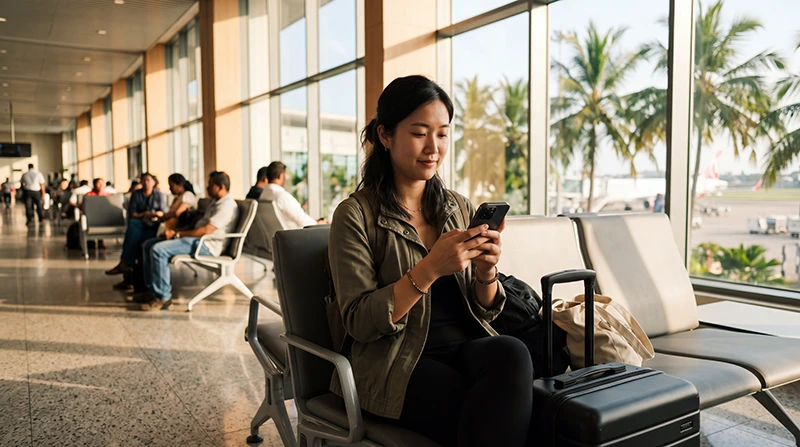

WiFi at Colombo Airport can help you get online shortly after arriving in Sri Lanka. It is useful for sending a message, opening a booking confirmation, contacting your hotel or checking transport information before leaving the terminal.
Bandaranaike International Airport, commonly called Colombo Airport, is Sri Lanka’s main international airport. It is located near Katunayake and Negombo rather than in central Colombo, so many arriving travellers need internet access to arrange transportation or contact an airport transfer driver.
Airport WiFi can provide a temporary connection inside the terminal. However, its speed and reliability may vary depending on passenger numbers, your location in the building and the login process available at the time of your visit.
Quick answer: connect to the official airport WiFi network, open your browser and complete any login page that appears. Use the connection for essential arrival tasks, but prepare a Sri Lanka eSIM before departure if you need reliable internet after leaving the airport.
Top Sri Lanka eSIMs
Is There WiFi at Colombo Airport?
Passengers can generally access WiFi at Bandaranaike International Airport using a smartphone, tablet or laptop. The service is intended to provide temporary internet access while travellers are inside the airport.
You may be able to use it in areas such as:
- International arrivals.
- International departures.
- Waiting and seating areas.
- Selected gate areas.
- Passenger lounges.
- Public areas of the terminal.
WiFi availability can be affected by maintenance, congestion and your exact position inside the terminal. Do not depend on public airport WiFi as your only internet option for the entire journey.
Is Colombo Airport WiFi Free?
Airport WiFi is generally offered as a passenger service, but the access conditions may change. The network may require you to accept terms, enter basic information or complete another verification step before connecting.
The login page may also apply a time, session or data limit. If the session ends, you may need to reconnect or sign in again.
Because airport services can change, check the information displayed on the login page rather than assuming that every connection will remain active for an unlimited period.
How to Connect to WiFi at Colombo Airport
- Open the WiFi settings on your phone, tablet or laptop.
- Look for the official airport WiFi network.
- Select the network and wait for the connection screen.
- Open your browser if the login page does not appear automatically.
- Accept the terms of use.
- Complete any requested login or verification step.
- Wait for confirmation that the device is connected.
- Open a lightweight website to test the connection.
Avoid connecting to networks with suspicious names that imitate the airport. When several similar networks appear, ask airport staff which one is official.
What If the WiFi Login Page Does Not Open?
Public WiFi networks often use a captive portal, which is a browser page that appears before internet access is allowed. Sometimes the page does not open automatically.
Try the following steps:
- Disconnect from the WiFi network.
- Turn WiFi off for approximately 10 seconds.
- Turn WiFi on again.
- Reconnect to the airport network.
- Open your browser manually.
- Visit a simple non-sensitive webpage.
- Disable a VPN temporarily if the login page remains blocked.
- Forget the network and reconnect if necessary.
Make sure mobile data is not hiding the problem. Some phones continue using mobile data even when the WiFi connection has not completed its login process.
Why Is Colombo Airport WiFi Not Working?
Airport WiFi may fail for several reasons:
- The terminal is crowded.
- Too many passengers are using the same access point.
- The login session has expired.
- The captive portal did not open.
- Your VPN is blocking the login page.
- The phone has saved an old network session.
- You are too far from the nearest access point.
- The service is temporarily under maintenance.
Move to another seating area, reconnect to the official network and restart your browser. When the connection remains unavailable, use mobile data from a travel eSIM or local SIM card.
How Fast Is WiFi at Colombo Airport?
Airport WiFi speed can vary considerably. It may be sufficient for messages, email and basic browsing while becoming slower for video calls, cloud backups or large downloads.
| Online Activity | Suitability of Airport WiFi |
|---|---|
| WhatsApp text messages | Usually suitable |
| Email and booking confirmations | Usually suitable |
| Google Maps search | Usually suitable |
| Voice calls | Depends on connection stability |
| Video calls | May be unstable |
| Large application downloads | Not recommended |
| Cloud photo backups | Not recommended |
| HD video streaming | May be slow or interrupted |
Use airport WiFi for immediate arrival needs rather than data-intensive tasks. Download maps, entertainment and important documents before travelling.
What Can You Use Airport WiFi For?
- Contacting your hotel or guesthouse.
- Messaging an airport transfer driver.
- Opening a reservation confirmation.
- Checking your onward travel details.
- Using WhatsApp or another messaging app.
- Checking a map before leaving the terminal.
- Looking up taxi or transport information.
- Sending an arrival message to family.
- Checking flight status.
Save important information offline whenever possible. Public WiFi can become unavailable unexpectedly.
Can You Use WhatsApp on Colombo Airport WiFi?
Yes. WhatsApp can work through airport WiFi when the connection is active and stable.
You can use it to:
- Send text messages.
- Contact your driver.
- Share your location.
- Send photographs.
- Make a voice call.
- Notify your hotel about a delay.
Video calls require a stronger and more stable connection. When airport WiFi is congested, use text messages or a short voice call instead.
Your existing WhatsApp number remains unchanged when you later switch from WiFi to a Sri Lanka travel eSIM.
Read our guide to using WhatsApp in Sri Lanka.
Can You Book a Taxi Using Airport WiFi?
You may be able to use airport WiFi to open a transport app, contact a driver or check a route. However, the connection may disappear as soon as you leave the terminal or walk toward the pickup area.
This can create problems if:
- The driver sends a new pickup location.
- You need to contact the driver outside.
- The booking changes after leaving the terminal.
- You need to confirm your destination.
- The driver cannot find you.
Mobile data from a Sri Lanka eSIM is more practical for maintaining communication after you leave the WiFi coverage area.
Does Airport WiFi Work Outside the Terminal?
Do not expect the airport WiFi connection to remain reliable outside the terminal building. Signal strength usually decreases as you move toward outdoor pickup areas, car parks or airport roads.
Before leaving the terminal:
- Save your driver’s contact details.
- Take a screenshot of the pickup instructions.
- Download the route to your accommodation.
- Confirm that your mobile data works.
- Send your location while still connected.
Is Colombo Airport WiFi Safe?
Public WiFi should be used carefully. Other people share the same network, and you may not know how the connection is managed.
Avoid using public WiFi for:
- Online banking.
- Entering payment card details.
- Accessing confidential company systems.
- Sending sensitive documents.
- Changing important passwords.
- Managing cryptocurrency accounts.
Use mobile data for sensitive tasks whenever possible. If you must use public WiFi, confirm that websites use HTTPS and avoid accepting unexpected certificate warnings.
How to Use Public Airport WiFi More Safely
- Connect only to the official airport network.
- Ask airport staff when the network name is unclear.
- Disable automatic connection to open networks.
- Avoid sensitive financial activity.
- Keep file sharing and AirDrop restricted.
- Log out from accounts when finished.
- Forget the network after leaving the airport.
- Keep your operating system updated.
A VPN may improve privacy after the WiFi login is complete, but it can sometimes prevent the captive portal from opening. Temporarily disable it during login and reconnect it afterward.
Airport WiFi vs Sri Lanka eSIM
| Feature | Airport WiFi | Sri Lanka eSIM |
|---|---|---|
| Works inside the terminal | Yes, when available | Yes, with mobile coverage |
| Works after leaving the airport | No or very limited | Yes |
| Installation before departure | Not required | Recommended |
| Public shared connection | Yes | No |
| Useful for navigation | Only inside WiFi range | Throughout the trip |
| Requires airport login | Usually | No airport login |
| Keep primary SIM active | Yes | Yes on compatible phones |
| Best use | Temporary arrival connection | Travel around Sri Lanka |
Airport WiFi is useful as a temporary backup. A travel eSIM is better when you need continuous internet for transportation, navigation and communication after leaving the terminal.
Airport WiFi vs Tourist SIM Card
| Feature | Airport WiFi | Tourist SIM Card |
|---|---|---|
| Immediate temporary access | Usually | After purchase and activation |
| Works outside the airport | No | Yes |
| Passport registration | Normally not for basic access | Usually required |
| Physical SIM replacement | No | Usually yes |
| Local telephone number | No | Usually yes |
| Best for | Short airport use | Longer stays and local calls |
A local SIM may be useful when you need a Sri Lankan telephone number. An eSIM is usually easier when mobile data is your main priority.
Compare the options in our guides to a SIM card at Colombo Airport and an eSIM at Colombo Airport.
How to Prepare an eSIM Before Arrival
- Check that your phone supports eSIM.
- Confirm that the device is unlocked.
- Purchase a Sri Lanka eSIM plan.
- Connect the phone to reliable WiFi.
- Install the eSIM using the supplied QR code or link.
- Label the line Sri Lanka or NoveSIM.
- Keep the profile installed until arrival.
Do not delete the eSIM after installation. Many QR codes are intended for one installation only.
How to Activate the eSIM at Colombo Airport
- Turn off Airplane Mode.
- Enable the Sri Lanka eSIM.
- Select it for Mobile Data.
- Turn on Data Roaming for the eSIM.
- Turn off Automatic Data Switching.
- Keep Network Selection on Automatic.
- Wait several minutes for connection.
You can use airport WiFi temporarily while checking the eSIM settings. Turn WiFi off afterward to test whether mobile data is working.
Recommended eSIM Settings
| Setting | Recommended Value |
|---|---|
| Sri Lanka eSIM | Enabled |
| Mobile Data | Sri Lanka eSIM |
| Calls and SMS | Primary SIM |
| Data Roaming on travel eSIM | On |
| Data Roaming on primary SIM | Off |
| Automatic Data Switching | Off |
| Network Selection | Automatic |
| APN | data.esim if required |
What If the eSIM Has Signal but No Internet?
If the phone shows signal bars, 4G, LTE or 5G but nothing loads, check the APN and data settings.
| APN Field | Value |
|---|---|
| Name | NoveSIM |
| APN | data.esim |
| Username | Leave blank |
| Password | Leave blank |
Save the APN, activate Airplane Mode for approximately 30 seconds and restart the phone.
Read our guide to fixing no internet on a Sri Lanka eSIM.
Can You Use Airport WiFi to Install an eSIM?
You may be able to install an eSIM using airport WiFi, but installing before departure is safer and more convenient.
Airport WiFi may be congested, interrupted or require repeated login. A failed installation attempt can create unnecessary stress after a long flight.
Install the eSIM at home using a stable private WiFi connection whenever possible. Use airport WiFi only as a backup for checking instructions or contacting support.
Can You Use WiFi During a Layover?
Transit passengers may use available airport WiFi to send messages, check onward flight details or access entertainment.
During a layover:
- Keep your boarding pass available offline.
- Check the departure gate regularly.
- Download essential information before the session ends.
- Avoid relying on WiFi for urgent last-minute updates.
- Keep your phone charged.
What to Download Before Travelling
- Your airline booking confirmation.
- Your accommodation address.
- Airport transfer instructions.
- Offline maps of Colombo and Negombo.
- Your travel insurance documents.
- Your Sri Lanka eSIM instructions.
- Emergency contact numbers.
- Copies of important travel documents.
Offline copies remain available even if airport WiFi or mobile data is temporarily unavailable.
What to Do Before Leaving Colombo Airport
- Confirm that your transport is arranged.
- Save the driver’s number.
- Check the pickup location.
- Make sure Google Maps opens.
- Confirm that mobile data works without WiFi.
- Turn Data Roaming off on your primary SIM.
- Disable Automatic Data Switching.
- Download the route to your first accommodation.
Related Sri Lanka Guides
- Sri Lanka eSIM Guide
- SIM Card at Colombo Airport
- eSIM at Colombo Airport
- Internet at Colombo Airport
- Internet in Colombo for Tourists
- How to Install a Sri Lanka eSIM
- How to Activate a Sri Lanka eSIM
- Does WhatsApp Work in Sri Lanka?
FAQ
Is there WiFi at Colombo Airport?
Passengers can generally access WiFi inside Bandaranaike International Airport using a smartphone, tablet or laptop.
Is Colombo Airport WiFi free?
WiFi is generally offered as a passenger service, although login conditions, session limits and availability may change.
How do I connect to the airport WiFi?
Select the official airport network in your WiFi settings, open the login page and complete the displayed access steps.
Why does the WiFi login page not open?
Reconnect to the network, open your browser manually and temporarily disable a VPN if it blocks the captive portal.
Can I use WhatsApp on airport WiFi?
Yes. WhatsApp messages and calls can work when the WiFi connection is active and stable.
Can I book transport using airport WiFi?
You may be able to book or contact a driver, but the connection can disappear after you leave the terminal.
Does the WiFi work outside the terminal?
Do not rely on airport WiFi in outdoor pickup areas, car parks or on the road from the airport.
Is airport WiFi safe?
Use it cautiously. Avoid banking, entering payment information or accessing confidential accounts on a public shared network.
Can I install a Sri Lanka eSIM using airport WiFi?
It may be possible, but installing before departure on a reliable private WiFi connection is recommended.
Is an eSIM better than airport WiFi?
An eSIM is more practical after leaving the terminal because it provides mobile data throughout the trip rather than only inside WiFi range.
Can I keep my normal SIM active with an eSIM?
Yes. Use the Sri Lanka eSIM for Mobile Data and keep your primary SIM active for calls and SMS on a compatible Dual SIM phone.
What APN should I use with NoveSIM?
If manual configuration is required, use data.esim and leave the username and password blank.
Final Recommendation
Colombo Airport WiFi is useful for temporary internet access after landing. You can use it to send messages, open booking confirmations and contact your hotel or transfer driver while you remain inside the terminal.
Do not rely on airport WiFi after leaving the building. The signal may disappear in pickup areas or on the road to Colombo, Negombo or another destination.
For continuous internet access, install a Sri Lanka eSIM before departure. After landing, select it for Mobile Data, enable Data Roaming and turn off Automatic Data Switching.
If a NoveSIM profile connects to a network but has no internet, enter data.esim as the APN, use Airplane Mode for 30 seconds and restart the phone.


