


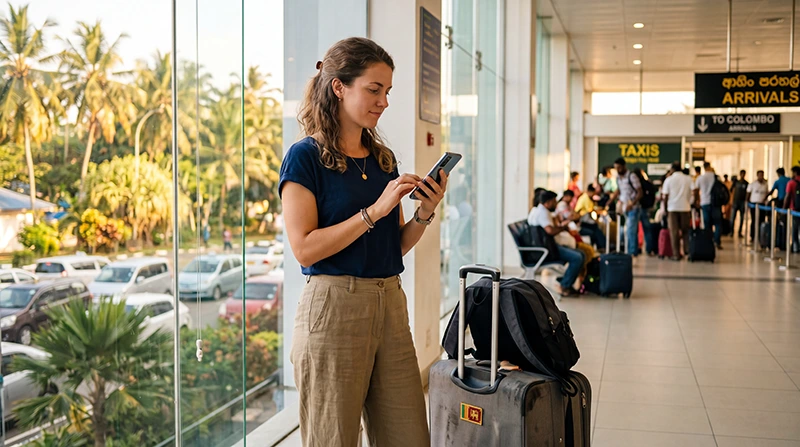

Internet at Colombo Airport is most valuable when you need to contact a driver, open an accommodation address or check the route before leaving the terminal. Bandaranaike International Airport (CMB) is near Katunayake and Negombo rather than central Colombo, so the onward journey may continue well beyond the airport’s Wi-Fi coverage.
Travellers can use an officially identified airport Wi-Fi network, prepare a Sri Lanka eSIM before departure, buy a registered prepaid SIM from an authorised seller or use a home-carrier roaming plan. The right option depends on whether you need only a brief arrival connection or mobile data throughout Sri Lanka.
NoveSIM travel eSIMs provide mobile data. They do not include a Sri Lankan telephone number, conventional voice minutes or carrier SMS.
Quick answer: Save your pickup details and first route offline, then use verified airport Wi-Fi if you need a temporary connection. For data after leaving Colombo Airport, install a compatible Sri Lanka eSIM before travel or compare the complete terms of a registered local SIM after arrival.
Top Sri Lanka eSIMs

Sri Lanka eSIM
Fixed
1 GB, 7 days€ 4.452 GB, 15 days€ 7.133 GB, 30 days€ 9.35Unlimited
Unlimited, 1 day€ 4.90Unlimited, 3 days€ 11.14Unlimited, 5 days€ 17.37
Plan the first connection before flying
The arrival plan should work even if a Wi-Fi portal fails or a mobile network takes several minutes to register. Download the accommodation address, transfer instructions and the map area covering CMB, Negombo and the first destination.
- Store the driver’s name, telephone number and pickup point as a screenshot.
- Keep the flight and booking references outside a single app.
- Download an offline map for the first journey.
- Carry enough battery for immigration, baggage collection and the transfer.
- Know whether the travel plan activates at installation or first connection.
Using Wi-Fi at Colombo Airport
Wi-Fi access, network names, verification methods and performance can change. Confirm the official network through airport signage or staff rather than choosing a similar-looking open hotspot. A captive portal may require a browser page before other apps begin working.
If the portal does not appear, disconnect and reconnect, open a standard webpage or temporarily pause a VPN that blocks the login screen. Do not install an unexpected profile, ignore certificate warnings or enter sensitive payment information on an unverified network.
Airport Wi-Fi is suitable for a message or booking check, but reception may disappear in outdoor pickup areas and on the road. Treat it as an arrival bridge rather than the complete Sri Lanka connection.
Prepare a Sri Lanka eSIM before arrival
Confirm that the exact phone model supports eSIM and is carrier-unlocked. Install the profile on stable private Wi-Fi, label it clearly and follow the plan’s activation instructions. Installation does not always start validity, but the product terms—not a general rule—determine the timing.
After landing, enable the travel eSIM, select it for Mobile Data and turn on Data Roaming for that line when required. Keep Data Roaming off on the primary SIM and disable automatic data switching if the home line must not provide roaming data.
Buying a tourist SIM at the airport
Local telecom counters may offer registered tourist packages, but retailers, opening hours, queues and plan terms can change. Use an authorised seller and keep control of your passport during any required identity check.
Before paying, ask for the complete price, usable high-speed data, validity, local-number details, hotspot rules and top-up method. Test mobile data away from Wi-Fi and keep the receipt. A local SIM is most useful when you need a Sri Lankan number, have no eSIM support or prefer staff-assisted setup.
Compare all four arrival options
| Option | Useful when | Main limitation |
|---|---|---|
| Airport Wi-Fi | You need a short message or booking check | Variable portal and terminal-only reach |
| Travel eSIM | You want data prepared before departure | Requires an unlocked compatible phone |
| Sri Lankan prepaid SIM | You need a local number or in-person help | Registration, counter availability and purchase time |
| Home roaming | Your carrier offers a clearly priced Sri Lanka pass | Potentially high charges or daily renewals |
Do not assume home roaming is included
Sri Lanka is not covered by EU/EEA roam-like-at-home rules. Check whether your operator lists Sri Lanka by name, the daily or per-megabyte price, the high-speed allowance and the renewal time before enabling the home line.
Keeping the primary SIM active for verification messages can still expose calls, voicemail or SMS to carrier charges. Mobile data should remain assigned to the travel line, with automatic switching disabled.
Test mobile data before leaving CMB
- Turn off Wi-Fi temporarily.
- Confirm that the travel eSIM or local SIM is enabled.
- Select it as the Mobile Data line.
- Check the required roaming setting.
- Open a normal webpage and the saved route.
- Send a message to the accommodation or driver if needed.
Leave Network Selection on Automatic initially. If a NoveSIM profile registers but has no internet and manual APN entry is required, use data.esim with blank username and password. APN changes do not normally fix a line showing No Service.
Prepare for travel beyond Colombo
A connection at the airport does not guarantee identical service across Colombo, the coast, the hill country or more remote roads. Performance depends on the selected plan’s partner network, device, terrain, buildings and congestion.
Download maps, rail or transfer information and accommodation details before longer journeys. Keep the installed eSIM during troubleshooting and contact support before deleting a profile that may not be reusable.
Related Articles
- Sri Lanka eSIM plans
- Best eSIM for Sri Lanka
- Mobile internet in Sri Lanka
- SIM card at Colombo Airport
- Wi-Fi at Colombo Airport
- Sri Lanka roaming charges
FAQ
Is Wi-Fi available at Colombo Airport?
Wi-Fi may be available in passenger areas, but network names, access rules and performance can change. Verify the official network through airport signage or staff.
Can I buy a tourist SIM after landing?
Local telecom counters may sell registered tourist packages. Availability and opening hours vary, so compare the full plan terms and test the service before leaving the seller.
Should I install a Sri Lanka eSIM before travel?
Yes, when the activation instructions allow it. Installation on dependable Wi-Fi avoids relying on the airport connection, but follow the plan’s exact validity rule.
Can I keep my normal number active?
Usually yes on a compatible dual-SIM phone. Use the travel eSIM for data, keep roaming off on the primary line and check home-carrier charges for calls, SMS and voicemail.
Final Recommendation
Use verified Colombo Airport Wi-Fi for temporary access, but save the first route and transfer details offline. For continuous data, prepare a Sri Lanka eSIM or plan an authorised local SIM purchase based on your number and support needs.
Test the mobile connection away from Wi-Fi before leaving CMB, protect the primary line from unintended roaming and keep offline information ready for the onward journey.