


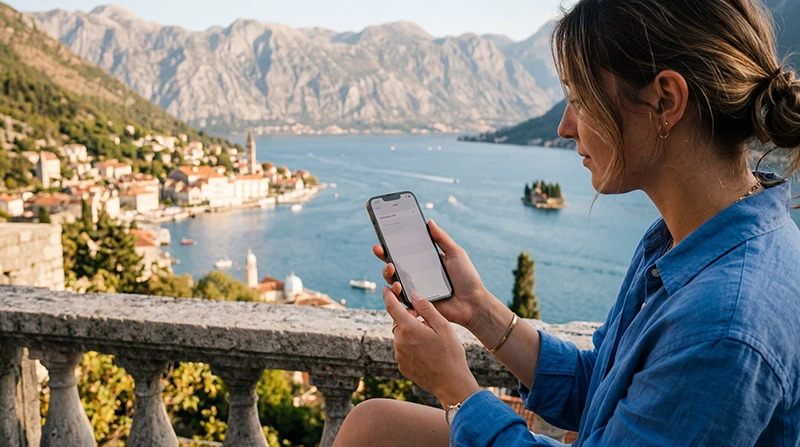

If you’re traveling to Montenegro with an iPhone, using an eSIM is one of the easiest ways to stay connected. Instead of searching for a local SIM card after landing, you can install your Montenegro eSIM before departure, activate it when you arrive and start using mobile data within minutes.
Modern iPhones support Dual SIM technology, allowing you to keep your regular SIM card for calls and SMS while using your Montenegro eSIM for fast mobile internet.
Quick answer: install your Montenegro eSIM while connected to WiFi before your trip, then enable Data Roaming on the eSIM after arriving in Montenegro.
Top Montenegro eSIMs

Montenegro eSIM
Fixed
1 GB, 7 days€ 3.462 GB, 15 days€ 5.193 GB, 30 days€ 6.92Unlimited
Unlimited, 1 day€ 3.89Unlimited, 3 days€ 8.22Unlimited, 5 days€ 12.55
Balkans eSIM
Fixed
1 GB, 7 days€ 4.332 GB, 15 days€ 6.923 GB, 30 days€ 9.09Unlimited
Unlimited, 1 day€ 4.76Unlimited, 3 days€ 10.82Unlimited, 5 days€ 16.87Why Use an eSIM on iPhone?
Apple has made eSIM installation quick and simple. Most recent iPhone models allow you to activate a travel eSIM without replacing your physical SIM card.
- No physical SIM card.
- Install before departure.
- Keep your home number active.
- Fast activation.
- No airport queues.
- Perfect for road trips and island hopping.
- Easy to switch between mobile plans.
Which iPhones Support eSIM?
Most iPhones released in recent years support eSIM technology.
| iPhone Model | eSIM Support |
|---|---|
| iPhone XS / XS Max | Yes |
| iPhone XR | Yes |
| iPhone 11 Series | Yes |
| iPhone 12 Series | Yes |
| iPhone 13 Series | Yes |
| iPhone 14 Series | Yes |
| iPhone 15 Series | Yes |
| iPhone 16 Series | Yes |
| iPhone 17 Series | Yes |
Your device must also be carrier-unlocked to use travel eSIMs from providers other than your home mobile operator.
Install Your Montenegro eSIM Before You Travel
The best time to install your eSIM is while you still have a stable WiFi connection at home or in your hotel before flying to Montenegro.
- Connect your iPhone to WiFi.
- Open Settings.
- Select Cellular or Mobile Service.
- Tap Add eSIM.
- Scan your QR code.
- Follow the installation steps.
- Keep the eSIM installed until arrival.
How to Activate Your Montenegro eSIM
Once you arrive in Montenegro:
- Turn on the Montenegro eSIM.
- Enable Data Roaming for the eSIM.
- Select the Montenegro eSIM for Mobile Data.
- Leave Network Selection on Automatic.
- Wait a few moments for the network connection.
Recommended iPhone Settings
| Setting | Recommended Value |
|---|---|
| Mobile Data | Montenegro eSIM |
| Default Voice Line | Primary SIM |
| Data Roaming | ON for the eSIM |
| Network Selection | Automatic |
| Allow Cellular Data Switching | OFF |
| APN | data.esim if required |
Can You Keep Your Home SIM Active?
Yes. One of the biggest advantages of Dual SIM iPhones is that you can continue using your regular SIM while your Montenegro eSIM provides mobile internet.
- Receive calls.
- Receive SMS verification codes.
- Keep your regular number.
- Use Montenegro eSIM for data.
- Continue using WhatsApp normally.
Does WhatsApp Work?
Yes. WhatsApp remains connected to your existing phone number. Installing an eSIM only changes the source of your internet connection—it does not change your WhatsApp account, chats or contacts.
Can You Use Personal Hotspot?
Yes. Most iPhones allow you to share your Montenegro eSIM connection with other devices using Personal Hotspot, making it useful for laptops, tablets and other travel devices.
How Much Data Do You Need?
| Trip Length | Recommended Data |
|---|---|
| Weekend trip | 1–3 GB |
| One week | 5–10 GB |
| Two weeks | 10–20 GB |
| Remote work | 20 GB+ |
| Heavy hotspot use | Unlimited or 20 GB+ |
Typical Mobile Data Usage
| Activity | Approximate Usage |
|---|---|
| Google Maps | 5–10 MB/hour |
| WhatsApp messages | Very low |
| Voice calls | 30–50 MB/hour |
| Video calls | 250–500 MB/hour |
| 100–300 MB/hour | |
| YouTube HD | 1–3 GB/hour |
| TikTok | 500 MB–1 GB/hour |
Does EU Roaming Work in Montenegro?
No. Montenegro is not part of the EU Roam Like at Home area. If you use your regular European SIM card for mobile data, your operator may apply international roaming charges.
Using a Montenegro eSIM provides predictable prepaid mobile data pricing.
Common iPhone eSIM Problems
- Data Roaming is turned off.
- The wrong SIM is selected for Mobile Data.
- Allow Cellular Data Switching is enabled.
- The eSIM was not installed before travel.
- The phone is carrier-locked.
- Incorrect APN settings.
How to Fix an eSIM That Isn’t Working
- Restart your iPhone.
- Enable Data Roaming.
- Select the Montenegro eSIM for Mobile Data.
- Turn Airplane Mode on for 30 seconds.
- Keep Network Selection on Automatic.
- Check the APN is data.esim if manual configuration is required.
Travel Tips for iPhone Users
- Install your eSIM before flying.
- Keep your QR code until activation is complete.
- Download offline maps.
- Bring a power bank.
- Disable unnecessary background downloads while traveling.
- Save important travel documents offline.
Related Montenegro Guides
- Montenegro eSIM
- Montenegro eSIM for Android
- How to Activate a Montenegro eSIM
- How to Install a Montenegro eSIM
- APN Settings for Montenegro eSIM
- Montenegro eSIM Not Working
- Mobile Internet in Montenegro
- Best eSIM for Montenegro
FAQ
Can I use an eSIM on my iPhone in Montenegro?
Yes. Most iPhone models from the iPhone XS onward support eSIM, provided the device is carrier-unlocked.
Should I install the eSIM before flying?
Yes. Installing it while connected to WiFi before departure makes activation much easier after arrival.
Will I keep my phone number?
Yes. Your regular SIM remains active for calls and SMS while the Montenegro eSIM provides mobile data.
Does WhatsApp still work?
Yes. WhatsApp remains linked to your existing phone number.
Do I need to enable Data Roaming?
Yes. Most travel eSIMs require Data Roaming to be enabled on the eSIM line.
What APN should I use?
If manual configuration is required, use data.esim.
Final Recommendation
Using an eSIM on your iPhone is the simplest way to stay connected while traveling in Montenegro. Install it before your trip, enable Data Roaming after arrival and keep your regular SIM active for calls and SMS. This setup provides reliable mobile internet while allowing you to continue using your existing phone number throughout your journey.