


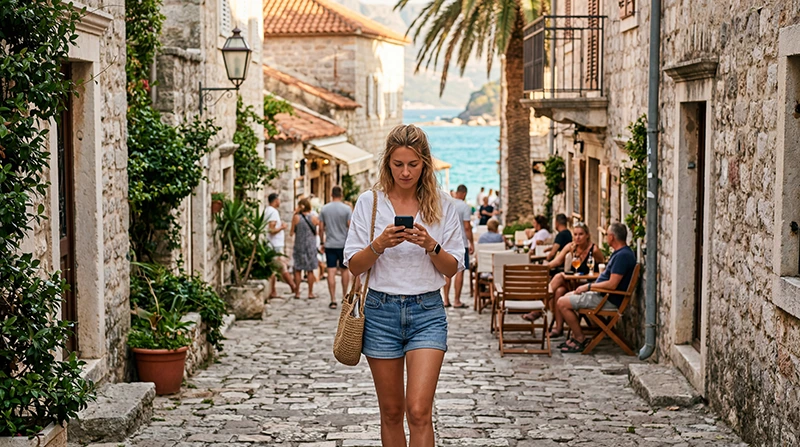

Internet in Budva for tourists is available through hotel and café Wi-Fi, local mobile service and travel eSIMs. Mobile data is the most useful option when you need navigation, taxi apps and messages away from accommodation.
The old town, waterfront, beaches and roads outside the centre create different signal conditions. Plan for busy-season congestion, thick walls and coverage changes on coastal journeys rather than assuming one speed everywhere.
NoveSIM Montenegro plans are data-only. They do not include a Montenegrin number, conventional calls or SMS, while online calling and messaging apps can use mobile data.
Quick answer: Use a Montenegro-compatible eSIM for data prepared before arrival, or buy a local SIM if you need a domestic number. Keep hotel Wi-Fi as a backup and download maps before coastal or mountain day trips.
Top Montenegro eSIMs

Montenegro eSIM
Fixed
1 GB, 7 days€ 3.552 GB, 15 days€ 5.323 GB, 30 days€ 7.10Unlimited
Unlimited, 1 day€ 3.99Unlimited, 3 days€ 8.43Unlimited, 5 days€ 12.87
Balkans eSIM
Fixed
1 GB, 7 days€ 4.442 GB, 15 days€ 7.103 GB, 30 days€ 9.32Unlimited
Unlimited, 1 day€ 4.88Unlimited, 3 days€ 11.09Unlimited, 5 days€ 17.30Which internet option suits tourists in Budva?
| Option | Best for |
|---|---|
| Travel eSIM | Data ready on arrival without a shop visit |
| Local SIM | A Montenegrin number or local voice bundle |
| Hotel Wi-Fi | Large downloads at accommodation |
| Home roaming | Plans with confirmed Montenegro inclusion |
Compare the country-level choices in mobile internet in Montenegro and the Montenegro SIM card guide.
Coverage in Budva and nearby routes
Central visitor areas may have good service, but indoor rooms, crowded waterfront zones, beaches below cliffs and roads through terrain can behave differently. Reception on a map is not a speed guarantee. Save the accommodation address and download maps before visiting quieter coastal areas.
Set up an eSIM before arrival
- Confirm that the phone supports eSIM and is unlocked.
- Choose a plan that explicitly includes Montenegro.
- Install it on stable Wi-Fi and label the line.
- After arrival, select it for mobile data and enable roaming when required.
- Keep the home SIM’s data roaming off.
For NoveSIM, use data.esim if manual APN entry is required. If the connection fails, follow Montenegro eSIM troubleshooting and keep the profile installed.
Use public Wi-Fi carefully
Verify the network name with the venue, avoid sensitive transactions on an open hotspot and disable automatic joining afterward. Accommodation Wi-Fi can be useful for backups and updates, but it does not cover navigation between Budva, beaches and nearby towns.
Related Articles
FAQ
Is mobile internet reliable in Budva?
It is generally useful in populated visitor areas, but speed and signal vary with the network, building, terrain and seasonal congestion.
Does Montenegro use EU roaming?
Do not assume it does. Check whether Montenegro is explicitly included in your operator’s current roaming zone and price.
Do I need a local number?
Not for maps and internet apps. Buy a local SIM only when local voice or SMS service is part of your needs.
Can I keep my home SIM active?
Yes on a compatible dual-SIM phone, but disable home-line data roaming and check charges for calls, SMS and voicemail.
Final Recommendation
For reliable internet in Budva, tourists should use a Montenegro-compatible mobile-data option for navigation and communication.
Choose a local SIM only when a domestic number adds value.
Keep offline maps and venue Wi-Fi as backups for crowded or lower-signal locations.