
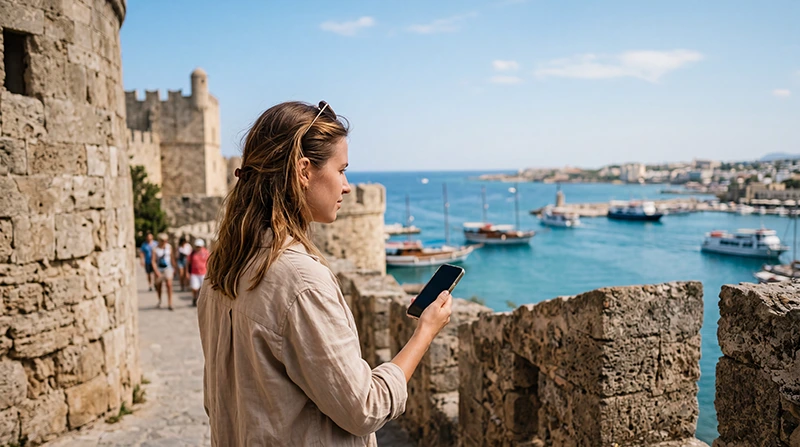

Rhodes is one of the most popular Greek islands, known for its medieval Old Town, beaches, resorts, ancient sites, sunny weather, coastal villages and relaxed island atmosphere. Whether you are visiting Rhodes Town, Lindos, Faliraki, Anthony Quinn Bay, Ixia, Ialyssos, Kolymbia, Tsambika Beach, Prasonisi or several Greek islands in one trip, reliable mobile internet can make your Rhodes holiday much easier.
Tourists in Rhodes use mobile data every day for Google Maps, airport transfers, hotel check-ins, beach directions, restaurant reservations, taxi coordination, ferry tickets, WhatsApp, translation, online banking, weather updates, tour confirmations and social media.
Quick answer: for most travelers, a Greece eSIM is the easiest way to stay connected in Rhodes. You can install it before your trip, activate it after arrival and use mobile data across the island without buying a physical SIM card.
Top Greece eSIMs
Why Mobile Internet Is Important in Rhodes
Rhodes is a large island with many beaches, villages, resorts and historic areas. Public WiFi can be useful in hotels and restaurants, but it is not enough when you are moving between the airport, Old Town, beaches, rental car routes and day trips.
- Navigate between Rhodes Town, Lindos and beaches
- Use Google Maps and Apple Maps while driving
- Contact hotels, villas and transfer drivers
- Find beaches, restaurants and parking areas
- Book taxis, tours and boat trips
- Use WhatsApp, Messenger and Viber
- Open ferry tickets and travel confirmations
- Translate menus, signs and messages
- Check weather before beach or boat trips
- Access online banking and travel apps
Why Choose an eSIM for Rhodes?
An eSIM is a digital SIM card that works on compatible smartphones. Instead of inserting a physical SIM card, you install a mobile data plan digitally using a QR code or manual activation details.
This is especially useful in Rhodes because many travelers arrive at Rhodes Airport and continue directly to a hotel, resort, villa, rental car desk or beach area. You may not want to spend time looking for a local SIM card shop after a flight or before starting your holiday.
- Install before departure
- No physical SIM card required
- No airport SIM card queue
- Use mobile data after arrival
- Keep your regular SIM active
- Useful for Rhodes Town, beaches and resorts
- Good for road trips and island exploration
Best eSIM for Rhodes: What to Look For
| Feature | Why It Matters |
|---|---|
| Greece coverage | Your plan must include Rhodes and Greece. |
| Easy installation | You should be able to install it before travel. |
| Enough data | Maps, social media, transfers and travel apps can use data quickly. |
| Clear APN settings | Simple setup helps avoid connection problems. |
| Dual-SIM support | You can keep your regular SIM for calls and SMS. |
| Good for road trips | Useful if you explore beaches, villages and coastal routes. |
Where an eSIM Helps Most in Rhodes
Rhodes Airport
Rhodes Airport is one of the main arrival points on the island. Mobile data is useful immediately after landing because you may need your hotel address, transfer driver contact, taxi information, car rental instructions or booking confirmation.
Rhodes Town
Rhodes Town is one of the most important areas on the island. Mobile internet helps with walking routes, restaurants, shops, hotels, taxis, port information and travel planning.
Rhodes Old Town
The medieval Old Town is beautiful but full of narrow streets and historic alleys. Mobile maps are very useful for finding gates, restaurants, museums, hotels and meeting points.
Mandraki Harbor
Mandraki Harbor is popular for walks, boat tours and sea views. Mobile data helps with tour confirmations, maps, photos, restaurant searches and ferry or boat information.
Lindos
Lindos is one of the most famous places in Rhodes, known for white houses, narrow streets, beaches and the Acropolis of Lindos. Mobile data helps with parking, walking routes, restaurant searches and hotel communication.
Faliraki
Faliraki is a popular resort area with beaches, nightlife, restaurants and hotels. Mobile internet helps with taxis, group chats, reservations, beach planning and transfers.
Anthony Quinn Bay
Anthony Quinn Bay is one of the most photographed beaches in Rhodes. Mobile data helps with directions, parking, weather, photos and nearby restaurant searches.
Tsambika Beach
Tsambika Beach is popular for families and beach days. Mobile internet helps with maps, parking, weather, restaurants and return routes.
Prasonisi
Prasonisi is popular for windsurfing, kitesurfing and scenic coastal views. Mobile data is useful for navigation, weather, wind checks and road trip planning.
Rhodes eSIM vs Local SIM Card
| Feature | Rhodes eSIM | Local SIM Card |
|---|---|---|
| Install before arrival | Yes | No |
| Physical SIM required | No | Yes |
| Shop visit needed | No | Usually yes |
| Keep home SIM active | Yes | Depends on phone setup |
| Best for short trips | Yes | Yes |
| Best for convenience | Excellent | Moderate |
| Good for island road trips | Yes | Yes, but less convenient |
Rhodes eSIM vs Roaming
International roaming may be convenient if your home provider includes Greece at a good price. However, many travelers may face daily roaming fees, limited data or expensive international rates, especially if they use navigation, social media and video calls frequently.
| Option | Best For | Main Risk |
|---|---|---|
| Rhodes eSIM | Tourists who want prepaid mobile data | Requires eSIM-compatible phone |
| International roaming | Travelers with strong roaming plans | Unexpected fees if plan is unclear |
| WiFi only | Very light users | No connection while moving around the island |
How Much Data Do You Need in Rhodes?
| Trip Type | Recommended Data | Best For |
|---|---|---|
| Short Rhodes stay | 3–5 GB | Maps, WhatsApp, bookings and light browsing |
| One-week Rhodes holiday | 5–10 GB | Daily navigation, social media and travel apps |
| Rhodes road trip | 10–20 GB | Driving, beaches, hotels, maps and frequent travel apps |
| Heavy social media user | 10–20 GB+ | Photo uploads, videos, reels and frequent browsing |
| Remote worker | 20 GB+ | Email, hotspot, work apps and video calls |
What Uses Mobile Data in Rhodes?
- Google Maps and Apple Maps
- Hotel and villa apps
- Taxi and transfer coordination
- Car rental and navigation apps
- Restaurant reservation platforms
- Ferry and boat tour websites
- WhatsApp, Messenger and Viber
- Instagram, TikTok and Facebook
- Translation apps
- Online banking
- Weather apps
- Cloud photo backup
Recommended Rhodes eSIM Settings
| Setting | Recommended Value |
|---|---|
| Mobile Data | Rhodes / Greece eSIM |
| Data Roaming | ON for the eSIM |
| APN | data.esim |
| Primary SIM | Calls and SMS if needed |
| Primary SIM Data Roaming | OFF |
| Automatic Data Switching | OFF |
How to Install a Rhodes eSIM
- Purchase your Greece or Rhodes eSIM.
- Open the QR code or installation details.
- Connect your phone to stable WiFi.
- Go to your eSIM settings.
- Scan the QR code.
- Install the eSIM profile.
- Label it as Rhodes, Greece, Travel or NoveSIM.
- Enable it after arrival in Greece.
How to Use a Rhodes eSIM After Arrival
- Turn on the eSIM.
- Select the eSIM for mobile data.
- Enable Data Roaming for the eSIM.
- Keep your primary SIM for calls and SMS if needed.
- Check APN data.esim if mobile data does not start automatically.
- Restart your phone if the connection takes longer than expected.
Rhodes eSIM for iPhone
If your iPhone supports eSIM and is unlocked, you can use a Rhodes eSIM or Greece eSIM. Most iPhones from iPhone XS, iPhone XS Max and iPhone XR onward support eSIM technology.
On iPhone, go to:
Settings → Cellular → Add eSIM
- Set Mobile Data to the Greece eSIM.
- Enable Data Roaming for the eSIM.
- Keep your primary SIM for calls and SMS if needed.
- Turn off Allow Cellular Data Switching.
Rhodes eSIM for Android
Many Android phones support eSIM, including selected Samsung Galaxy, Google Pixel, Motorola, Xiaomi, Oppo and other models. Compatibility depends on the exact device, region and carrier lock status.
On many Android phones, go to:
Settings → Network & Internet → SIMs → Add SIM
On Samsung Galaxy, go to:
Settings → Connections → SIM Manager → Add eSIM
Can You Keep Your Regular Phone Number?
Yes. Most modern dual-SIM phones allow you to keep your regular SIM active for calls and SMS while using your Rhodes eSIM for mobile data.
This setup is useful if you need SMS verification codes, banking notifications, work calls or family messages during your trip.
Will WhatsApp Work With a Rhodes eSIM?
Yes. WhatsApp works normally with mobile data from your Rhodes eSIM. Your WhatsApp account stays linked to your existing phone number.
- WhatsApp messages
- WhatsApp voice calls
- WhatsApp video calls
- Group chats
- Photo sharing
- Location sharing
Rhodes eSIM for Airport Transfers
Mobile data is useful immediately after landing. You can contact your driver, check taxi options, follow directions or confirm your hotel address without depending only on airport WiFi.
Rhodes eSIM for Hotels and Resorts
Many stays in Rhodes involve resorts, villas, apartments or boutique hotels with digital check-in instructions. Mobile data helps you open messages, confirm arrival time and contact your host.
Rhodes eSIM for Beaches
If you visit Faliraki, Anthony Quinn Bay, Tsambika, Lindos Beach, Elli Beach, Prasonisi or other coastal areas, mobile data helps with directions, weather updates, restaurant searches and transport planning.
Rhodes eSIM for Car Rental
Many visitors rent a car in Rhodes. Mobile data helps with pickup points, navigation, fuel stations, parking areas, beaches, restaurants and hotel routes.
Rhodes eSIM for Rhodes Old Town
Rhodes Old Town has medieval streets, gates, museums, restaurants and hotels. Mobile internet helps you find your way, open travel information and coordinate meeting points.
Rhodes eSIM for Lindos
Lindos is one of the most popular day trips in Rhodes. Mobile data helps with parking, walking routes, beach directions, restaurant searches and travel planning.
Rhodes eSIM for Boat Tours
Boat tours are popular in Rhodes. Mobile internet helps with meeting points, tour confirmations, weather checks, pickup times and communication with operators.
Rhodes eSIM for Family Travel
Families visiting Rhodes often need mobile data for maps, hotel messages, restaurant searches, beach directions, weather, activities and communication between group members.
Rhodes eSIM for Digital Nomads
Some travelers stay longer in Rhodes and work remotely. Mobile data can be useful as backup internet for hotels, villas, apartments, cafes and travel days. For work use, choose enough data and use WiFi for large uploads when available.
Common Rhodes eSIM Problems and Fixes
eSIM Installed but No Internet
- Enable Data Roaming for the eSIM.
- Select the eSIM for mobile data.
- Check APN: data.esim.
- Restart your phone.
- Turn Airplane Mode on for 30 seconds, then off.
Signal but No Data
- Check that mobile data is assigned to the eSIM.
- Confirm Data Roaming is on for the eSIM.
- Disable automatic data switching.
- Set APN to data.esim.
Slow Internet Speed
- Move outdoors or near a window.
- Restart your phone.
- Avoid testing speed in crowded indoor areas.
- Use WiFi for large uploads when available.
Common Mistakes Tourists Make in Rhodes
- Not checking if the phone supports eSIM before buying.
- Trying to install the eSIM without WiFi.
- Forgetting to enable Data Roaming on the eSIM.
- Leaving mobile data assigned to the primary SIM.
- Turning on Data Roaming for the primary SIM by mistake.
- Deleting the eSIM before the trip ends.
- Depending only on hotel WiFi.
- Buying too little data for a Rhodes road trip.
How to Save Mobile Data in Rhodes
- Download offline maps before arrival.
- Use WiFi for app updates and large uploads.
- Turn off automatic cloud photo backup on mobile data.
- Lower video streaming quality.
- Use WhatsApp voice calls instead of video calls when possible.
- Save tickets and confirmations offline.
- Close background apps that use mobile data.
- Turn off autoplay videos in social media apps.
Related Greece and Island Travel Internet Guides
- Best eSIM for Greece
- Buy eSIM Greece
- Greece eSIM
- Mobile Internet Greece
- Internet Greece Tourists
- Best Mobile Data Greece
- Best SIM Card Greece
- Greece Roaming Charges
- Best eSIM for Santorini
- Best eSIM for Mykonos
- Best eSIM for Crete
- Best eSIM for Heraklion
- Best eSIM for Chania
- Local SIM vs eSIM Greece
- How to Activate Greece eSIM
- Install Greece eSIM
- Greece eSIM iPhone
- Greece eSIM Android
- APN Settings Greece eSIM
- eSIM Not Working Greece
- Does WhatsApp Work in Greece?
- How Much Data Do You Need for Greece?
FAQ: Best eSIM for Rhodes
What is the best eSIM for Rhodes?
For most tourists, a Greece travel eSIM is the easiest option for Rhodes because it offers simple setup, mobile data access and no physical SIM card swap.
Can I install my Rhodes eSIM before traveling?
Yes. Installing your eSIM before departure is recommended because you need a stable WiFi connection to download the eSIM profile.
Do I need Data Roaming on in Rhodes?
Yes. Data Roaming should be enabled for the eSIM. Keep Data Roaming off on your primary SIM if you want to avoid roaming charges.
Will WhatsApp work in Rhodes?
Yes. WhatsApp works normally using mobile data from your eSIM or WiFi. Your WhatsApp number does not change.
What APN should I use?
Use APN data.esim if your device requires manual APN configuration.
Is a Rhodes eSIM good for beaches and road trips?
Yes. A Greece eSIM is useful for Rhodes beaches and road trips because it helps with maps, hotels, restaurants, parking, weather and travel apps.
Can I keep my regular SIM active?
Yes. Most dual-SIM phones allow you to keep your regular SIM active for calls and SMS while using your eSIM for mobile data.
How much data do I need for Rhodes?
Most tourists need 5–10 GB for a standard Rhodes holiday. If you are driving around the island or uploading many photos and videos, 10–20 GB may be better.
Is WiFi enough in Rhodes?
WiFi is useful in hotels and restaurants, but mobile data is better for maps, taxis, beaches, road trips, port information and travel apps while moving.
Can I use a Rhodes eSIM for the rest of Greece?
Yes. A Greece eSIM can be used for Rhodes and other supported areas in Greece, including Athens, Santorini, Mykonos, Crete and other popular tourist destinations.
Final Recommendation
For most travelers visiting Rhodes, an eSIM is the simplest and most convenient way to stay connected. It is especially useful for airport arrivals, hotel transfers, Rhodes Town, Old Town, Lindos, Faliraki, beaches, car rental, boat tours and road trips across the island.
Install your Rhodes eSIM before departure, enable Data Roaming after arrival, select the eSIM for mobile data and keep your primary SIM for calls and SMS if needed.
A Rhodes eSIM helps you avoid physical SIM swaps, roaming surprises and unreliable WiFi, making your Greece trip smoother from the first moment you arrive.


