


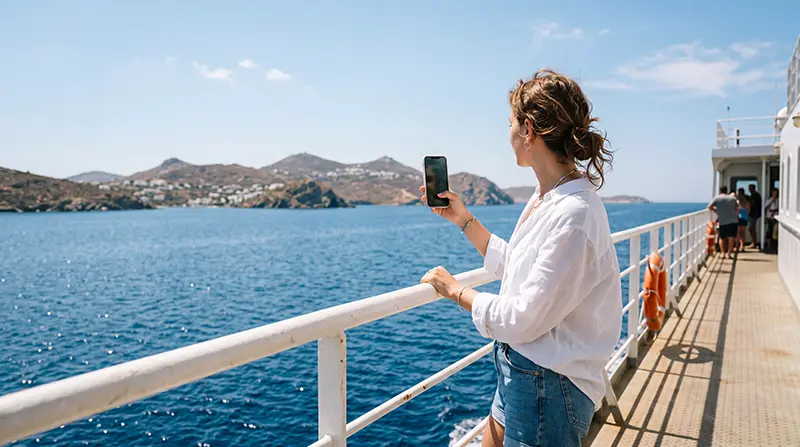

Internet on Greek ferries can alternate between a land-based mobile signal near shore, an onboard Wi-Fi service where offered and no usable connection on exposed parts of the crossing.
A travel eSIM can reconnect to supported Greek networks as the vessel approaches land, but it cannot guarantee coverage across open sea.
NoveSIM travel eSIMs provide data only, without a Greek number, ordinary calls or SMS; app-based communication works whenever a data connection is available.
Quick answer: download the ticket, destination map and accommodation instructions before boarding. Keep automatic network selection on, use onboard Wi-Fi cautiously if available and expect mobile data to fade as the ferry moves away from shore.
Top Greece eSIMs

Greece eSIM
Fixed
1 GB, 7 days€ 1.772 GB, 15 days€ 3.543 GB, 30 days€ 4.43Unlimited
Unlimited, 1 day€ 2.21Unlimited, 3 days€ 4.87Unlimited, 5 days€ 7.97
Balkans eSIM
Fixed
1 GB, 7 days€ 4.432 GB, 15 days€ 7.083 GB, 30 days€ 9.29Unlimited
Unlimited, 1 day€ 4.87Unlimited, 3 days€ 11.06Unlimited, 5 days€ 17.26Europe Extra eSIM
Fixed
1 GB, 7 days€ 2.212 GB, 15 days€ 3.543 GB, 30 days€ 4.43Unlimited
Unlimited, 1 day€ 2.66Unlimited, 3 days€ 5.31Unlimited, 5 days€ 8.85Europe+ eSIM
Fixed
1 GB, 7 days€ 2.662 GB, 15 days€ 3.983 GB, 30 days€ 5.31Unlimited
Unlimited, 1 day€ 2.66Unlimited, 3 days€ 6.20Unlimited, 5 days€ 10.18Europe Lite eSIM
Fixed
1 GB, 7 days€ 2.212 GB, 15 days€ 3.543 GB, 30 days€ 4.43Unlimited
Unlimited, 1 day€ 2.66Unlimited, 3 days€ 5.31Unlimited, 5 days€ 8.85Why does internet on Greek ferries change during a crossing?
Phones normally connect to terrestrial mobile sites, not to a special continuous network at sea. Signal can remain usable along a coast or between nearby islands, then weaken when distance, terrain or the vessel’s structure blocks it.
Seeing signal bars does not always mean a stable data session. Before diagnosing the eSIM, wait until the ship is closer to land or step into an open passenger area where permitted.
Is ferry Wi-Fi the same as mobile data?
No. Onboard Wi-Fi is operated separately from the eSIM and may be free, paid, limited or unavailable depending on the ship and operator. Capacity is shared among passengers, so it may support messages but struggle with video or large uploads.
Check the operator’s current terms for the exact sailing rather than assuming that a previous vessel’s service applies. Do not use a public connection for sensitive account recovery or payments unless necessary.
What should you download before boarding?
- The boarding document and booking reference.
- An offline map of the arrival port and accommodation area.
- The address, telephone details and check-in instructions.
- Any bus, taxi or transfer information needed on arrival.
- Entertainment for the expected crossing time.
Broader preparation for several destinations is covered in the Greek-island internet guide. For private-boat use, see internet for sailing in Greece.
How should you configure the eSIM?
- Install and activate it according to the plan instructions before boarding.
- Select it as the mobile-data line.
- Disable automatic data switching to the home SIM.
- Enable Data Roaming on the travel line when required.
- Leave network selection automatic for arrival at a new island.
- Test again after the ferry reaches shore coverage.
If manual APN entry is required for NoveSIM, enter data.esim. Do not delete the installed profile when an offshore gap occurs; use Greece eSIM troubleshooting only after returning to a plausible coverage area.
How can you manage battery and data at sea?
Repeated network searching can drain the battery. During a long gap, Airplane Mode can conserve power until the vessel approaches the next island. Pause cloud photo backup and system updates, then reconnect deliberately.
Use the Greece data guide if streaming or hotspot use forms a large part of the trip.
Related Articles
FAQ
Will my eSIM work throughout a Greek ferry trip?
Not necessarily. It can use supported land networks within reach, but open-water sections may have no terrestrial coverage.
Do all Greek ferries provide Wi-Fi?
No. Availability and terms depend on the operator and vessel, so check the specific sailing.
Why does my phone connect to a distant network?
Radio conditions at sea can expose networks from different coasts. Keep automatic selection unless your plan gives another instruction.
Should I reset the eSIM when signal disappears offshore?
No. Wait until the vessel returns within shore coverage and never delete the profile without support guidance.
Final Recommendation
Plan internet on Greek ferries as an intermittent service rather than a continuous extension of island coverage.
Download essentials before embarkation and conserve battery during predictable offshore gaps.
Retest the eSIM near land before changing settings, and treat onboard Wi-Fi as a separate optional connection.