


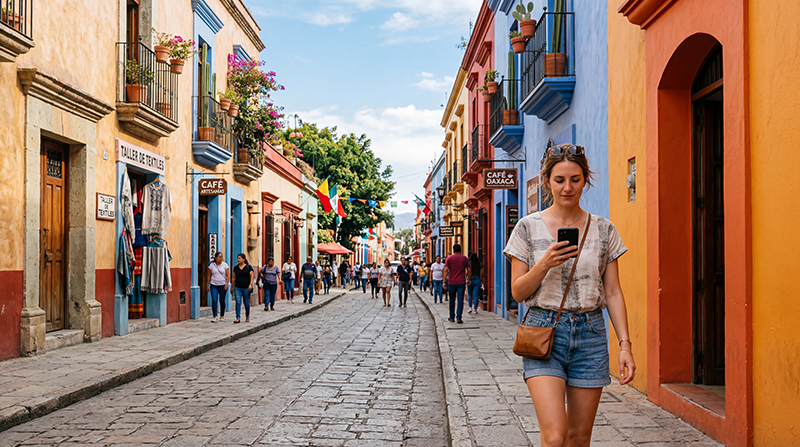

For internet in Oaxaca, start by checking whether your home plan already includes suitable roaming data in Mexico. If you need another connection, compare a Mexico eSIM with a local SIM and the Wi-Fi at your accommodation. Mobile data is useful for messages, bookings and directions between stops.
Oaxaca City and a journey through the surrounding countryside need different preparation. Save your first address and transport instructions for arrival, then prepare each excursion separately. Reception at your accommodation does not establish coverage along a rural road or the route to the coast.
Our NoveSIM Mexico travel eSIMs provide mobile data without a Mexican number, conventional calls or carrier SMS. Internet messaging and calling apps can use the connection. Check eSIM support for your exact device and regional version, and confirm that it is carrier-unlocked.
Quick answer: Choose a connection for the parts of your Oaxaca trip when you will be away from Wi-Fi. Before installing an eSIM, check what starts the purchased plan’s validity and when installation is permitted. Save your accommodation entrance, tickets and return transport details offline, and test mobile data after arrival before relying on it for a journey.
Top Mexico eSIMs

Mexico eSIM
Fixed
1 GB, 7 days€ 3.642 GB, 15 days€ 5.923 GB, 30 days€ 7.28Unlimited
Unlimited, 1 day€ 3.64Unlimited, 3 days€ 8.65Unlimited, 5 days€ 13.65
North America eSIM
Fixed
1 GB, 7 days€ 4.102 GB, 15 days€ 7.283 GB, 30 days€ 10.01Unlimited
Unlimited, 1 day€ 5.92Unlimited, 3 days€ 15.47Unlimited, 5 days€ 25.48Central America eSIM
Fixed
1 GB, 7 days€ 7.742 GB, 15 days€ 12.293 GB, 30 days€ 16.38Unlimited
Unlimited, 1 day€ 6.83Unlimited, 3 days€ 16.84Unlimited, 5 days€ 26.85Which Connection Suits Your Oaxaca Trip?
| Option | When to consider it | Check first |
|---|---|---|
| Existing roaming | Your home plan already includes usable data in Mexico. | Included allowance, daily fees and charges after the allowance ends. |
| Travel eSIM | You want mobile data without replacing a physical SIM. | Device compatibility, Mexico’s inclusion, validity, supported networks and hotspot conditions. |
| Local SIM | You want to compare domestic offers or need a Mexican number. | Registration, included services, total cost and a working connection before leaving the seller. |
| Accommodation Wi-Fi | You mainly need internet at the property and can prepare outings in advance. | Reception in your room and how you will contact transport or change plans while out. |
Compare our current Mexico eSIM plans with the length of your visit and expected use. You do not need to buy additional data if your existing allowance is suitable. If a local number matters, check that the particular SIM offer includes it; the differences are covered in our local SIM versus eSIM guide.
Save the Arrival Details You Will Actually Need
Keep the accommodation’s street, building number and entrance instructions with your booking. If check-in takes place at another address, save that location too. Compare the map pin with the written address before sending it to a driver.
If you have arranged an airport or bus-station pickup, confirm the meeting point with the provider and keep the confirmation available offline. Agree on what to do if you cannot exchange messages after arrival. Follow the provider’s current instructions rather than assuming that a general terminal pin identifies the pickup area.
Once connected, check for new instructions and load the first destination before setting off. Keep enough battery for that journey, especially if the same device holds your booking and transport details.
Use Precise Meeting Points in Centro and Around Santo Domingo
Save the particular restaurant, attraction or entrance you plan to visit in Centro. For a meeting around Santo Domingo, agree on a recognisable location with your companion or guide rather than sharing only the area name.
Keep tickets and reservation references available without opening a fresh email. If you change plans while out, use a working connection to confirm the new booking or transport request before leaving that location. A saved map cannot retrieve a host’s latest message or submit a ride request.
Test accommodation Wi-Fi in the room where you will use it. If mobile reception is weak indoors, compare it in an open area before changing settings. Coverage and speed depend on the plan’s network access, device and local conditions; 4G or 5G is not guaranteed at every stop.
Prepare Monte Albán and Mitla Visits Before Leaving
For Monte Albán, save the entrance location, any reservation or ticket instructions and the details for returning to Oaxaca City. If you are travelling with a driver or tour, agree on where and when to meet afterwards. Do not make the return arrangement depend on sending a message at the end of the visit.
For Mitla, check that your saved location identifies the intended attraction or meeting point rather than only the town. Keep each stop on a combined excursion separately: the venue entrance, booking and return instructions may differ from the main destination pin.
Check current access and transport details with the venue, operator or guide before departure. Download appropriate map areas and keep confirmations offline. A connection working in Oaxaca City is not evidence of reception throughout either outing.
Plan a Coastal Transfer as a Separate Journey
If you are continuing to the coast, save the actual route and arrival instructions supplied by your transport provider. Keep the departure point, operator contact details, destination accommodation and any onward pickup together. Do not assume that an Oaxaca City map covers the whole transfer.
For a self-drive journey, download map areas covering the entire route and the final approach. For a bus or arranged transfer, save the operator’s instructions separately. Check current journey details while online rather than relying on a previously saved map for service changes.
Plan for stretches without usable data and for your device to remain charged until arrival. Our Mexico road-trip internet guide explains wider route preparation. If you are driving, stop safely before changing navigation or connection settings.
Understand the Limits of Offline Maps
Google Maps can provide offline driving directions when the entire route is inside the downloaded area. It does not provide offline walking, cycling or public-transport directions. Offline driving also lacks live traffic and alternative routes; see Google’s offline map guidance.
Save bus instructions, tickets, addresses and meeting points independently of the map. For an outdoor activity, use suitable route information and follow local guidance. Mobile reception and a general city map are not substitutes for preparation appropriate to the activity.
Choose Data Around Your Own Usage
Check recent mobile-data use on your device, then allow for days away from accommodation Wi-Fi. Uploading videos, streaming and sharing a connection with a laptop can change your needs substantially compared with messages and checking bookings.
Check whether the plan supplies a total allowance or a daily allocation, what happens after any high-speed limit and whether hotspot is permitted. The Mexico data-use guide can help you estimate an allowance from your own habits. Pause automatic photo backups over mobile data if you want to keep more of the allowance for travel tasks.
Install and Test Without Starting Earlier Than Intended
- Confirm eSIM support for your exact device and regional version, and check carrier-unlocked status.
- Read the purchased plan’s instructions to identify what starts validity and when installation is permitted.
- Add the profile over reliable internet at the permitted time. Keep the instructions accessible.
- At an included destination, enable the travel eSIM and select it for Mobile Data. Apply its Data Roaming setting as instructed.
- Keep home-line data roaming off if you do not intend to use it, and review automatic data switching. Your home provider’s charges for calls, SMS or voicemail can still apply.
- Briefly turn Wi-Fi off and open a small webpage. Check a message or booking before relying on mobile data for your next stop.
Follow our Mexico eSIM installation guide for more detail. If manual APN configuration is required for NoveSIM, use data.esim as instructed; do not copy settings from another provider or replace working automatic settings unnecessarily.
If data does not work, check the selected line, validity and remaining allowance first. Keep the profile installed while following our Mexico eSIM troubleshooting guide. Do not delete it unless support instructs you to do so. Note whether the problem occurs everywhere or only at one location.
Related Articles
- Check network coverage for your Mexico itinerary
- Prepare internet access for outdoor activities in Mexico
FAQ
Is accommodation Wi-Fi enough for exploring Oaxaca City?
It can cover your use at the property if you prepare outings beforehand. Save exact addresses, tickets and meeting points offline, and consider how you will contact transport or change bookings while out. Mobile data can provide those online functions where your plan’s supported network is available.
Will my connection work at Monte Albán, Mitla and along the route to the coast?
City reception does not establish coverage across those journeys. Check your plan’s supported network and route, save entrance instructions and agree on return transport before an excursion. Keep coastal-transfer details offline rather than depending on continuous data.
Should I install the eSIM before travelling to Oaxaca?
Check the purchased plan’s instructions first. Identify what starts validity, then install over reliable internet at the permitted time. At an included destination, select it for data, apply its roaming instructions and test with Wi-Fi briefly off.
Final Recommendation
Choose internet for the time you will spend away from Wi-Fi in Oaxaca, after checking whether your existing roaming already meets that need.
Follow the purchased eSIM’s validity and installation instructions, then test data after arrival. Keep your first address and meeting point available offline.
Prepare excursions and coastal transfers separately, with saved entrances, tickets and transport arrangements. That information remains useful when reception changes.