


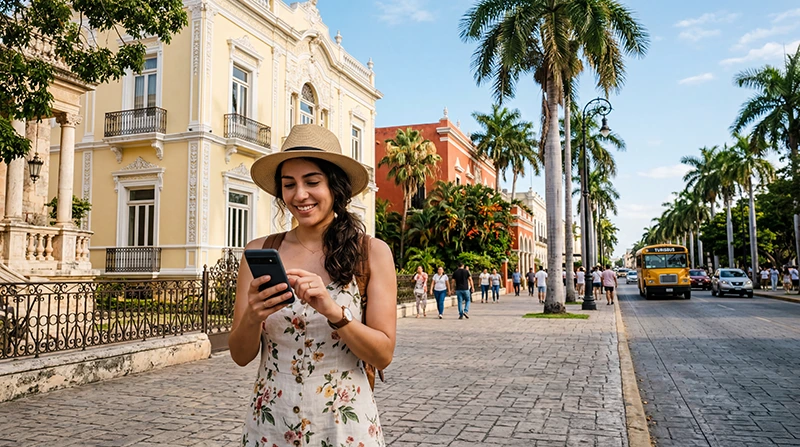

Tourists can get internet in Mérida through a Mexico eSIM, a registered local SIM or Wi-Fi at their accommodation. A travel eSIM is the most convenient option for visitors who want data prepared before arrival and do not need a Mexican telephone number.
Connectivity planning should cover more than the hotel. Maps, ride coordination, restaurant bookings and day trips across Yucatán can all require mobile access, while reception may change on roads, inside historic buildings and away from populated areas.
We provide data-only travel eSIMs. We do not provide a Mexican telephone number, conventional voice calls or carrier SMS, although internet calling and messaging apps work through data.
Quick answer: install a Mexico eSIM before travelling if you want mobile data ready on arrival in Mérida. Use a local SIM when a Mexican number is necessary, and treat accommodation Wi-Fi as a supplement rather than the only connection. Download the city map and every day-trip route before departure.
Top Mexico eSIMs

Mexico eSIM
Fixed
1 GB, 7 days€ 3.552 GB, 15 days€ 5.323 GB, 30 days€ 7.10Unlimited
Unlimited, 1 day€ 3.55Unlimited, 3 days€ 8.43Unlimited, 5 days€ 13.31
North America eSIM
Fixed
1 GB, 7 days€ 3.992 GB, 15 days€ 7.103 GB, 30 days€ 9.76Unlimited
Unlimited, 1 day€ 5.77Unlimited, 3 days€ 15.09Unlimited, 5 days€ 24.85Central America eSIM
Fixed
1 GB, 7 days€ 7.102 GB, 15 days€ 11.543 GB, 30 days€ 15.53Unlimited
Unlimited, 1 day€ 6.66Unlimited, 3 days€ 16.42Unlimited, 5 days€ 26.18Start by comparing the current Mexico eSIM plans and checking the exact phone on the eSIM-compatible device list. The device must support eSIM and be network-unlocked.
Which Internet Option Works Best in Mérida?
| Option | Useful for | Limitation to consider |
|---|---|---|
| Travel eSIM | Data prepared before arrival and keeping the usual SIM | Requires a compatible, unlocked phone; NoveSIM is data-only |
| Local SIM | A Mexican number or domestic prepaid package | Requires local purchase, registration and activation |
| Accommodation Wi-Fi | Larger downloads and conserving mobile allowance | Quality varies and it does not follow the traveller outside |
| Public Wi-Fi | Temporary backup for a low-risk task | May require a captive portal and should not be trusted for sensitive activity |
A short city break centred on Mérida usually favours advance setup. A longer stay may justify comparing local packages, especially when a Mexican number is genuinely required.
Prepare Before Arriving in Mérida
Install the eSIM on reliable Wi-Fi and follow the purchased plan’s activation timing. Label the new line clearly, but do not switch the home SIM back to mobile data simply because the travel line has not registered immediately.
- Save the accommodation address and check-in instructions.
- Download the Mérida map and mark the first destination.
- Store transport confirmations outside a single app.
- Pause cloud photo backup, app updates and automatic video.
- Carry enough battery for navigation after arrival.
The Mexico eSIM activation guide explains the complete setup sequence.
Connect the eSIM After Arrival
- Switch on the Mexico eSIM in the phone’s cellular settings.
- Select it as the Mobile Data line.
- Enable Data Roaming on the travel eSIM.
- Disable automatic data switching to the home SIM.
- Leave network selection on Automatic and wait for registration.
- Turn off Wi-Fi and test a normal webpage, a message and the saved route.
If the home line remains active for account verification, its calls and SMS follow the home carrier’s roaming tariff. Keep that line away from mobile data to prevent background use.
Using Mobile Data Around Mérida
In the city, mobile data is useful for walking directions, transport coordination, translated information and last-minute opening checks. Thick walls and indoor spaces can weaken an otherwise usable signal, so compare the result outdoors before changing phone settings.
Navigation and messaging normally use modest amounts of data. Streaming, automatic photo uploads, video calls and hotspot work consume much more. Use reliable accommodation Wi-Fi for planned large transfers and keep the mobile allowance for movement around the city.
Plan Yucatán Day Trips Offline
A connection that works in central Mérida does not guarantee the same experience throughout a day trip. Network availability depends on the partner network, exact route, terrain, building and local capacity. The Mexico network guide for tourists helps assess a wider itinerary.
Download the driving or bus route, destination pin, return details and any ticket before leaving the city. Agree on a meeting point with companions, especially when the plan includes archaeological sites, cenotes or smaller communities where reception may be less consistent.
Using Wi-Fi Safely in Mérida
Hotel or café Wi-Fi can conserve the mobile allowance, but confirm the correct network name with the venue. Avoid sending sensitive information over an unfamiliar open network and do not install certificates or profiles requested by an unexpected captive portal.
Turn off automatic connection to open networks when leaving. A mobile eSIM provides a more continuous option for maps and messages, but offline copies remain necessary for travel-critical information.
If Mobile Internet Stops Working
Check that the Mexico eSIM is enabled, selected for Mobile Data and allowed to use Data Roaming. Confirm remaining validity and allowance, toggle aeroplane mode briefly, restart the phone once and leave network selection on Automatic. For a NoveSIM plan, use data.esim if manual APN entry is required.
Do not delete the installed eSIM. Keep it available while following the Mexico eSIM troubleshooting guide or contacting Support, and note whether the problem occurs everywhere or only inside one building.
Related Articles
- Mexico eSIM Plans
- How to Activate a Mexico eSIM
- Best Network in Mexico for Tourists
- Mexico eSIM Troubleshooting
FAQ
What is the easiest way for a tourist to get internet in Mérida?
A travel eSIM is convenient when the phone is compatible and unlocked because it can be installed before arrival. A local SIM suits travellers who need a Mexican number.
Is accommodation Wi-Fi enough for a trip to Mérida?
It may cover use at the property, but it cannot provide directions, messages or booking access while moving around the city or taking a day trip.
Will the same connection work on every Yucatán day trip?
Not necessarily. Reception depends on the network, route, terrain and local conditions, so download maps, tickets and return information before leaving Mérida.
Does a NoveSIM Mexico eSIM include a Mexican number?
No. We provide mobile data without a Mexican number, conventional calls or carrier SMS. Internet calling and messaging apps use the data connection.
Final Recommendation
For a short visit to Mérida, prepare a Mexico eSIM before travelling when immediate data matters and a local telephone number does not.
Select the eSIM for mobile data after arrival, enable Data Roaming on that line and prevent the home SIM from switching back to data.
Use trusted accommodation Wi-Fi for larger downloads, but keep Mérida and Yucatán routes available offline so a changing signal cannot interrupt the day.