


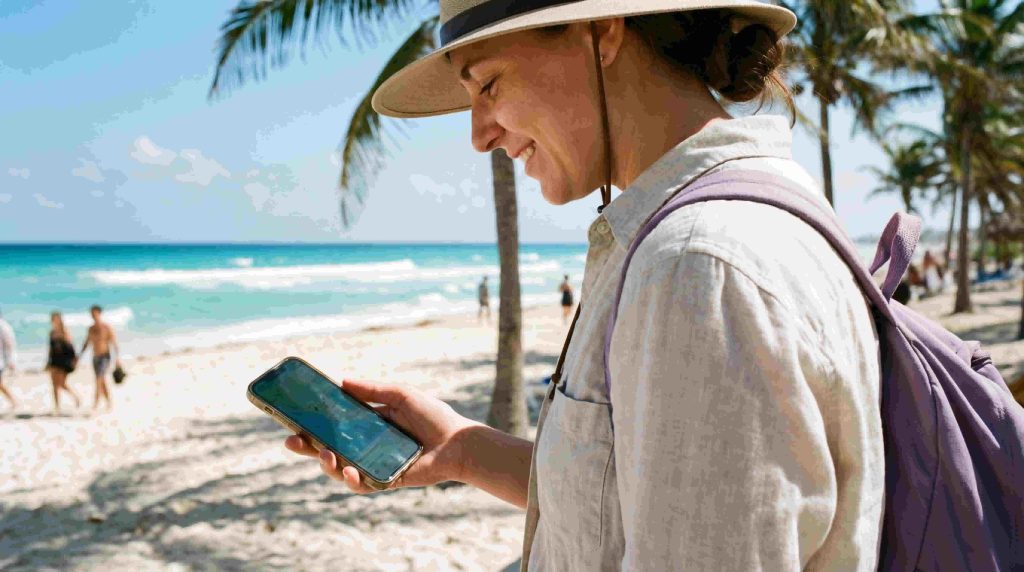

Internet in Mexico for tourists can come from a travel eSIM, a local SIM, home-plan roaming or Wi-Fi. Choose according to the route, the days you need data and whether a Mexican telephone number is necessary, rather than assuming one option is best for every visitor.
Prepare the first transfer as carefully as the rest of the holiday. Save the accommodation address, pickup instructions and a suitable map before travel, then use mobile data for current directions and messages when service is available. A connection in a city or resort does not establish continuous reception on the next rural road.
NoveSIM travel eSIMs are prepaid and data-only. They do not provide a Mexican telephone number, conventional calls or carrier SMS. Internet messaging and calling apps can use data; services used through your home line remain subject to your provider’s availability and charges.
Quick answer: First check whether your existing plan already includes suitable Mexico roaming. Compare a travel eSIM for mobile data with a local service if you need a Mexican number. Verify exact-device compatibility, route coverage, allowance, validity and any hotspot conditions. Read what starts the purchased plan’s validity before installation, and keep arrival details offline rather than assuming an immediate connection after landing.
Top Mexico eSIMs

Mexico eSIM
Fixed
1 GB, 7 days€ 3.572 GB, 15 days€ 5.353 GB, 30 days€ 7.13Unlimited
Unlimited, 1 day€ 3.57Unlimited, 3 days€ 8.47Unlimited, 5 days€ 13.38
North America eSIM
Fixed
1 GB, 7 days€ 4.012 GB, 15 days€ 7.133 GB, 30 days€ 9.81Unlimited
Unlimited, 1 day€ 5.80Unlimited, 3 days€ 15.16Unlimited, 5 days€ 24.97Central America eSIM
Fixed
1 GB, 7 days€ 7.132 GB, 15 days€ 11.593 GB, 30 days€ 15.61Unlimited
Unlimited, 1 day€ 6.69Unlimited, 3 days€ 16.50Unlimited, 5 days€ 26.31Internet options for tourists in Mexico
| Option | When it can fit | What to check |
|---|---|---|
| Travel eSIM | You need a separate mobile-data allowance on a compatible unlocked device. | Exact coverage, validity trigger, usable data, hotspot permission and total price. |
| Local Mexican SIM or domestic eSIM | You need a Mexican number or a particular domestic service. | Identity requirements, included calls and SMS, registration, activation and full cost. |
| Home-plan roaming | Your existing tariff already suits the journey. | Mexico inclusion, usable allowance, pass trigger, fair-use conditions and separate service charges. |
| Hotel or public Wi-Fi | You need access at a particular property or a suitable connection for downloads. | Actual availability, login requirements and performance where you will use it. |
| Pocket Wi-Fi | Several devices need a shared connection and their users will stay together. | Rental duration, collection and return, battery life, data limits, coverage and total cost. |
A Pocket Wi-Fi router gives nearby devices a shared mobile connection. Those devices depend on the router being charged, within range and connected to a supported network. If your group splits up, the router cannot provide a connection to everyone; compare separate eSIMs or other individual services. Check the full rental cost and return arrangements as well as the data allowance.
Compare Mexico eSIM plans against the complete visit, including arrival and departure. An additional plan may be unnecessary if the existing service already meets your needs. Equally, hotel Wi-Fi does not provide a connection while you are away from the property.
For a closer allowance and cost comparison, use the Mexico mobile-data selection guide. Count any extra purchase needed to finish the trip rather than comparing starting prices alone.
Do you need a Mexican number or only mobile data?
Maps, email and an existing messaging account can use an internet connection without the travel eSIM supplying a local number. A service that requires conventional SMS to a Mexican number is a different requirement. Check the specific booking, business or account process before assuming a data-only plan can complete it.
SIM format and included service are separate questions. A domestic offer may use a physical SIM or an eSIM, while a travel eSIM does not automatically include local voice service. The Mexico SIM-card guide helps compare local-number and data-only needs.
Check registration before buying a local line
Do not rely on older advice that a passport is only occasionally requested. Mexican operators publish identity-linking requirements for domestic mobile lines. Telcel’s registration guidance identifies a valid passport or, where applicable, temporary foreigner CURP for foreign customers. Ask the official or authorised seller which process applies to the exact service.
Confirm the included allowance, expiry, calls and SMS, total payable amount and when usable service begins. Complete the required checks and test the purchased service before leaving the seller. Shop availability and opening hours at an airport should be verified for the actual terminal and arrival time, not assumed from a general airport list.
Check the exact device before choosing an eSIM
Verify the model number and regional version, eSIM support, carrier unlocking and the intended active-SIM combination. A familiar marketing name or a broad list such as all recent Samsung or Pixel devices is not sufficient evidence for the specific handset.
Use the device compatibility checks before payment. You also need reliable internet for the initial profile download. Keep the installation details secure and accessible in a way supported by the device and supplied instructions.
Plan coverage for addresses and travel corridors
Check the selected plan’s supported partner access against accommodation addresses and important stops. Reception in central Mexico City or a Cancún hotel does not establish performance inside every building, along the full airport transfer or at a remote beach.
The Mexico network comparison explains the route checks. Do not assume a travel plan can use every operator listed for the country, or that a 5G label guarantees 5G reception throughout the trip.
For Baja California drives, rural Oaxaca or Chiapas stops, the Yucatán interior and other journeys away from the main urban areas, download the route and final approach before leaving a reliable connection. More data cannot repair a gap in the supported network’s coverage.
Prepare the airport transfer before arrival
- Save the complete accommodation address and any late check-in instructions.
- Record the arranged pickup point and contact details, or the first public-transport connection.
- Download the relevant map area and check that essential details open without internet.
- Prepare required tickets in the issuer’s accepted offline format, including any activation or identification requirements.
- Carry suitable charging equipment and keep an alternative arrival arrangement accessible.
- When connected, recheck current transport information and test the intended mobile-data line before depending on it outside the terminal.
A screenshot is not automatically valid for every ticket, and saved departure information may change. Follow the booked provider’s current instructions. For an urban arrival, the Mexico City internet guide gives the next layer of preparation.
Prepare for beaches, resort stays and boat trips
Ask the accommodation where guest Wi-Fi is available and test it in the room or area where you intend to use it. A working lobby connection does not establish access at the pool, beach or a separate building. If you mainly stay at the property, that Wi-Fi may cover your needs; consider how you will contact transport or change a booking during outings before buying additional data.
For a beach club or a beach reached from outside the resort, save the actual entrance, reservation and return pickup point. Check the written instructions against the map pin and agree on return arrangements while connected. The Riviera Maya internet guide covers movement between Caribbean coastal stops, while the Puerto Vallarta guide covers local meeting points and coastal outings.
For a boat excursion or ferry journey, keep the operator’s boarding location, check-in instructions, ticket and return details available offline in the accepted format. Reception at the harbour does not guarantee a connection throughout the crossing or out on the water. Confirm any changes before boarding rather than depending on being able to retrieve new messages during the journey.
If you are visiting Cozumel, use the Cozumel connectivity guide for island and ferry preparation. For Cabo San Lucas or San José del Cabo, the Los Cabos internet guide covers accommodation entrances and boat-trip arrangements. Check the plan’s supported network at your actual stops rather than assuming that every beach or island has the same coverage.
Choose data and validity together
Use recent device consumption rather than a fixed allowance supposedly suitable for every one- or two-week holiday. Maps and messages need a different budget from video, frequent uploads or a laptop hotspot. The Mexico data-estimation guide helps build a daily estimate with a reserve for disruption and days without useful Wi-Fi.
Confirm hotspot permission before sharing. Connected devices use the supplying plan’s allowance, not separate balances. Pause unnecessary updates and cloud synchronisation, and download large files on a suitable connection before travelling.
The Mexico product page currently displays Unlimited options with 1 GB of high-speed data where available per 24-hour period, followed by reduced speeds until the next reset. Recheck the selected offer’s terms; Unlimited does not mean unlimited full-speed data, and the reset should not be assumed to happen at midnight.
Match the usable period to every travel day. Check whether additional data is available and whether purchasing it changes expiry. Do not assume a top-up extends validity or restores a high-speed quota.
Install and test according to the purchased plan
- Read what starts the purchased plan’s validity before adding or enabling the profile.
- Install over reliable internet at the time its instructions permit.
- At an included destination, enable the travel profile and select it for mobile data.
- Apply its supplied Data Roaming setting.
- Keep home-line data roaming off if you do not intend to use its data, and review automatic mobile-data switching.
- Leave network selection automatic initially, turn Wi-Fi off and test a fresh, small webpage.
The Mexico eSIM installation guide covers device steps; follow the purchased plan’s validity rules rather than a blanket instruction to install before departure. Keeping the home line active does not make its calls, SMS or voicemail free.
If mobile data fails, check country inclusion, valid service, remaining allowance, the selected line and supplied settings. Enter data.esim only if manual APN entry is required for your NoveSIM plan. Keep the installed profile and use the Mexico eSIM troubleshooting guide; delete it only if support instructs you to do so.
Related Articles
FAQ
What is the best internet option for tourists in Mexico?
Compare the actual trip and services required. A travel eSIM can suit data use on a compatible unlocked device; a local service may suit a Mexican-number requirement. Check existing roaming before buying another plan, and prepare offline arrival details whichever option you choose.
Do tourists need identification for a Mexican SIM?
Check the chosen operator’s current registration process. Telcel publishes identity-linking requirements and specifies documents for foreign customers, including a valid passport or applicable temporary foreigner CURP. Confirm the exact service and process with an official or authorised seller before purchase.
Will mobile data work everywhere on my Mexico route?
No plan can guarantee reception at every address or road section. Check supported partner access and the actual itinerary, then download maps, bookings and the final accommodation approach. City or resort reception does not establish continuous coverage between destinations.
When should I install my Mexico eSIM?
Read the purchased plan’s validity trigger first and install over reliable internet at the time its instructions permit. At an included destination, select the travel line for data, apply supplied settings and test with Wi-Fi off. Keep the profile installed during troubleshooting unless support directs deletion.
Should I choose Pocket Wi-Fi or an eSIM for Mexico?
Pocket Wi-Fi can suit several devices whose users stay together, provided its coverage, battery and rental terms fit the trip. An eSIM can suit a compatible unlocked device when its user needs an independent connection. Compare the full cost, allowance, validity and any hotspot conditions before choosing.
Is hotel Wi-Fi enough for a beach holiday in Mexico?
It may cover use at the property, but confirm where it works rather than assuming access in every room or on the beach. Save beach entrances, reservations and return transport offline for outings. If you need messages or booking changes away from Wi-Fi, check existing roaming or a suitable mobile-data plan. For boats and ferries, do not depend on reception throughout the journey.
Final Recommendation
For tourists in Mexico, the right internet option depends on the route, travel days and need for a local number. Compare the full cost and usable service, including any roaming already available at home.
Verify the exact device and purchased plan, read the validity trigger before installation and test the intended data line. Keep the installed profile if troubleshooting is needed.
Save the first transfer, accommodation address and essential route information offline so a temporary connection problem does not interrupt the arrival.