


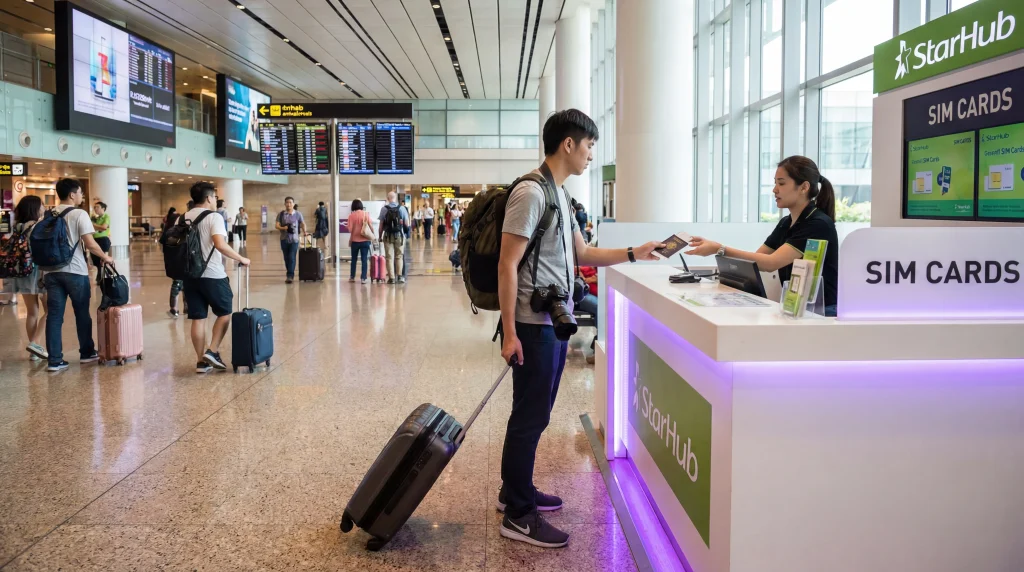

The best SIM card Singapore visitors choose depends on whether they need a local phone number or simply reliable mobile data. A travel eSIM is usually the quickest data-only choice, while a registered local prepaid SIM may suit travellers who specifically need conventional local calls or SMS.
Do not choose only by the largest advertised allowance. Check validity, hotspot rules, network access, registration requirements and whether the plan works after any onward trip to Malaysia or Indonesia.
NoveSIM travel eSIMs are data-only. They support internet apps such as WhatsApp and Maps but do not include a Singapore number, standard voice minutes or SMS.
Quick answer: Choose a travel eSIM when your phone is unlocked and you mainly need data immediately after landing. Choose a Singapore prepaid SIM when a local number or conventional calls matter and you are comfortable completing identity registration. Keep home roaming only when retaining your existing number with minimal setup is worth the operator’s charges.
Top Singapore eSIMs

Singapore eSIM
Fixed
1 GB, 7 days€ 3.082 GB, 15 days€ 4.403 GB, 30 days€ 5.28Unlimited
Unlimited, 1 day€ 3.52Unlimited, 3 days€ 6.16Unlimited, 5 days€ 8.81
Best SIM card Singapore decision checklist
Which option fits your trip?
| Option | Best for | Main trade-off |
|---|---|---|
| Travel eSIM | Fast data setup without replacing the physical SIM | Usually data-only and requires a compatible unlocked phone |
| Singapore prepaid SIM | Travellers who require a local number or local voice/SMS bundle | Identity registration and a purchase/activation step |
| Home roaming | Short trips where continuity matters more than price | Cost and fair-use terms depend on the home operator |
| Pocket Wi-Fi | Several devices travelling together | Another charged device to carry and return |
For a direct digital-versus-physical comparison, read local SIM versus eSIM in Singapore. Travellers carrying several devices should also compare pocket Wi-Fi and eSIM.
What to compare before buying
- Coverage and network access: check the partner network named for the plan rather than assuming every reseller uses the same service.
- Validity: confirm when the clock begins—purchase, installation or first network connection.
- Data type: distinguish a fixed allowance from an unlimited plan subject to speed management.
- Hotspot: confirm tethering is allowed if a laptop or tablet depends on it.
- Number and SMS: a data-only eSIM cannot replace a local voice/SMS line.
- Onward travel: a Singapore-only plan may stop at the border.
The Singapore tourist network guide explains how to evaluate network access without treating a reseller’s plan name as the underlying operator.
Do tourists need identification for a local SIM?
Singapore requires registration of prepaid mobile subscribers. A foreign visitor should expect an authorised seller to request an accepted identity document, normally the original passport, before activating a local prepaid SIM. Registration rules and supported documents can change, so confirm the current process with the operator or authorised retailer.
This registration requirement applies to a local mobile line. A travel eSIM purchased from an international provider follows that provider’s purchase process and does not give the customer a Singapore telephone number.
Buying a SIM at Changi Airport
An airport purchase can be convenient when a local number is essential, but stock, counter location, hours and available bundles can vary by terminal and arrival time. Do not build an immediate onward journey around an unverified counter.
Carry the original passport required for registration, compare the full price and validity, and ask the seller to confirm that activation has completed before leaving. The dedicated Changi Airport SIM card guide covers the arrival-specific decision.
When an eSIM is the better fit
An eSIM avoids the retail stop and lets a dual-SIM phone keep the home line in place. It works well for travellers whose bookings, transport, calls and messages already run through internet apps. Installation should be completed before departure; activation and data-line selection can then be finished on arrival.
Check the exact model in the Singapore eSIM compatibility guide, not just the handset family. Regional variants and carrier locks can change support.
When a physical tourist SIM is better
A local prepaid SIM is the stronger choice when a Singapore number is required for ordinary calls, SMS or a service that will not accept an internet-based alternative. It can also suit an unlocked phone without eSIM support.
Before removing the home SIM, make sure you can store it safely and still access any number used for banking or account recovery. Replacing the physical SIM does not automatically change an existing WhatsApp number, but losing access to the registered line can complicate later verification.
Related Articles
- Local SIM vs eSIM in Singapore
- Buying a SIM Card at Singapore Airport
- Best eSIM for Singapore Travel
- Singapore Roaming Charges
- How Much Data for Singapore?
FAQ
Can a tourist buy a prepaid SIM in Singapore?
Yes, subject to the operator’s eligibility and registration process. Foreign visitors should expect to present an accepted original identity document such as a passport.
Is an eSIM better than a SIM card in Singapore?
It is better for fast data-only setup on a compatible unlocked phone. A physical prepaid SIM is better when you specifically need a Singapore number or conventional voice and SMS service.
Can I buy a Singapore SIM at Changi Airport?
Tourist SIM products may be available through airport retailers, but brands, bundles, stock and opening hours can change. Verify the current terminal location and bring the required identification.
Will my WhatsApp number change with a Singapore SIM?
No, not automatically. Keep the existing WhatsApp number unless you deliberately use the Change Number feature. Retain access to the original line in case verification is required later.
Final Recommendation
Use a travel eSIM for immediate data and dual-SIM convenience; use a registered local prepaid SIM when a Singapore number is genuinely necessary.
Compare validity, network access, hotspot conditions and identification requirements before paying, and test the chosen line before leaving the airport or accommodation.
For most app-based visitors, the decision is not which card is universally “best,” but whether the trip needs data only or an actual local mobile number.
The best SIM card Singapore choice should also leave a safe recovery path: keep any installed eSIM profile, and use the NoveSIM APN data.esim only on that travel line.