
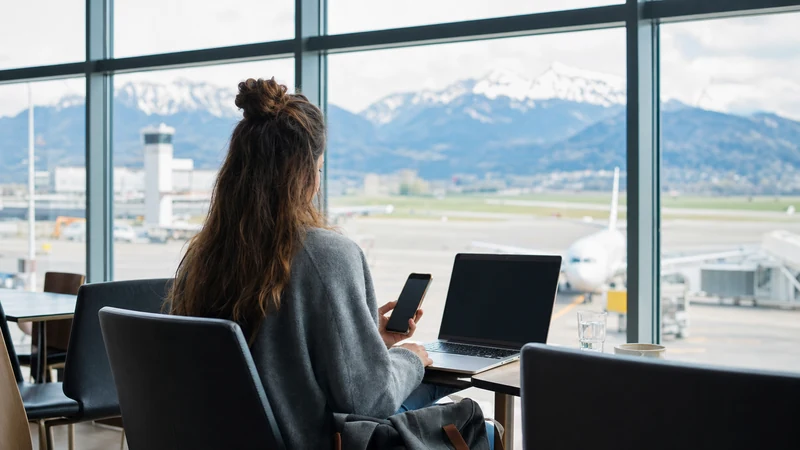

Traveller using a smartphone beside the departures area at Salzburg Airport

WiFi at Salzburg Airport: Free Internet and eSIM Backup

Salzburg Airport provides free wireless internet in both terminals, making it easy to check messages, download a boarding pass or arrange transport while you are inside the airport. The official network is called Freewave, and travellers can connect with a phone, tablet or laptop.

Airport WiFi is useful during a short wait, but it does not follow you onto the bus, into Salzburg or through the surrounding Alpine region. Travellers who need continuous navigation, messaging and booking access can prepare an Austria travel eSIM as a mobile-data backup.

NoveSIM travel eSIM plans are data-only. They normally do not include an Austrian phone number, traditional calls or SMS, but WhatsApp, iMessage, FaceTime and other internet-based services can work through mobile data.

Quick answer: Select Freewave in your device’s WiFi settings, open a browser and choose the connect option on the welcome page. The service is available free of charge in both terminals, including common passenger areas. Keep an eSIM ready if you need internet immediately after leaving the airport or if the public network is busy.

Top Austria eSIMs

Is There Free WiFi at Salzburg Airport?

Yes. Salzburg Airport’s official passenger information describes its WiFi as free and unlimited. Coverage is offered in both terminal buildings, including the check-in area, departure halls and passenger facilities such as shops, information desks and restaurants. This makes it suitable for ordinary travel tasks before departure or shortly after arrival.

“Unlimited” describes the access policy rather than a guaranteed speed. Performance can still change according to the number of connected passengers, your position in the terminal, interference and the type of device you use. A quiet morning may feel noticeably faster than a busy holiday departure period.

The network is intended for convenience, so it is sensible to download important documents before travelling. Store your boarding pass, accommodation address, insurance details and essential reservation numbers offline. If airport WiFi becomes slow, these basics remain available without a connection.

How to Connect to Salzburg Airport WiFi

The official connection process is straightforward and does not require buying a voucher. Follow these steps after entering either terminal:

  1. Unlock your phone, tablet or computer and open its WiFi settings.
  2. Make sure WiFi is switched on and wait for nearby networks to appear.
  3. Select the network named Freewave.
  4. Open a web browser if the airport welcome page does not appear automatically.
  5. Choose the connect option shown on the welcome page.
  6. Wait for the confirmation, then open a normal website to test the connection.

The exact appearance of the welcome page can change, so follow the current on-screen instructions and airport signage. Avoid networks with a similar but unfamiliar name. If you are uncertain, ask the airport information desk to confirm the correct network before entering any information.

Where Does Freewave Work Inside the Airport?

According to Salzburg Airport, WiFi is available in both terminals and across the main passenger areas. Travellers should normally be able to connect around check-in, departure lounges, shops, restaurants and information points. Signal strength may vary within individual buildings, particularly near exterior walls, service areas or crowded gates.

If the signal looks weak, move towards a more open public seating area rather than repeatedly restarting the phone. A change of only a few metres can improve reception. Disconnect from a personal hotspot you used on the journey, because some devices keep trying to reconnect to a remembered network instead of joining Freewave.

Do not assume the airport network will provide useful coverage outside the terminal doors, at the bus stop or throughout the car park. Once you leave the building, mobile data is the more practical option. The guide to an eSIM for Salzburg Airport explains how to prepare a digital plan before arrival.

What to Do If the WiFi Login Page Does Not Appear

Public WiFi normally uses a captive portal: a small welcome page that opens before full internet access begins. Sometimes the device connects to Freewave but the portal remains hidden. This is usually a local browser or network-state issue rather than proof that the service is unavailable.

  1. Turn WiFi off, wait a few seconds and turn it on again.
  2. Forget the Freewave network in your device settings, then select it again.
  3. Open a browser and visit a simple non-sensitive webpage to trigger the welcome screen.
  4. Temporarily pause a VPN, private relay or secure DNS feature if it prevents captive portals from opening.
  5. Confirm that the device’s date and time are set automatically.
  6. Close the browser completely, reopen it and retry the connect option.
  7. Move to another public area of the terminal and reconnect.

Restore your VPN or privacy feature after the connection is established if you normally use one. Never disable device security permanently just to join a public network. If the portal still does not load, ask airport staff whether there is a temporary service issue and switch to mobile data when available.

Why Salzburg Airport WiFi May Be Slow

Shared airport networks serve many devices at once. Video calls, operating-system updates and cloud synchronisation can consume a large amount of capacity, especially around busy departure times. Your phone may also remain connected to a weak access point as you walk from check-in to the gate.

  • Heavy demand: many travellers may be streaming or downloading simultaneously.
  • Weak position: walls, distance and crowded seating can reduce signal quality.
  • Background activity: photo backup, app updates and cloud drives may use bandwidth without being obvious.
  • Device behaviour: an older WiFi radio or aggressive battery-saving mode can affect performance.
  • Portal state: the device may show a WiFi symbol even though the welcome step has not been completed.

Pause large downloads and automatic backups, reconnect near an open passenger area and test one ordinary webpage. If you need a stable connection for an urgent task, mobile data may be faster than troubleshooting a crowded public network. Similar mobile-data problems are covered in the guide to slow Austria eSIM connections.

Is Salzburg Airport WiFi Safe?

Public WiFi should be treated as a shared environment. Use it for routine tasks, but take extra care with banking, confidential work documents and accounts containing sensitive personal data. A legitimate welcome page should not ask for payment-card details merely to provide the airport’s free access.

  • Confirm that the network name is Freewave.
  • Keep the device operating system and browser updated.
  • Prefer websites and apps that use encrypted connections.
  • Do not ignore certificate or security warnings.
  • Disable automatic joining of unfamiliar open networks.
  • Turn off file sharing and AirDrop-style discovery when they are not needed.
  • Forget the public network after leaving the airport.

A personal mobile-data connection avoids the shared airport access point, although normal online-security habits still matter. Travellers working with confidential material should also follow their employer’s security policy and approved VPN instructions.

Airport WiFi, eSIM, Roaming or a Physical SIM?

Option Best use Main limitation
Freewave airport WiFi Messages, boarding passes and short browsing inside the terminals Coverage ends outside the airport and speed can vary
Austria travel eSIM Navigation and data from the airport to Salzburg and beyond Requires a compatible, unlocked phone and correct setup
Home-network roaming Convenience for travellers with suitable roaming included Charges and fair-use terms depend on the home plan
Physical Austrian SIM Travellers who need a local plan or whose phone lacks eSIM Purchase, registration and shop opening hours may add friction

There is no single best option for every passenger. Free WiFi may be sufficient for someone being collected at arrivals. An independent traveller relying on maps and digital tickets will usually benefit from mobile data. Before choosing roaming, review the potential Austria roaming charges under your home contract.

If you prefer a removable card, read the comparison of a SIM card at Salzburg Airport. For most short visits, installing an eSIM before departure avoids spending arrival time looking for a shop or handling a tiny physical card.

How an Austria eSIM Helps After Leaving the Terminal

Salzburg Airport is close to the city, but the first journey still involves live decisions: checking a bus departure, locating a stop, messaging accommodation or changing a route after a delay. Airport WiFi cannot provide continuous coverage during that journey. A prepared eSIM can connect to a supported Austrian mobile network after landing.

Network availability, 4G or 5G access, speed and hotspot support depend on the selected plan, device, location and local coverage. Do not assume that a 5G icon is guaranteed everywhere. Good 4G can be entirely adequate for maps, messaging, email and normal travel browsing.

Before buying, confirm that the exact phone model supports eSIM and is not carrier-locked. The Austria eSIM phone compatibility guide explains the checks for iPhone and Android devices. A carrier lock can prevent another provider’s eSIM from working even when the hardware itself supports the technology.

When Should You Install and Activate the eSIM?

Install the eSIM while you still have a dependable connection at home, at your hotel before departure or on trusted WiFi. Save the QR code and installation details somewhere accessible from another device if possible. Do not wait until standing outside arrivals with no working connection.

Installation and plan activation are not always the same event. Some plans start when installed, while others begin when they first connect to a supported network. Follow the instructions supplied with the exact plan so that its validity does not begin earlier than intended.

  1. Confirm that the phone is eSIM-compatible and unlocked.
  2. Install the plan using the provided QR code or manual details.
  3. Give the new line a clear label such as “Austria Data”.
  4. Keep the primary SIM enabled if you need to receive calls or SMS.
  5. After arrival, select the eSIM for cellular or mobile data.
  6. Enable data roaming on the eSIM if the plan instructions require it.
  7. Disable mobile-data switching if you want to prevent the phone using the home SIM unexpectedly.

For a complete setup sequence, use the guide on how to activate an Austria eSIM. If the plan does not connect, do not delete it. Work through the safe checks in the Austria eSIM troubleshooting guide or contact support, because deleting an installed profile can make recovery harder.

Using Messaging, Calls and Two SIMs

A data-only travel eSIM can provide the internet connection used by messaging and calling apps. WhatsApp can normally continue using the account’s existing number; installing a data eSIM does not require changing the WhatsApp number. Avoid accepting an unnecessary number-change prompt. More detail is available in using WhatsApp with an Austria eSIM.

With dual-SIM mode, the home line may remain active for incoming calls or authentication texts while the eSIM supplies data. Your home carrier can still charge for calls, SMS or roaming activity. Review its terms and switch off data roaming on the home line unless you intentionally want to use it.

WiFi calling behaviour differs by carrier and device. Do not rely on it as the only method for an urgent call without testing it. The European emergency number is 112, but emergency calling should use the phone’s available voice-service capability rather than assuming a data-only plan includes conventional voice service.

How Much Mobile Data Is Useful for Salzburg?

Data needs depend more on behaviour than trip length alone. Maps, text messages and travel searches are relatively light. Video streaming, cloud photo uploads, social media video and laptop tethering use substantially more. Airport WiFi can reduce consumption by handling downloads before you leave, but only when the connection is reliable and the task is not sensitive.

  • Light use: maps, messaging, email and occasional searches.
  • Moderate use: regular social media, music and frequent browsing.
  • Heavy use: video, remote work, large uploads or hotspot sharing.

Download offline maps for Salzburg and planned day trips, restrict automatic app updates and postpone full-resolution photo backups. Check the phone’s per-app data screen during the trip rather than estimating only once. The detailed Austria trip data guide helps translate common activities into a more suitable allowance.

Internet for the Journey from Salzburg Airport

Public buses connect the airport with Salzburg, including services towards the city centre and main railway station. Routes, stop locations and timetables can change, so check the current airport and transport-operator information before travel. Save the destination address offline and take a screenshot of the relevant connection as a backup.

Mobile data becomes useful as soon as the bus leaves the terminal area. It allows you to follow the route, confirm where to get off and notify a host about delays. If you plan to continue into rural Salzburg state, the Alps or across a border, coverage can vary with terrain and the networks supported by the plan.

For a broader overview of connectivity choices beyond the airport, compare the options in mobile data in Austria. Travellers moving between several countries should also verify that the selected eSIM explicitly includes every destination rather than assuming an Austria-only plan will roam across the whole itinerary.

Practical Arrival Checklist

  • Store your boarding pass, hotel address and transport details offline.
  • Connect only to the official Freewave network and complete its welcome page.
  • Use public WiFi cautiously and avoid ignoring browser security warnings.
  • Install an Austria eSIM before travel if you need uninterrupted mobile data.
  • Keep data roaming off on the home SIM unless your contract includes the intended use.
  • Select the travel eSIM as the mobile-data line after arrival.
  • Keep the eSIM installed during troubleshooting and follow support instructions.
  • Check current bus information and save the route before leaving the terminal.

Related Articles

FAQ

Is WiFi free at Salzburg Airport?

Yes. Salzburg Airport provides free WiFi through the Freewave network in both terminals. Connect to Freewave, open a browser and use the connect option on the welcome page.

Do I need a password for Salzburg Airport WiFi?

The airport’s published instructions direct passengers to select Freewave and connect through its welcome page rather than buy a password. Follow the current portal and airport signage because the on-screen process may change.

Why does Freewave connect without giving me internet?

The welcome page may not have completed. Forget and rejoin the network, open a browser and temporarily pause a VPN or private relay if it blocks captive portals. Restore privacy tools after connecting.

Does Salzburg Airport WiFi work outside the terminal?

Do not depend on terminal WiFi for the bus stop, road journey or city. Coverage is designed for airport passenger areas. Use mobile data or an Austria eSIM after leaving the building.

Can I install an Austria eSIM using airport WiFi?

It may be possible, but installing before departure on a dependable connection is safer. Check when the plan’s validity begins, save the installation details and do not delete the eSIM if initial activation fails.

Will WhatsApp work with a data-only Austria eSIM?

Yes, WhatsApp can use the eSIM’s mobile data while usually keeping the account’s existing number. A data-only eSIM does not itself provide traditional calls or SMS.

Final Recommendation

Use Salzburg Airport’s Freewave network for practical tasks inside the terminals: checking messages, retrieving a booking and reviewing onward transport. Join the correct network, complete the browser welcome page and treat it as public WiFi.

If you need maps and messaging from the moment you leave arrivals, install a compatible Austria eSIM before travel and select it as the mobile-data line after landing. Confirm the plan’s activation rule and keep the profile installed if troubleshooting is needed.

The most resilient setup combines offline essentials, free terminal WiFi and a prepared mobile-data option. That gives you a fallback at the airport and continuous connectivity for Salzburg, onward rail journeys and Alpine day trips.

Scroll to Top