
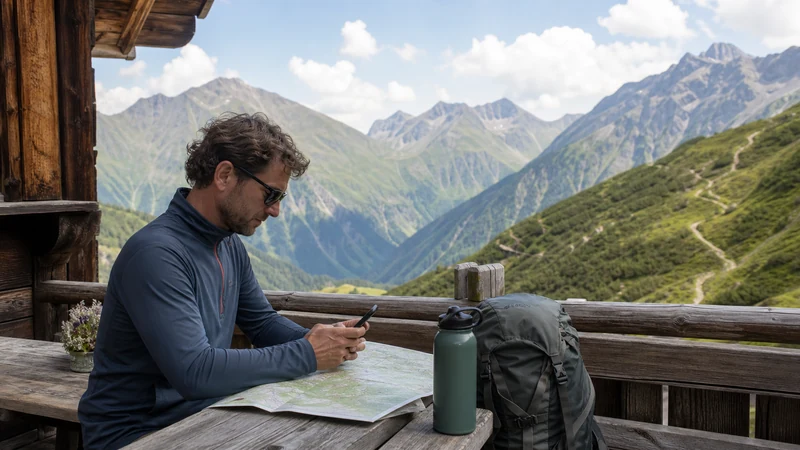

Internet in the Austrian Alps is available through mobile data, travel eSIMs, local SIMs and WiFi at some accommodation, restaurants and mountain facilities. Service is often useful in towns and valleys, but terrain, tunnels and remote trails can create significant coverage gaps.
A compatible unlocked phone can use an Austria eSIM without replacing the home SIM. It can support maps, bookings, weather checks and messaging, although it must never be treated as a guaranteed emergency connection in the mountains.
NoveSIM travel eSIM plans are data-only. They normally do not include an Austrian number, traditional calls or SMS, while internet calling and messaging apps can work when usable data coverage is present.
Quick answer: Install an Austria eSIM before departure, download complete map areas and essential documents, and verify the plan’s validity and supported networks. Expect weaker or absent signal in remote valleys, tunnels and high mountain terrain, and carry the navigation, safety equipment and offline information appropriate for the activity.
Top Austria eSIMs
Where Can You Expect Internet in the Austrian Alps?
Connectivity is generally easiest in established resorts, larger valley towns and accommodation with fixed internet service. Mobile reception can also extend along major roads and populated corridors, but conditions change quickly as terrain blocks the path between the phone and a network site.
| Location | Likely connection options | Preparation |
|---|---|---|
| Resort or valley town | Mobile data and accommodation WiFi | Confirm indoor coverage and property facilities |
| Main road or railway corridor | Mobile data with possible gaps | Keep tickets and routes offline |
| Mountain hut | Variable WiFi or mobile reception | Do not assume guest internet is available |
| Remote hiking trail | Intermittent or no mobile service | Carry offline maps and proper safety resources |
| Tunnel or enclosed valley | Possible temporary loss of signal | Download the route before entry |
No plan can guarantee reception at a particular hut, ski lift, trail or car park. Coverage maps are estimates and cannot account for every building, slope, weather condition or period of network demand.
Why Mountain Terrain Changes Mobile Coverage
Mobile signals travel between the device and network infrastructure. Peaks, ridges and steep valley walls can obstruct that path, while reflected signals can produce inconsistent performance. A phone may show service on an open slope and lose it after moving behind a ridge.
Forests, thick stone walls, underground garages and long tunnels can also weaken reception. The device may reconnect automatically after reaching a clearer location, so a short outage does not necessarily mean the eSIM has failed.
4G and 5G availability depends on the eSIM plan, supported partner, phone, frequency bands, precise position and local network conditions. A 5G-capable device may correctly fall back to 4G or another available technology.
Is an eSIM a Good Choice for the Austrian Alps?
An eSIM is practical for travellers who want to arrange mobile data before arriving and keep their usual SIM installed. It removes the need to find a physical retailer immediately, which can be valuable when travelling directly to a small resort or rural accommodation.
It does not provide stronger radio coverage by itself. The experience depends on the local partner networks included in the selected plan. Compare the product’s country list, allowance, validity, hotspot rule and stated network access.
Before purchasing, use the Austria eSIM compatibility guide to confirm that the exact model supports eSIM and is carrier-unlocked.
How to Choose a Plan for an Alpine Trip
- Route: list every valley, resort, town and border crossing.
- Duration: make sure validity covers arrival, activity days and departure.
- Partner networks: review those named for the selected product.
- Allowance: include maps, weather, messaging and any hotspot use.
- Fair use: understand speed or daily limits attached to unlimited wording.
- Hotspot: verify tethering if sharing with companions or a laptop.
- Countries: choose regional coverage for cross-border itineraries.
The best plan is the one that matches the trip rather than the plan with the largest headline allowance. Use the Austria data allowance guide to estimate consumption from actual activities.
Austria-Only or Regional Alpine Coverage?
An Austria-only eSIM can suit a holiday wholly within the country. A regional plan is more convenient when the journey includes Germany, Italy, Switzerland, Slovenia or Liechtenstein, or when the traveller reaches Austria through another country.
Check every destination in the exact country list. “Europe” does not always mean all European countries, and Switzerland can be placed in a separate roaming group. Validity and one shared regional allowance must cover the entire itinerary.
Crossing a border can trigger a fresh network registration that takes a few minutes. Keep maps and accommodation details offline during the transition.
How Much Data Do Mountain Travellers Need?
Offline maps make navigation relatively light on mobile data. Weather radar, photo uploads, video calls, social feeds and hotspot use can be much more demanding.
| Use | Relative demand | Recommendation |
|---|---|---|
| Messaging and occasional searches | Low | Restrict automatic media downloads |
| Offline mapping with live refreshes | Low | Download the complete region on WiFi |
| Weather maps and transport updates | Low to moderate | Refresh when needed from a safe location |
| Photo and video uploads | High | Wait for trusted accommodation WiFi |
| Remote work and hotspot | High or variable | Pause updates and carry a backup plan |
Battery use also rises when the phone searches repeatedly for weak service. Airplane mode can conserve power in a known no-service area, but only use it when doing so fits the traveller’s communication and safety plan.
Prepare Offline Maps Before Entering the Mountains
Download more than a single route line. Include the whole valley, nearby towns, trail approaches and alternative transport connections. Test the map without data before relying on it.
- Update the chosen map or official activity app on reliable WiFi.
- Download all required regional sections.
- Save accommodation, parking, station and lift locations.
- Store booking references, tickets and check-in instructions offline.
- Carry an appropriate paper map and compass for serious hiking where required.
- Tell a responsible person the planned route and expected return when appropriate.
A general phone map is not a substitute for a current topographic map, marked-route information or professional guidance. Choose navigation resources suitable for the specific hike, climb, ski tour or winter activity.
Weather Information and Mountain Safety
Mobile data can retrieve forecasts, lift information and official warnings, but it cannot make stale information current after coverage disappears. Check conditions before leaving accommodation and again at an appropriate staffed location.
Weather can change rapidly in the Alps. Connectivity does not replace suitable clothing, equipment, experience, local advice or a willingness to turn back. Do not take a more exposed route merely because a phone currently shows signal.
Internet calling apps depend on data and should not be the only emergency plan. Learn the relevant local emergency procedures and carry equipment suitable for the activity.
Can You Rely on WiFi at Mountain Huts?
Some huts, hotels and restaurants offer guest WiFi, while others have limited bandwidth or no public connection. Remote properties may depend on a constrained upstream link that becomes slow when many guests connect.
- Check the property’s official information before the stay.
- Ask whether guest WiFi reaches rooms or only common areas.
- Do not schedule essential work solely around unconfirmed hut WiFi.
- Download tickets and maps before ascending.
- Use shared networks carefully and avoid unexpected security prompts.
Even when WiFi is available, power outlets may be limited. Carry a charged power bank and respect the property’s rules about charging equipment.
When Should You Install the Austria eSIM?
Install before departure using private dependable WiFi. Keep the QR code, manual installation details, order reference and support contact accessible on another device or in print.
Check the validity trigger. Some plans start when installed; others start only when connecting to a supported destination network. Follow the exact instructions for the purchased product.
A destination eSIM may not register while still at home. Do not delete it because it has no service outside the covered area.
How to Activate Mobile Data in Austria
- Enable the installed Austria or regional eSIM.
- Label it clearly so it is not confused with the home line.
- Select it for cellular or mobile data.
- Enable data roaming on the travel eSIM if required.
- Keep roaming disabled on the home SIM unless intentionally used.
- Turn off automatic cellular-data switching.
- Leave network selection automatic and wait for registration.
- Test a normal webpage before leaving the connected location.
Use the Austria eSIM activation guide for common phone menu paths. Do not alter settings while driving, cycling, skiing or walking on exposed terrain.
Should Network Selection Stay Automatic?
Automatic selection is the normal starting point because the phone can search for a supported partner as the location changes. Manual selection may help only when support identifies a particular included network for testing.
A network visible in the phone’s list is not necessarily available to the eSIM. Rejected registration can simply mean that the operator is not a supported partner for the plan.
Do not invent an APN or copy settings from an unrelated eSIM. If manual configuration is required, use the exact product information and consult the Austria eSIM APN guide.
Calls, SMS and Messaging in the Alps
A data-only travel eSIM does not normally supply a local number. A dual-SIM phone may keep the home line active for traditional calls and SMS, but the home provider can charge for calls, voicemail or roaming activity.
Check the Austria roaming charges guide before leaving. Selecting the eSIM for data does not automatically make the home line free.
WhatsApp and similar apps can continue using the existing account through mobile data. The guide to using WhatsApp with an Austria eSIM explains the usual dual-SIM arrangement. Remember that app calling still requires usable coverage.
Hotspot and Remote Work in Mountain Areas
Hotspot may be supported by the plan and phone, but a remote mobile connection is not a guaranteed replacement for fixed broadband. Signal strength and network demand can change during a meeting or upload.
- Confirm tethering is included before purchase.
- Use a strong password and connect only recognised devices.
- Pause laptop updates and cloud synchronisation.
- Have a second suitable location or connection for critical work.
- Do not assume a mountain hut has a quiet workspace, power or fast WiFi.
For business-critical calls, schedule from a confirmed hotel, coworking space or valley location rather than an unverified remote stop.
What to Do When the Signal Disappears
First consider the location. A tunnel, enclosed valley or building may cause a temporary gap. Move only when it is safe and appropriate; never approach an edge or leave a marked route merely to find reception.
- Return to a safe open location if the planned route permits it.
- Confirm that the eSIM remains enabled and selected for data.
- Check the required data-roaming setting.
- Toggle airplane mode briefly, then allow time for registration.
- Restart the phone if service does not recover in a covered area.
- Verify validity, allowance and the included country.
- Contact support from a safe connected location with useful details.
Do not delete the eSIM unless support explicitly instructs you to do so. Reinstallation may be restricted. Follow the complete Austria eSIM troubleshooting guide when the problem continues in an area with expected coverage.
Battery and Cold-Weather Preparation
Navigation, photography, weak-signal searching and low temperatures can reduce practical battery life. Begin with a charged phone, carry an appropriate power bank and protect equipment from moisture and extreme cold.
- Download content before leaving a powered location.
- Reduce unnecessary screen brightness.
- Limit background applications and automatic uploads.
- Keep the phone protected and reasonably warm in cold conditions.
- Do not rely on one electronic device as the only navigation tool.
Follow manufacturer guidance for charging temperature and moisture. A power bank is useful only when it is charged, compatible and safely stored.
Related Articles
- Mobile Data in Austria for Tourists
- How Much Data Do You Need for Austria?
- Austria eSIM Phone Compatibility
- How to Activate an Austria eSIM
- Austria eSIM Troubleshooting
- Why Is My Austria eSIM Slow?
FAQ
Does mobile internet work in the Austrian Alps?
It works in many towns, resorts and travelled valleys, but coverage can become intermittent or disappear in tunnels, remote valleys and mountain terrain. Download maps and critical information before leaving a confirmed connection.
Is an Austria eSIM useful for hiking?
It can support weather checks, messaging and online maps where a supported partner has coverage. It does not replace appropriate offline navigation, equipment, experience or an emergency plan.
Do Austrian mountain huts have WiFi?
Some do, but availability, access and performance vary. Confirm directly with the property and do not rely on unverified hut WiFi for essential work or navigation downloads.
Will 5G work in Alpine areas?
It may be available in some locations, but it depends on the plan, device, partner network and coverage. The phone may use 4G or another available service instead.
Should I choose an Austria-only or European eSIM?
Choose Austria-only for a domestic trip and regional coverage for a cross-border itinerary. Verify every included country and the shared validity and allowance.
Should I delete an eSIM after losing mountain signal?
No. The location may simply lack coverage, and deletion can make reinstallation difficult. Check again in a known covered area and contact support before removing the profile.
Final Recommendation
Use an Austria or suitable regional eSIM as a convenient source of mobile data in the Austrian Alps, but choose it according to the route, validity, partner networks and realistic allowance.
Install before departure, select the travel line correctly and retain all setup details. Download regional maps, tickets, accommodation information and weather resources while a dependable connection is available.
Expect gaps and plan for them. Mobile internet is a helpful travel tool, while suitable navigation, equipment, local advice and responsible mountain decisions remain the essential safeguards.


