
 Български

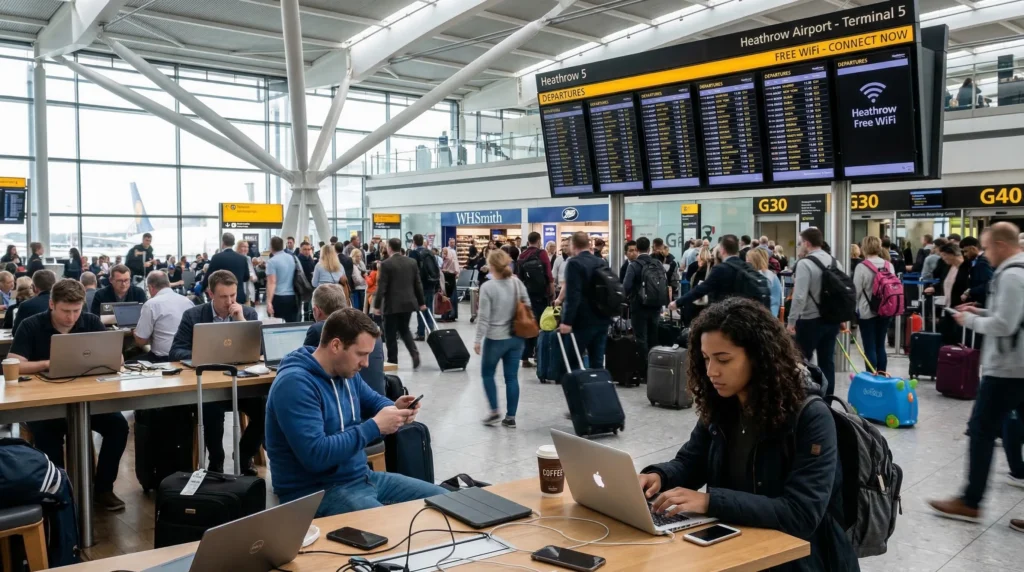
London Heathrow Airport is one of the busiest international airports in the world, serving millions of travelers every year.
Most visitors arriving in the UK immediately need internet access for:
- booking taxis or ride-sharing apps
- checking hotel reservations
- contacting friends or family
- navigating public transport in London
Fortunately, Heathrow Airport provides free WiFi for travelers throughout its terminals.
In this guide we explain how to connect to WiFi at Heathrow Airport and what alternatives exist for reliable internet access.
Does Heathrow Airport Have Free WiFi?
Yes. Heathrow Airport offers free WiFi in all terminals, including:
- Terminal 2
- Terminal 3
- Terminal 4
- Terminal 5
The service allows passengers to connect to the internet while waiting for flights, during layovers, or immediately after arrival.
How to Connect to Heathrow Airport WiFi
Connecting to the airport network is simple.
Follow these steps:
- open the WiFi settings on your phone
- select the network _Heathrow WiFi
- open the login page
- accept the connection terms
After completing the login process, you will have internet access inside the airport.
Is Heathrow Airport WiFi Fast?
The speed of airport WiFi depends on the number of connected users.
During busy travel periods the connection may become slower because thousands of passengers share the same network.
Typical performance:
| Connection Type | Typical Speed | Best For |
| Free WiFi | Moderate | Messaging, browsing |
| Premium WiFi | Faster | Video streaming |
| Mobile Data | Fast | Maps, apps, navigation |
Limitations of Airport WiFi
Although free WiFi is convenient, it has several limitations.
- network congestion during peak hours
- security risks on public networks
- connection may disconnect when leaving the terminal
For travelers who need reliable internet while moving through the city, mobile data is usually a better option.
Alternative: Mobile Internet at Heathrow Airport
Many travelers prefer using mobile data immediately after landing.
This allows internet access:
- outside the airport
- inside taxis or trains
- throughout London
Visitors can buy a SIM card directly at the airport.
See our guide:
Another option is installing an eSIM before traveling.
This allows the phone to connect to the internet immediately after landing.
Learn more:
How to Get Internet in the UK as a Tourist
Should You Use WiFi or eSIM at Heathrow?
Both options can work depending on your needs.
Airport WiFi is useful for short browsing sessions, while eSIM provides continuous internet access throughout the trip.
Many travelers install an eSIM because it works immediately after landing without needing to search for WiFi networks.
Final Thoughts
Heathrow Airport offers free WiFi across all terminals, making it easy for travelers to connect to the internet after arrival.
However, airport networks can become slow during busy travel periods.
For more reliable connectivity throughout London and the United Kingdom, many travelers prefer using mobile data through a local SIM card or travel eSIM.
FAQ
Is WiFi free at Heathrow Airport?
Yes. Heathrow Airport offers free WiFi for passengers in all terminals.
How do I connect to Heathrow Airport WiFi?
Select the Heathrow WiFi network, open the login page, and accept the connection terms.
Is Heathrow Airport WiFi fast?
The speed varies depending on how many users are connected to the network at the same time.
Is it better to use WiFi or mobile data at Heathrow?
WiFi works inside the airport, but mobile data is more reliable once you leave the terminal.