
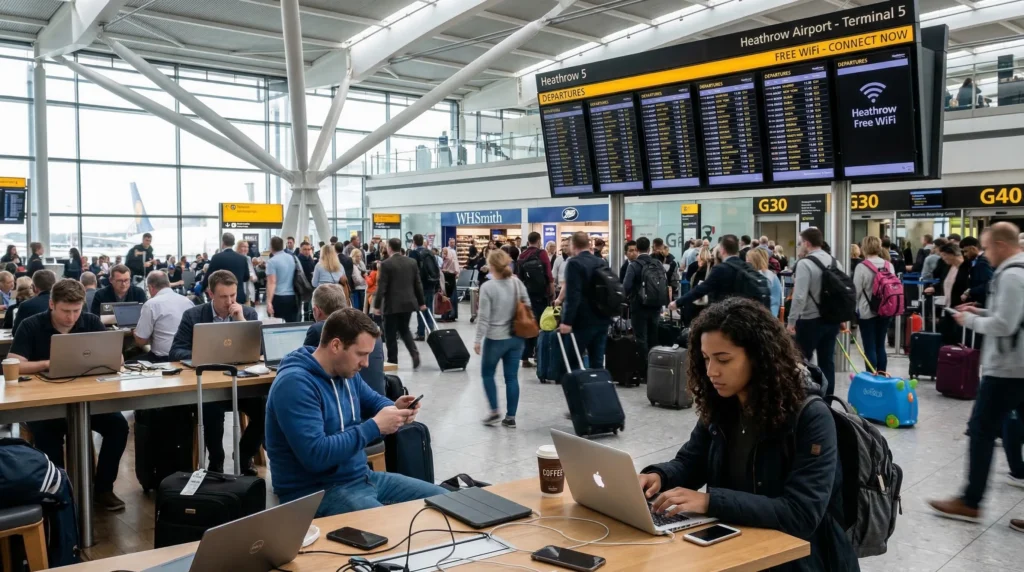

Traveler connecting to free WiFi at Heathrow Airport using a smartphone.

WiFi at Heathrow Airport in 2026

Accessing WiFi at Heathrow Airport is one of the first things many travelers do after landing in London.

Whether you need maps, WhatsApp, train tickets, Uber, hotel bookings, or travel apps, reliable internet is essential immediately after arriving in the United Kingdom.

Quick answer: Heathrow Airport offers free WiFi throughout its terminals, but many travelers also use UK eSIMs for faster and more reliable internet outside the airport.

Top United Kingdom eSIMs

Does Heathrow Airport Have Free WiFi?

Yes. Heathrow Airport provides free WiFi access across its terminals. Travelers can connect to the network called:

_Heathrow Wi-Fi

Once connected, travelers can usually use the internet for the duration of their stay at the airport.

How to Connect to Heathrow Airport WiFi

  1. Open WiFi settings on your phone or laptop.
  2. Select _Heathrow Wi-Fi.
  3. Open your browser.
  4. Complete the registration process.
  5. Accept the terms and conditions.
  6. Start browsing the internet.

Heathrow explains that users may need to register before accessing the free WiFi service.

Where Does Heathrow WiFi Work?

Free WiFi is generally available across:

  • Arrival halls
  • Departure gates
  • Baggage claim areas
  • Airport lounges
  • Food courts
  • Shopping areas
  • Train connections
  • Waiting areas

Heathrow states that WiFi is available throughout the terminals.

Is Heathrow WiFi Good Enough for Travelers?

For basic travel tasks, Heathrow WiFi is usually sufficient.

Travelers commonly use it for:

  • Google Maps
  • WhatsApp messages
  • Email
  • Train bookings
  • Uber and taxi apps
  • Hotel communication
  • Social media

However, airport WiFi speeds may vary depending on terminal congestion and passenger volume.

Why Many Travelers Prefer eSIM Instead of Airport WiFi

Many tourists now use UK eSIMs because they provide:

  • Internet outside the airport
  • Reliable mobile connectivity
  • No dependence on public WiFi
  • Better privacy and security
  • Immediate internet after landing
  • Fast 4G and 5G coverage

Most modern smartphones now support eSIM functionality.

Browse United Kingdom eSIM plans

Top United Kingdom eSIMs

How Good Is Mobile Internet at Heathrow Airport?

Heathrow Airport generally offers strong mobile coverage and reliable internet connectivity throughout terminals and surrounding transport areas.

Coverage is usually strong across:

  • Arrival terminals
  • Baggage claim
  • Underground stations
  • Heathrow Express platforms
  • Airport hotels
  • Taxi pickup areas
  • Airport lounges

Major UK operators continue expanding strong 4G and 5G coverage around Heathrow and London.

Main Mobile Networks at Heathrow Airport

EE

EE is often considered one of the strongest mobile networks in the UK.

  • Excellent airport coverage
  • Strong 5G performance
  • Reliable London connectivity
  • Excellent urban speeds

Vodafone UK

Vodafone provides strong city and airport coverage.

  • Reliable airport connectivity
  • Strong transport coverage
  • International traveler support

Three UK

Three is popular among travelers because of large data plans and flexible pricing.

  • Large data plans
  • Good urban coverage
  • Strong value plans
  • 5G support

O2

O2 is also widely used throughout London and Heathrow.

  • Reliable airport coverage
  • Strong tourist-area performance
  • Popular prepaid options
  • Good urban connectivity

Can Travelers Buy SIM Cards at Heathrow Airport?

Yes. Travelers can buy prepaid SIM cards at Heathrow Airport from airport shops and mobile operator kiosks.

However, many travelers now prefer eSIMs because they:

  • Avoid airport queues
  • Activate instantly online
  • Do not require physical SIM replacement
  • Allow travelers to keep their main SIM active

Reddit travelers also frequently mention that airport SIM cards can be more expensive than online eSIM options.

Can Travelers Use WiFi for Video Calls and Streaming?

Basic browsing and messaging usually work well on Heathrow WiFi.

However, some travelers have reported occasional limitations with streaming or app downloads during busy periods.

How to Install a UK eSIM Before Landing

  1. Purchase the UK eSIM plan.
  2. Connect your phone to WiFi before travel.
  3. Open Mobile Data or SIM settings.
  4. Select Add eSIM.
  5. Scan the QR code.
  6. Follow the installation instructions.
  7. Select the eSIM for mobile data.
  8. Enable Data Roaming if required.

Tips for Using Heathrow Airport WiFi

  • Use the official network: _Heathrow Wi-Fi
  • Avoid unknown public hotspots
  • Use VPN if handling sensitive data
  • Download maps before arrival
  • Carry a power bank
  • Install your eSIM before departure if possible

Related UK Travel Internet Guides

FAQ: WiFi Heathrow Airport

Is WiFi free at Heathrow Airport?

Yes. Heathrow Airport provides free WiFi throughout its terminals.

What is the Heathrow WiFi network name?

The official airport WiFi network is called _Heathrow Wi-Fi.

Do travelers need to register for Heathrow WiFi?

Yes. Travelers usually need to complete a short registration process before using the free WiFi service.

Can travelers buy SIM cards at Heathrow Airport?

Yes. SIM cards are available at airport shops and mobile operator kiosks.

Is eSIM better than airport WiFi?

Many travelers prefer eSIM because it provides reliable internet both inside and outside the airport.

Is mobile internet good at Heathrow Airport?

Yes. Heathrow Airport generally offers strong 4G and 5G coverage across terminals and transport areas.

Final Recommendation

Heathrow Airport offers free WiFi throughout its terminals, making it easy for travelers to connect immediately after arrival.

However, many tourists now prefer UK eSIMs because they provide more reliable internet, better privacy, and continuous connectivity throughout London and the United Kingdom.

Browse United Kingdom eSIM plans

Scroll to Top