


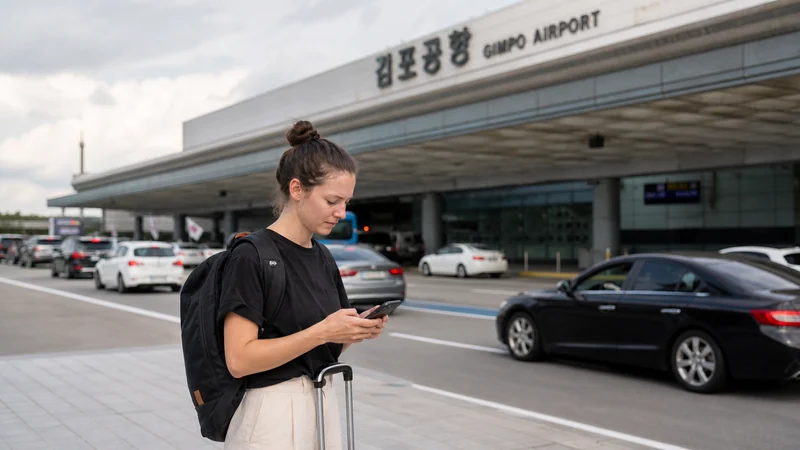

Gimpo Airport Wi-Fi can cover immediate arrival tasks, but mobile data is more useful once you continue by subway, bus or taxi.
Your options are airport Wi-Fi, a travel eSIM, Korean prepaid SIM or home roaming.
NoveSIM plans are data-only and do not provide a Korean number, conventional calls or SMS.
Quick answer: Use the airport’s official Wi-Fi inside the terminal and prepare a South Korea eSIM before departure for maps and messages during the journey into Seoul.
Top Republic of Korea eSIMs

Republic of Korea eSIM
Fixed
1 GB, 7 days€ 4.842 GB, 15 days€ 7.933 GB, 30 days€ 10.57Unlimited
Unlimited, 1 day€ 4.84Unlimited, 3 days€ 13.21Unlimited, 5 days€ 21.14
Which Option Works at Gimpo Airport?
| Option | Useful for | Limitation |
|---|---|---|
| Airport Wi-Fi | Bookings inside the terminal | Not continuous after departure |
| Travel eSIM | Airport-to-city travel | Unlocked phone needed |
| Local SIM | Korean-number needs | Purchase takes time |
| Roaming | Immediate backup | Carrier cost varies |
Prepare Before Landing
Check Republic of Korea eSIM plans and install on dependable Wi-Fi. After arrival, select the eSIM for data and enable roaming on that line when required. Follow the installation guide.
Connect Safely
Verify the airport network name on official signage. Keep sharing off and avoid sensitive account changes on an unfamiliar hotspot. Save the Seoul destination in Korean before leaving.
If Mobile Data Does Not Start
Check the active line, roaming, automatic network selection and allowance. Use data.esim if manual APN entry is required. Do not delete the eSIM; follow the troubleshooting checklist.
Related Articles
FAQ
Does Gimpo Airport have Wi-Fi?
Yes. Verify the official network name on current airport signage.
Will airport Wi-Fi work on the subway?
Do not rely on terminal Wi-Fi after leaving the airport.
Can I use an eSIM at Gimpo Airport?
Yes, when the plan covers South Korea and the phone is compatible and unlocked.
Do I need a Korean SIM?
Only if you specifically require a Korean number or local bundle.
Final Recommendation
Use Gimpo Airport Wi-Fi as a short arrival backup and prepare mobile data for the transfer. Save the destination offline before leaving the terminal.