


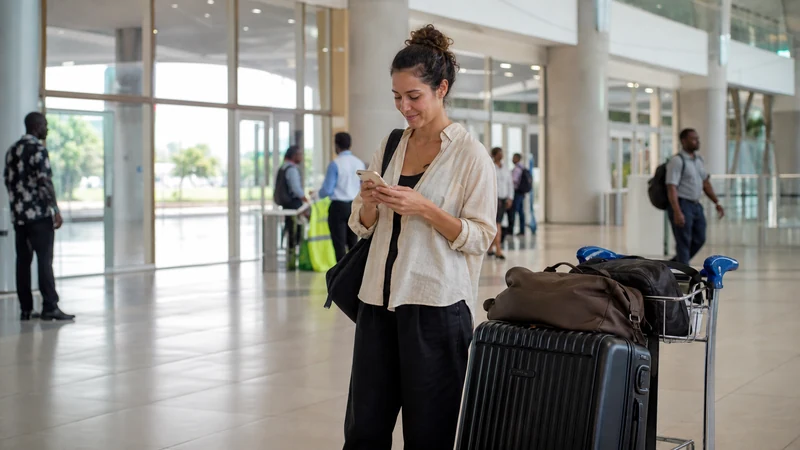

Free Wi-Fi is available in several passenger areas at Entebbe International Airport. Uganda’s Civil Aviation Authority currently identifies service in the Arrivals Hall, Meeters and Greeters Area, check-in area, Transit Concourse, boarding lounges and VIP area.
The airport connection is useful for a pickup message, checking the first address or completing a small arrival task. Confirm the current network name and any login instructions from official signs or airport staff because providers and access procedures can change.
A pre-installed NoveSIM Uganda eSIM provides the continuing data connection after the terminal Wi-Fi ends. NoveSIM plans are data-only, so internet calling and messaging apps work through data, while traditional calls and SMS remain with another line.
Quick answer: Entebbe Airport provides free Wi-Fi in key passenger areas, including arrivals. Join only a network confirmed by current airport signage or staff, complete any displayed login portal and use it for limited arrival tasks. Before leaving the terminal, switch Wi-Fi off and test NoveSIM mobile data so maps and pickup communication can continue towards Entebbe or Kampala.
Top Uganda eSIMs

Uganda eSIM
Fixed
1 GB, 7 days€ 11.112 GB, 15 days€ 21.333 GB, 30 days€ 29.33Unlimited
Unlimited, 1 day€ 10.22Unlimited, 3 days€ 29.33Unlimited, 5 days€ 47.99
Where is Wi-Fi available at Entebbe Airport?
The Uganda Civil Aviation Authority says Liquid Telecom and Airtel provide free wireless internet in various passenger-movement areas within the terminal. Its current airport information names:
- Arrivals Hall.
- Meeters and Greeters Area.
- Check-in area.
- Transit Concourse.
- Boarding lounges.
- VIP area.
Coverage and performance may differ within those spaces, particularly during busy periods. The official information does not establish one permanent SSID, password, session limit or guaranteed speed, so check the current signs rather than relying on an old screenshot.
How do you connect safely after landing?
- Complete the required arrival formalities before stopping to configure the phone.
- Open Wi-Fi settings only in an authorised passenger area.
- Find the network name shown on current airport signage.
- Ask airport staff if several similar names appear.
- Select the verified network.
- Complete any captive portal or terms page displayed by the airport service.
- Test a simple webpage before opening an essential app.
- Forget the network after the airport session if the phone should not rejoin it automatically.
Do not assume that a network containing “Entebbe”, “airport” or “free” in its name is official. A convincing name can be copied by an unauthorised hotspot.
What if the airport login page does not appear?
A captive portal may not open when the browser retains an old session, a VPN intercepts the connection or the phone tries to use mobile data at the same time.
- Confirm that the phone shows a connection to the verified airport network.
- Open a browser and visit a normal, non-sensitive webpage.
- Pause a VPN temporarily when organisational and security requirements allow it.
- Turn Wi-Fi off and on once.
- Forget the verified network and reconnect if the portal remains absent.
- Ask airport staff whether the service or login process has changed.
Do not enter payment details, account recovery information or sensitive credentials into a page whose identity is unclear. Use NoveSIM mobile data instead when the airport connection cannot be verified.
What is airport Wi-Fi useful for?
Use the shared connection for a small set of low-risk arrival tasks:
- Tell the pickup driver that the flight has arrived.
- Confirm the first accommodation address.
- Check a saved booking for a last-minute message.
- Load the current arrival instructions for the NoveSIM plan.
- Download a small map area if it was missed before departure.
- Notify family that immigration and baggage collection are complete.
Large photo uploads, full device backups and operating-system updates can wait for a trusted private connection. Airport Wi-Fi is a useful bridge, not a substitute for preparing essential details offline.
Why is NoveSIM useful after leaving the terminal?
The airport Wi-Fi serves terminal areas; it does not follow the vehicle into Entebbe or Kampala. A working travel eSIM can keep the pickup chat, maps and accommodation messages on the same phone wherever the selected plan has permitted partner coverage.
Install NoveSIM before the flight over stable private Wi-Fi. After arrival, enable the line, select it for mobile data and turn on Data Roaming according to the current order instructions. The Uganda eSIM installation guide and Uganda eSIM activation guide separate those two stages.
Choose from the current NoveSIM Uganda eSIM plans based on the full trip, not only the airport transfer.
How should you test NoveSIM before meeting the driver?
- Stay in a safe public part of the terminal.
- Confirm that the NoveSIM profile is switched on.
- Select NoveSIM as the mobile-data line.
- Enable Data Roaming for NoveSIM.
- Turn off airport Wi-Fi.
- Wait for the phone to register automatically.
- Open a lightweight webpage.
- Send a test message through the app used for the pickup.
- Keep the driver’s number and meeting point available offline.
If the phone has signal but no data, check the ordered steps in Uganda eSIM troubleshooting. When manual APN entry is required, NoveSIM uses data.esim; the full fields appear in the Uganda APN guide.
What should be saved offline before the flight?
Prepare for the possibility that neither airport Wi-Fi nor mobile data is immediately available. Save:
- The accommodation name, address and telephone number.
- The pickup company, driver contact and meeting point.
- The booking reference and payment status.
- A screenshot of the first route.
- The NoveSIM installation and activation instructions.
- The airline’s baggage and disruption contact details.
- A trusted emergency contact.
The Google Maps guide for Uganda explains how offline areas reduce dependence on an arrival connection.
Can airport Wi-Fi be used to install an eSIM?
Technically, installation needs an internet connection, but the airport is not the ideal place to begin. A captive portal, congestion, time pressure or an unverified network can interrupt the process.
Install before departure using stable private Wi-Fi, keep the eSIM on the phone and follow the plan’s activation timing. Installation and activation are not necessarily the same event.
If installation was postponed, confirm the airport network carefully and keep the QR code visible on another device or printed securely. Do not delete a partially installed profile or repeatedly rescan the code without checking the order instructions.
Is airport Wi-Fi suitable for work?
It can support a short message or lightweight document, but public Wi-Fi should not be the only connection for a deadline, meeting or sensitive business system. Performance can change with passenger volume and location inside the terminal.
Travellers who need a laptop immediately should test the exact application and have a second connection ready. The Uganda business travel internet guide covers meetings, authentication and backup planning.
If the NoveSIM plan and phone permit tethering, the Uganda eSIM hotspot guide explains how to connect a laptop and control background data use.
What should solo travellers do differently?
A solo arrival has no companion phone to provide a backup connection. Keep the pickup details and first address offline, preserve battery and avoid standing in a quiet area solely to improve reception.
Send the arrival message while still inside a staffed public area. If the driver cannot be reached, use the agreed backup procedure rather than accepting an unsolicited ride based only on a message. The Uganda solo travel internet guide covers connection redundancy for the wider journey.
Does free airport Wi-Fi replace a SIM card or eSIM?
No. Airport Wi-Fi is limited to the terminal environment, while a SIM or eSIM provides mobile data across supported areas after departure. The right choice depends on phone compatibility, trip length, registration preferences and the need for a local number.
A NoveSIM eSIM can be installed before travel and keeps the existing SIM physically in place. A local SIM may suit a traveller who needs a Ugandan number and accepts the purchase and registration process. Compare the options in buying a SIM card at Entebbe Airport and local SIM versus eSIM in Uganda.
What happens to internet access on the onward journey?
Entebbe and Kampala are distinct parts of the arrival route, and mobile conditions can change during the transfer. Keep Automatic network selection enabled so the phone can register on an available permitted partner.
The internet guide for Entebbe visitors covers the town around the airport. Travellers continuing to the capital can use the Kampala internet guide for accommodation, maps and daily mobile-data planning.
Coverage, 4G/5G availability and performance depend on the plan, device, permitted partner, region and local conditions. Review the Uganda eSIM coverage guide before relying on one connection for a longer route.
Arrival connection checklist
- Save the first address and pickup contact offline.
- Install NoveSIM before departure.
- Confirm airport Wi-Fi from current signs or staff.
- Use the public network only for limited arrival tasks.
- Keep sensitive account work for a trusted connection.
- Test NoveSIM with Wi-Fi off before leaving arrivals.
- Keep enough battery for maps and driver communication.
- Use an agreed transport backup if the pickup fails.
Related Articles
- Uganda eSIM Plans
- SIM Cards at Entebbe Airport
- Internet in Entebbe for Tourists
- Internet in Kampala for Tourists
- Activate a Uganda eSIM
- Uganda eSIM Troubleshooting
- Using Google Maps in Uganda
- Useful Apps for Uganda Travel
- Mobile Data in Uganda
- How NoveSIM Works
FAQ
Is free Wi-Fi available at Entebbe International Airport?
Yes. The Uganda Civil Aviation Authority currently lists free wireless internet in arrivals and several departure and transit areas. Confirm the active network and login procedure from current airport signs or staff.
Is Wi-Fi available in the Arrivals Hall?
Yes. The official airport information includes the Arrivals Hall and Meeters and Greeters Area among the locations with wireless internet access.
What is the Entebbe Airport Wi-Fi password?
Do not rely on an old password or SSID published online. Check the current airport signage, captive portal or ask authorised staff because access details can change.
Can I use airport Wi-Fi to contact my driver?
Yes, once connected to a verified network. Keep the driver’s number and meeting point offline as a backup.
Is Entebbe Airport Wi-Fi safe for banking?
Public Wi-Fi is not the preferred connection for sensitive financial or account-recovery tasks. Use trusted mobile data or another private connection.
Should I install my Uganda eSIM at the airport?
Installation is better completed before departure on stable private Wi-Fi. At the airport, activate and test the pre-installed profile according to the current plan instructions.
Will airport Wi-Fi work on the road to Kampala?
No. The airport network is tied to terminal areas. Use a mobile connection such as a compatible NoveSIM Uganda eSIM after leaving.
What if neither Wi-Fi nor mobile data works immediately?
Stay in a staffed public area, use the saved address and pickup details, ask airport staff for current Wi-Fi guidance and follow the safe NoveSIM troubleshooting sequence without deleting the eSIM.
Final Recommendation
Use the free Wi-Fi at Entebbe International Airport for a limited arrival message or address check, but verify the network from current official signage or staff.
Install NoveSIM before the flight, activate it according to the current plan instructions and test mobile data with Wi-Fi off before leaving the terminal.
Keep the pickup contact, first address and route offline so the transfer to Entebbe or Kampala does not depend on either connection working immediately.