


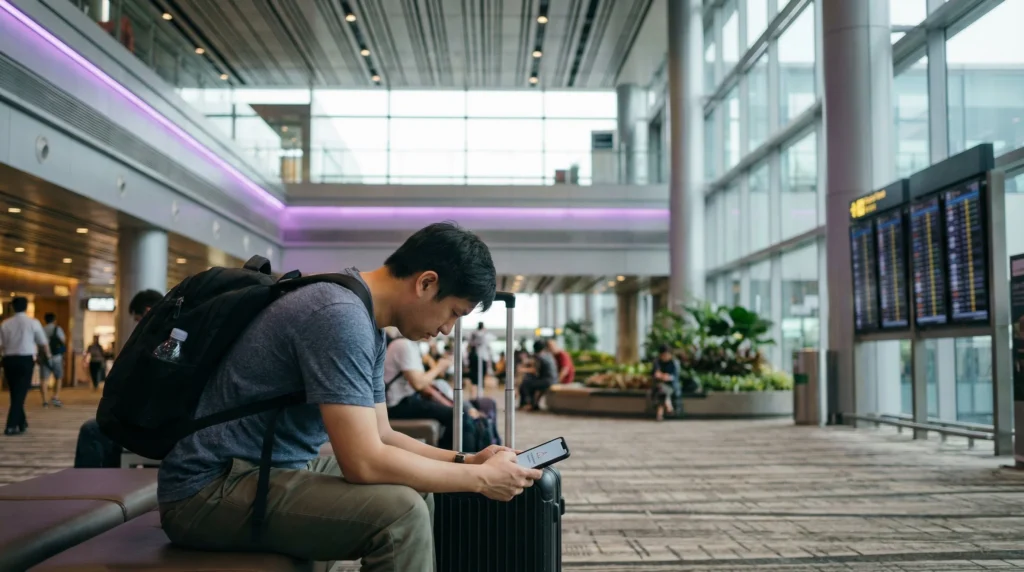

A Singapore eSIM not working despite a visible profile usually points to the wrong data line, disabled roaming, a missing APN, an inactive plan or failed network registration.
Troubleshoot in a fixed order. Randomly deleting the profile, changing several fields or repeatedly resetting network settings can remove evidence and create additional problems.
NoveSIM travel eSIMs are data-only. A lack of local calls or SMS is expected and does not mean the data service has failed.
Quick answer: Confirm the plan includes Singapore and is valid, enable the eSIM, select it for mobile data, turn on data roaming for that line and disable automatic data switching. Test with Wi-Fi off. If there is still no data, verify the APN is data.esim, toggle airplane mode, restart once and then test supported networks manually.
Top Singapore eSIMs

Singapore eSIM
Fixed
1 GB, 7 days€ 3.082 GB, 15 days€ 4.403 GB, 30 days€ 5.28Unlimited
Unlimited, 1 day€ 3.52Unlimited, 3 days€ 6.16Unlimited, 5 days€ 8.81
Singapore eSIM not working: diagnose before changing settings
Start by identifying the exact symptom
| Symptom | Most useful first check |
|---|---|
| No eSIM profile in Settings | Installation and QR-code status |
| Profile exists but shows no service | Coverage, line status and network registration |
| Signal appears but pages do not load | Selected data line, roaming and APN |
| Data works but is slow | Signal, congestion, allowance and fair-use status |
| Only one app fails | App permissions, cache or service status |
If the profile never installed, use the Singapore eSIM installation guide. The steps below assume the profile is already visible.
Run the no-internet checks in order
- Confirm Singapore appears in the plan’s coverage and that validity and data remain.
- Turn airplane mode off and enable the travel eSIM line.
- Select that eSIM as the preferred line for mobile data.
- Enable data roaming on the travel eSIM.
- Disable automatic cellular-data switching to the home SIM.
- Turn Wi-Fi off and load a new webpage.
- Toggle airplane mode on for about 20 seconds, then off.
- Restart the phone once if registration still does not complete.
Keep roaming disabled on the home line. The activation guide explains how the two lines should be separated.
Check the APN only after the line settings
The NoveSIM APN is data.esim. Username and password should remain blank unless the specific order instructions say otherwise. Save the value and restart the data connection.
Do not copy a retail APN from the Singapore network name shown on screen. A travel eSIM can use a partner radio network while authenticating through its own APN. Follow the exact Singapore APN steps for iPhone or Android.
Use manual network selection as a test
Automatic selection is the normal setting. If registration repeatedly fails, turn automatic selection off, wait for the network list and try only the partner networks supported by the plan. Allow each choice time to register before testing data.
An “unable to connect” result can mean that the chosen network is not authorised for the profile, not that every network has failed. Return to automatic selection after the test unless support directs otherwise. The Singapore network guide explains partner-network selection.
If data works but feels slow
- Test outdoors or near a window to separate indoor signal loss from plan performance.
- Check whether the phone is on 4G/LTE or 5G and avoid forcing a weak 5G signal.
- Pause cloud backups, system updates and hotspot devices.
- Run two tests at different times and locations rather than relying on one speed result.
- Check whether a fixed allowance is nearly exhausted or an unlimited plan has a fair-use threshold.
- Try another supported network only when the plan permits it.
Congestion at an event, underground station or busy indoor venue can affect an otherwise working plan. Changing the APN will not improve radio signal or remove network congestion.
When to contact support
Collect the order reference, exact phone model, current country, eSIM line status, APN, selected network and screenshots that do not expose the QR code. State which numbered checks have already been completed.
Do not post the QR code or full activation details publicly. Do not delete the profile unless support confirms that it can be reissued or installed again.
Related Articles
- Activate a Singapore eSIM
- Singapore eSIM APN Settings
- Best Singapore Network for Tourists
- Check Phone Compatibility
FAQ
Why does my Singapore eSIM show signal but no internet?
The wrong data line, disabled roaming or an incorrect APN are common causes. Select the travel eSIM for data, enable its roaming and verify data.esim.
Should I delete and reinstall the eSIM?
No. Many installation codes are single-use. Keep the profile and contact support before deleting it.
Why is the eSIM slow only indoors?
Building materials, lifts and underground areas can weaken radio signal. Test outdoors before changing configuration or judging the plan.
Will resetting network settings fix the eSIM?
It may help in limited cases but also removes saved Wi-Fi and network configuration. Complete the targeted line, roaming, APN and network checks first.
Final Recommendation
Diagnose the exact symptom and verify plan status, data-line selection and roaming before editing anything.
Use data.esim for the NoveSIM APN, restart once and test supported networks only after the basic checks.
Preserve the installed profile and send precise evidence to support if the ordered sequence does not restore Singapore data.
If the Singapore eSIM not working problem remains after these checks, keep the eSIM profile in place while support reviews the evidence.