


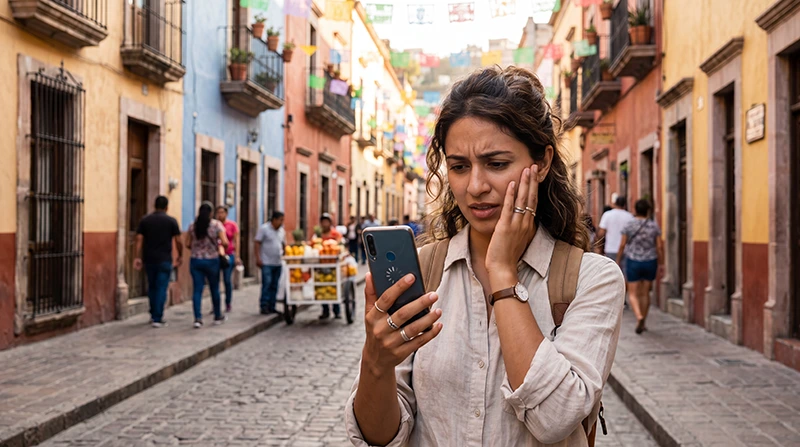

If your eSIM is working in Mexico but the internet feels slow, there are several possible reasons. Slow speeds can happen because of weak signal, network congestion, incorrect settings, data throttling, Fair Usage Policy limits, or temporary coverage issues in your area.
Mexico has strong mobile infrastructure in major cities and tourist destinations, but performance can still vary depending on where you are, which network your eSIM is using, and how much data you have already consumed.
Quick answer: If your Mexico eSIM is slow, check signal strength, enable data roaming, confirm the APN is data.esim, restart your phone, turn airplane mode on for 30 seconds, and try manual network selection. If you use an unlimited plan, your speed may also be reduced after reaching the daily Fair Usage Policy limit.
Top Mexico eSIMs

Mexico eSIM
Fixed
1 GB, 7 days4.00$2 GB, 15 days6.00$3 GB, 30 days8.00$Unlimited
Unlimited, 1 day4.00$Unlimited, 3 days9.50$Unlimited, 5 days15.00$
North America eSIM
Fixed
1 GB, 7 days4.50$2 GB, 15 days8.00$3 GB, 30 days11.00$Unlimited
Unlimited, 1 day6.50$Unlimited, 3 days17.00$Unlimited, 5 days28.00$Central America eSIM
Fixed
1 GB, 7 days8.00$2 GB, 15 days13.00$3 GB, 30 days17.50$Unlimited
Unlimited, 1 day7.50$Unlimited, 3 days18.50$Unlimited, 5 days29.50$Common Reasons Your Mexico eSIM Is Slow
Slow mobile data can be caused by several different factors.
- Weak signal in your current location
- Network congestion during busy hours
- Wrong network selected automatically
- Data roaming not fully refreshed
- Incorrect or missing APN settings
- Fair Usage Policy speed reduction
- Low-speed fallback after high-speed data is used
- Poor indoor reception
- Remote area coverage limitations
- Temporary local network issues
Most speed issues can be improved by changing location, refreshing the connection, or switching networks manually.
Step 1: Check Your Signal Strength
Signal strength has a major impact on mobile data speed.
If your phone shows only one or two bars, your eSIM may still connect but load websites, maps, and apps slowly.
Try moving to:
- A window
- An outdoor area
- A higher floor
- An open street
- An area away from thick walls
Indoor areas such as hotels, malls, underground parking, elevators, and beach clubs with thick construction can reduce signal quality.
Step 2: Restart Your Mobile Connection
A simple connection refresh often improves speed.
Try this first:
- Turn airplane mode ON.
- Wait 30 seconds.
- Turn airplane mode OFF.
- Wait for the eSIM to reconnect.
- Test your internet again.
If speed does not improve, restart your phone completely.
Step 3: Confirm the eSIM Is Used for Mobile Data
If you use dual SIM, your phone may be trying to use the wrong SIM for data.
Check that your Mexico eSIM is selected as the mobile data line.
On iPhone
- Go to Settings
- Tap Cellular or Mobile Service
- Tap Cellular Data
- Select your Mexico eSIM
On Android
- Go to Settings
- Tap Connections
- Tap SIM Manager
- Select your eSIM for Mobile Data
Also turn off automatic data switching if your phone keeps changing between SIMs.
Step 4: Make Sure Data Roaming Is Enabled
Most travel eSIMs require data roaming to be enabled on the eSIM line.
This allows your eSIM to connect to its local partner network in Mexico.
Data roaming should be turned on for the eSIM, not necessarily for your primary SIM.
On iPhone
- Go to Settings
- Tap Cellular or Mobile Service
- Select your Mexico eSIM
- Turn Data Roaming ON
On Android
- Go to Settings
- Tap Connections
- Tap Mobile Networks
- Turn Data Roaming ON for the eSIM
Step 5: Check APN Settings
If your APN is missing or incorrect, your eSIM may connect slowly or fail to use data properly.
| Setting | Value |
|---|---|
| APN | data.esim |
Leave other fields blank unless your eSIM provider gives different instructions.
How to Check APN on iPhone
- Go to Settings
- Tap Cellular or Mobile Service
- Select your eSIM
- Tap Cellular Data Network
- Enter APN: data.esim
How to Check APN on Android
- Go to Settings
- Tap Connections
- Tap Mobile Networks
- Tap Access Point Names
- Edit or create APN
- Enter APN: data.esim
- Save and select it
Step 6: Try Manual Network Selection
Your phone may automatically connect to a network that is available but not the fastest in your area.
Try manual network selection and test each available network.
| Network | Typical Performance |
|---|---|
| Telcel | Often strongest nationwide coverage |
| AT&T Mexico | Often strong in cities and tourist zones |
| Movistar | Useful in some urban areas |
Select a network, wait one or two minutes, then test your internet speed again.
Step 7: Check If You Reached a Fair Usage Limit
If you use an unlimited eSIM plan, speeds may be reduced after reaching a daily high-speed data allowance.
This is known as a Fair Usage Policy.
When this happens, your internet may still work for basic tasks such as:
- WhatsApp messages
- Basic browsing
- Maps
But it may feel slow for:
- Video streaming
- Large downloads
- Cloud backups
- Video calls
- Uploading videos
If your speed becomes slow after heavy usage, wait for the next daily reset or use WiFi for high-data activities.
Step 8: Check Your Data Balance
If you purchased a fixed-data plan, speeds may slow down or stop after your high-speed data is used.
Check:
- Your eSIM account
- Your order details
- Your remaining data balance
- Your plan validity
- Your confirmation email
If your data has been fully consumed, you may need a new plan.
Why eSIM Is Slow in Cancun
Cancun usually has excellent mobile coverage, especially in the Hotel Zone, downtown Cancun, the airport area, and main tourist zones.
If your eSIM is slow in Cancun, possible causes include:
- Network congestion in busy hotel areas
- Weak indoor signal inside resorts
- Wrong network selected automatically
- Fair Usage Policy speed reduction
- Poor signal inside elevators, malls, or thick buildings
Why eSIM Is Slow in Tulum
Tulum has good coverage in most main areas, but speed can vary depending on your location.
Slow speeds may happen in:
- Remote cenote areas
- Jungle roads
- Some beach zone locations
- Busy hotel areas
- Indoor rooms with thick walls
If possible, move outdoors and refresh your connection.
Why eSIM Is Slow in Mexico City
Mexico City has excellent mobile infrastructure, but congestion can occur in dense areas.
Slow speeds may happen in:
- Metro stations
- Underground areas
- Large events
- Very crowded neighborhoods
- High-rise buildings
- Indoor shopping centers
Manual network selection and airplane mode reset may help.
Why eSIM Is Slow in Remote Areas
Remote areas naturally have weaker mobile infrastructure than cities.
Slow speeds may happen in:
- Mountain villages
- Desert roads
- Jungle regions
- Remote beaches
- National parks
- Small rural towns
For road trips and adventure travel, download offline maps and important documents in advance.
Best Settings for Better eSIM Speed
| Setting | Recommended Option |
|---|---|
| Mobile Data | Select Mexico eSIM |
| Data Roaming | ON for eSIM |
| APN | data.esim |
| Automatic Data Switching | OFF |
| Network Selection | Automatic first, manual if slow |
How to Improve eSIM Speed in Mexico
Try these quick fixes:
- Move outdoors or closer to a window
- Turn airplane mode on for 30 seconds
- Restart your phone
- Check that the eSIM is selected for mobile data
- Enable data roaming on the eSIM
- Enter APN: data.esim
- Try manual network selection
- Use WiFi for streaming or large uploads
- Check your remaining data balance
When to Contact Support
If your eSIM remains very slow after trying all steps, contact customer support and provide:
- Your order number
- Your device model
- Your current location in Mexico
- A screenshot of signal strength
- A screenshot of APN settings
- Your remaining data balance if available
- Whether the issue happens everywhere or only in one location
This helps support teams understand whether the problem is related to settings, coverage, or plan limits.
Frequently Asked Questions
Why is my eSIM slow in Mexico?
Your eSIM may be slow due to weak signal, congestion, incorrect settings, Fair Usage Policy limits, or remote area coverage.
How can I make my Mexico eSIM faster?
Restart your connection, enable data roaming, check APN settings, move outdoors, and try manual network selection.
What APN should I use?
Use APN: data.esim unless your provider gives different instructions.
Can unlimited eSIM plans slow down?
Yes. Unlimited plans often include Fair Usage Policies that reduce speed after heavy daily usage.
Is slow eSIM speed always a technical problem?
No. Slow speeds can also be caused by weak local coverage, congestion, or remote locations.
Final Recommendation
If your eSIM is slow in Mexico, start by checking your signal, mobile data line, data roaming, APN settings, and network selection. In many cases, airplane mode for 30 seconds or manual network selection can improve speed quickly.
If you are using an unlimited plan, check whether you have reached the daily Fair Usage Policy threshold. For remote areas, download offline maps and use WiFi for heavy activities whenever possible.