


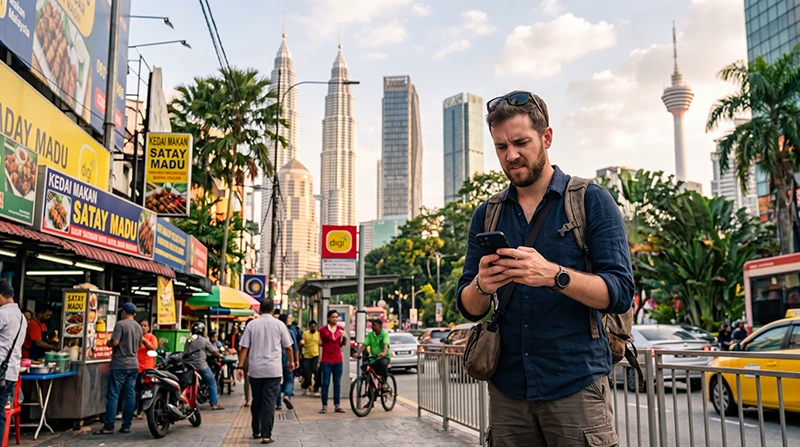

If your eSIM is connected but internet speeds seem slower than expected, you are not alone.
Many travelers visiting Malaysia occasionally experience slower mobile data speeds while exploring cities, islands, airports, beaches or rural areas.
Quick answer: Slow eSIM performance in Malaysia is usually caused by network congestion, Fair Usage Policy limits, weak coverage, incorrect network selection or temporary local network conditions rather than a problem with the eSIM itself.
Top Malaysia eSIMs


Why Is My eSIM Slow in Malaysia?
Several factors can affect mobile internet speeds.
The most common causes include:
- Network congestion
- Fair Usage Policy limits
- Weak signal strength
- Indoor coverage issues
- Remote location coverage
- Incorrect network registration
- Temporary local outages
- Device settings
In most situations, the problem can be improved or solved within a few minutes.
Have You Reached a Fair Usage Policy Limit?
This is one of the most common reasons for slower speeds.
Many travel eSIM providers offer unlimited plans that include a Fair Usage Policy (FUP).
For example, some plans provide a certain amount of high-speed data every 24 hours before speeds are reduced temporarily.
If your plan includes a Fair Usage Policy, reduced speeds may simply mean you have used your daily high-speed allowance.
Network Congestion in Busy Areas
Malaysia’s mobile networks are generally excellent, but speeds can slow down during peak periods.
This is especially common in:
- Kuala Lumpur city center
- KLIA Airport
- Bukit Bintang
- Shopping malls
- Large events
- Tourist attractions
- Transportation hubs
When thousands of users share the same network resources, speeds may temporarily decrease.
Weak Signal Strength
Your eSIM speed depends heavily on signal quality.
Even if you have internet access, weak signal strength can reduce performance.
This often occurs:
- Inside elevators
- Underground locations
- Basements
- Large concrete buildings
- Remote mountain areas
- Dense rainforest regions
Moving to a location with stronger signal coverage often improves speeds immediately.
Traveling in Rural Malaysia
Coverage is generally strongest in major cities and tourist destinations.
Speeds may be slower in:
- Remote villages
- Mountain regions
- National parks
- Rainforest areas
- Small islands
- Rural highways
This is usually a coverage issue rather than a problem with your eSIM.
Why Is My eSIM Slow in Kuala Lumpur?
Kuala Lumpur usually offers excellent mobile internet speeds.
However, temporary slowdowns may occur because of:
- Heavy tourist traffic
- Business district congestion
- Shopping mall crowds
- Peak commuting hours
- Major events and conferences
Network performance often improves outside peak usage periods.
Why Is My eSIM Slow at KLIA Airport?
KLIA is one of Southeast Asia’s busiest airport hubs.
Large numbers of travelers often connect simultaneously after landing.
This can occasionally result in:
- Slower speeds
- Higher latency
- Temporary congestion
Performance usually improves once you leave the airport area.
Why Is My eSIM Slow in Langkawi?
Langkawi generally has good coverage in tourist areas.
However, speeds may vary depending on:
- Beach location
- Resort area
- Island traffic
- Distance from cellular towers
Tourist hotspots may experience temporary congestion during peak travel seasons.
Why Is My eSIM Slow in Borneo?
Sabah and Sarawak contain large wilderness areas.
Mobile coverage can be more limited in:
- Rainforests
- National parks
- Mountain regions
- Wildlife reserves
- Remote villages
Slower speeds in these locations are often normal due to infrastructure limitations.
Check That Data Roaming Is Enabled
Most travel eSIMs require Data Roaming to be enabled.
If roaming is disabled, connectivity may be unstable or unavailable.
Make sure:
- Data Roaming is ON for the eSIM
- Data Roaming is OFF for your primary SIM
Verify APN Settings
Incorrect APN settings can affect connectivity and performance.
If manual setup is required, use:
| Setting | Value |
|---|---|
| APN | data.esim |
| Username | Leave blank |
| Password | Leave blank |
After updating APN settings, restart your device.
Try an Airplane Mode Reset
Sometimes the device simply needs to reconnect to the network.
- Enable Airplane Mode
- Wait 30 seconds
- Disable Airplane Mode
- Wait several minutes
This often improves network performance.
Restart Your Phone
A simple restart can refresh network registration and improve speeds.
Many travelers overlook this step even though it frequently solves temporary connectivity issues.
Background Apps May Be Consuming Data
Your internet may feel slow because other apps are actively using bandwidth.
Examples include:
- Cloud backups
- Photo synchronization
- App updates
- Video uploads
- Operating system updates
Closing unnecessary applications may improve performance.
How to Improve eSIM Speeds in Malaysia
- Move to an area with stronger signal
- Restart your phone
- Use Airplane Mode reset
- Verify APN settings
- Enable Data Roaming
- Close background applications
- Wait for network congestion to decrease
- Check Fair Usage Policy limits
Can I Keep My Home SIM Active?
Yes.
Most dual-SIM smartphones allow you to keep your regular SIM active while using the eSIM for mobile data.
Does WhatsApp Work with a Slow eSIM?
Yes.
Even when internet speeds are reduced, WhatsApp messaging usually continues working normally.
Video calls may be affected more than text messages.
Related Malaysia Travel Guides
- eSIM Not Working Malaysia
- No Internet Malaysia eSIM
- APN Settings Malaysia eSIM
- Does My eSIM Work in Malaysia
- Best eSIM for Malaysia
- Mobile Internet Malaysia
- How to Get Internet in Malaysia
FAQ: Why Is My eSIM Slow in Malaysia?
Why is my eSIM slow in Malaysia?
The most common reasons are network congestion, Fair Usage Policy limits, weak signal strength or temporary local network conditions.
Can unlimited data plans become slower?
Yes. Many unlimited plans include Fair Usage Policies that may reduce speeds after a certain amount of high-speed data usage.
Why is my eSIM slow at KLIA Airport?
Airport congestion is common because many travelers connect simultaneously after arrival.
Will a restart improve my internet speed?
Sometimes. Restarting your device can refresh network registration and improve performance.
Do I need Data Roaming enabled?
Yes. Most travel eSIMs require Data Roaming to be enabled on the eSIM profile.
What APN should I use?
If manual setup is required, use data.esim and leave username and password fields blank.
Does WhatsApp still work when speeds are reduced?
Yes. Text messaging usually works normally even at reduced speeds.
Should I delete and reinstall my eSIM?
No. Slow speeds are rarely caused by the eSIM profile itself and usually do not require reinstallation.
Final Recommendation
Slow eSIM speeds in Malaysia are usually caused by network conditions, Fair Usage Policies or signal quality rather than a technical fault.
Before contacting support, verify your APN settings, enable Data Roaming, perform an Airplane Mode reset and restart your device.
In most cases, connectivity improves quickly and your eSIM continues working normally throughout Malaysia.