


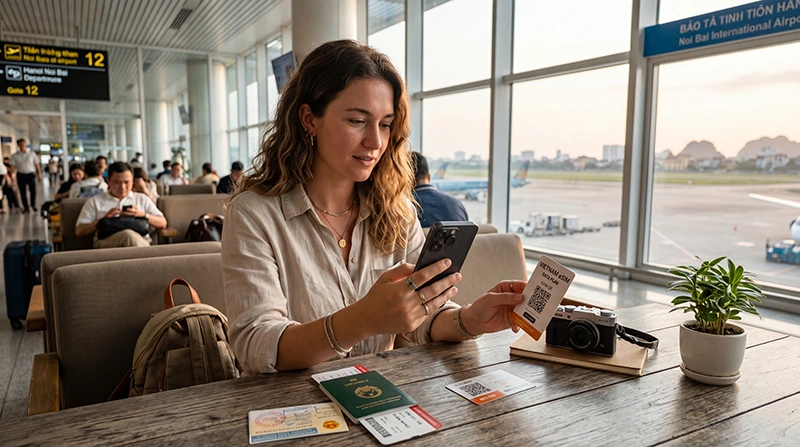

A Vietnam eSIM can supply mobile data on a compatible, carrier-unlocked iPhone. Check the exact model and sales region before purchasing: the retail model name alone does not establish that your particular phone supports eSIM.
Prepare the profile over a dependable internet connection, following the purchased plan’s installation and validity instructions. After arrival in Vietnam, check which line supplies mobile data and test the connection with Wi-Fi off before relying on maps or booking apps.
Our NoveSIM travel eSIM plans are data-only. They do not include a Vietnamese number, traditional calls or carrier SMS. Internet messaging and calling apps can use the travel-data connection where service is available.
Quick answer: Check the exact iPhone variant and confirm that Carrier Lock shows No SIM Restrictions. Install using the supplied instructions when the plan permits it, label the profile Vietnam Data and check its validity rules separately. In Vietnam, select that line for mobile data, apply the required Data Roaming setting, turn off Allow Cellular Data Switching when you do not want home-line data, and test a normal webpage with Wi-Fi off. Keep the installed profile if you need help.
Top Vietnam eSIMs

Vietnam eSIM
Fixed
1 GB, 7 days3.50$2 GB, 15 days5.00$3 GB, 30 days6.50$Unlimited
Unlimited, 1 day3.50$Unlimited, 3 days8.00$Unlimited, 5 days12.50$
Asia eSIM
Fixed
1 GB, 7 days5.00$2 GB, 15 days9.00$3 GB, 30 days12.00$Unlimited
Unlimited, 1 day6.50$Unlimited, 3 days17.50$Unlimited, 5 days28.50$Global eSIM
Fixed
1 GB, 7 days13.00$2 GB, 15 days25.00$3 GB, 30 days35.00$Unlimited
Unlimited, 1 day18.50$Unlimited, 3 days52.50$Unlimited, 5 days87.00$South East Asia eSIM
Fixed
1 GB, 7 days6.00$2 GB, 15 days9.50$3 GB, 30 days12.50$Unlimited
Unlimited, 1 day6.50$Unlimited, 3 days15.50$Unlimited, 5 days24.00$Check the iPhone First
- Open Settings → General → About and identify the model. Record the full model number; tap the Model Number field if needed to see the A-number.
- Check Apple’s information for that model and sales region, alongside our compatible-device list. Regional variants can have different SIM capabilities.
- In About, look for Carrier Lock. No SIM Restrictions indicates that the iPhone is unlocked. If the status is unclear or a restriction is shown, check with the original carrier before buying another provider’s plan.
- Check that your phone offers Add eSIM under Cellular or Mobile Data. This supports the compatibility check but does not replace the separate carrier-lock check.
- Confirm that the purchased plan includes Vietnam and covers the required travel dates under its validity rules.
Apple describes regional exceptions, including certain models sold in mainland China, Hong Kong and Macao. Avoid relying on a blanket claim that every iPhone from a particular generation supports eSIM. Refer to Apple’s international travel eSIM guidance for compatibility and unlocking requirements.
Installation, Validity and Connection Are Different
| Stage | What it establishes |
|---|---|
| Profile installed | The travel eSIM appears in the iPhone’s SIM settings. |
| Validity begins | The service period starts under the purchased plan’s specific conditions. |
| Network registration | The enabled line connects to a supported network where coverage is available. |
| Working mobile data | A normal webpage loads with Wi-Fi off while the travel line is selected for data. |
Check the order instructions before installing or enabling the profile. Prepare before departure when the plan permits it, leaving time to get help. Do not assume every package starts only on arrival or on first data use. An installed profile, No Service or Activating message does not by itself establish when validity begins.
If the timing is unclear, ask NoveSIM Support before proceeding. The Vietnam eSIM installation guide explains the preparation and arrival checks in more detail.
Install the eSIM on iPhone
The following is a common QR-code setup path. Labels can appear as Cellular, Mobile Data or Mobile Service depending on the iPhone’s language and region; screens also vary with iOS. Follow the supplied plan instructions and the choices shown on your device.
- Connect to stable Wi-Fi and keep the installation details available privately.
- Open Settings → Cellular/Mobile Data → Add eSIM.
- Choose Use QR Code and scan the supplied code when prompted.
- Follow the on-screen instructions to add the travel profile. Enter a confirmation code only if one was supplied and requested.
- Check that the profile appears in SIM settings and label it clearly, such as Vietnam Data.
- Review the data-line choices before completing setup, then follow the plan’s instructions for when to enable service.
If the QR code is on the same iPhone, Apple documents a tap-and-hold option for codes received in a default email app or browser on iOS 17.4 or later: choose Add eSIM when offered. If that option is unavailable, display the code on another trusted screen or use the supplied manual details as instructed. Do not upload the code to a public service to make it easier to scan.
Use manual entry only with the installation details supplied for the order. Do not select a transfer or conversion option merely because it appears in the menu. See Apple’s eSIM setup instructions for the supported methods.
Connect in Vietnam and Check the Data Line
- Turn off Airplane Mode when cellular use is permitted and check that the plan is ready for use under its terms.
- Open the travel profile in Cellular or Mobile Data and enable Turn On This Line.
- Open the main Cellular Data/Mobile Data selection and choose Vietnam Data.
- Open the travel line’s settings and apply the Data Roaming setting required by the NoveSIM instructions.
- Turn off Allow Cellular Data Switching when you do not want the home line supplying mobile data.
- Start with automatic network selection and allow time to register where supported coverage is available.
- Turn Wi-Fi off briefly and load a normal webpage. Recheck the selected data line if the result is unclear.
Some iOS versions offer travel-eSIM prompts. Review the selected lines even if you use those prompts; do not assume the welcome screen has checked the purchased plan’s validity, balance or coverage for you.
| Setting or service | Travel eSIM | Home line |
|---|---|---|
| Mobile data | Select for Vietnam data. | Do not select unless you intend to use home-carrier roaming data. |
| Data Roaming | Follow the purchased plan’s required setting. | Keep off when you do not intend to use its roaming data. |
| Automatic data switching | Turn off switching when you do not want the home line supplying data. | |
| Calls, carrier SMS and voicemail | NoveSIM travel plans are data-only. | Availability and charges remain subject to the home operator’s terms. |
You can keep the home number enabled on a compatible dual-SIM setup, subject to the phone’s supported combination of active lines. Turning off home-line Data Roaming does not determine charges for its calls, SMS or voicemail. Check those services separately before leaving the home line on.
If the QR Code Fails or the Profile Is Still Activating
First check Cellular or Mobile Data to see whether the travel profile already appears. If it does, keep it installed and do not repeatedly scan the QR code. Check its status against the plan instructions instead of treating a second installation as the next step.
If the profile is absent, check the exact model, carrier lock, internet connection and supplied installation details. Note the precise error message. Do not assume a code reported as already used can be installed again, and do not delete an existing profile to test that assumption.
An Activating message before travel is not a reliable indicator of the plan’s start date or a complete diagnosis. Check the order conditions and ask NoveSIM Support if the status persists or the next step is unclear. Keep QR codes and activation credentials private.
Diagnose the Symptom Before Changing Settings
| What you observe | First check |
|---|---|
| No travel profile appears | Installation, exact-model compatibility and carrier unlocking. |
| The profile is present but no network is available | Enabled line, validity, location and supported coverage. |
| Signal is visible but no data works | Selected data line, remaining allowance, required roaming and APN if manual entry is needed. |
| Only one app fails | Compare a normal webpage and another app before altering eSIM settings. |
| Data works but is slow | High-speed allowance, background traffic, location and time. |
Change one factor at a time and repeat the same small test with Wi-Fi off. If appropriate, briefly switch Airplane Mode on and off or restart the iPhone, then allow time for registration. Apple includes these checks in its eSIM setup troubleshooting guidance.
Keep automatic network selection as the starting point. Try manual selection only under plan-specific or Support instructions for an authorised network. Avoid repeated network resets, factory resets and profile reinstallation as initial troubleshooting steps.
Use the Vietnam eSIM troubleshooting guide when data remains unavailable. If data works but performance is poor, follow the slow Vietnam eSIM guide rather than repeating installation.
Check the APN Only When Needed
When manual APN entry is required for NoveSIM, use data.esim and leave username and password blank. Select the correct travel line and leave unrelated fields unchanged unless specifically instructed otherwise.
On iPhone, the Cellular Data Network or Mobile Data Network menu is available only when the carrier configuration permits viewing or editing. A missing menu does not by itself indicate a fault. Do not install an unknown configuration profile or reset the phone to expose it.
Follow our NoveSIM Vietnam APN instructions when that check is relevant. Apple’s APN guidance explains the editing restrictions and cautions against changes without provider instructions.
Keep the Profile and Prepare Useful Support Details
Do not delete the installed eSIM unless NoveSIM Support instructs you to do so. The original QR code may not be reusable.
- Record the exact iPhone model and iOS version.
- Note your location, the displayed network and the exact status or error message.
- Confirm which line is selected for mobile data and its roaming setting.
- Describe the validity and balance checks and the result of testing with Wi-Fi off.
- Hide QR codes, activation credentials and personal details in screenshots.
Related Vietnam eSIM Guides
- Install a Vietnam eSIM
- NoveSIM APN settings for Vietnam
- Troubleshoot a Vietnam eSIM connection
- Check a slow Vietnam eSIM connection
FAQ: Vietnam eSIM for iPhone
Does my exact iPhone model support a Vietnam eSIM?
Check the full model number and sales region against Apple’s information and the compatible-device list. Regional variants differ. The phone must also be carrier-unlocked, and the purchased plan must include Vietnam.
Does Add eSIM mean my iPhone is carrier-unlocked?
No. Check Settings → General → About → Carrier Lock for No SIM Restrictions. If a restriction appears or the status is unclear, contact the original carrier before purchasing another provider’s plan.
Can I install the eSIM before travelling to Vietnam?
Yes, when the purchased plan’s instructions permit it. Use dependable Wi-Fi and leave time to resolve installation problems. Check the validity trigger before installing or enabling the line.
Does installing the profile start validity?
The purchased plan’s conditions determine when validity begins. Installation, network registration and working data are separate checks; do not assume every plan waits until arrival or first data use.
How can I use a QR code displayed on the same iPhone?
On supported iOS versions and in supported apps, tap and hold the received code and choose Add eSIM when offered. Otherwise display it on another trusted screen or use the supplied manual details as instructed. Keep the code private.
What should I do if the profile says Activating?
Check whether the profile appears in SIM settings, review the plan’s instructions and consider whether you are in a supported destination. The status alone does not establish the validity start date. Keep the profile and contact NoveSIM Support if the status persists or the next step is unclear.
How do I check that the travel line supplies mobile data?
Select Vietnam Data under Cellular Data or Mobile Data, apply the required roaming setting and turn off Allow Cellular Data Switching when you do not want home-line data. Test a normal webpage with Wi-Fi off.
Can I keep my home number while using NoveSIM data?
Yes, on a compatible dual-SIM setup. Check the home operator’s call, SMS and voicemail terms separately. NoveSIM travel plans supply data rather than a Vietnamese number or ordinary calls and SMS, and turning off home-line data roaming does not control every home-line charge.
Final Recommendation
Prepare your iPhone by checking the exact regional variant and carrier lock before choosing a Vietnam plan. Install according to the order instructions and confirm when validity begins.
After arrival, deliberately select the travel-data line, check its required roaming setting and test with Wi-Fi off. Review the home line separately if you keep your usual number enabled.
If the connection fails, start with what the iPhone actually shows and preserve the installed profile. Use the relevant APN or troubleshooting guide and provide NoveSIM Support with clear details instead of repeatedly reinstalling the eSIM.