


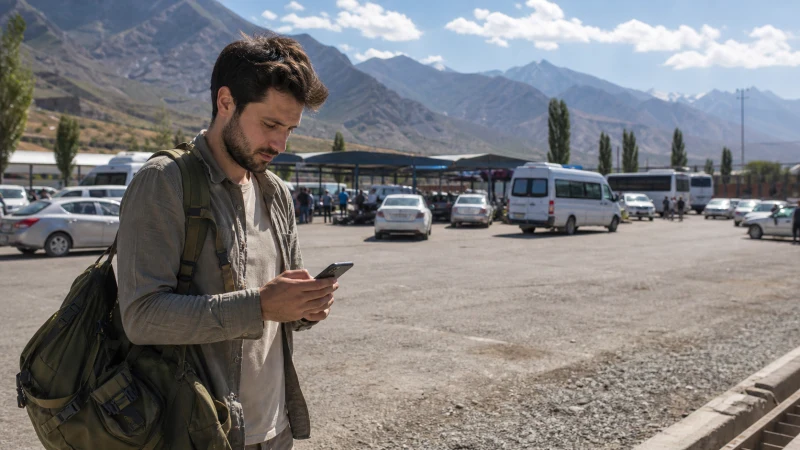

For an Uzbekistan–Tajikistan crossing, prepare a connection for each country separately. An Uzbekistan data plan is not evidence of service in Tajikistan, even if your phone detects a network across the border.
This guide covers travel in both directions: keeping transport details accessible during the crossing, selecting the correct data line afterwards and checking what to do when the phone has signal but no internet.
We offer NoveSIM travel eSIM plans for Uzbekistan, but we do not currently offer a Tajikistan eSIM. Our Uzbekistan plans are data-only: we do not provide a local number, conventional calls or SMS with them. Internet messaging and calling apps can use the data connection where service is available.
Quick answer: Use a plan explicitly covering Uzbekistan on the Uzbek side. For Tajikistan, arrange home-operator roaming with confirmed Tajikistan terms or buy a local SIM under the operator’s current requirements. Save the onward journey offline before crossing, keep automatic data switching off and select the appropriate connection after entry.
Top Uzbekistan eSIMs

Uzbekistan eSIM
Fixed
1 GB, 7 days€ 3.182 GB, 15 days€ 4.093 GB, 30 days€ 5.00Unlimited
Unlimited, 1 day€ 2.73Unlimited, 3 days€ 5.46Unlimited, 5 days€ 8.19
One border, two separate connection decisions
Check the country list of the exact package you intend to use, not just its regional name. The NoveSIM Uzbekistan product page is for the Uzbekistan part of this journey; it is not a Tajikistan connectivity offer.
If you already have another provider’s multi-country plan, check that both countries are explicitly included and that its allowance and validity cover your dates. This is a check on that particular plan, not a promise that an unspecified regional eSIM will work.
Connectivity arrangements do not establish whether a crossing is open, which documents are accepted or whether your transport can cross. Confirm current entry and crossing requirements independently before committing to the route. Follow staff instructions on phone use within controlled facilities.
Travelling from Uzbekistan into Tajikistan
Settle your Tajikistan connection before leaving a dependable connection in Uzbekistan. If using your home SIM, ask the home operator specifically about Tajikistan: the applicable roaming bundle, activation, expiry, out-of-bundle charges and whether data is included. An allowance for Uzbekistan does not answer those questions.
If buying a local SIM after entry, check the chosen operator’s current identification and registration requirements, the location and opening hours of a suitable shop, and the complete cost of the SIM and data bundle. Do not assume that a seller, public Wi-Fi or immediate activation will be available at the crossing itself.
Until that connection is working, use saved transport instructions and accommodation details. A screenshot of the hotel address and an agreed meeting point are more useful here than a booking email that needs to reload online.
Travelling from Tajikistan into Uzbekistan
If your phone supports eSIM and is unlocked, install the Uzbekistan profile while you still have reliable internet. Follow the supplied instructions for when the plan’s validity starts; installing a profile and beginning a data allowance are not necessarily the same event.
Use the Uzbekistan installation guide before departure rather than starting a QR download during the crossing. Label the profile clearly. Keep the order instructions somewhere accessible without mobile data, and do not share the QR code with a driver or an unverified shop.
After entry, select the Uzbekistan profile for mobile data and enable Data Roaming on that travel line as instructed. Leave home-line Data Roaming off unless you have deliberately chosen and checked a home-operator roaming service.
Save these details before leaving the last reliable connection
- The exact onward accommodation address, map pin and host contact details.
- Your transport booking, agreed pickup point and a fallback arrangement if the arrival time changes.
- Offline maps covering both the approach and the onward journey, not only the destination city.
- The connection instructions, plan expiry and support contact for the service you will use after entry.
- Travel-document copies for reference, while retaining any required originals separately.
Charge the phone and carry a charged power bank if the transfer is long. Tell the person meeting you that you may be unreachable while changing networks. Agree beforehand how long they should wait and what to do if a message does not arrive.
Switch the data line deliberately after entry
- Identify the line or profile that actually covers the country you have entered.
- Select that line for Mobile Data. Keep automatic mobile-data switching off so another SIM does not supply data unexpectedly.
- For the NoveSIM Uzbekistan profile, enable Data Roaming on that profile. For a local Tajik SIM or home roaming, follow that operator’s instructions rather than copying the NoveSIM settings.
- Start with automatic network selection and allow time for registration. A network name on the screen is not confirmation that your allowance applies.
- Where phone use is permitted, turn Wi-Fi off and load a small webpage or send a message to test mobile data.
Dual-SIM phones vary in how many profiles they can keep active. Check your device’s limits before departure; installed profiles do not always have to remain enabled simultaneously. Keep the unused profile installed rather than deleting it to simplify the settings screen.
Signal but no data: check eligibility before changing settings
First check the destination entitlement, remaining allowance, expiry and selected Mobile Data line. If the plan does not include the country you have entered, an APN change cannot extend its coverage.
For NoveSIM data in Uzbekistan, follow the Uzbekistan troubleshooting guide. If manual APN entry is required, use data.esim, with username and password blank unless your current instructions say otherwise. This APN is not a setting to apply to a Tajik local SIM or your home operator.
Once eligibility and settings are correct, try an Airplane Mode toggle or restart and allow the phone to register again. Use manual selection only for a network allowed by your plan. Do not delete the installed eSIM unless NoveSIM support instructs you to do so.
If the problem is with home roaming or a local Tajik SIM, contact that operator. Neither a visible 4G/5G indicator nor a successful connection earlier in the day guarantees uninterrupted data along the onward road.
Related Articles
- Uzbekistan eSIM coverage and offline planning
- Preparing mobile internet for an Uzbekistan road trip
- Keeping your number while using a data eSIM
FAQ
Can I use a NoveSIM Uzbekistan eSIM in Tajikistan?
Do not assume so. The Uzbekistan offer is for the Uzbekistan part of your journey, and we do not currently offer a Tajikistan eSIM. Arrange a separate Tajikistan connection unless an existing plan from another provider explicitly includes both countries.
What should I arrange before crossing into Tajikistan?
Confirm Tajikistan roaming terms with your home operator or research a local SIM purchase, including current registration requirements and shop availability. Save the onward address, transport instructions and maps offline in case you cannot connect immediately after entry.
When should I select the Uzbekistan eSIM on the return journey?
Install it on reliable internet beforehand and follow its validity instructions. After entering Uzbekistan, select it for Mobile Data, enable Data Roaming on that profile and test a small request with Wi-Fi off where phone use is permitted.
Should I delete a profile when data stops at the border?
No. Check the country entitlement, active data line, allowance and registration first. Keep installed profiles for the return journey; deleting one may make recovery harder and the same profile may not be reinstallable.
Final Recommendation
Prepare Uzbekistan and Tajikistan as separate connectivity tasks. NoveSIM can supply the Uzbekistan travel data plan; arrange the Tajikistan side through confirmed home roaming or a local operator.
Keep the onward journey available offline, then select the correct data line after entry and test it before relying on messages or navigation.
On the return journey, retain and reselect the Uzbekistan profile if it is still valid and has data. A connection change should not require deleting your existing eSIM or guessing which country an allowance covers.