


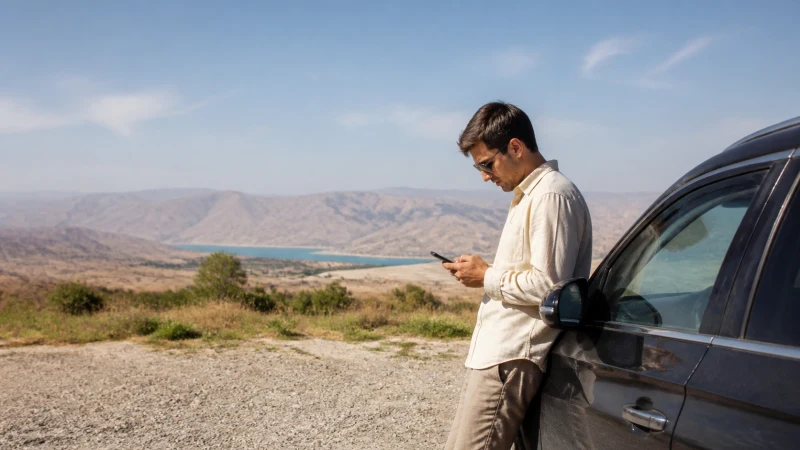

For an Uzbekistan road trip, use mobile data to update plans at stops, but prepare each driving leg so it remains manageable without a connection. An eSIM cannot guarantee reception along the whole road.
Save the next accommodation address, agreed stops and driver or host contact details before leaving a reliable connection. Downloading a country map alone does not complete the preparation.
Our NoveSIM travel eSIMs are data-only. We do not provide an Uzbek number, conventional calls or SMS. Arrange an alternative way to reach anyone who cannot receive internet messages.
Quick answer: Choose a plan that includes Uzbekistan, check eSIM compatibility and unlocked status, and install before departure. Save maps, your next stop and contacts offline, then test data while stationary. Do not rely on live rerouting as your only route information.
Top Uzbekistan eSIMs

Uzbekistan eSIM
Fixed
1 GB, 7 days€ 2.682 GB, 15 days€ 3.573 GB, 30 days€ 4.46Unlimited
Unlimited, 1 day€ 2.68Unlimited, 3 days€ 5.35Unlimited, 5 days€ 8.03
Prepare One Driving Leg at a Time
A city connection does not establish reception along regional roads. The Uzbekistan coverage guide explains why the selected network and exact location matter.
- Save the destination address and a recognisable landmark, not only a booking link.
- Download the relevant map area and check it opens without mobile data.
- Keep a written list of fuel, food and rest stops agreed with your driver or route provider.
- Save accommodation and transport contacts, including a number reachable through an appropriate voice service.
- Tell a trusted contact your planned destination and when to expect an update.
Offline maps may not include current closures, live traffic or every navigation feature. Check route suitability with a responsible local source. Connectivity preparation does not replace vehicle checks, water, weather information or safe driving decisions.
Buy for the Journey, Not a Claimed Best Network
Check allowance, validity, partner networks and hotspot conditions. Validity must cover the final transfer as well as sightseeing days. More data does not solve a coverage gap.
A local SIM may help if you need local voice service; confirm its actual offer and registration requirements. Check Uzbekistan charges before using home-carrier roaming. Accommodation Wi-Fi can handle downloads before the next leg, but is not an on-road connection.
Use the Uzbekistan data-planning guide to budget for your usage. Photo backup, video and passengers sharing a hotspot can use far more than checking a map.
Test the Phone Before You Drive
Check eSIM support and unlocked status for the exact handset. Install on reliable Wi-Fi using the Uzbekistan installation instructions, and check when validity starts; installation and activation are not necessarily the same event.
In Uzbekistan, select the travel eSIM for mobile data and enable Data Roaming on that line as instructed. Keep primary-line data roaming and automatic data switching off to avoid unintended home-carrier data use. Other primary-line charges can still apply.
While parked, open a fresh page and send a test message. If manual NoveSIM APN entry is needed, use data.esim with blank username and password. Keep battery power for arrival; navigation and tethering increase consumption.
If Data Drops Between Stops
Follow the saved route and agreed itinerary until you can stop safely. Do not handle the phone while driving or take an unsuitable detour to find signal.
At a safe stop, check the selected data line, allowance and validity. Use Uzbekistan eSIM troubleshooting if the fault persists. Only select networks allowed by the plan. Do not delete the installed eSIM unless support instructs you to do so.
Send your host an updated arrival time when service returns. Agree beforehand what happens if a message cannot be delivered; internet messaging is not a dependable emergency fallback without coverage.
Related Articles
- Remote-area connectivity in Uzbekistan
- Preparing the Tashkent–Samarkand transfer
- Mobile internet options across Uzbekistan
FAQ
Can I rely on mobile navigation throughout the drive?
No. Save the route area and addresses offline. Reception can change, and offline maps may lack live traffic or closure information.
Will a larger plan improve reception?
No. It supports more usage, not wider coverage. Check partner networks and retain an offline fallback.
Can passengers share the eSIM?
Only if the plan and device support hotspot use. Sharing consumes the same allowance and battery; it cannot create a connection where service is unavailable.
How do I reach a host without data?
Save their number and arrange a voice-call option or another agreed fallback. NoveSIM data-only plans do not supply conventional calls or SMS.
Final Recommendation
Build Uzbekistan road-trip preparation around the next leg: saved maps, agreed stops, an arrival address and reachable contacts.
Install before departure, test data while stationary in Uzbekistan, and reserve allowance and battery for the final transfer.
Let internet improve the journey when available, rather than making it a condition for reaching the next stop.