


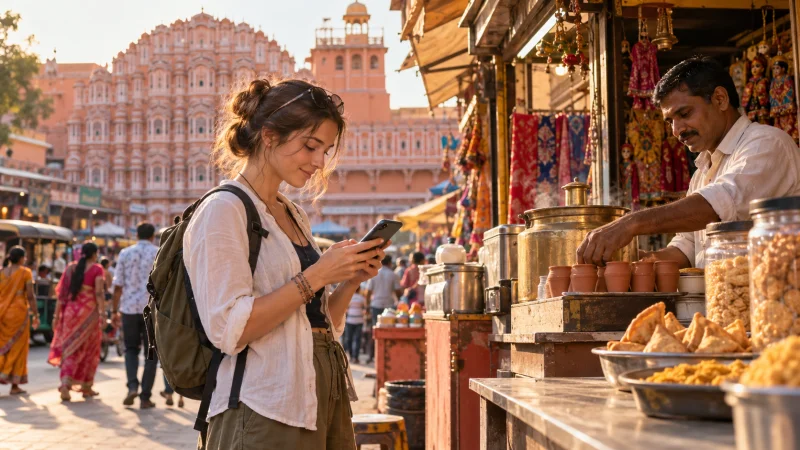

UPI One World gives eligible visitors a route to merchant QR payments in India through a tourist payment wallet. It is not a feature unlocked simply by installing a travel eSIM: the wallet provider must accept and verify you separately.
Prepare payments and connectivity as two different travel arrangements. Having internet at a café counter is useful, but it does not establish that your passport, funding card or the displayed QR code is eligible for a transaction.
NoveSIM supplies mobile data, not an Indian telephone number, carrier SMS, a bank account or a payment wallet. Use an India eSIM package for connectivity while keeping access to the number and authentication methods required by your financial services.
Quick answer: Check the chosen UPI One World issuer’s nationality rules, identity checks and current charges before relying on it. Arrange NoveSIM independently for internet access, retain your verification number and carry a physical card and cash. Do not assume you can finish wallet activation before arrival or pay every Indian QR code.
Top eSIMs

UPI One World Is Not Ordinary Google Pay Registration
A tourist wallet and a bank-linked UPI account are different products. This guide focuses on preparing for a visitor wallet, using Cheq’s public information as an example rather than treating one provider’s conditions as universal.
If your question is whether an overseas card in a phone wallet can pay a UPI code, read our Google Pay in India guide. Contactless card payments at a terminal should not be confused with merchant QR payments through a tourist wallet.
Cheq’s official website advertises use without an Indian SIM or bank account. That does not mean no identity or telephone verification. Nor does it make NoveSIM the provider of the payment service.
Who Is Eligible, and What Remains Unclear?
Checked on 21 October 2026: Cheq’s homepage advertises support for 195 countries but also retains a G20 eligibility description. Its separate FAQ describes foreign nationals and NRI/OCI users with a nationality exclusion list. Do not interpret the headline as universal eligibility.
The FAQ excludes 17 nationalities; check its live list against your passport. Its registration sequence includes SIM verification, passport details and physical verification. Original passport, visa/OCI documentation and an entry stamp are requested.
Cheq’s terms dated 15 July 2026 set a minimum age of 18 and reserve approval under internal policies. They also cover products beyond the foreign-tourist wallet. Their general video-KYC wording is not sufficient evidence that every visitor can activate remotely.
Not confirmed: acceptance of every passport or visa category, a guaranteed appointment, identical onboarding in every city, or completed activation before entering India. Resolve those points through the issuer’s official app or support before making the wallet essential to your itinerary.
Keep the Data Line and Verification Number Separate
Cheq lists SMS, WhatsApp or email OTP routes and advises keeping the registered SIM active for verification. Do not assume all alternatives appear in every registration flow.
A data-only eSIM cannot receive an ordinary SMS addressed to another telephone number. Before travelling, ask the provider of that number about receiving verification messages in India and any relevant roaming charges. Disabling home-line data roaming is not the same as disabling the entire line.
Check your exact handset and regional model against the NoveSIM compatible-device guidance. If you need two lines active, confirm the phone supports that combination. Avoid changing the wallet’s registered number just because you have selected a different line for mobile data.
Fees, Funding and Limits: Read the Different Categories
Cheq’s homepage advertises a 3.5% top-up fee and no per-transaction charge. Compare the amount debited from your card with the spendable rupee balance, not just the advertised percentage. Your card issuer’s exchange rate and overseas-payment charges can affect the total cost.
The detailed FAQ adds these figures. They describe different operations, not a single spending allowance:
| Operation | Published Cheq figure |
|---|---|
| Joining | Free except INR 999 for Russian citizens |
| Initial funding | INR 5,000 during the first 24 hours |
| Monthly funding | INR 500,000 |
| Initial payments | INR 50,000: first 24 hours on Android, 72 hours on iOS; five transactions in the first 24 hours |
| After the cooling period | INR 100,000 per transaction and per day; 25 transactions per rolling 24 hours |
Confirm before loading: the figures actually applied to your account, accepted funding methods, maximum stored balance and all displayed fees. A monthly funding ceiling is not permission to hold that amount at once. Do not substitute limits from another issuer, a domestic wallet or a temporary event offer.
Start with an amount you can reasonably use rather than treating the wallet as your entire holiday budget. Keep the loading receipt and check the credited balance before attempting a purchase.
Getting Unused Money Back
Cheq’s FAQ directs unused-balance requests through in-app support, with initiation within 24 hours and receipt at the source account in 8–10 business days. Another FAQ answer says 10–12 days.
The general terms separately state 7–10 working days for refunds. These differing descriptions do not establish one guaranteed tourist-wallet deadline. They also do not clearly settle whether loading fees, bank charges or currency-conversion losses are recoverable.
Before adding a substantial balance, ask specifically about unused wallet funds, not just a merchant refund. Save the answer and the original funding reference. Leave time before closing or replacing the funding card, and keep access to the app and registered contact details after returning home.
Prepare NoveSIM Without Depending on Wallet Approval
- Choose an India package with an allowance and validity suitable for the visit. Read its validity-start condition before installation.
- Use reliable Wi-Fi and the supplied instructions to install the profile. Follow the NoveSIM installation guide rather than a payment app’s onboarding instructions.
- When using the package in India, select NoveSIM for mobile data and enable Data Roaming on that line as instructed. Disable automatic data switching if you do not want home-data fallback.
- Keep the number-owning line available if required for verification, subject to its provider’s conditions.
- With Wi-Fi off, load a fresh webpage before opening the payment app. This tests mobile data without initiating a financial transaction.
Coverage and network performance depend on the selected package, handset and location. Neither a signal icon nor a successful webpage guarantees a payment will be authorised.
If ordinary internet also fails, check the selected line, allowance, validity and supplied settings. The NoveSIM APN is data.esim when manual entry is required. Keep the installed eSIM unless support instructs you to remove it.
At the Counter: Avoid Paying Twice
Check the merchant name and amount before approving a payment. Do not hand over an unlocked phone, reveal an OTP or follow an unsolicited request to install remote-access software.
If the app shows a pending transaction, check its status and the merchant’s receipt before trying again. A second attempt can create a separate payment; switching eSIM profiles does not reverse the first one. Use the issuer’s official dispute process for a debit problem.
When registration is unfinished or a payment is declined, use an alternative the merchant actually accepts. Keep enough flexibility to buy a meal or reach your accommodation without first resolving an account issue.
Related Articles
- Google Pay in India: UPI versus contactless cards
- India eSIM packages and current data conditions
- Installing and using a NoveSIM eSIM
FAQ
Does buying a NoveSIM eSIM give me UPI One World?
No. NoveSIM supplies mobile data. Wallet eligibility, verification, funding and payment approval remain separate decisions made by the financial-service provider.
Can I rely on activation before my flight?
No. Do not build an arrival plan around an unverified account. Check the issuer’s actual onboarding requirements and have another way to pay for the first transfer and accommodation.
Will an internet connection fix a rejected payment?
Only a connectivity problem is addressed by restoring internet access. An account restriction, unsupported recipient or bank rejection needs a different resolution.
Should I spend the whole remaining balance before leaving India?
Do not make unnecessary purchases just to empty the wallet. Check the issuer’s unused-funds process before loading money, retain receipts and request clarification if the refund terms are unclear.
Final Recommendation
Consider UPI One World for tourists as an additional payment option, not a guaranteed replacement for cards and cash. Verify your own eligibility and the current account conditions before committing funds.
Prepare NoveSIM separately for India mobile data and preserve access to the verification number used by your wallet and bank. A working data connection supports the process without replacing identity checks.
For the first day, prioritise a tested connection, saved arrival details and a payment backup. You can then decide whether the tourist wallet is useful once its actual fees and approval status are clear.