
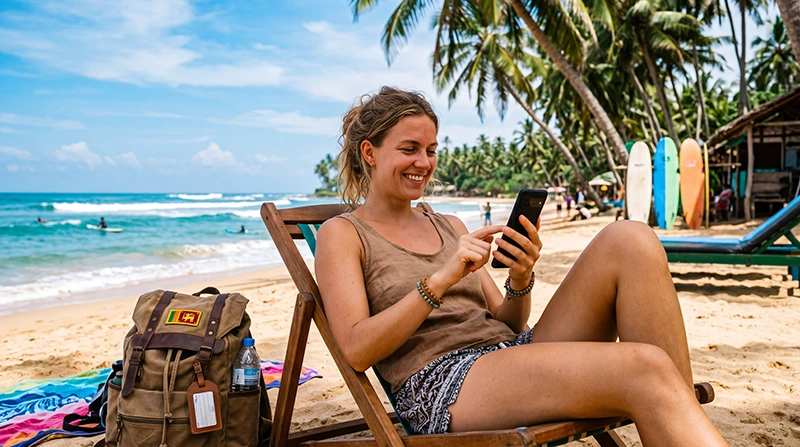

Traveler using unlimited mobile data on a beach in Sri Lanka

Unlimited Data in Sri Lanka: Best Options for Tourists in 2026

Having reliable mobile internet can make travelling around Sri Lanka much easier. You may need data to navigate between Colombo, Kandy, Ella, Galle, Mirissa and the island’s national parks, communicate with accommodation providers, order transportation, check train schedules or stay in contact with family and friends.

An unlimited data plan may sound like the simplest solution, especially when you expect to use maps, social media, video calls, cloud services or streaming platforms every day. However, the term unlimited does not always mean that you will receive unrestricted high-speed data throughout the entire validity period.

Many unlimited mobile data plans in Sri Lanka include a fair usage policy. This usually means that a specific amount of high-speed data is available during each 24-hour period. Once that allowance has been consumed, the connection may continue at a reduced speed until the daily allowance resets.

This guide explains how unlimited data works in Sri Lanka, the differences between travel eSIMs and local SIM cards, what speeds and coverage you can expect, and how to choose the most practical option for your trip.

Top Sri Lanka eSIMs

Can Tourists Get Unlimited Data in Sri Lanka?

Yes, tourists can find plans marketed as unlimited data for use in Sri Lanka. These plans may be available through international travel eSIM providers or, in some cases, through local mobile operators.

However, you should always read the fair usage policy before purchasing. An unlimited plan may provide continuous internet access without completely cutting off your connection, while still limiting how much data can be used at full speed each day.

Unlimited data plans generally fall into three categories:

  • Unlimited data with a daily high-speed allowance
  • Unlimited data with reduced speeds after a fair usage threshold
  • Application-specific unlimited plans that only cover selected services

For most international travellers, an unlimited travel eSIM with a clearly stated daily high-speed allowance is usually the easiest option to understand and manage.

How Does an Unlimited Sri Lanka eSIM Work?

An unlimited Sri Lanka eSIM is a digital mobile data plan that can be installed directly on a compatible smartphone. Instead of inserting a physical SIM card, you scan a QR code or use the manual installation information supplied after purchase.

Once the eSIM is installed, it connects to a supported mobile network in Sri Lanka. You can then use mobile data for navigation, messaging applications, social media, email, browsing, online bookings and other internet-based services.

NoveSIM unlimited plans for Sri Lanka include 1GB of high-speed data during each 24-hour period. After the daily high-speed allowance has been used, the connection continues at a reduced speed. The high-speed allowance resets automatically after every 24-hour cycle.

This arrangement can provide predictable access throughout the plan validity period while helping to prevent unexpectedly high roaming bills.

What Happens After Using 1GB in 24 Hours?

After consuming the included 1GB of high-speed data within a 24-hour period, your internet connection is not immediately disconnected. Instead, the speed is reduced until the next daily cycle begins.

The reduced-speed connection may remain suitable for lighter activities such as:

  • Sending text messages through WhatsApp, Viber or Messenger
  • Checking emails without large attachments
  • Opening lightweight websites
  • Receiving basic notifications
  • Using simple messaging and communication services

Activities such as HD video streaming, large downloads, cloud backups and prolonged video calls may become slower after the high-speed allowance has been reached.

Is 1GB of High-Speed Data Per Day Enough?

For many tourists, 1GB of high-speed data per day is enough for normal travel activities. The exact amount you need depends on how you use your phone and whether you also connect to Wi-Fi at hotels, restaurants and coworking spaces.

Online activity Approximate data usage Suitable with 1GB per day?
Google Maps navigation Low Yes
WhatsApp text messages Very low Yes
Voice calls through messaging apps Moderate Yes, with reasonable use
Social media browsing Moderate to high Usually
Uploading photos and videos High Use Wi-Fi when possible
Video calls High Limited daily use
HD video streaming Very high Not recommended for prolonged use
Cloud backups Very high Use Wi-Fi

You can make the daily high-speed allowance last longer by downloading offline maps, disabling automatic application updates and waiting for Wi-Fi before uploading large videos.

For a more detailed estimate, read our guide on how much mobile data you need in Sri Lanka.

Unlimited eSIM vs Local SIM Card in Sri Lanka

Both travel eSIMs and local prepaid SIM cards can provide affordable internet access in Sri Lanka. The best option depends on your device, travel schedule and willingness to visit a physical store.

Feature Unlimited travel eSIM Local Sri Lankan SIM card
Purchase Online before departure Usually after arrival
Installation Digital QR code Physical SIM insertion
Identity registration Usually no local store registration Passport registration may be required
Activation Connects in Sri Lanka Activated by the operator or retailer
Keeping your primary SIM Yes, on dual-SIM devices May require removing your physical SIM
Phone number Normally data only May include a local number
Convenience Very high Requires purchasing locally
Support Online support Local operator support
Fair usage policy Common on unlimited plans Depends on the selected package

A local SIM card may be suitable for a long stay or when you specifically need a Sri Lankan telephone number. A travel eSIM is generally more convenient when you want mobile data available shortly after landing without searching for a SIM card shop.

Read our complete local SIM vs eSIM comparison for Sri Lanka before choosing between the two options.

Advantages of an Unlimited Data eSIM for Sri Lanka

Install It Before Your Trip

You can purchase and install the eSIM while you are still at home. This allows you to prepare your phone in advance instead of dealing with SIM card registration immediately after a long flight.

Keep Your Primary SIM Card Active

Most modern eSIM-compatible phones support dual-SIM functionality. You can keep your primary SIM enabled for calls, SMS messages and verification codes while using the Sri Lanka eSIM for mobile data.

International roaming charges may still apply to your primary SIM. To avoid accidental data roaming, make sure the travel eSIM is selected as the preferred mobile data line and disable mobile data switching.

No Need to Search for a Store

A travel eSIM can save time at the airport and reduce the need to compare unfamiliar local packages. Your QR code and installation instructions are delivered digitally after purchase.

Predictable Data Access

An unlimited plan allows you to continue using mobile internet after the high-speed allowance has been consumed, although the connection may be slower until the allowance resets.

Useful for Multi-City Travel

A Sri Lanka eSIM can be particularly convenient when travelling through multiple parts of the country, including Colombo, Negombo, Kandy, Sigiriya, Dambulla, Ella, Nuwara Eliya, Galle, Mirissa, Unawatuna and Arugam Bay.

Disadvantages and Limitations of Unlimited Data Plans

Unlimited plans are convenient, but they are not always the best choice for every traveller.

High-Speed Data May Be Limited

The most important limitation is the fair usage policy. You may have continuous data access, but only a certain amount will be available at full speed during each daily period.

Hotspot Use Can Consume Data Quickly

Sharing your internet connection with a laptop or another device can use the high-speed allowance much faster. Operating-system updates, video meetings and cloud synchronisation may consume hundreds of megabytes in a short period.

Network Speeds Vary by Location

Mobile internet performance can differ between large cities, coastal areas, mountain regions and remote national parks. Signal quality may also be affected by terrain, buildings, vegetation, network congestion and weather.

A Travel eSIM Is Usually Data Only

NoveSIM plans provide mobile data and do not include a traditional telephone number, voice minutes or SMS messages. You can still make calls through internet-based applications such as WhatsApp, Viber, Messenger, FaceTime, Skype or Telegram.

Mobile Coverage in Sri Lanka

Sri Lanka has mobile coverage across its main cities, tourist areas and transport routes. The strongest and most consistent connectivity is generally found in populated areas and popular destinations.

Coverage may be available in locations such as:

  • Colombo and the surrounding metropolitan area
  • Bandaranaike International Airport and Negombo
  • Kandy and the central region
  • Galle, Unawatuna, Mirissa and the southern coast
  • Ella and major hill-country towns
  • Sigiriya and Dambulla
  • Trincomalee and the eastern coast
  • Jaffna and larger northern towns

More remote beaches, mountain roads, wildlife reserves and rural areas may have weaker or intermittent service. No mobile provider can guarantee identical coverage in every part of the island.

For more information about available connectivity, see our guide to the best mobile networks in Sri Lanka.

Can You Get 5G with an Unlimited Sri Lanka eSIM?

5G access may be available when the local network, your location, your phone and the eSIM profile all support it. However, 5G should not be expected everywhere in Sri Lanka.

Your phone may switch automatically between 5G, 4G and other available network technologies. In many locations, a stable 4G connection may provide a better experience than a weak or congested 5G signal.

To use 5G, check that:

  • Your smartphone supports the required 5G frequencies
  • 5G is enabled in your mobile network settings
  • You are inside an area with compatible 5G coverage
  • Your device software is up to date
  • The local partner network supports 5G roaming for the eSIM

The presence of a 5G icon does not guarantee a specific speed. Performance depends on local conditions and network availability.

What Internet Speed Can You Expect?

There is no single guaranteed speed for mobile data in Sri Lanka. Your connection may vary throughout the day and as you travel between different parts of the country.

Factors affecting your speed include:

  • Distance from the nearest mobile tower
  • Local network congestion
  • Indoor or outdoor use
  • Building materials and surrounding terrain
  • Your phone model and supported frequencies
  • Whether you are connected to 4G or 5G
  • Whether the daily high-speed allowance has been consumed

For reliable results, avoid downloading large files during busy periods and use trusted Wi-Fi for software updates, cloud backups and long video streams.

Who Should Choose Unlimited Data in Sri Lanka?

An unlimited data plan can be a good choice for travellers who want the reassurance of continuous access without monitoring every megabyte.

It may be particularly suitable for:

  • Tourists travelling around several regions of Sri Lanka
  • Digital nomads who need internet between accommodation locations
  • Business travellers who regularly use email and messaging applications
  • Families coordinating transportation and activities
  • Solo travellers who rely heavily on maps and online communication
  • Content creators who post frequently on social media
  • Travellers using ride-hailing, booking and translation applications

Travellers who only need maps and occasional messaging may save money with a smaller fixed-data plan. Compare the available options on our Sri Lanka eSIM page.

Unlimited Data for Digital Nomads in Sri Lanka

Sri Lanka attracts remote workers to locations such as Colombo, Weligama, Mirissa, Ahangama, Hiriketiya, Kandy and Ella. An unlimited eSIM can provide a useful backup connection when accommodation Wi-Fi is unavailable or unreliable.

However, mobile data should not be your only connection for bandwidth-intensive professional work. Daily video conferences, large file transfers, remote desktop sessions and constant cloud synchronisation can quickly consume the high-speed allowance.

A practical setup for remote work is:

  • Use accommodation or coworking Wi-Fi for large files
  • Use your eSIM for maps, messages, email and backup connectivity
  • Disable automatic cloud photo uploads on mobile data
  • Schedule software updates while connected to Wi-Fi
  • Keep important documents available offline

Unlimited Data for a Sri Lanka Road Trip

Mobile data is especially useful during a Sri Lanka road trip. You may need navigation, accommodation details, fuel station locations, restaurant reviews and communication with drivers or hosts.

Download offline maps before travelling through mountain regions, national parks or less populated areas. Offline navigation can keep working even when the mobile signal temporarily disappears.

Popular routes where mobile data may be useful include:

  • Colombo to Kandy
  • Kandy to Nuwara Eliya
  • Nuwara Eliya to Ella
  • Ella to Yala National Park
  • Yala to Mirissa or Weligama
  • Galle to Colombo
  • Colombo to Sigiriya and Dambulla
  • Sigiriya to Trincomalee

How to Buy an Unlimited Data eSIM for Sri Lanka

  1. Visit the NoveSIM Sri Lanka eSIM page.
  2. Select an unlimited plan with the appropriate validity period.
  3. Complete your purchase online.
  4. Open the confirmation email containing your QR code and installation instructions.
  5. Install the eSIM while connected to stable Wi-Fi.
  6. Keep the eSIM installed until you arrive in Sri Lanka.
  7. Enable the eSIM and Data Roaming after arrival.
  8. Select the eSIM as your preferred line for mobile data.

Your QR code and installation details can also be found in your NoveSIM account. Open your account, go to your orders, select the relevant order and view the eSIM details.

When Should You Install Your Sri Lanka eSIM?

Install your eSIM before travelling, preferably while you still have access to a reliable Wi-Fi connection. Installing in advance allows you to resolve any device compatibility or installation issues before departure.

The plan should connect when you arrive in a supported destination and the eSIM reaches a compatible local network. Do not delete the eSIM after installation, as many QR codes can only be installed once.

You can label the new mobile line Sri Lanka, Travel or NoveSIM to make it easier to identify in your settings.

How to Activate an Unlimited Sri Lanka eSIM

Activation on iPhone

  1. Open Settings.
  2. Select Cellular or Mobile Data.
  3. Tap Add eSIM.
  4. Select Use QR Code.
  5. Scan the QR code supplied after purchase.
  6. Complete the installation steps.
  7. Label the new line NoveSIM or Sri Lanka.
  8. After arrival, enable Turn On This Line.
  9. Enable Data Roaming for the eSIM.
  10. Select the eSIM under Cellular Data.
  11. Disable Allow Cellular Data Switching.

Activation on Android

  1. Open Settings.
  2. Select Connections, Network and Internet or SIM Manager.
  3. Choose Add eSIM, Add Mobile Plan or Download a SIM.
  4. Scan the supplied QR code.
  5. Complete the installation process.
  6. After arrival, enable the eSIM.
  7. Turn on Data Roaming for the eSIM.
  8. Select it as the preferred SIM for mobile data.
  9. Disable automatic mobile data switching where available.

The exact names of the menus may differ depending on the phone brand and operating-system version.

Required APN Settings

In many cases, the APN is configured automatically. If your phone connects to a network but mobile data does not work, check the APN settings.

Setting Value
APN data.esim
Username Leave blank
Password Leave blank
Authentication Automatic or none
Data Roaming Enabled for the eSIM

After entering the APN, save the settings and make sure the new APN is selected. Restart the phone or enable Airplane Mode for approximately 30 seconds before testing the connection again.

What to Do If Your Unlimited eSIM Is Not Working

If the eSIM does not connect after arriving in Sri Lanka, check the following settings before deleting or reinstalling anything.

  1. Confirm that the eSIM line is enabled.
  2. Enable Data Roaming specifically for the eSIM.
  3. Select the eSIM as the preferred line for mobile data.
  4. Disable mobile data switching between SIM cards.
  5. Check that the APN is set to data.esim.
  6. Enable Airplane Mode for approximately 30 seconds.
  7. Turn Airplane Mode off and wait for the phone to reconnect.
  8. Restart the device.
  9. Set network selection to automatic.
  10. If automatic selection fails, test the available supported networks manually.

Do not delete the eSIM profile while troubleshooting. The original QR code may not support a second installation.

For additional help, read our Sri Lanka eSIM troubleshooting guide.

How to Make Unlimited High-Speed Data Last Longer

Even with an unlimited plan, reducing unnecessary data usage helps preserve the daily high-speed allowance.

Download Offline Maps

Download maps for Colombo, Kandy, Ella, Galle and other destinations while connected to Wi-Fi. GPS navigation can continue to work without constantly downloading map data.

Disable Automatic Updates

Prevent your phone from downloading application and operating-system updates over mobile data.

Turn Off Cloud Backups

Photo and video backups can consume the daily allowance quickly. Configure your cloud service to upload only over Wi-Fi.

Reduce Video Quality

Choose standard definition instead of HD or 4K when streaming videos through mobile data.

Disable Video Autoplay

Social media applications may automatically play videos while you scroll. Turn off autoplay or restrict it to Wi-Fi.

Use Low Data Mode

Both iPhone and many Android devices offer data-saving settings that reduce background activity.

Download Entertainment Before Travelling

Download films, music, podcasts and audiobooks before leaving your hotel or while connected to trusted Wi-Fi.

Can You Use an Unlimited Sri Lanka eSIM as a Hotspot?

Hotspot availability depends on the selected plan, device settings and network conditions. When hotspot use is supported, you can share your mobile connection with a laptop, tablet or another phone.

Be careful when connecting computers. They may automatically download updates, synchronise cloud folders or back up files, which can rapidly consume the daily high-speed allowance.

For essential work, disable automatic updates and pause cloud synchronisation before connecting through your phone.

Can You Make Calls with a Sri Lanka Data eSIM?

NoveSIM Sri Lanka plans are mobile data only. They do not include a traditional mobile telephone number, voice minutes or standard SMS messages.

You can make internet-based calls using:

  • WhatsApp
  • Viber
  • FaceTime
  • Messenger
  • Telegram
  • Skype
  • Google Meet
  • Microsoft Teams

Your existing WhatsApp account can continue using its current telephone number even when mobile data is provided by the travel eSIM.

Can You Keep Receiving SMS on Your Main Number?

On a compatible dual-SIM phone, you can usually keep your primary SIM enabled for incoming calls and SMS while using the eSIM for mobile data.

To prevent unexpected charges:

  • Select the Sri Lanka eSIM for mobile data
  • Disable Data Roaming on your primary SIM
  • Enable Data Roaming only on the travel eSIM
  • Disable automatic cellular data switching
  • Check your home operator’s charges for receiving calls abroad

Receiving standard SMS messages is often free, but this depends on your mobile operator and roaming agreement.

Is Public Wi-Fi Enough in Sri Lanka?

Hotels, cafés, restaurants, airports and coworking spaces may provide Wi-Fi, but availability, speed and security can vary. Public Wi-Fi should not be considered a complete replacement for mobile data when travelling around the island.

Mobile data gives you connectivity while:

  • Travelling between cities
  • Using maps on the road
  • Waiting at train and bus stations
  • Communicating with drivers
  • Checking into accommodation
  • Visiting beaches and attractions
  • Handling unexpected changes to your itinerary

A combination of mobile data and trusted accommodation Wi-Fi usually provides the most practical setup.

Unlimited Data vs Fixed Data for Sri Lanka

Traveller type Recommended option
Light user relying mainly on hotel Wi-Fi Small fixed-data plan
Regular maps, messaging and social media user Medium fixed-data or unlimited plan
Frequent traveller moving between cities Unlimited plan
Business traveller Unlimited plan with Wi-Fi for large files
Digital nomad Unlimited plan as backup connectivity
Heavy video streamer Large fixed-data plan or unlimited plan combined with Wi-Fi
Family sharing one hotspot Large fixed-data plan may be more suitable

Unlimited data is most valuable when convenience and continuous access are more important than maintaining maximum speed throughout the entire day.

Frequently Asked Questions

Can I get unlimited mobile data in Sri Lanka?

Yes. Tourists can purchase travel eSIMs and other mobile plans marketed as unlimited. Many of these plans include a fair usage policy that limits the amount of high-speed data available during each 24-hour period.

Is a Sri Lanka unlimited eSIM really unlimited?

It provides continuous mobile data access during the plan validity period, but high-speed usage may be limited. With NoveSIM unlimited plans, 1GB of high-speed data is available during each 24-hour period. After that, the connection continues at a reduced speed until the daily allowance resets.

When does the daily data allowance reset?

The high-speed allowance resets after each 24-hour cycle. The cycle is not necessarily based on midnight in Sri Lanka, so it should not be treated as a calendar-day allowance.

Is 1GB per day enough for travelling in Sri Lanka?

For most travellers, 1GB per day is sufficient for maps, messaging, email, browsing and moderate social media use. Video streaming, large uploads and cloud backups can consume the allowance much faster.

Can I use WhatsApp with a Sri Lanka eSIM?

Yes. WhatsApp continues to work with your existing account and telephone number. You do not need to change your WhatsApp number when installing a data-only travel eSIM.

Does the eSIM include calls and SMS?

No. NoveSIM plans are mobile data only and do not include traditional voice calls, SMS messages or a local Sri Lankan telephone number. Internet calls remain available through compatible applications.

Can I install the eSIM before arriving in Sri Lanka?

Yes. Installing it before departure is recommended. Use stable Wi-Fi during installation and enable the eSIM for mobile data after arriving in Sri Lanka.

Will the eSIM activate immediately after installation?

The eSIM can be installed before travel. The plan normally starts when it connects to a supported network in a covered destination, depending on the conditions of the selected package.

Should Data Roaming be enabled?

Yes. Data Roaming must be enabled for the travel eSIM because it connects through partner networks in Sri Lanka. You can keep Data Roaming disabled on your primary SIM.

What APN should I use?

Use data.esim as the APN. Leave the username and password fields blank unless different instructions are supplied with your plan.

Can I use 5G in Sri Lanka?

5G may be available in supported areas when your device, plan and local partner network are compatible. Your phone may automatically switch between 5G and 4G depending on signal availability.

Can I share the eSIM data through a hotspot?

Hotspot use depends on the selected plan and device. When available, remember that connected laptops and tablets can consume the daily high-speed allowance quickly.

Can I use the eSIM in Ella, Kandy and the southern beaches?

Mobile coverage is generally available in major towns and popular tourist areas, but signal quality varies. Mountain roads, isolated beaches and rural areas may have weaker or intermittent coverage.

Do I need to remove my regular SIM card?

No. On an eSIM-compatible dual-SIM device, you can keep your regular SIM installed and use the Sri Lanka eSIM for mobile data.

Can the eSIM be installed on another phone?

An eSIM QR code is generally intended for installation on one compatible device. Do not install it on one phone if you plan to use it on another, and do not delete the profile after successful installation.

Can I top up or extend the same eSIM?

NoveSIM plans cannot currently be topped up or extended on the same QR code. If you need additional validity or another data plan, purchase a new eSIM package.

What should I do if the eSIM has signal but no internet?

Check that the eSIM is selected for mobile data, Data Roaming is enabled and the APN is set to data.esim. Then enable Airplane Mode for approximately 30 seconds and restart the phone.

Is an eSIM better than buying a local SIM at the airport?

An eSIM is generally more convenient because it can be purchased and installed before departure. A local SIM may be useful for longer stays or when you specifically require a Sri Lankan telephone number.

Is unlimited data suitable for remote work?

It can provide useful backup connectivity for email, messaging and lighter tasks. For prolonged video meetings, large file transfers and cloud backups, combine mobile data with reliable Wi-Fi.

Final Recommendation

An unlimited data eSIM is one of the most convenient ways to stay connected while travelling in Sri Lanka. It can be installed before departure, does not require replacing your primary SIM card and provides continuous mobile internet throughout the selected validity period.

Remember that unlimited does not necessarily mean unlimited high-speed usage. NoveSIM unlimited plans provide 1GB of high-speed data during each 24-hour period, followed by reduced-speed access until the allowance resets.

This is usually enough for navigation, messaging, travel bookings, email and moderate social media use. To preserve the high-speed allowance, use Wi-Fi for streaming, cloud backups, software updates and large uploads.

Before purchasing, confirm that your phone supports eSIM technology and is not locked to a specific mobile operator. Install the eSIM while connected to Wi-Fi, enable Data Roaming after arriving and use data.esim as the APN if manual configuration is required.

Explore the available fixed and unlimited options on the NoveSIM Sri Lanka eSIM page and choose the validity period that matches your trip.

Scroll to Top