
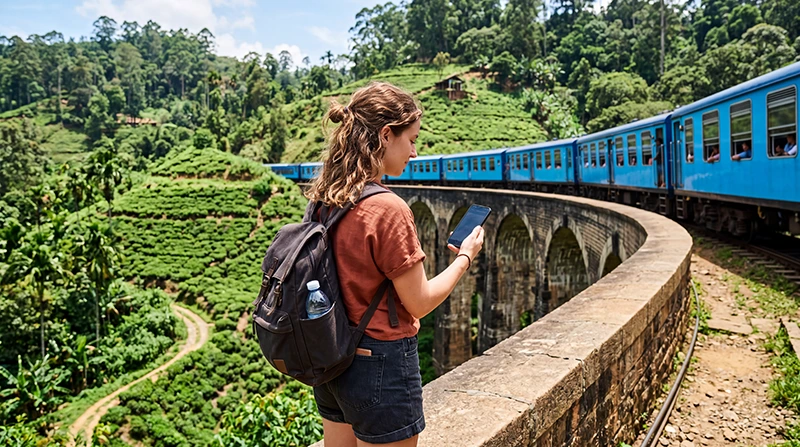

Traveler using fast mobile data while exploring Sri Lanka

Best Mobile Data in Sri Lanka: Complete Guide for Tourists

Planning a trip to Sri Lanka? Reliable mobile data makes it easier to navigate between destinations, communicate with hotels, check train schedules, arrange transportation and stay connected throughout your journey.

Whether you are exploring Colombo, Kandy, Sigiriya, Ella, Galle, Mirissa, Nuwara Eliya or Arugam Bay, mobile internet helps you use maps, WhatsApp, ride-hailing apps, booking platforms, translation tools and travel websites.

Tourists can access mobile data through a travel eSIM, local prepaid SIM card or international roaming. For most international visitors, a Sri Lanka eSIM is the easiest option because it can be installed before departure and used shortly after landing.

Quick answer: the best mobile data option for most tourists is a prepaid Sri Lanka eSIM. Install it before departure, select it for Mobile Data after landing and enable Data Roaming on the eSIM.

Top Sri Lanka eSIMs

What Is the Best Mobile Data Option in Sri Lanka?

The best option depends on your phone, trip length, expected data usage and whether you need a Sri Lankan phone number.

Mobile Data Option Best For Main Advantage
Sri Lanka eSIM Most international tourists Install before departure
Local prepaid SIM card Long stays and local calls May include a local phone number
International roaming Very short or emergency use No additional installation
Hotel and café WiFi Backup connection Useful for large downloads

Why a Sri Lanka eSIM Is Best for Most Tourists

A travel eSIM is convenient because you can purchase and install it before your flight. You do not need to wait at an airport counter, remove your home SIM card or visit a local mobile operator store after arrival.

  • Install before departure.
  • No physical SIM card required.
  • No airport queues.
  • No local shop registration.
  • Keep your existing SIM card and phone number.
  • Perfect for Dual SIM smartphones.
  • Mobile data available shortly after landing.
  • Suitable for holidays, road trips and multi-city travel.

How Does a Sri Lanka eSIM Work?

An eSIM is a digital SIM profile installed directly on a compatible smartphone. Instead of inserting a physical SIM card, you scan a QR code and add the mobile data plan to your device.

You can install the eSIM at home while connected to WiFi. After arriving in Sri Lanka, enable the eSIM, select it for Mobile Data and turn on Data Roaming.

Your phone should then connect automatically to a supported local mobile network.

Sri Lanka eSIM vs Local SIM Card

Feature Sri Lanka eSIM Local SIM Card
Buy before departure Yes No
Digital installation Yes No
Physical SIM required No Yes
Airport queue No Possible
Keep home SIM active Yes Depends on device
Local phone number Usually no Usually yes
Passport registration No local registration Usually required
Best for short trips Excellent Good
Best for long stays Good Very Good

Sri Lanka eSIM vs International Roaming

Feature Sri Lanka eSIM International Roaming
Price known before travel Yes Depends on operator
Install before departure Yes No installation required
Keep home SIM active Yes Yes
Risk of unexpected charges Low Moderate to High
Prepaid mobile data Yes Depends on package
Best for tourists Excellent Depends on roaming rates

When Is a Local SIM Card Better?

A local prepaid SIM card may be better if you are staying in Sri Lanka for several weeks or months and need a Sri Lankan phone number.

You may need to show your passport when purchasing and registering the SIM card. You may also need to remove your home SIM unless your phone supports two physical SIM cards.

  • You need a Sri Lankan phone number.
  • You plan to make traditional local calls.
  • Your phone does not support eSIM.
  • You are staying for an extended period.
  • You are comfortable visiting a local operator store.

Is International Roaming a Good Option?

International roaming is convenient because it allows you to continue using your home SIM card without installing anything new. However, prices vary considerably between operators.

Some carriers offer daily travel passes, while others charge per megabyte. For regular mobile data use, roaming can become more expensive than a prepaid travel eSIM.

Always check your operator’s rates, data limits and fair usage policy before departure.

How Much Mobile Data Do You Need in Sri Lanka?

Trip Length Recommended Data
2–3 days 3–5 GB
5 days 5–10 GB
One week 10 GB
10 days 15–20 GB
Two weeks 20–30 GB
Remote work or frequent hotspot use 30 GB or more

Light users who mainly use maps, WhatsApp and hotel booking applications may need less data. Travelers who stream video, upload many photos or share their connection with a laptop should choose a larger plan.

Typical Mobile Data Usage

Activity Typical Usage
Maps and navigation Low
WhatsApp messaging Very Low
Email and browsing Low to Moderate
Social media Moderate
Uploading photos Moderate to High
Video calls High
Video streaming Very High
Laptop hotspot Moderate to Very High

What Can You Use Mobile Data For?

  • Google Maps and navigation.
  • WhatsApp messages and calls.
  • Hotel and guesthouse communication.
  • Train and bus information.
  • Ride-hailing applications.
  • Restaurant searches.
  • Translation applications.
  • Flight updates.
  • Social media and photo uploads.
  • Personal Hotspot for a laptop or tablet.

Mobile Data Coverage in Sri Lanka

Mobile coverage is generally strongest in cities, airports, coastal destinations and popular tourist areas. Signal may be less consistent in national parks, mountain regions, railway tunnels and remote countryside.

Destination Expected Coverage
Bandaranaike International Airport Excellent
Colombo Excellent
Kandy Excellent
Galle Excellent
Sigiriya Very Good
Ella Good to Very Good
Nuwara Eliya Good to Very Good
Mirissa Very Good
Arugam Bay Good to Very Good
Remote national parks and mountain roads Variable

Best Mobile Data in Colombo

Colombo generally has strong mobile coverage and reliable data speeds. Tourists can use mobile internet for navigation, ride-hailing, hotel communication, restaurant searches, messaging and video calls.

Coverage is usually strong around Bandaranaike International Airport, central Colombo, railway stations, hotels, shopping centres and major transport routes.

Best Mobile Data in Kandy

Kandy normally has reliable mobile coverage in central areas and near popular attractions. Signal may become less consistent on mountain roads and in rural areas outside the city.

Downloading offline maps before continuing toward Nuwara Eliya or Ella is recommended.

Best Mobile Data in Ella

Ella has generally usable mobile coverage, but mountains, valleys and railway tunnels can cause temporary interruptions.

If you plan to hike Little Adam’s Peak, visit tea plantations or explore remote roads, save your accommodation details and maps offline.

Mobile Data on the Train to Ella

The famous train journey through Sri Lanka’s hill country passes through tunnels, forests and mountain valleys. Mobile data may work during much of the journey, but signal strength can change frequently.

Download train tickets, hotel details, maps, music and entertainment before boarding.

Best Mobile Data in Galle and the South Coast

Mobile coverage is generally strong in Galle and good across popular south-coast destinations such as Mirissa, Weligama and Unawatuna.

You can normally use mobile data for maps, accommodation bookings, restaurant searches, surf forecasts and messaging while traveling along the coast.

Mobile Data in Sri Lanka National Parks

Coverage in national parks such as Yala, Udawalawe and Wilpattu can be inconsistent. Visitor centres and nearby towns may have usable signal, while remote safari areas may have limited or no coverage.

Save your booking confirmation, meeting point and driver’s contact information before entering the park.

Mobile Data at Colombo Airport

Travelers arriving at Bandaranaike International Airport can use airport WiFi, buy a local SIM card or activate a travel eSIM installed before departure.

Airport WiFi is useful temporarily, but mobile data becomes more practical after leaving the terminal. A pre-installed eSIM allows you to avoid SIM card queues and begin using maps or messaging shortly after landing.

How to Get the Best Mobile Data Before Your Trip

  1. Check that your phone supports eSIM.
  2. Select a Sri Lanka eSIM plan that matches your trip.
  3. Complete your purchase online.
  4. Receive your QR code and installation instructions by email.
  5. Find the QR code and installation link in your NoveSIM account if needed.
  6. Install the eSIM while connected to reliable WiFi.
  7. Keep it disabled until arrival if preferred.
  8. After landing, enable the eSIM.
  9. Select it for Mobile Data.
  10. Enable Data Roaming on the eSIM.

Recommended Phone Settings

Setting Recommended Value
Mobile Data Sri Lanka eSIM
Calls Primary SIM
SMS Primary SIM
Data Roaming (eSIM) ON
Data Roaming (Primary SIM) OFF
Automatic Data Switching OFF
Network Selection Automatic
APN data.esim

Sri Lanka eSIM APN Settings

Most compatible smartphones automatically configure the APN. If your phone connects to the mobile network but mobile data does not work, configure the APN manually.

Field Value
APN data.esim
Username Leave blank
Password Leave blank
Authentication None

Can You Keep Your Home SIM Active?

Yes. Most Dual SIM smartphones allow you to keep your primary SIM active while using the Sri Lanka eSIM for mobile data.

This allows you to continue receiving calls, SMS verification codes and banking messages while using affordable prepaid mobile data.

Does WhatsApp Work with a Sri Lanka eSIM?

Yes. WhatsApp continues using your existing phone number because it relies on your internet connection rather than your SIM card.

You do not need to create a new WhatsApp account or change your number.

Can You Use Personal Hotspot?

Most Sri Lanka eSIM plans support Personal Hotspot, although availability depends on the selected package.

If you need internet on a laptop or tablet, verify hotspot support before purchasing.

How to Reduce Mobile Data Usage

  • Download offline Google Maps.
  • Disable automatic app updates.
  • Turn off automatic cloud backups.
  • Reduce video streaming quality.
  • Download music before traveling.
  • Use hotel WiFi for large downloads.
  • Monitor your mobile data usage regularly.
  • Close unnecessary background apps.

What If Mobile Data Doesn’t Work?

  1. Confirm the Sri Lanka eSIM is enabled.
  2. Select the eSIM for Mobile Data.
  3. Enable Data Roaming on the eSIM.
  4. Disable Data Roaming on your primary SIM.
  5. Turn off Automatic Data Switching.
  6. Enable Airplane Mode for 30 seconds.
  7. Restart your phone.
  8. Keep Network Selection on Automatic.
  9. Enter data.esim as the APN if required.

Travel Tips

  • Install your eSIM before departure.
  • Keep your QR code available.
  • Download offline maps before long journeys.
  • Carry a power bank.
  • Use WiFi for software updates.
  • Keep your passport and hotel confirmation saved offline.
  • Monitor your mobile data usage.
  • Restart your phone if it doesn’t connect immediately after landing.

Related Sri Lanka Guides

FAQ

What is the best mobile data option in Sri Lanka?

For most international tourists, a prepaid Sri Lanka eSIM offers the best combination of convenience, coverage and predictable pricing.

Should I buy an eSIM before traveling?

Yes. Installing your eSIM before departure allows you to connect shortly after landing without visiting an airport SIM counter.

Can I keep my home SIM active?

Yes. Dual SIM phones allow you to keep your primary SIM active while using the Sri Lanka eSIM for mobile data.

Does WhatsApp keep my phone number?

Yes. WhatsApp continues using your existing phone number while the eSIM provides the internet connection.

Do I need Data Roaming enabled?

Yes. Enable Data Roaming only on your Sri Lanka eSIM. Keep it disabled on your primary SIM.

What APN should I use?

If manual configuration is required, use data.esim.

Can I use Personal Hotspot?

Most Sri Lanka eSIM plans support Personal Hotspot, depending on the selected package.

Is an eSIM better than a local SIM card?

For most tourists, yes. An eSIM can be installed before departure, requires no physical SIM replacement and lets you keep your home SIM active.

Can I use mobile data across all of Sri Lanka?

Yes. Mobile coverage is generally excellent in cities and tourist destinations, although it may vary in mountainous regions and national parks.

Can I use my eSIM during the train journey to Ella?

Yes. Mobile data works along much of the route, although tunnels and mountain valleys may temporarily reduce signal strength.

Final Recommendation

For most international visitors, a Sri Lanka eSIM is the best mobile data solution. It combines convenience, reliable coverage and predictable pricing while allowing you to keep your home SIM active.

Install your eSIM before departure, enable it after landing, select it for Mobile Data, turn on Data Roaming and use data.esim if manual APN configuration is required.

With the right mobile data plan, you’ll stay connected while exploring Colombo, Kandy, Ella, Galle, Sigiriya, Mirissa and every corner of Sri Lanka.

Browse Sri Lanka eSIM plans here.

Scroll to Top